



The Biomechanical Baseline: Defining Ideal Gaming Desk Height
Finding the ideal height for a gaming battlestation is foundational to maintaining smooth tracking, consistent reaction times, and general comfort over long hours. While many setups default to fixed standard heights, personal body geometry, seating styles, and mouse handling mechanics dictate what truly works best for each individual player.
Forearm Alignment and Shoulder Neutrality
A reliable starting reference for determining desktop elevation is seated elbow height. When seated upright with shoulders relaxed and upper arms resting naturally at your sides, your elbows should form an approximate right angle. The desktop surface should align level with your forearms or rest slightly below them, allowing your hands to glide freely over keyboard switches and mousepads without lifting your shoulders or resting heavily on wrist joints.
Aiming Styles: Arm vs. Wrist Swiping Mechanics
Your preferred in-game input style also influences effective surface calibration. Low-sensitivity players who rely on sweeping forearm movements for tracking benefit from a surface height that sits level with or marginally lower than their resting elbow point. This allows the entire forearm to glide across extended mouse mats without catching on sharp table edges. High-sensitivity wrist players, on the other hand, may prefer slightly higher alignment to stabilize the base of the palm, provided the shoulders remain relaxed without shrugging upward.
Gaming Desk Height Decision Categories and Frame Tiers
Choosing between fixed frames and dynamic lift mechanisms shapes how you adjust and adapt your gaming environment over time.
Fixed-Height Desks and Chair Elevation Adjustments
Traditional fixed-frame desks offer sturdy structural platforms but require your chair to handle the height difference. If a fixed surface sits higher than your natural elbow rest, elevating the chair seat is necessary to align your arms properly. In these setups, incorporating an ergonomic footrest prevents pressure behind the knees and keeps feet flat, ensuring a stable lower-body base during fast-paced play.
Motorized Sit-Stand Frames for Dynamic Posture Rotation
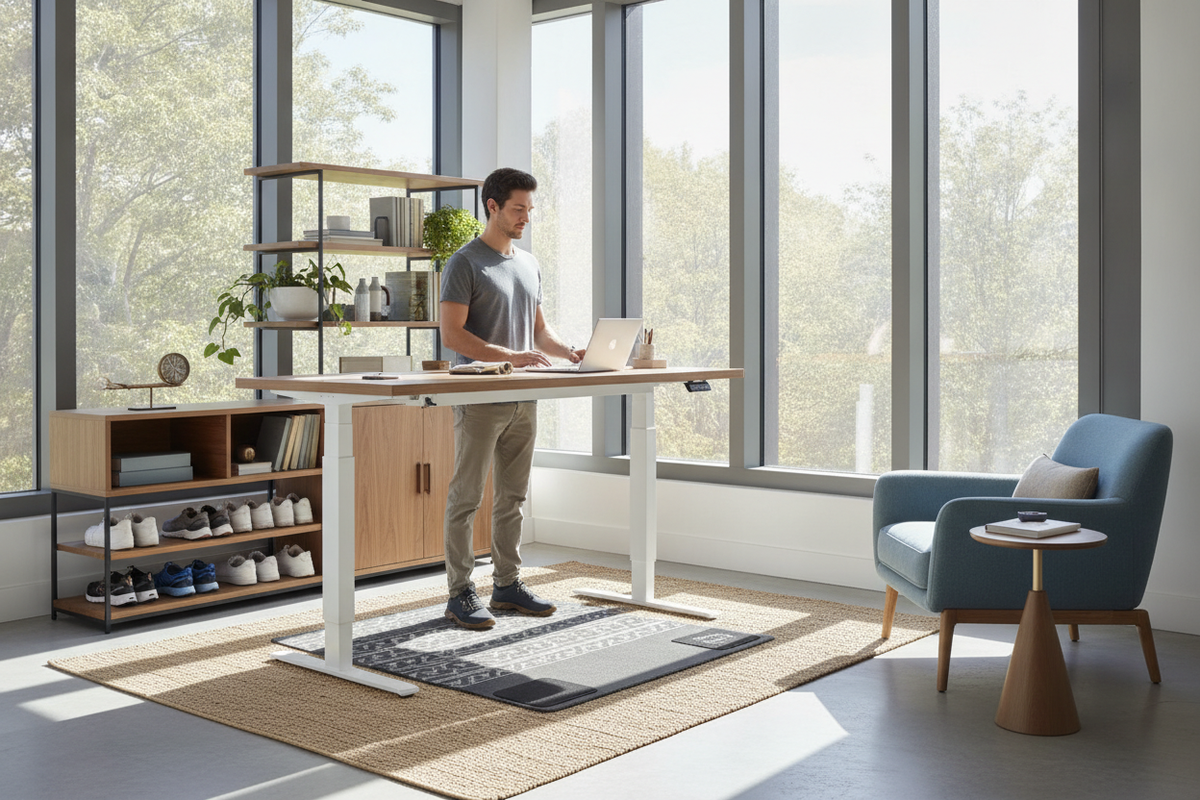
Motorized frames provide precise millimeter-level adjustments to match your body proportions exactly. Investing in an height desk product allows players to alternate smoothly between seated sessions and standing rounds, preserving focus without interrupting active matches.
Chair Synergy, Armrest Interplay, and Under-Desk Clearance
A gaming desk functions as part of a complete seating and support ecosystem. The relationship between chair armrests, desktop bevels, and lower-body legroom determines how effortlessly you can sit close to your monitors and peripherals.
Harmonizing Armrest Elevation with Desktop Edges
Adjustable armrests should ideally form a continuous, level plane with the desktop surface. When armrests match table height, your forearms transition smoothly onto large mouse surfaces, distributing upper body weight evenly. Alternatively, lowering armrests slightly allows the chair to roll fully forward under the desk, bringing your core closer to keyboard controls without obstruction.
Thigh Clearance and Under-Desk Storage Boundaries
Under-desk space requires careful planning. Ample vertical clearance between the top of your thighs and the bottom of the table frame ensures natural leg movement throughout play. Bulky center drawers, low crossbars, or poorly placed storage boxes directly beneath primary seating zones can force awkward sitting angles, making decoupled storage layouts preferable.
Peripheral Depth, Monitor Sightlines, and Surface Spans
Surface elevation directly interacts with display alignment, neck angles, and gear organization across your workstation.
Monitor Riser and Gas-Spring Arm Calibration
Correct desk height solves arm and wrist alignment, but screen height must be calibrated separately. The upper edge of your primary monitor should generally align with horizontal eye level when looking straight ahead. Using independent monitor arms or solid desktop risers prevents downward neck tilt, keeping visual lines centered during intense gameplay.
Large Format Desktops for Multi-Display Battlestations
Multi-monitor arrays and secondary broadcast equipment demand broad, rigid surfaces that do not wobble under weight or rapid arm motion. A spacious option like the 71 w height adjustable standing desk provides the span required to mount dual screens, oversized mouse mats, and desktop audio gear while maintaining a clean, open layout.
Room Spatial Flow, Layout Tiers, and Battlestation Storage Synergy
Integrating your gaming station into a room requires harmonizing desk dimensions with peripheral cabinetry, cable routing, and general foot traffic.
Optimizing Compact Spaces and Aesthetic Balance
In tighter spaces or multi-purpose bedrooms, visual balance is just as important as mechanical fit. Exploring ideas from a curating a small space desk setup that feels high end guide can help you choose minimalist frames, neutral color palettes, and streamlined furniture silhouettes that maximize available floor area.
Decoupled Storage Pedestals and Dynamic Cable Management
To preserve maximum legroom and maintain clean ergonomics beneath the desk, separate heavy storage items from the main sitting zone. Mobile filing pedestals, low side cabinets, and flexible cable raceways keep wires tidy and computer towers secure, ensuring uninhibited movement for both casual play and competitive gaming.
Step-by-Step Desk Calibration Protocol
- Set Chair Seat Height: Sit with your feet flat on the floor and adjust the seat until your knees form an open angle without thigh pressure.
- Position Armrests: Adjust armrest height so your shoulders hang naturally without lifting or slouching.
- Adjust Desktop Surface: Set the desk height so your forearms rest level with the mousepad when your hands are on the controls.
- Fine-Tune Display Sightlines: Raise or lower your monitor mounts until the top third of the screen sits at eye level.
- Save Memory Presets: If using a motorized standing frame, store seated and standing elevations to ensure consistent positioning every session.


Laisser un commentaire
Ce site est protégé par hCaptcha, et la Politique de confidentialité et les Conditions de service de hCaptcha s’appliquent.