


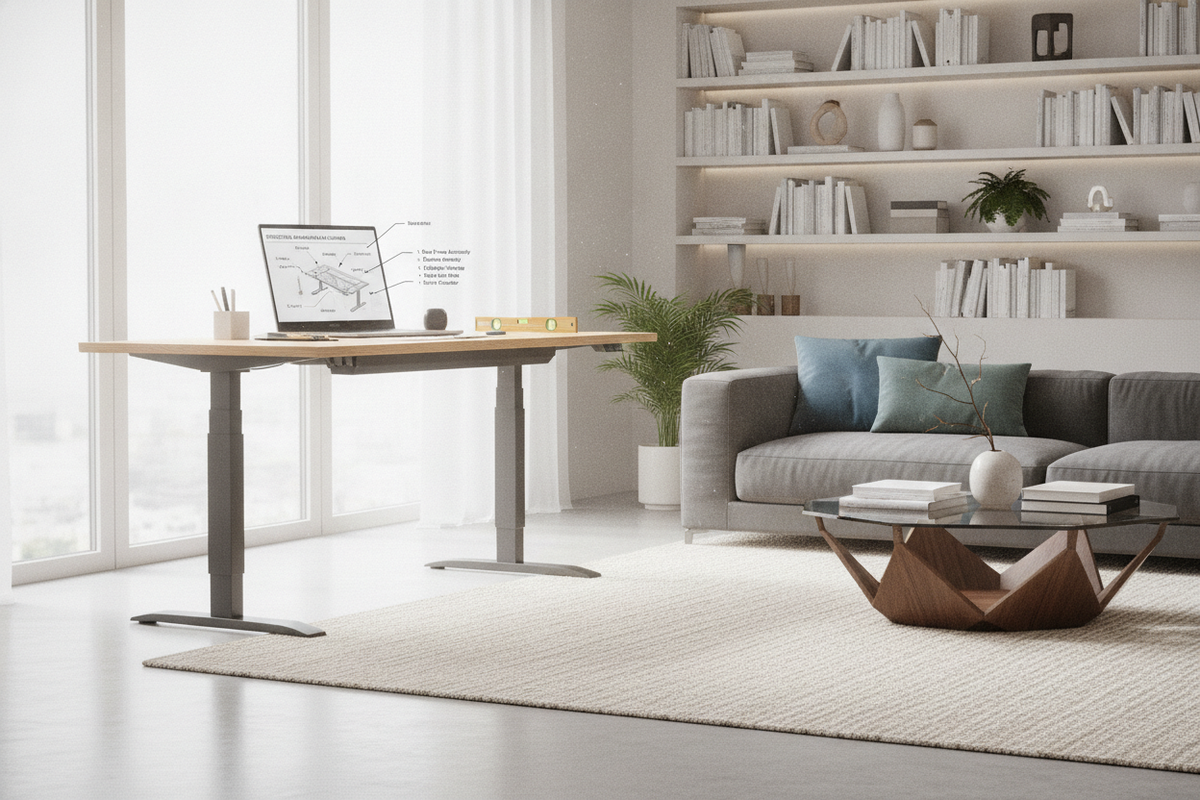
Anatomy of Dual-Column Height Discrepancies: Mechanical vs. Electronic Imbalance
Experiencing a flexispot standing desk uneven legs issue can disrupt your workday and create visible surface tilt. Height-adjustable workstations rely on balanced support across both sides of the frame. When one lifting column elevates faster than the other or fails to match baseline height, the issue generally stems from one of three areas: electronic desynchronization between dual lifting motors, physical displacement in a single-motor hex transmission drive, or uneven floor contact beneath the foot glides.
Dual-motor motorized frames use internal pulse counters within the control box to track column position. If power fluctuates or one side meets temporary mechanical resistance, the control unit may record different vertical coordinates for each side. Conversely, single-motor systems depend on a physical drive rod to transfer torque from the active column to the passive column. If the coupling hardware slips, one side will lag behind. Distinguishing between electronic drift and mechanical slip ensures you apply the correct troubleshooting steps without putting unnecessary strain on the internal gears.
Electronic Synchronization Protocol: Controller Reset and Column Re-indexing
When dual-motor desks exhibit height variance, the first step is executing a full electronic controller reset. This procedure forces both motorized columns down to their absolute physical mechanical stops, clearing accumulated positional discrepancies in the control module.
To perform a standard electronic recalibration on an electric lift system height adjustable desk, follow this structured routine:
- Clear the Path: Remove any obstruction beneath the desktop, including under-desk organizers, waste bins, or filing cabinets.
- Engage Downward Travel: Press and hold the downward navigation button until the desktop reaches its lowest possible elevation.
- Trigger the Reset Sequence: Release the button briefly, then press and hold it again. The digital display typically flashes an indicator or beeps as the frame performs a slight downward nudge and micro-rebound.
- Complete the Indexing: Release the button once the display returns to its baseline reading. Test full vertical travel to verify that both columns now lift in unison.
If one column remains stuck while the other moves, inspect the motor cable connectors at the control box. A loose multi-pin plug can interrupt communication signals, prompting the system to halt to prevent severe frame twisting.
Single-Motor Mechanical Alignment: Hex Transmission Rod and Coupler Calibration
For desk models powered by a single motor, a flexispot uneven legs condition points to a mechanical disconnect rather than an electronic sensor mismatch. Single-motor systems use an exposed or semi-enclosed hexagonal drive rod spanning the under-frame crossbar. If the set screws securing this rod loosen, torque fails to transfer across the frame.
To manually calibrate and realign a single-motor frame:
- Disconnect Power: Unplug the primary power adapter from the wall outlet to prevent unintended movement.
- Loosen the Transmission Couplers: Locate the metal locking collars on the hex rod near the passive lifting column. Loosen the retaining set screws using the appropriate hex key.
- Slide the Hex Rod Free: Slide the rod out of the passive column gear socket just far enough to disengage the internal drive mechanism.
- Level the Columns: Use an adjustable wrench to manually turn the passive column socket until both side brackets measure identical height from the floor.
- Re-engage and Secure: Re-insert the hex rod fully into the calibrated column, ensure it sits squarely in the motor coupler, and firmly tighten all set screws to prevent future slippage.
Addressing a flexispot desk uneven legs scenario on a mechanical drive prevents internal gear stripping and restores smooth vertical movement.
Subfloor Architecture and Adjustable Leveling Glides: Eliminating Frame Tilt
Sometimes the lifting mechanism operates properly, but the workstation still feels uneven. Subfloor unevenness across hardwood planks, tile grout lines, or transitions between area rugs can create significant tilt along the desktop surface.
Before attempting mechanical teardowns, verify whether your flexispot desk uneven legs perception is caused by the room substrate:
- Surface Level Assessment: Place a carpenter level across the top surface along both the width and depth axes.
- Column Comparison: Measure from the top of each metal foot plate to the underside of the desktop frame to confirm whether the telescoping steel segments are physically equal.
- Leveling Glide Adjustment: If the columns are equal but the surface remains tilted, rotate the threaded nylon leveling glides beneath the metal feet. Extending or retracting individual glides compensates for uneven floorboards and eliminates wobble.
Maintaining solid desk leg base stability and floor alignment prevents frame distortion, protecting the internal guide bushings from premature wear.
Dynamic Load Balancing: Mitigating Asymmetric Weight and Column Binding
How you arrange desktop equipment plays a major role in long-term column balance. Concentrating heavy gear on one side of the desktop can cause a flexispot standing desk uneven legs problem over time. Cantilevered dual-monitor mounts, heavy PC towers, and clamp-on accessory arms exert asymmetric torque against the telescopic column sleeves.
When one column works against heavy resistance while the opposing column carries a light load, internal friction increases on the burdened side. Over months of daily height transitions, this friction disparity can cause motor lag or lead the control box to trigger false anti-collision stops. Proper ergonomic standing desk layout planning involves distributing equipment weight evenly along the frame center line, keeping display arms positioned close to the central crossbeam rather than cantilevered far out on the outer corners.
Long-Term Preventive Maintenance and Storage Synergy
Keeping an adjustable workstation level requires routine mechanical checkups and thoughtful perimeter storage planning. To preserve balance over extended use:
- Ensure Cable Slack: Verify that power cords, display cables, and power strips have ample slack throughout the entire range of motion so they do not pull unevenly against the lifting columns.
- Inspect Fasteners: Periodically check the tightness of under-desk frame bolts, crossbeam extension screws, and motor mount brackets.
- Offload Heavy Storage: Rather than mounting dense storage units directly to a motorized frame, pair your workstation with freestanding side credenzas, mobile pedestals, or dedicated shelving.
For spacious workstation setups utilizing a wide surface height adjustable standing desk, maintaining distributed loading and performing periodic controller resets ensures steady, level elevation across every work session.

Laisser un commentaire
Ce site est protégé par hCaptcha, et la Politique de confidentialité et les Conditions de service de hCaptcha s’appliquent.