



A balanced workspace relies on clear spatial organization, comfortable sightlines, and smart surface division. When configuring a workstation, incorporating an adjustable monitor stand for desk arrangements allows you to tailor display elevation while reclaiming valuable horizontal surface area. Whether you are outfitting a compact study nook or arranging an expansive multi-display workstation, understanding how desk proportions, structural materials, and vertical zoning interact helps create an uncluttered, functional environment.
Understanding Desktop Elevation Mechanics: Platform Risers vs. Articulated Mounts
Lifting a display above your desktop can be accomplished through several mechanical formats. Freestanding platform risers sit directly atop the work surface and rely on modular leg segments, stepped pins, or sliding columns to modify height. These platform units distribute screen weight evenly over broad footpads, making them gentle on desk finishes and compatible with virtually any furniture material.
In contrast, clamp-style articulating arms attach to the back or side perimeter of a work table. While clamp mounts provide multi-directional movement and float the screen completely above the surface, they concentrate downward force along a narrow contact point. For desks with delicate modesty panels, glass tops, or lightweight composite cores, a freestanding platform riser provides a stable, non-invasive alternative. Those exploring broader display arrangements can also consult a desk stand monitor guide to see how standalone floor frames accommodate oversized auxiliary screens.
Dimensional Decision Categories: Matching Stand Footprint to Desk Depth
Selecting the right riser dimensions begins with evaluating the depth and width of your main desktop surface. A stand that is too deep reduces the open space required for your keyboard, mouse pad, and active writing zone, while an undersized platform may feel unstable beneath wider displays.
- Compact Desks: Shallow workstations benefit from slender risers that elevate single screens while preserving foreground task area. Selecting specialized work stations such as a desk monitor stand product can provide built-in multi-tier organization directly within the furniture framework.
- Standard Workstations: Mid-depth desks easily accommodate modular risers with integrated organizers or side drawers, maintaining a balanced ratio between display elevation and comfortable forearm support.
- Expansive Executive Desks: Wide work surfaces allow for expansive, multi-tiered platforms capable of holding dual monitors, auxiliary speakers, and desktop charging accessories simultaneously.
If your surface feels crowded despite height changes, reviewing a desk monitor stand guide can provide helpful insights into managing deep monitor bases on compact tables.
Vertical Surface Zoning and Under-Stand Storage Optimization
The primary spatial advantage of choosing a monitor stand for desk adjustable configurations is the creation of tiered vertical real estate. Rather than losing the surface beneath the monitor base, an elevated riser creates an open cavity ideal for daily workflow management and peripheral organization.
Dividing your desk into distinct vertical zones establishes visual order:
- Lower Clearance Zone: The open area beneath the riser acts as a parking bay for full-sized keyboards, graphic tablets, or slim laptops during non-work hours, instantly clearing the main surface.
- Intermediate Tier: Multi-level stands provide shallow cubbies for notebooks, stationary trays, external hard drives, and compact audio interfaces.
- Upper Elevation Deck: The top shelf provides stable footing for the display base while allowing placement of small desk lamps, pen holders, or decorative accents along the perimeter.
- Side Accessory Zones: Many modular risers accommodate clip-on headphone hangers, cup holders, or mobile phone docks along their outer edges.
To establish a coherent home office layout, you can align these desktop cubbies with larger room elements from an adjustable collection of modular shelving units and storage cabinets.
Material Selection and Load-Bearing Stability for Workstations
Desktop stands are crafted from various materials, each offering distinct visual appeal, tactile qualities, and structural characteristics:
- Engineered Wood and Composite Boards: Engineered wood offers warm textures, clean laminate finishes, and smooth edge banding that harmonize effortlessly with contemporary desks, credenzas, and bookshelves.
- Solid Hardwoods: Natural wood platforms bring organic grain patterns and substantial weight, providing exceptional tactile quality and steady footing.
- Powder-Coated Steel and Aluminum: Metal risers feature slim profiles, high structural rigidity, and modern industrial lines, often including built-in ventilation cutouts for hardware cooling.
- Tempered Glass: Glass tops create an open, airy aesthetic by allowing light to pass through to the desk surface, though they require routine cleaning to manage fingerprints.
Whichever material you select, ensure the riser platform distributes weight evenly across sturdy support legs equipped with non-slip silicone or felt base pads to protect your desktop finish from scuffs and scratches.
Assembly, Cable Routing, and Ergonomic Alignment Strategies
A well-planned setup requires careful assembly, comfortable screen alignment, and intentional cable control. Position your monitor so that the top third of the display meets your natural horizontal sightline when seated comfortably, minimizing neck strain throughout the workday.
Take advantage of the riser structure to manage trailing cords. Bundle display power cables, video connections, and charging cords together behind the stand legs using reusable hook-and-loop ties or adhesive cable clips. Routing cables behind the rear support pillars keeps them concealed from view and prevents accidental snagging when sliding keyboards in and out of the under-stand cavity.
Coordinating Desktop Risers with Surrounding Room and Storage Furniture
A cohesive workspace extends beyond the desktop itself. Coordinating the finish, metal accents, and silhouette of your monitor stand with surrounding furniture creates a unified, intentional interior aesthetic.
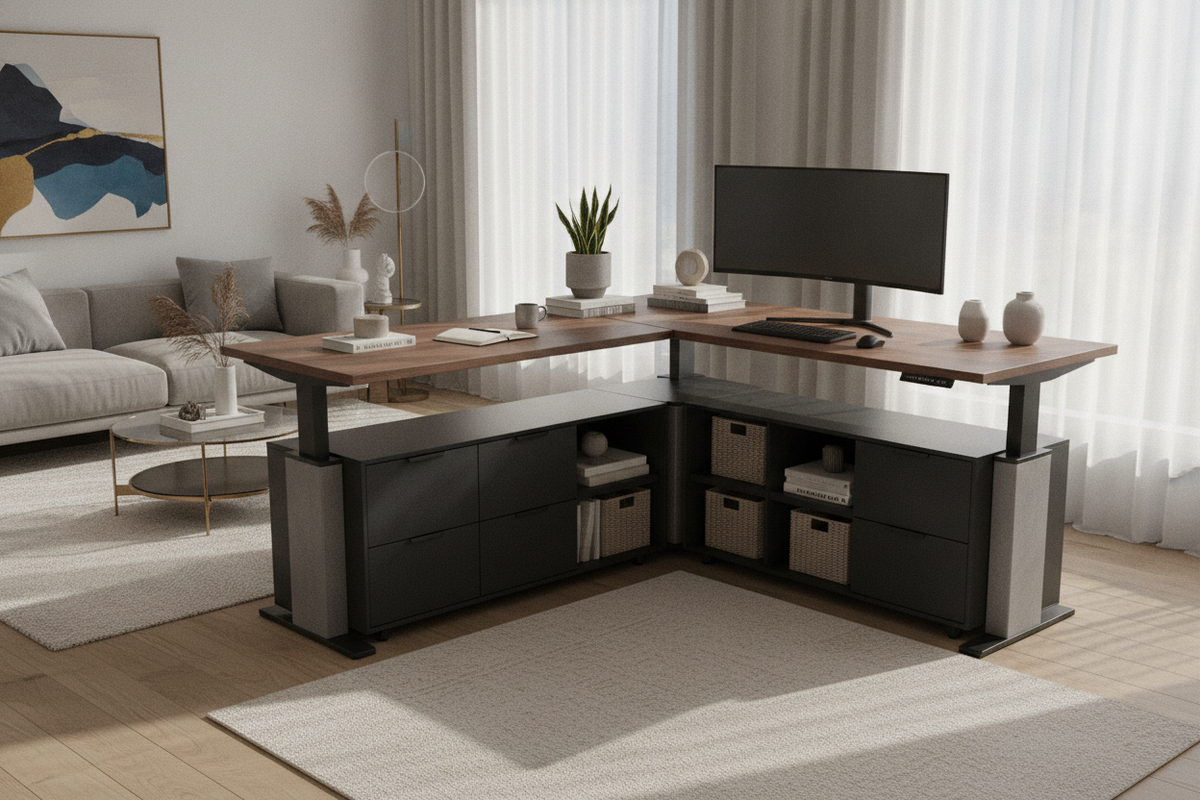
Match the wood tones or matte metal accents of your desktop riser to nearby bookcases, lateral filing cabinets, and credenzas. In multifunctional rooms where your office doubles as an entertainment or living zone, pairing streamlined office components with pieces like a stand adjustable product ensures smooth visual continuity across different living zones. Through thoughtful planning of heights, materials, and storage tiers, your desktop stand becomes an indispensable cornerstone of an organized daily workspace.


Laisser un commentaire
Ce site est protégé par hCaptcha, et la Politique de confidentialité et les Conditions de service de hCaptcha s’appliquent.