


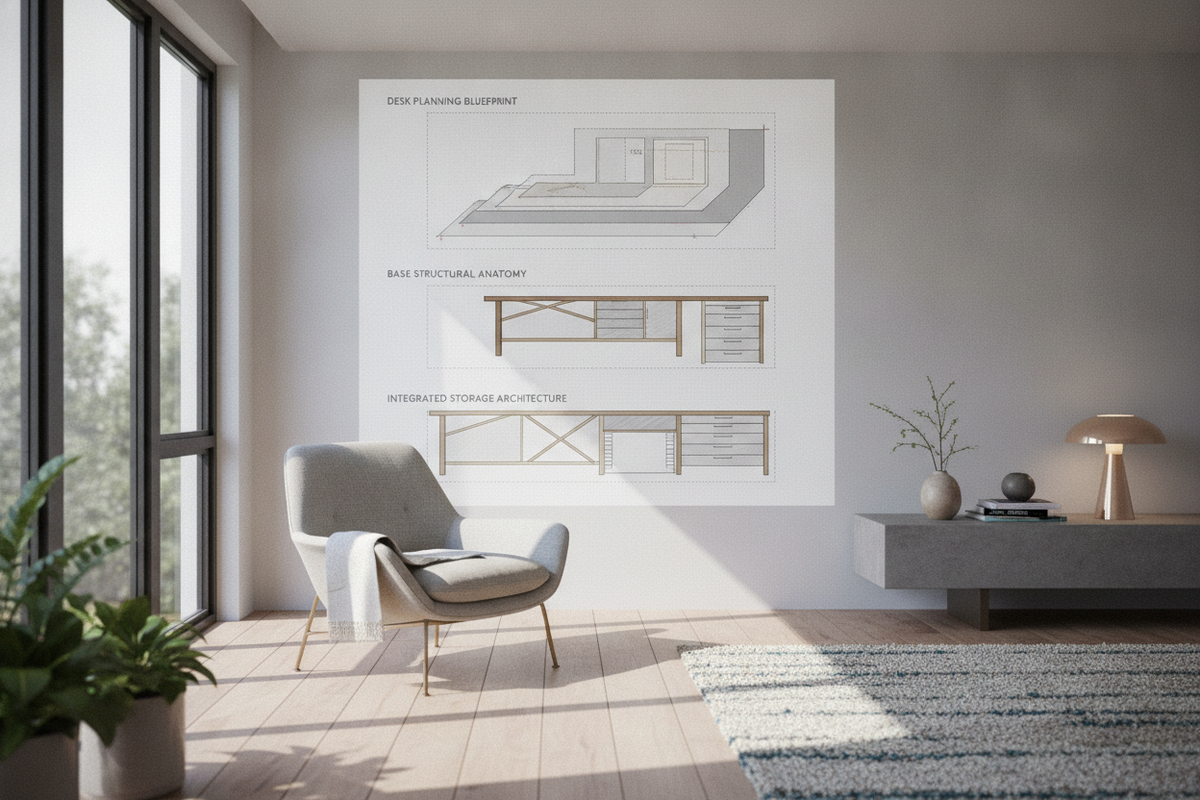
Core Functional Zones: Mapping Surface Geometry Before Designing a Desk
When approaching the process of designing a desk, establishing functional zones across the work surface provides the foundation for long-term comfort and daily efficiency. A desk surface is not merely a static horizontal plane; it serves as an active platform where physical reach, visual clearance, and peripheral access converge. Mapping these spatial relationships before selecting materials or leg styles prevents common layout frustrations, such as cramped keyboard positions or inaccessible storage.
Primary Reach Envelopes and Neutral Input Zones
The primary work zone consists of the immediate area accessible while your elbows remain rested near your torso. When planning how to design a desk, this central envelope accommodates input devices such as keyboards, mice, sketchpads, or primary writing notebooks. Keeping these tools within a relaxed forearm sweep minimizes unnecessary shoulder reaching throughout extended working sessions.
Surrounding this central core is the secondary reach zone, extending across the radius of a fully outstretched arm without requiring you to bend forward at the waist. In a thoughtful workstation layout, this area houses frequently referenced stationery, task lighting controls, desktop organizers, and secondary input hardware. Beyond this threshold lies the tertiary zone, best reserved for ambient decor, monitor risers, or rarely adjusted desktop equipment.
Focal Depth Clearance and Peripheral Equipment Placement
Balancing visual comfort with physical utility requires adequate surface depth. A tabletop that is too shallow forces display screens uncomfortably close to the seating position, while an overly deep surface can leave secondary items out of reach. When planning your desktop depth, consider the footprint of monitor stands, cable drops behind displays, and whether you prefer an open buffer zone in front of your keyboard for analog note-taking.
Dimensional Planning Tiers: Sizing Workstation Proportions for Room Fit
Every interior space imposes distinct spatial constraints. Sizing a desk involves evaluating not only the surface area needed for daily tasks but also the perimeter clearance required for chair movement, doorway swings, and nearby storage access.
Compact Footprints and Streamlined Writing Stations
In bedrooms, multi-purpose guest rooms, or compact urban apartments, a streamlined desk profile preserves precious floor area while maintaining dedicated work functionality. Compact writing surfaces prioritize a modest depth and slender leg profiles to maintain visual lightness across the room.
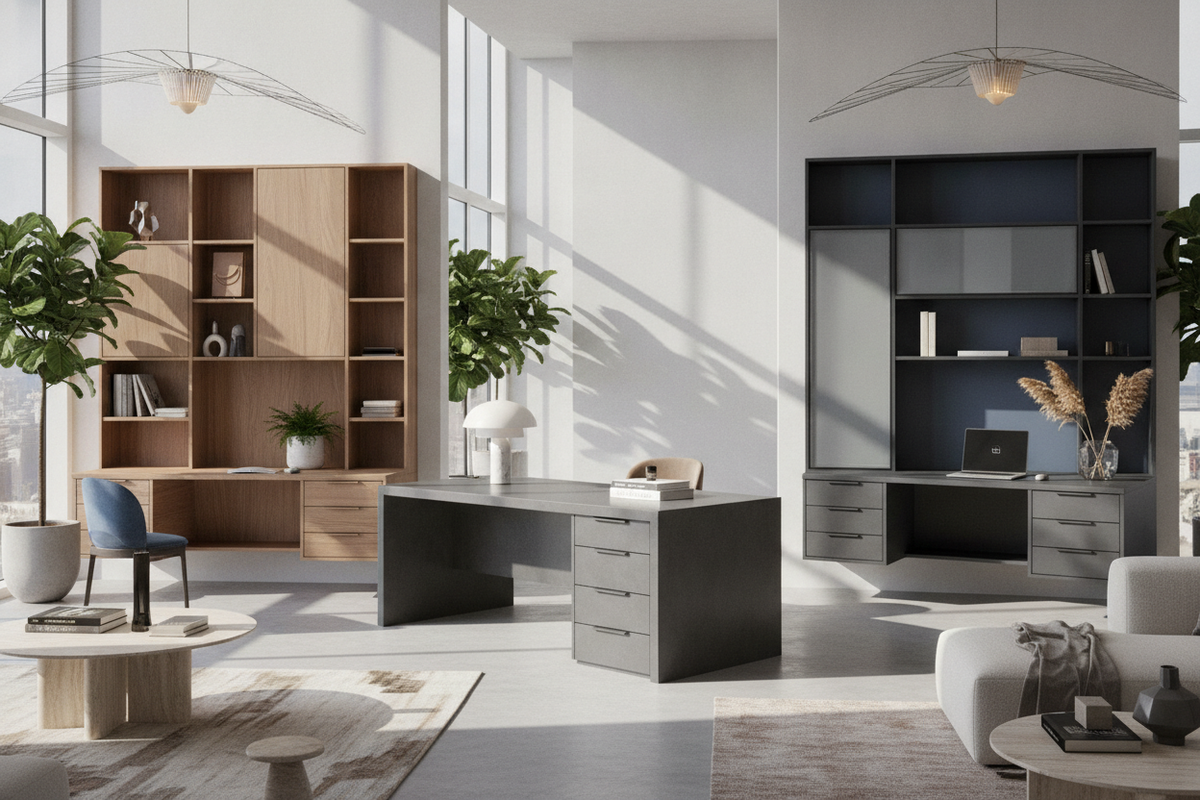
For rooms where architectural character is a priority, choosing a distinctive silhouette writing desk allows a compact workstation to double as an intentional design accent. These focused footprints excel at laptop-based workflows, creative journaling, and structured study sessions without overwhelming smaller floor plans.
Expanded Executive and Multi-Monitor Workstation Dimensions
When workflows require dual-monitor arrays, desktop computing towers, reference binders, and dedicated peripherals, expanded surface dimensions become essential. Executive-scale desks provide extended width to establish distinct sub-zones: a digital processing area on one side and a clean layout zone on the other.
Wide-format surfaces also allow space for integrated desk pads, desktop audio monitors, and freestanding document holders. When sizing an expanded workstation, ensure that the room layout provides ample push-back clearance for your office chair and unhindered walkway access around both sides of the desk.
Base Structural Geometry: Open Leg Frames vs. Storage Pedestals
The base geometry defines a desk's physical stability, knee clearance, and organizational capacity. Choosing between open structural frames and solid storage pedestals fundamentally alters how the desk interacts with both the user and the surrounding interior.
Open Trestle, Post-Leg, and Sculptural Frame Architectures
Open base designs utilize minimalist post legs, angled trestles, or geometric metal frames to support the desktop. This architectural approach delivers several practical benefits:
- Generous Legroom: Open bases maximize side-to-side leg mobility, making it effortless to pivot between different tasks or shift seating positions.
- Visual Airiness: Thin-profile legs allow sightlines and natural light to flow underneath the desk, making rooms feel more spacious.
- Flexible Cable Pathways: Open structures facilitate vertical wire drops using discreet spine tracks or leg-mounted clips.
When selecting an open leg architecture, structural rigidity should be reinforced through secure mounting plates, corner gussets, or cross-stretchers to prevent lateral wobble.
Integrated Drawer Pedestals and Asymmetrical Storage Foundations
For paper-heavy workflows or spaces lacking adjacent shelving, integrating drawer pedestals directly into the desk base provides immediate utility. Pedestal bases replace conventional legs on one or both sides with stacked utility drawers, file cabinets, or open cubbies.
An asymmetrical layout—featuring a storage pedestal on one side and open post legs on the other—strikes an effective balance between concealed storage and airy legroom. When engineering or selecting a pedestal desk, verify that the central knee opening remains wide enough for comfortable chair movement without your knees brushing against drawer hardware.
Surface Material Selection: Balancing Tactile Durability and Span Rigidity
The desktop material dictates the tactile experience, aesthetic tone, and long-term resistance to wear. Selecting the right tabletop requires balancing surface hardness, maintenance expectations, and structural resistance to sagging under load.
Solid Hardwoods vs. Engineered Wood Composites and Laminates
Tabletop substrates each carry distinct structural characteristics:
- Solid Hardwoods: Species such as oak, walnut, and maple provide natural grain beauty, substantial heft, and the ability to be sanded and refinished over time. However, solid wood requires consideration for seasonal expansion and contraction across the grain.
- Engineered Composites: High-density fiberboard and furniture-grade plywood offer exceptional dimensional stability, resisting warping and cupping regardless of indoor humidity shifts.
- Laminates and Melamine: Applied over engineered cores, high-pressure laminates deliver outstanding resistance to scratches, ink stains, and liquid rings, making them well-suited for high-traffic daily work.
Edge Profiles, Apron Supports, and Span Deflection Prevention
A primary consideration in desktop engineering is span deflection—the tendency of a wide tabletop to sag in the center over time under the weight of monitors and desktop accessories. To maintain a flat, rigid surface across wide spans, integrate structural support aprons, longitudinal stiffener channels, or intermediate support legs beneath the primary tabletop plane.
Edge profile design also significantly influences long-term comfort. Sharp, square edges can create pressure points along the forearms during typing. Opting for subtly rounded, beveled, or chamfered edges softens contact points, contributing to a more comfortable daily working posture.
Integrated Storage and Wire Routing Infrastructure
Modern productivity relies heavily on connected devices, power bricks, and peripheral cables. A well-executed desk design incorporates wire management and utility organization directly into the physical structure rather than treating clutter control as an afterthought.
Practical containment elements to consider include:
- Undermount Cable Trays: Suspended wire baskets or horizontal channels keep power strips and excess wiring tucked neatly beneath the tabletop and off the floor.
- Pass-Through Grommets: Positioned near back corners or along the rear center edge, grommets allow cables to route cleanly through the surface rather than draping over the back edge.
- Shallow Center Drawers: A low-profile drawer centered beneath the tabletop holds pens, notebooks, and small electronics while preserving critical vertical thigh clearance.
- Vertical Risers and Hutches: Adding a low-profile desktop shelf creates dedicated horizontal tiers for external displays while freeing up the main surface below.
Step-by-Step Decision Framework: How to Design a Desk for Your Space
To bring these spatial and structural elements together, follow a structured decision process when learning how to design desk configurations for your home:
- Audit Hardware and Tasks: List all equipment that must live on the surface, including screens, computing units, lighting, and analog writing materials.
- Measure Room Clearance: Define the maximum allowable length and depth in your room, ensuring adequate perimeter space for chair movement and door clearances.
- Select Base Configuration: Decide whether your storage demands require integrated drawer pedestals or if an open leg frame better serves your space and legroom preferences.
- Choose Tabletop Material: Select a durable surface substrate and finish that aligns with your maintenance expectations, room lighting, and aesthetic theme.
- Incorporate Structural Support: Plan under-desk stiffeners, aprons, or support brackets to eliminate center sag across wide spans.
- Map Wire and Accessory Routing: Designate drop zones for power cords, grommet placements, and tray locations before final assembly.
By systematically addressing reach zones, structural base anatomy, surface durability, and cable infrastructure, you can design a personalized workstation that balances visual appeal with enduring functional utility.


Laisser un commentaire
Ce site est protégé par hCaptcha, et la Politique de confidentialité et les Conditions de service de hCaptcha s’appliquent.