



Navigating Adjustable Desks for Sale: The Architectural Buying Framework
Browsing adjustable desks for sale involves evaluating far more than surface silhouettes and promotional labels. A dynamic workstation serves as a kinetic centerpiece within an interior, requiring thoughtful alignment between structural engineering, spatial boundaries, and daily operational habits. Whether setting up a dedicated remote office suite or carving out a flexible zone in a shared living room, selecting a stand and work table demands an understanding of how kinetic furniture interacts with both human movement and surrounding architecture.
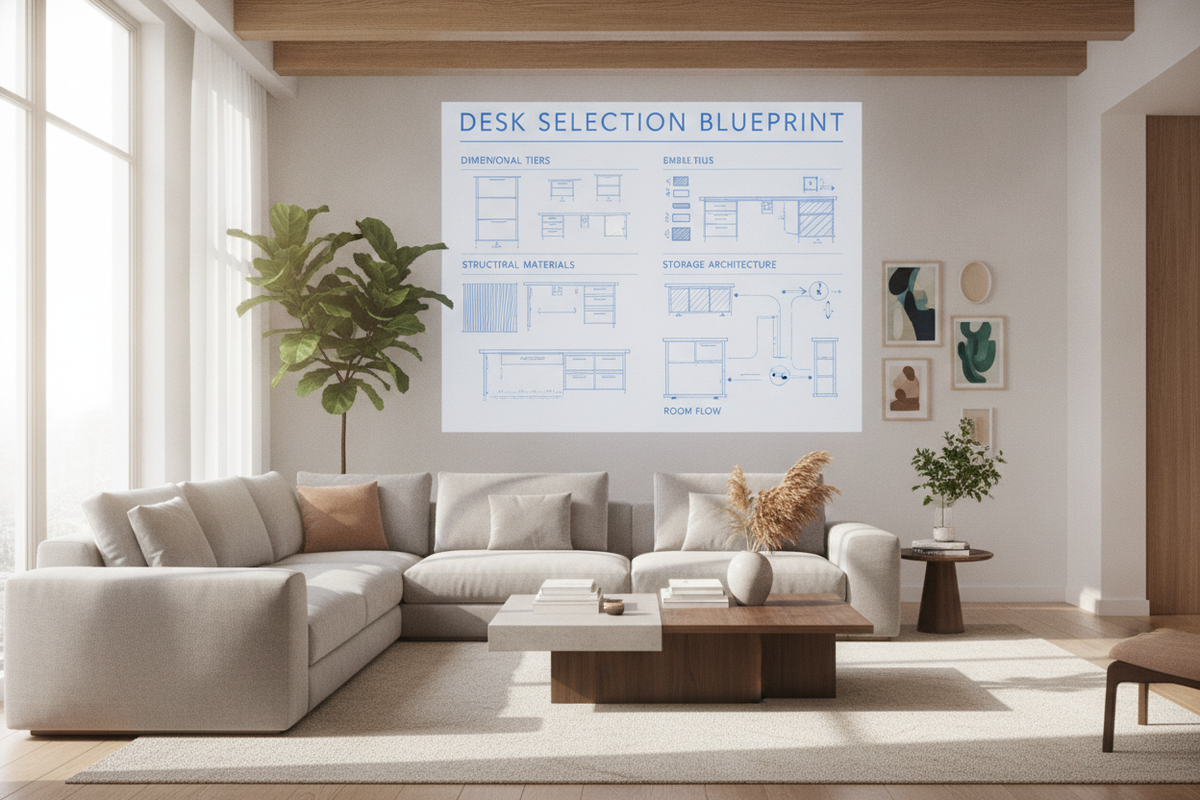
A successful workstation choice bridges three key pillars: dimensional proportionality, chassis rigidity, and peripheral storage coordination. When an elevation mechanism raises your work plane, structural forces shift, and open sightlines expand beneath the desk. Balancing these variables ensures that your investment provides lasting utility, visual harmony, and seamless daily transitions between seated focus and standing tasks.
Dimensional Sizing Tiers: Matching Workstation Footprints to Room Layouts
Room proportions and operational needs dictate the physical footprint of any table for standing work. Categorizing options into clear dimensional tiers helps streamline the selection process and prevents overcrowding your floor plan:
- Compact Footprint Tier: Designed for space-conscious apartments, bedroom study alcoves, and secondary multi-use nooks. These frames prioritize streamlined widths while retaining sufficient depth for a laptop setup and fundamental accessories.
- Standard Workstation Tier: Suited for dedicated home offices and corner layouts. This dimensional bracket comfortably accommodates dual monitors, peripheral docking stations, active note-taking zones, and desktop lighting without crowding the working boundary.
- Expansive Task Tier: Tailored for creative professionals, project managers, and executive suites requiring extensive lateral room for reference materials, drafting equipment, and multiple electronic displays.
When measuring your room, plan for kinetic clearance as well as static floor space. A standing table for work requires vertical head clearance away from wall-mounted shelving and adequate perimeter buffer zones so office chairs can roll back freely. To maintain proportional balance across the wider room, consider pairing your active desk with pieces from an adjustable collection that can be reconfigured as your storage requirements evolve.
Frame Architecture and Kinetic Stability for Standing Tables
The chassis constitutes the mechanical backbone of any stand and work table. Because height elevation raises the center of gravity, frame design determines whether a desk remains stable during vigorous typing or subtle contact. Key architectural elements to examine include:
- Leg Geometry and Column Design: Multi-stage telescoping columns provide broad travel ranges while heavy-gauge steel footplates anchor the structure against lateral sway. Wider cross-sections generally resist rotational movement more effectively when elevated.
- Elevation Drive Mechanisms: Manual crank models offer reliable, off-grid operation suitable for occasional height changes. Motorized lifting assemblies provide smooth push-button transitions, enabling frequent posture alternation throughout extended work sessions.
- Base Leveling Hardware: Adjustable leveling glides under each footplate compensate for uneven hardwood planks, tile seams, or low-pile carpet pile, ensuring the desktop remains level across its entire range of motion.
Integrating flexible modular furniture into surrounding zones—such as a stand adjustable product—can create structural and aesthetic continuity across multi-functional living and working environments.
Surface Materials and Finish Durability in Daily Workspaces
The desktop surface experiences continuous contact with equipment, writing instruments, and warm beverages. Selecting resilient finishes protects both functional longevity and room aesthetics:
- High-Pressure Laminate and Engineered Surfaces: These finishes offer reliable defense against daily scratches, moisture rings, and localized scuffs, making them ideal for high-traffic household workstations.
- Natural Hardwood and Veneer Tops: Timber surfaces bring distinct grain patterns and tactile warmth, establishing an organic focal point within curated interior designs when maintained with care.
- Matte Textures vs. Smooth Finishes: Low-sheen matte coatings help diffuse harsh overhead lighting and minimize glare on screens, while smooth surfaces facilitate effortless mouse tracking and writing tasks.
Harmonizing desktop finishes with nearby cabinetry helps blend productive work zones into broader residential decor. Reviewing design resources like a stand work guide illustrates how cohesive color palettes and hardware finishes bridge functional workstations with comfortable living spaces.
Storage Integration and Cable Management Architecture
An adjustable workstation moves dynamically, which requires an organized approach to wire routing and peripheral storage. Clutter on a rising desktop creates visual chaos and risks tangling cords during height adjustments. Consider these organizational strategies:
- Under-Desk Wire Trays: Mounting horizontal raceways directly beneath the desktop collects power strips, power bricks, and excess cord lengths, ensuring only a single master power cable travels down to the wall outlet.
- Articulated Cable Spines: Flexible cable tracks guide wires cleanly along the desk column, keeping cords organized and protected during upward and downward travel.
- Decoupled Pedestals and Side Storage: Placing mobile storage carts or stationary credenzas adjacent to the desk removes heavy static storage loads from the moving frame while keeping filing materials within arm's reach.
When assessing value across seasonal promotions, consulting an analytical sale stand guide provides practical perspective on balancing baseline structural quality with feature sets.
Assembly Logistics, Spatial Maintenance, and Long-Term Value
Proper assembly forms the foundation of reliable workstation performance. Before beginning construction, clear an ample perimeter on a carpeted or blanket-protected floor to prevent cosmetic scratches during frame fastening. Fasten all primary structural bolts in a balanced, diagonal pattern before final tightening to ensure square column alignment.
Maintain the setup with periodic visual inspections of cable routing, structural hardware, and leveling glides. By evaluating dimensional sizing, chassis geometry, desktop materials, and peripheral storage coordination, you can select adjustable desks for sale that deliver dependable daily function and elevated interior design.


Laisser un commentaire
Ce site est protégé par hCaptcha, et la Politique de confidentialité et les Conditions de service de hCaptcha s’appliquent.