

















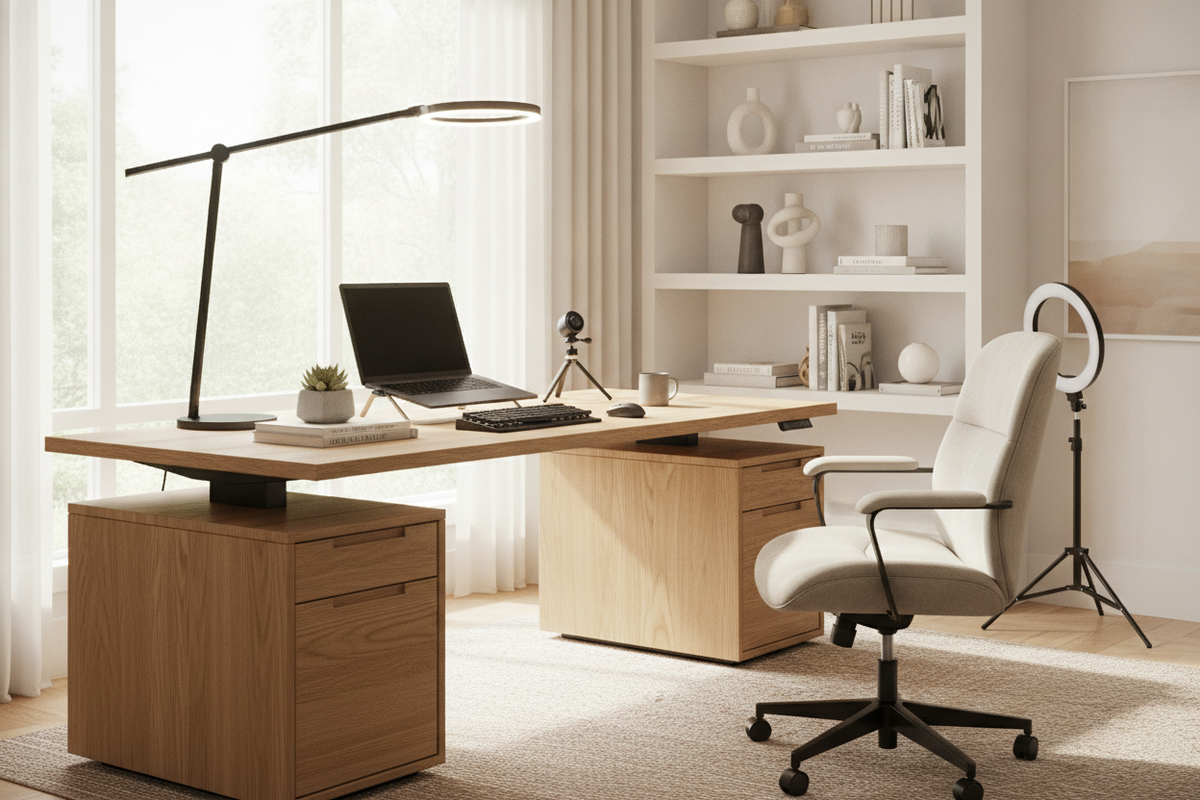
I remember the day my first 10-inch ring light arrived in mid-2020. I felt like a professional broadcaster for exactly ten minutes—until I realized the tripod legs occupied about 30% of my usable desk surface. Every time I reached for my coffee, I’d clip a plastic leg and send the whole rig wobbling like a Jenga tower in a breeze. Switching to a dedicated desk light stand was the single best move I made for my sanity and my workspace flow.
The truth is, most of us are still living with the 'temporary' solutions we panic-bought years ago. We’re tolerating cluttered surfaces and harsh, flat lighting that makes us look like we’re recording a hostage video. It is time to reclaim your desk and actually look like a person who knows how to use a light switch.
Quick Takeaways
- C-clamp stands save massive amounts of desk real estate compared to tripods.
- Height adjustability is non-negotiable for avoiding monitor glare.
- A weighted base is better for glass desks where clamps might cause stress.
- Positioning your light at a 45-degree angle is the secret to depth and dimension.
The Clunky Tripod Era Is Officially Over
We’ve all seen the sprawl. Those cheap, spindly tripod legs that come with entry-level lights are the enemy of productivity. They don't just take up space; they dictate where everything else—your keyboard, your mouse, your notebook—has to live. I spent months zig-zagging my mouse around a tripod leg before I realized there was a better way.
A proper light stand for desk use shouldn't feel like an intrusion. The goal is to get the light source up and out of your peripheral vision while keeping the 'footprint' of the stand to an absolute minimum. If you are still tripping over tripod legs in your own office, you are working too hard.
Why a Desk Light Stand Is the Ultimate Space-Saver
The magic of a high-quality light stand desk setup is the C-clamp. By mounting your light to the back edge of your desk, you effectively use zero surface area. This is a massive win if you are working on a compact writing computer desk where every square inch is precious. I’ve found that clearing that corner of my desk actually made the whole room feel less claustrophobic.
If your desk has a decorative lip or is made of thin glass that won't take a clamp, a heavy, flat-weighted base is the next best thing. These bases are usually less than half an inch thick, meaning you can actually slide your keyboard or a stack of papers right over them. It’s about verticality, not horizontal spread.
How to Position Your Light (Without Blinding Yourself)
Most people make the mistake of putting their light directly behind their webcam. This results in 'flat' lighting—it washes out your features and often creates a nasty reflection in your glasses. Instead, use your desk light stand to position the source slightly to one side and about 20 inches above eye level, angled down.
This creates a subtle shadow on one side of your face, which gives you actual human dimensions on camera. If you’re lucky enough to have an under window desk layout, your stand becomes your 'fill' light. It’s there to balance out the harsh shadows created by the sun, ensuring you don't look like a silhouette when the clouds move.
Balancing Task Lighting With Room Ambience
One bright light in a dark room is a recipe for eye strain. Your eyes are constantly fighting the contrast between the glowing orb in front of you and the pitch-black corners of the room. I always tell people to layer their light. Your desk stand handles your face, but you need something else to handle the room.
Think about mastering the light over desk look by pairing your stand with a warm overhead fixture or a floor lamp in the corner. This 'washes' the back wall with light, reducing the contrast and making your video feed look like a high-end studio rather than a basement bunker. It’s the difference between 'utilitarian' and 'intentional.'
When to Upgrade to Built-In Lighting
Sometimes, a standalone stand isn't enough—especially if your work involves more than just Zoom calls. If you are a content creator or someone who does their makeup at the same desk where they take meetings, you might find that separate stands are just more gear to manage. In those cases, integrated solutions are the way to go.
For instance, a makeup vanity desk with adjustable height offers built-in LED lighting that’s already calibrated for color accuracy. It removes the guesswork and the cable management nightmare of DIY stands. But for the average remote worker, a solid, adjustable stand clamped to the back of the desk remains the gold standard for a clean, professional look.
Personal Experience: The Wobbly Disaster
I once bought a 'heavy-duty' tripod stand that claimed it could hold a full-sized DSLR and a ring light. About three weeks in, the plastic tension knob snapped while I was mid-meeting. The whole rig collapsed, narrowly missing my monitor and scaring the absolute life out of my cat. That was the day I realized that cheap, multi-piece tripods are a liability. Now, I only use solid steel C-clamp stands. They don't move, they don't sag, and they don't take up space. Lesson learned: don't trust your expensive gear to a $15 plastic tripod.
FAQ
Will a desk light stand work on a glass desk?
Yes, but be careful with C-clamps. Use a stand with a weighted flat base instead, or ensure the clamp has thick rubber padding to distribute the pressure and prevent cracking the glass.
What is the ideal height for a light stand for desk use?
You want the bottom of the light to be at least 6 to 10 inches above your monitor. This prevents the light from reflecting off your screen and ensures it’s high enough to angle down toward your face at a flattering 45-degree slope.
Do I need a special light for these stands?
Most stands use a standard 1/4-inch screw thread, which is the universal size for cameras, ring lights, and LED panels. If your light has a hole on the bottom, it will almost certainly fit.

Leave a comment
This site is protected by hCaptcha and the hCaptcha Privacy Policy and Terms of Service apply.