

















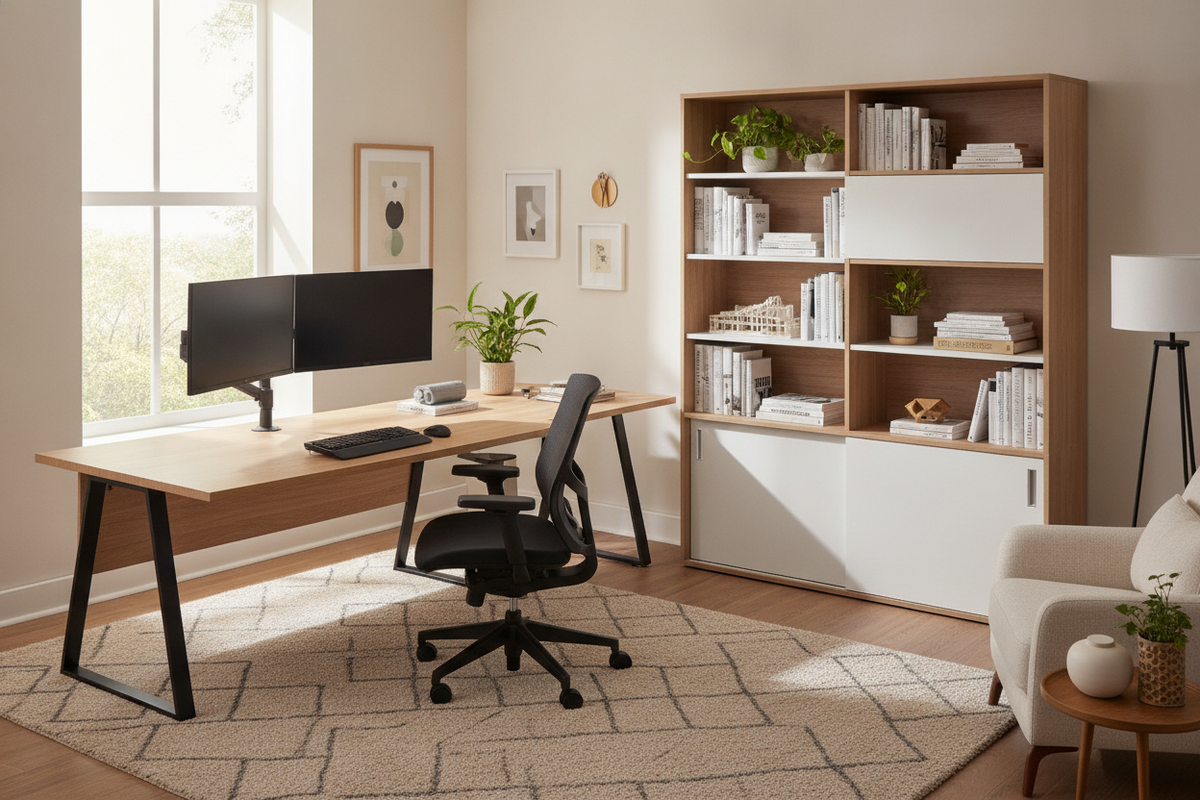
A well-planned workstation serves as the operational foundation for any productive home office. When everyday tasks involve long periods of focus, selecting an ergonomic desk is essential for maintaining natural body alignment and reducing physical strain. Rather than functioning solely as a flat surface, an effective work table integrates thoughtful physical dimensions, ample clearance zones, and organized peripheral management to support seamless daily routines.
Evaluating Workspace Discomfort: When Your Current Desk Falls Short
Many remote workers and students begin their home office journey using standard dining tables, decorative accent consoles, or repurposed surfaces. Over time, these temporary solutions often reveal significant design limitations. Insufficient desktop depth forces monitors too close to the user, while thick front aprons or poorly placed crossbars can restrict leg movement and block comfortable chair adjustments.
When a setup lacks ergonomic cohesion, everyday items tend to migrate into unnatural reach positions. Consulting a comprehensive work desk office guide can help you evaluate whether your current surface is truly supporting your daily productivity or actively hindering your posture.
Core Ergonomic Desk Dimension Categories and Clearance Zones
An ergonomic computer desk should be evaluated by how well its physical proportions accommodate both your equipment and your natural working posture.
Desktop Depth and Visual Focal Reach
Surface depth determines how effectively you can separate your primary input devices from your display screens. Shallow desks can work well for laptop-only setups, but multi-monitor arrangements or full-sized mechanical keyboards require deeper surfaces. A deeper desktop provides room for resting forearms comfortably in front of the keyboard while positioning screens at an easy visual distance. Reviewing a practical desk comfortable guide can offer additional insight on how minor spatial adjustments create a more balanced workstation.
Under-Desk Knee Clearance and Movement Corridors
True comfort depends as much on what happens below the surface as what sits on top. A quality ergonomic office desk offers an open under-desk cavity free from intrusive drawers or low support beams. This clearance allows you to pull your office chair completely forward, adjust armrests to table height, and reposition your legs freely throughout the day without bumping into structural framing.
Desk Geometry and Room Layout Configurations
Choosing the right desk shape depends on room architecture, window placement, and the specific tasks you perform daily.
Straight Workstations for Linear Wall Alignments
Rectangular ergonomic work desks represent the most versatile footprint for standard room layouts. They fit cleanly against flat walls, align neatly within alcoves, and adapt easily to floating positions in dedicated study rooms. Their linear profile simplifies power cable routing and pairs effortlessly with wall-mounted shelving.
L-Shaped and Corner Desks for Multi-Monitor Zoning
For individuals managing complex setups with dual monitors, printers, and active paperwork, corner workstations maximize room corners without occupying the center of the room. An option such as an office computer desk product provides dedicated distinct zones for digital computing on one wing and physical document handling on the other, keeping primary workflows organized and within comfortable pivot reach.
Compact and Multi-Purpose Desk Formats
In shared rooms or flexible living areas, multi-functional furniture can deliver practical utility without consuming excessive floor space. Choosing a dual-purpose piece like a desk comfortable product allows a single area to transition smoothly between focused daytime study and evening grooming routines.
Material Selection, Frame Stability, and Assembly Considerations
Structural stability is a fundamental pillar of an ergonomic home office desk. Wobbling monitors and shifting desktops introduce subtle visual fatigue and disruption. High-grade engineered wood composite surfaces, supported by reinforced metal frameworks or sturdy pedestal legs, deliver long-lasting rigidity. When setting up your desk, ensure that adjustable leveling feet are balanced against flooring textures to eliminate uneven movement during typing.
Integrating Storage Harmony to Maintain an Ergonomic Primary Reach Zone
Ergonomics extends beyond desktop height to include reach architecture. Your primary reach zone—the immediate semi-circle accessible without leaning forward—should be reserved strictly for your keyboard, mouse, and immediate writing tools. Secondary items like reference binders, extra hardware, and stationery belong in nearby storage units.
Pairing your desk with complementary credenzas, side cabinets, and bookcases from a curated office study collection keeps working surfaces clean. By offloading clutter into organized drawers and vertical shelves, you preserve open elbow room and support a focused, stress-free mindset.
Decision Checklist: Selecting the Best Ergonomic Desk for Your Space
- Measure Your Available Floor Span: Account for chair roll-back space and walkway clearances behind the desk.
- Determine Peripheral Requirements: Select desktop depth and width based on whether you use a laptop, single large screen, or dual-monitor arm mounts.
- Verify Under-Desk Clearances: Ensure unobstructed width and height beneath the desktop for natural knee and leg movement.
- Plan Cable and Storage Integration: Choose desk models with grommets, channels, or nearby matching cabinets to maintain a clean primary reach zone.
- Match Structural Finish to Room Decor: Select resilient surfaces and stable frame materials that complement existing interior furniture.


Leave a comment
This site is protected by hCaptcha and the hCaptcha Privacy Policy and Terms of Service apply.