

















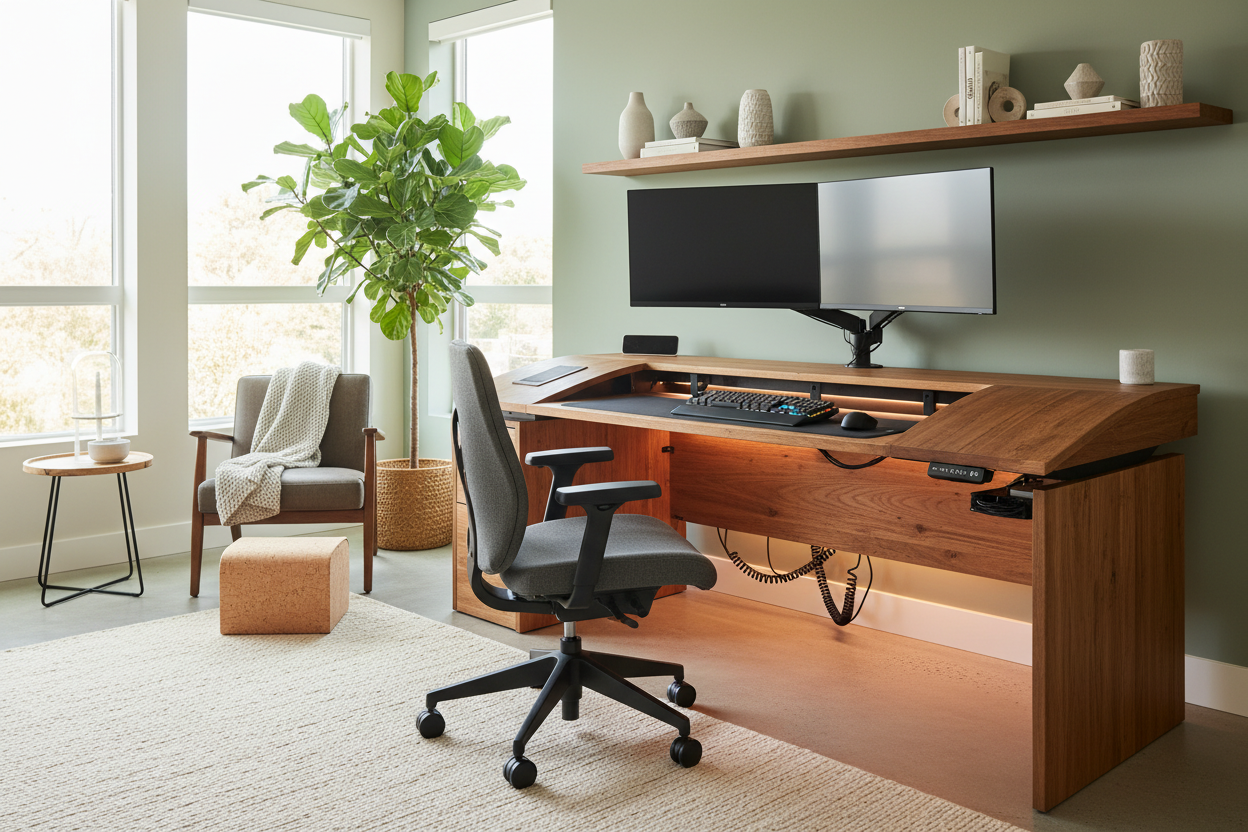
We've all been there. You find a stunning, minimalist writing table that looks like it belongs in an architectural magazine. You bring it home, set up your laptop, and within a week, reality sets in. Your neck aches, cables are spilling over the edges like spaghetti, and your beautiful surface is buried under paperwork. Instead of throwing out a piece you love, the secret lies in strategic desk modifications.
As our homes have permanently evolved to include full-time workspaces, treating a desk as a static piece of furniture simply doesn't work anymore. With the right hardware and accessories, you can bridge the gap between a visually appealing silhouette and a highly functional workstation.
Quick Decision Guide
- Prioritize ergonomics first: Adjusting your monitor height and keyboard placement yields the highest return on comfort.
- Check your desk's core material: Solid wood can handle heavy screw-in modifications; hollow-core or particleboard requires clamp-on solutions with weight distribution plates.
- Manage visual weight: Keep bulky modifications hidden underneath to preserve the room's aesthetic.
- Focus on task lighting: A clamp-on architectural lamp frees up valuable desktop negative space compared to a heavy-based table lamp.
Ergonomics: Fixing the Posture Trap
Monitor Arms and Keyboard Trays
The most common issue with residential desks is the height. Standard dining and writing tables sit around 30 inches high, which is often too tall for comfortable typing and too low for proper monitor viewing. This is where the best desk upgrades focus on physical alignment. Installing an articulating monitor arm allows you to float your screen at eye level, instantly correcting your posture. Pair this with an under-mount keyboard tray to drop your typing surface to a more natural 27 or 28 inches. Not only does this save your shoulders, but it also reclaims massive amounts of usable surface area.
Taming the Visual Clutter
The Hidden Cable Strategy
Nothing ruins the aesthetic of a carefully curated home office faster than a tangled nest of black cords. When planning work from home upgrades, cable management should be treated as a structural necessity, not an afterthought. I always recommend mounting a wire management tray directly to the underside of the desk near the back edge. Route all your peripheral cables through an under-desk raceway, and use adhesive clips to guide the main power cord down the back of a single desk leg. This creates a clean, floating look that keeps the room feeling intentional and tidy.
Surface Area and Storage
Adding Breathing Room
If you are working with a compact footprint, maximizing your existing real estate is crucial. Clamp-on shelving or elevated desk risers can introduce a second tier to your setup without permanently altering the furniture. This is one of those wfh upgrades that pays off immediately in small apartments. By moving your speakers, pen cups, and reference materials up by just six inches, you restore the negative space needed to actually review a document or enjoy a cup of coffee without feeling cramped.
Designer's Honest Take
Early in the remote work boom, I decided to upgrade my own mid-century modern desk. It had a gorgeous walnut veneer over a honeycomb paper core—lightweight and beautiful. I bought a heavy-duty, clamp-on dual monitor arm, tightened it down, and thought I was a genius. Two months later, the concentrated weight of the clamp completely crushed the internal core, leaving a permanent, jagged dent in the veneer.
I learned the hard way that not all desks are built for heavy modifications. If you have an engineered wood or hollow-core desk, you must use steel reinforcement plates to distribute the clamping force over a wider area. And honestly, while I love the look of vintage pieces, their shallow depths (often only 20 inches) make them incredibly difficult to modify for modern dual-screen setups without feeling like the screens are right against your nose.
Frequently Asked Questions
What are the safest desk modifications for a glass top?
Glass desks are notoriously tricky. Never use clamp-on monitor arms or heavy screw-in trays, as the localized pressure will shatter the tempered glass. Instead, opt for freestanding, weighted desk risers or floor-mounted monitor stands that hover over the back edge of the desk.
Can I add a keyboard tray to any desk?
Most solid wood and thick MDF desks can support a screw-in keyboard tray. However, if your desk has a thick front apron, a center drawer, or a crossbar underneath, a standard sliding tray won't fit. Always measure the clearance underneath before purchasing.
What is the most cost-effective upgrade?
Without a doubt, adhesive cable management clips and a simple under-desk power strip. For under thirty dollars, you can completely eliminate cord clutter, which immediately makes the entire workspace feel larger, cleaner, and more professionally designed.



Leave a comment
This site is protected by hCaptcha and the hCaptcha Privacy Policy and Terms of Service apply.