

















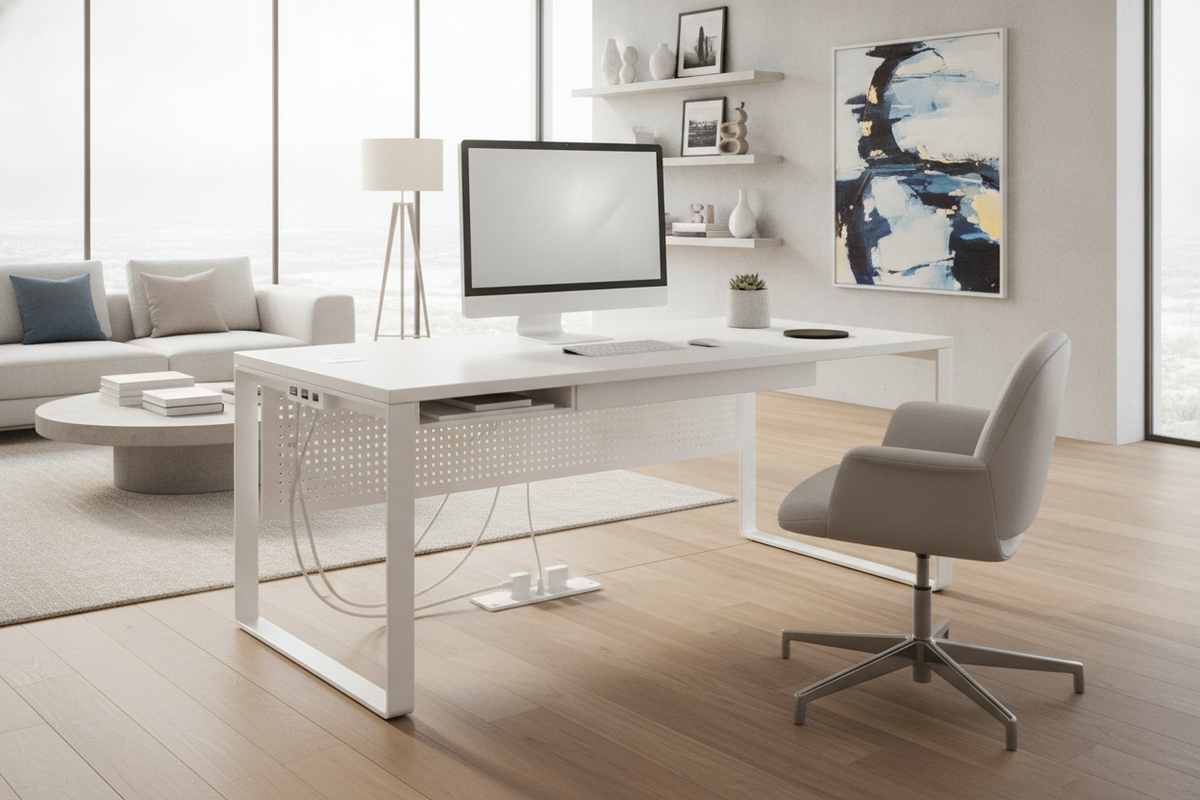
Modern home offices increasingly demand streamlined power access and minimalist styling. Warehouse club offerings, such as a white adjustable desk equipped with integrated USB ports and surface charging hubs, cater directly to users who want to eliminate bulky power strips and tangled cords. By combining motor-driven height adjustment with built-in electronic connectivity, these workstations deliver a clean, contemporary aesthetic suitable for multi-purpose rooms, study nooks, and dedicated workspaces.
Successfully integrating a tech-ready desk into your home requires more than simply unboxing the furniture. Understanding power architecture, port placement ergonomics, cord slack requirements, and auxiliary storage planning ensures that your daily workflow remains clutter-free, functional, and organized.
The Appeal of Integrated Tech Desks: Understanding Built-In USB and Power Architecture
Tech-integrated standing desks typically house their electronics directly inside the desktop frame or side control panels. Rather than draping cables from external wall outlets across the work surface, users can plug smartphones, wireless headphones, and tablet accessories directly into the desk body. Many models incorporate a mixture of standard USB-A ports, modern USB-C interfaces, and embedded wireless charging coils beneath tempered glass or laminated composite surfaces.
This unified electronic architecture provides several distinct workflow benefits:
- Centralized Power Distribution: A single primary power cable connects the desk frame to the wall outlet, reducing visual wire clutter.
- Frictionless Device Charging: Dedicated drop-zones allow mobile devices to charge during video conferences or writing sessions without hunting for loose adapters.
- Streamlined Surface Layout: Eliminating desktop extension blocks preserves open space for notebooks, keyboards, and task lighting.
Port Placement Ergonomics: Side-Rail USB Ports vs. Desktop Charging Surfaces
The physical location of charging ports plays a pivotal role in maintaining workstation organization. Most tech desks position connections along the front fascia, side rail, or top glass tier:
Side-Rail and Fascia Ports
Side-mounted ports keep cable connectors below the sightline of the primary desktop. This prevents cords from protruding upward into your typing or writing zone. When routing peripheral charging cables from side rails, using small adhesive cord clips along the under-desk frame prevents dangling wires from brushing against your legs or snagging on armrests.
Integrated Desktop Induction Zones
Top-surface wireless charging pads provide maximum convenience for compatible devices. However, positioning your phone over an active inductive coil requires clear space. Maintaining a clutter-free perimeter around desktop charging zones ensures that accidental shifts do not disrupt power transfer during the workday.
Dimensional Sizing Tiers and Surface Zoning for Tech-Loaded Desks
Selecting the proper footprint ensures your equipment fits comfortably without overcrowding the built-in charging pads. Tech desks generally fall into standard workspace categories designed for different hardware configurations:
- Compact Footprints: Ideal for single-laptop setups, study corners, and secondary writing desks where physical room dimensions are constrained.
- Standard Workstation Formats: Designed to support external monitors, laptop docking stations, and auxiliary peripherals. For users planning dual-monitor arms or larger creative suites, exploring an adjustable height standing product offers broader surface territory alongside customizable motor presets.
To maximize efficiency, zone your desktop into distinct operational sectors: establish a central input area for your keyboard and mouse, a dedicated monitor or laptop viewing plane, and an isolated peripheral charging zone adjacent to the built-in USB hubs.
Dynamic Height-Adjustment Geometry and Cable Slack Planning
A primary consideration for any motorized sit-stand workstation is cable management across dynamic elevation ranges. When a desk moves from a seated position to full standing height, any cord linked to a stationary wall outlet or floor-standing tower expands in distance.
To prevent strain on internal motors, power supplies, and delicate USB ports, apply the following cable management principles:
- Calculate Maximum Height Extension: Always route cords while the desk is raised to its highest standing setting. This guarantees that cables will not pull tight or disconnect when adjusting height.
- Consolidate Through an Articulated Cable Spine: Bundle the primary desk power cord and monitor cables inside a flexible sleeve or segmented cable snake mounted beneath the rear edge.
- Isolate Peripheral Movement: Secure cords plugged into side USB ports with strain-relief loops, ensuring that adjusting your chair or moving accessories does not tug sideways against the female connectors.
Overcoming Shallow Drawer Constraints with Auxiliary Storage
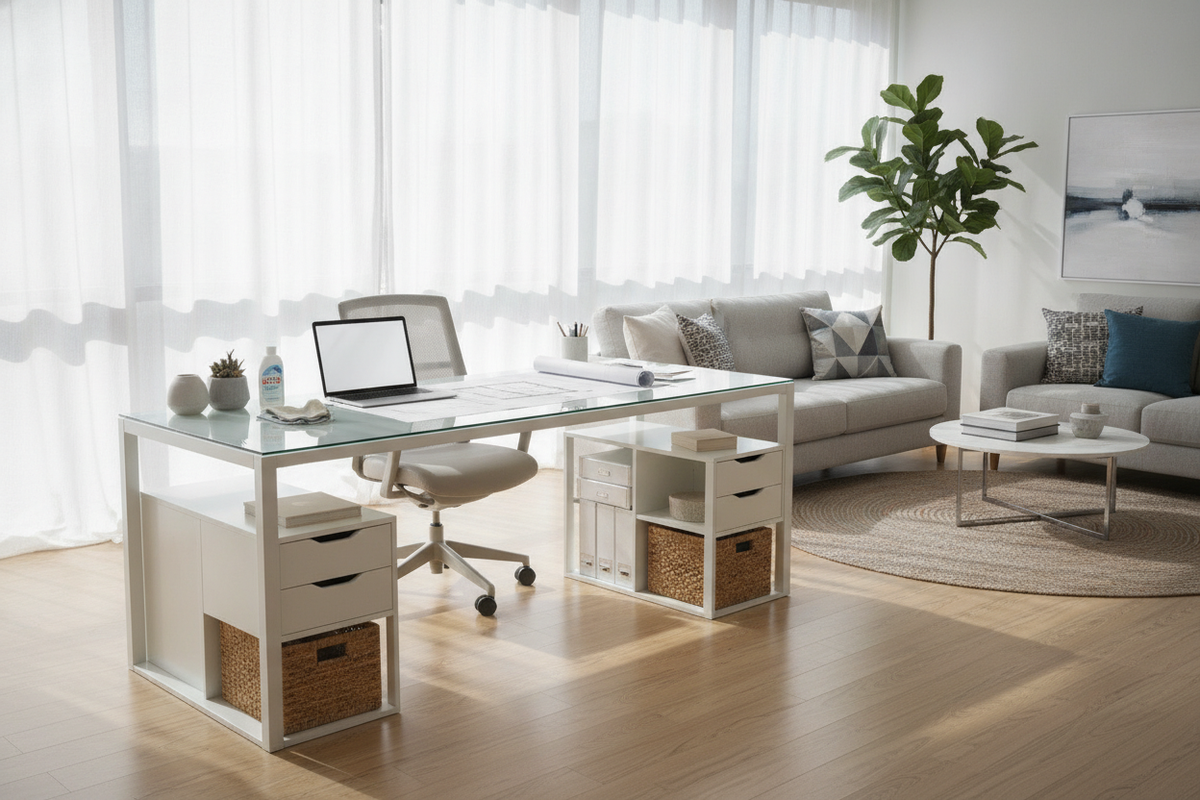
Because integrated tech desks must house internal lift motors, control boxes, and integrated wiring channels beneath the desktop, their built-in storage drawers are typically shallow. While suitable for styluses, slim notebooks, and USB dongles, they rarely accommodate bulky reference books, large paper reams, or oversized hardware.
Pairing your desk with complementary organization pieces resolves this limitation:
- Mobile File Pedestals: Low-profile rolling cabinets fit neatly beneath the frame during sitting height while gliding out smoothly when additional legroom is preferred.
- Vertical Display Storage: Placing a complementary storage unit such as a black glass collection piece adjacent to your workspace creates dedicated storage for binders, hardware cases, and office supplies without crowding the desk.
- Under-Desk Cable Baskets: Mounting an open wire tray behind the shallow drawer provides a concealed resting place for external hard drives and power bricks.
Aesthetic Cohesion and Surface Care for White Tech Workstations
A crisp white tech desk introduces a bright, modern focal point into any room, but maintaining its clean aesthetic requires intentional care. White glass and composite surfaces reflect ambient lighting beautifully, yet they can also show fingerprints, dust, and device heat marks over time.
Maintain surface integrity by utilizing soft microfiber cloths paired with non-abrasive cleaners. For desks integrated into open-concept living rooms or multi-purpose spaces, balance the modern white tech aesthetic by pairing your workspace with cohesive furniture, such as a matching white black stand product for entertainment zones. In environments where complete visual concealment of work equipment is preferred after hours, comparing an open tech desk layout against an enclosed format featured in a computer desk office guide helps establish the right balance between open accessibility and hidden storage.
Workstation Decision Framework: Matching Tech Desks to Daily Workflows
Before selecting a tech-integrated desk, assess your daily routine, primary hardware, and spatial constraints using this practical evaluation matrix:
- Choose an Integrated White Tech Desk if: You rely heavily on mobile devices, value built-in USB access, prefer streamlined factory-integrated wiring, and desire a modern aesthetic with minimal setup complexity.
- Choose a Tabletop Converter if: You already possess a sturdy traditional desk or built-in cabinetry and want to add height variability without replacing existing furniture, as explored in a detailed standing desk converter guide.
- Choose a Heavy-Duty Extended Frame if: You operate triple-monitor mounts, heavy audio studio gear, or desktop PC towers that exceed standard built-in chassis dimensions.
By aligning your device charging habits, surface organization, and cable routing strategies, a white standing desk with integrated USB hubs provides an organized, productive, and modern foundation for your home office.

Leave a comment
This site is protected by hCaptcha and the hCaptcha Privacy Policy and Terms of Service apply.