


















I have spent too many Saturday afternoons helping friends mount massive 65-inch screens, only to step back and realize the whole room feels upside down. It is that specific feeling of dread when you realize your expensive tech looks like a giant black hole sucking the life out of your decor. Usually, the culprit is a weak, spindly tv wall shelves design that offers zero visual support for the heavy glass above it.
We have been told for years that floating everything makes a room feel larger, but that is a half-truth. If you do not account for the visual weight of that powered-off television, you end up with a setup that looks fragile and unintentional. I have personally made the mistake of using a single thin ledge that eventually bowed under the weight of a soundbar, and trust me, it is not a look you want.
- Thicker shelves (at least 2 inches) are necessary to balance large screens.
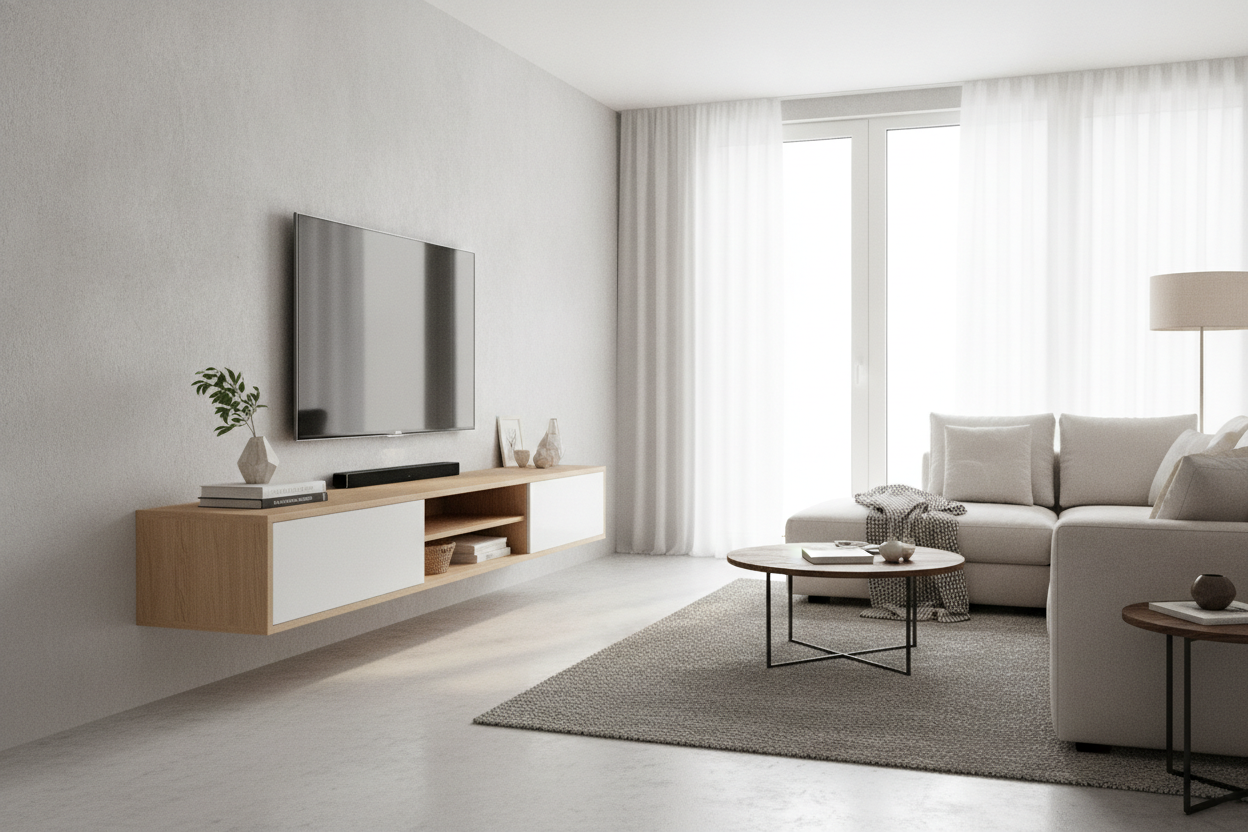
- Darker finishes or natural wood grains help ground the 'black void' of the TV.
- Asymmetrical layouts feel more modern and less like a retail showroom.
- Cable management is not optional; visible wires ruin the cleanest shelf design.
The Floating Plank Epidemic (And Why It Fails)
The most common mistake I see is the 'toothpick' effect. Someone buys a beautiful OLED TV and then tries to support it visually with a 1/2-inch thick piece of MDF they found in the clearance aisle. It looks cheap because the proportions are wrong. A massive screen needs a substantial base, even if it is not touching the floor.
I often find myself questioning if floating on the wall actually saves space in a way that matters. If the shelf is so small it cannot hold your gear, it is just clutter. For a 55-inch TV or larger, your shelf should be at least 20% wider than the screen itself. Anything narrower makes the TV look like it is about to tip the wall over.
Grounding the Black Void: Visual Weight Explained
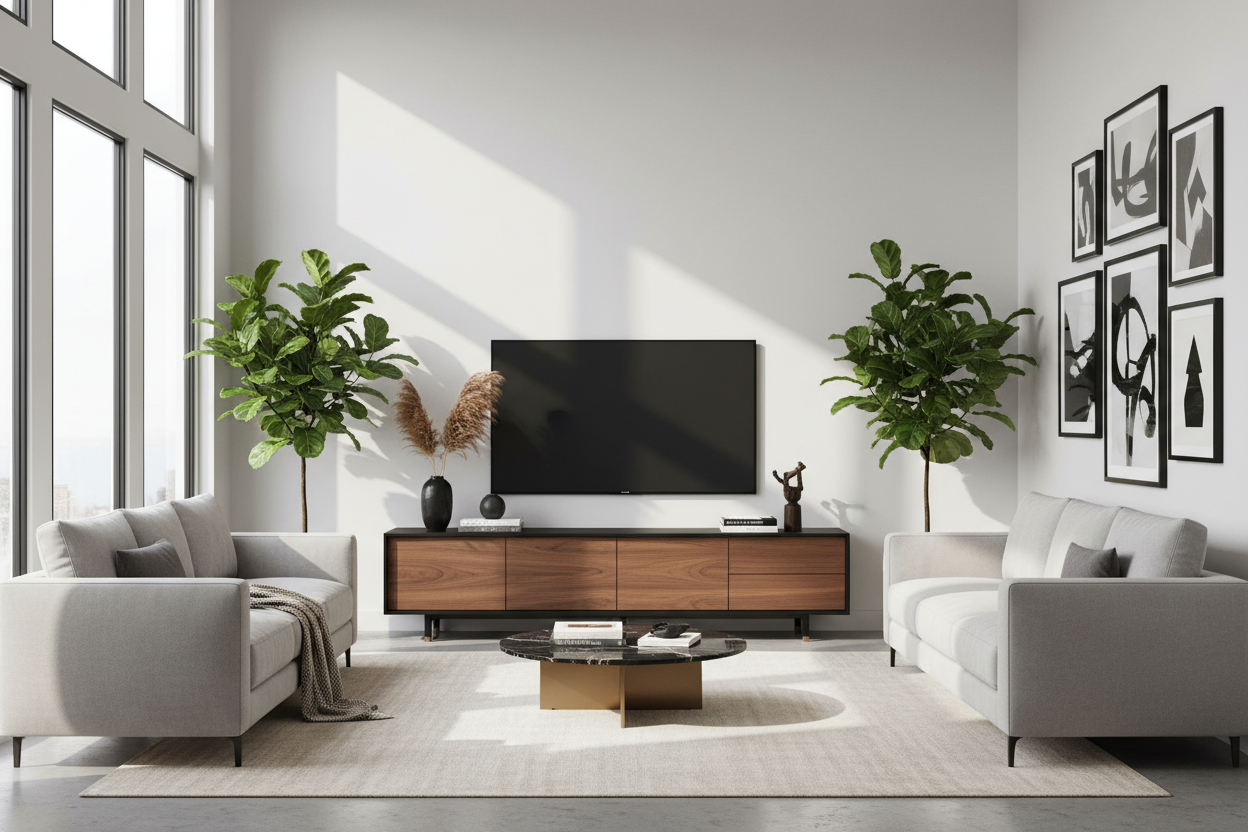
When your TV is off, it is a giant, heavy black rectangle. To balance that, you need something with equal or greater visual 'heaviness' underneath. This is why a heavy floor-standing media console works so well—it anchors the room. If you are committed to the floating look, you have to mimic that weight.
Choose materials that feel substantial. Think chunky reclaimed wood, matte black metal, or even stone-look composites. If your shelf is thin, paint the wall behind it a darker shade or use a textured wallpaper. This creates a vertical 'zone' that connects the shelf to the TV, making them look like one cohesive unit rather than two separate items floating in space.
Perfecting Your TV Wall Shelf Design Layout
Stop trying to center everything perfectly. A symmetrical tv wall shelf design often looks stiff and dated. Instead, try the rule of thirds. Place a long, heavy shelf slightly off-center below the TV, then add a smaller, higher ledge on one side for a trailing plant or a few books.
This staggered approach draws the eye around the room rather than locking it onto the screen. It also gives you a place to put taller decor items that would otherwise block the bottom of the screen. I like to keep about 6 to 8 inches of breathing room between the top of the shelf and the bottom of the TV.
Faking the Custom Built-In Look on a Budget
You do not need to spend $5,000 on a carpenter to get a high-end look. The secret is modularity. By combining several adjustable shelf storage systems, you can create a wall-to-wall effect that looks integrated into the architecture of your home. The trick is to hide the brackets or use high-quality floating hardware that can actually handle the load.
I once used three separate 4-foot shelves lined up perfectly to span a 12-foot wall. From a distance, it looked like a custom-milled piece of timber. Just make sure you are hitting the studs; a 'custom look' quickly turns into a 'wall repair project' if you rely on drywall anchors for heavy shelves.
Styling the Ledge (Please Hide the Router)
The biggest vibe-killer in any media setup is a nest of wires and a blinking plastic router. Use your shelving to hide the tech, not just display it. Decorative boxes with the backs cut out are perfect for hiding streaming boxes while protecting your expensive streaming devices from dust or curious hands.
Mix textures on your shelves. Pair the cold glass of the TV with organic shapes—a ceramic vase, a stack of linen-bound books, or a small piece of art. These elements soften the tech-heavy area and make it feel like a living space rather than a home theater showroom. My rule: if it has a status light, hide it or cover the LED with a tiny piece of black tape.
Personal Experience: The Sagging Shelf Lesson
A few years ago, I installed a beautiful, thin walnut shelf under my TV. It looked incredible for exactly three weeks. Then, the weight of my center-channel speaker and a few heavy coffee table books caused the middle to dip by nearly half an inch. It was subtle, but once I saw it, I couldn't unsee it. I ended up having to tear it down, patch the wall, and install a reinforced shelf with a hidden steel spine. Don't underestimate the weight of 'light' decor—always over-spec your brackets.
FAQ
How high should I mount my TV shelf?
Usually, 24 to 30 inches off the floor is the sweet spot. You want it low enough to ground the TV, but high enough that you aren't staring at the top of it while sitting on the sofa.
Can I put a shelf above the TV?
Yes, but keep it light. A heavy shelf above the TV can feel oppressive, like it's looming over you. Use it for lightweight items like small plants or framed photos.
What is the best material for a TV shelf?
Solid wood or high-quality plywood is best. Avoid cheap particle board for long spans; it will eventually sag under its own weight, even without decor.

Leave a comment
This site is protected by hCaptcha and the hCaptcha Privacy Policy and Terms of Service apply.