

















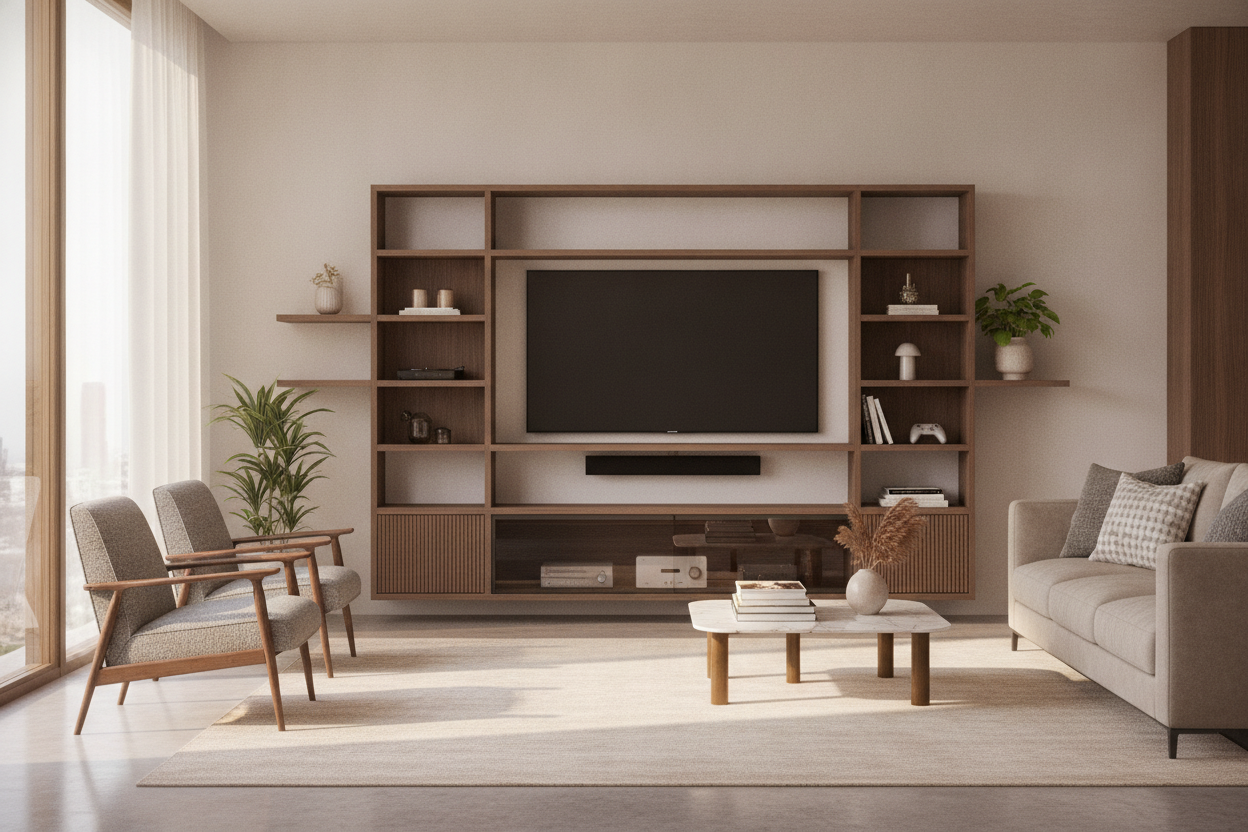
I used to spend my Saturday mornings with a microfiber cloth in one hand and a can of compressed air in the other. I’d bought into the airy look of a fully open industrial TV stand, thinking it made my tiny living room feel bigger. Instead, it just made my media cabinet shelf a magnet for every stray pet hair and dust mote in a three-mile radius.
If you have black electronics—and let’s be real, almost every streaming box, console, and receiver is matte black—you know the pain. Within forty-eight hours of a deep clean, my setup looked like I’d abandoned it in a haunted attic. I finally hit a breaking point when I realized I was avoiding turning on the TV because I didn't want to see the gray film on my PlayStation.
- Open shelving requires dusting at least twice a week to look halfway decent.
- Glass doors keep the signal for your remotes but block 90% of the dust.
- Hybrid units allow you to hide the ugly wires while showing off the pretty books.
- Always measure your deepest component (usually the receiver) before you buy.
The Trendy Open Console Nightmare No One Warns You About
We’ve all seen the photos on social media. A perfectly staged open console with three art books, a single succulent, and a vintage camera. It looks effortless. But in a real home where people actually live, that open media cabinet shelf becomes a graveyard for clutter and allergens. My Apple TV was perpetually covered in a layer of fuzz that I’m convinced was slowing down the cooling fans.
The worst part wasn't even the electronics; it was the styled items. Every time I wanted to read one of those coffee table books, I had to wipe down the cover first. It felt like I was living in a museum that was falling into disrepair. I tried those fancy ostrich feather dusters and the expensive static sprays. Nothing worked because the air in a living room is constantly moving. If your shelves are open, they are the landing strip.
Why a Hybrid Media Cabinet Shelf Was My Saving Grace
I didn't want a solid wood block that looked like a 1990s armoire. I wanted something that felt modern but acted like a shield. That’s where the hybrid unit comes in. The idea is simple: you keep one dedicated, open slot for things that actually need airflow or immediate access—like a soundbar or a center-channel speaker—and you put everything else behind a door.
I eventually landed on a black cabinet with glass doors and it was a total revelation. Dark furniture usually shows dust even faster, but because the shelves were enclosed, the interior stayed pristine for weeks. Plus, glass is the ultimate hack for tech nerds. It allows infrared signals from your old-school remotes to pass through while keeping the tech-clutter visually contained. I can see my gear, but I don't have to touch it with a cleaning rag every Tuesday.
Yes, You Can Still Display Your Nice Things
People worry that closing things off makes a room feel heavy or closed in. I get it. But there is a massive aesthetic difference between a pile of wires on an open shelf and a curated 3 shelf glass cabinet section. When you put your decor behind glass, it instantly looks more intentional. It’s the difference between a garage sale and a gallery.
I kept my favorite ceramics and a few leather-bound books in the glass-fronted section. They catch the light beautifully, and I haven't had to touch them with a duster in three months. It turns the cabinet from a utility item into a focal point without adding to my weekend chore list.
How I Style My Media Cabinet Shelves Now (Zero Dusting Required)
Styling media cabinet shelves is about balance, not just filling every square inch. I follow a simple rule for each shelf: one tall item (like a vase), one textured item (a small basket), and one flat item (a stack of books). This keeps the eye moving without the shelf feeling crowded. I also leave about 20% of the shelf as negative space—it gives the electronics room to breathe, both literally and figuratively.
If you find yourself running out of room because your media unit is pulling double duty as a library, don't cram more onto those central shelves. I actually paired my main unit with a corner shelf storage organizer to handle the overflow. It allowed me to move the non-essential decor to the periphery, leaving the media cabinet dedicated to the stuff that actually plugs into the wall. It makes the whole wall feel like a custom built-in rather than a random collection of furniture.
The Checklist for Buying a Grown-Up TV Unit
Before you toss your open stand on Craigslist, do a quick audit of your gear. Not all cabinets are created equal, and there's nothing worse than a beautiful door that won't close because your receiver is too deep.
- Depth is King: Measure your deepest component and add two inches for cable bends. Most standard cabinets are 15-18 inches deep; some high-end receivers need 20.
- Ventilation: Ensure the back panel has pre-cut holes or is breathable. Heat kills electronics faster than dust does.
- Soft-Close Hinges: If you're going with glass doors, don't skimp here. You don't want a door slamming and rattling your glassware every time you grab a controller.
- Adjustable Shelves: Your tech will change. Make sure the internal shelves can move up or down to accommodate a taller console or a new speaker later.
FAQ
Will my PlayStation overheat behind a glass door?
It can if there's no airflow. Look for cabinets with a mesh back or cutouts. I usually leave the door cracked an inch during heavy 4K gaming sessions just to be safe, but for movies, it’s fine closed.
Does glass reflect the TV screen?
If your room has a lot of direct sunlight hitting the cabinet, you might get some glare. I positioned mine perpendicular to the window to avoid this. Matte or smoked glass is also a great option if you're worried about reflections.
How do I hide the wires inside the cabinet?
Velcro ties are your best friend. Bundle the cables behind each component and use command clips to run them along the interior corners of the cabinet. Even behind glass, a cable waterfall looks messy.

Leave a comment
This site is protected by hCaptcha and the hCaptcha Privacy Policy and Terms of Service apply.