

















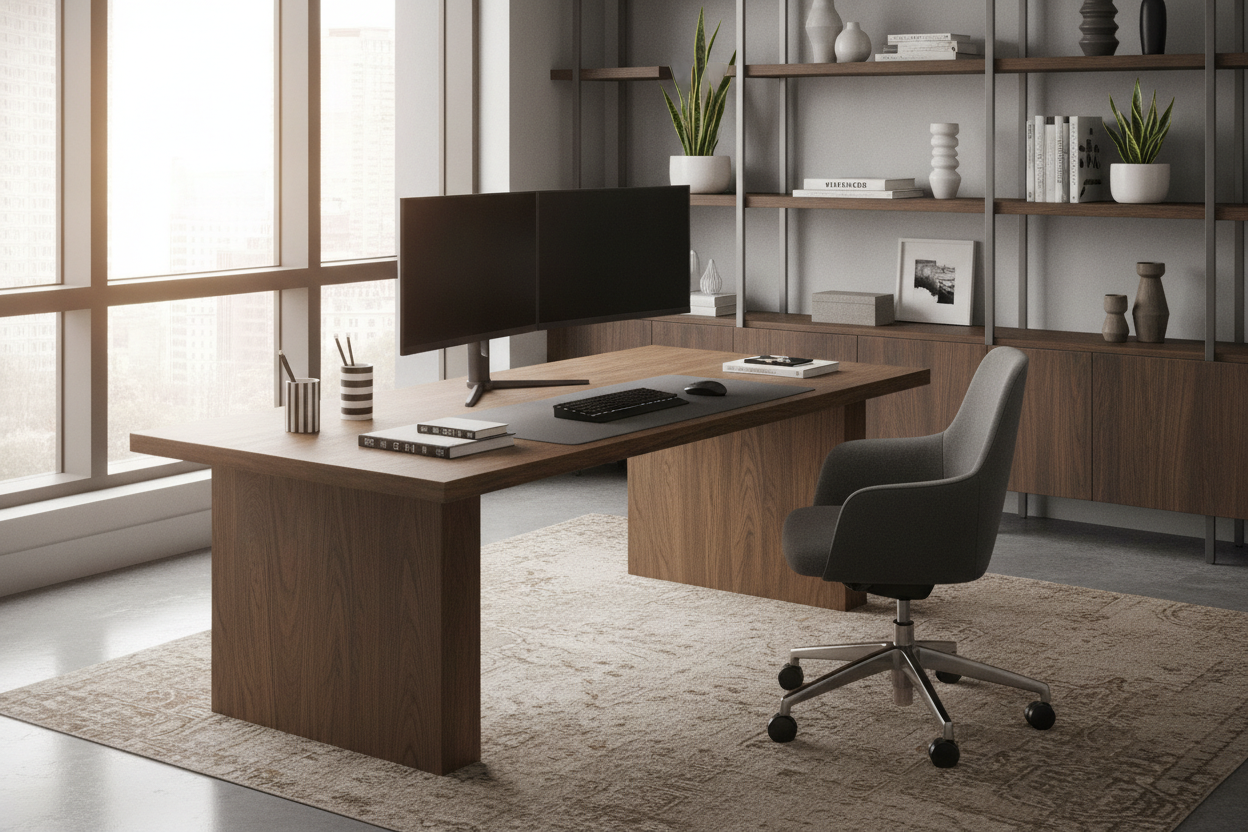
I once spent three hours assembling a desk that looked like a million bucks on a Pinterest board, only to realize it had the structural integrity of a wet noodle. Every time I hit the 'Enter' key, my dual monitors would perform a synchronized bobblehead routine. It drove me insane. I’ve since learned that finding sturdy desks isn't about the price tag or the wood grain; it is about the physics of the frame.
If you are a heavy typer or someone who actually uses their workspace for more than just aesthetic Instagram shots, you know the struggle. A sturdy desk is the foundation of your productivity. If that foundation is weak, your focus will be too. Let's get into why your current setup is probably failing you and how to spot a sturdy computer desk that won't let you down.
- Avoid hairpin or T-style legs if you want zero wobble.
- Look for steel frames with a thickness of at least 1.2mm.
- Prioritize desks with a rear cross-brace or 'V' support.
- Check the weight—a light desk is almost always a shaky desk.
- Solid wood or high-density particle board is better than hollow honeycomb fills.
The 'Coffee Cup Test' (And Why Your Current Setup is Failing)
The easiest way to tell if you have a sturdy office table is the coffee cup test. Fill a mug halfway with water, set it next to your keyboard, and start typing. If the surface of the water ripples like a scene from Jurassic Park, your desk is failing. This isn't just a minor annoyance; it is a sign that your sturdy work desk isn't actually sturdy. Most modern furniture is designed for shipping efficiency, not stability. They want the box to be light, which means the materials are thin.
We have been conditioned to accept 'good enough' because we like the look of minimalist furniture. But those thin, spindly legs can't handle the lateral force of your hands moving across a keyboard. A durable desk needs to resist both vertical weight and horizontal sway. When you buy a sturdy home office desk, you are looking for something that stays dead-still even when you're frantically typing a last-minute report at 4 PM on a Friday.
I’ve tested dozens of setups, and the ones that fail usually prioritize 'airiness' over mass. Mass is your friend. You want a strong desk that feels like it’s anchored to the earth. If you can move the whole thing with your pinky finger, it’s not going to pass the coffee cup test. You need a sturdy desk for home office use that actually understands the mechanics of a workspace.
Anatomy of a Wobble: What You're Probably Doing Wrong
Why do so many desks wobble? It usually comes down to three things: leg design, joint quality, and material density. Hairpin legs are the worst offenders. They look great in a mid-century modern loft, but they have zero lateral stability. They flex. If your computer desk sturdy claims involve thin metal rods, run away. You want a sturdy computer table with boxed legs or C-frames that use heavy-gauge steel.
Then there are the fasteners. Most cheap furniture uses cam-locks—those little silver circles you turn with a screwdriver. They are notorious for loosening over time. A truly heavy duty office desk will use through-bolts with locking washers. If the joints are just screwed into particle board, they will eventually strip out, and the wobble will become permanent. I’ve had to throw away perfectly good-looking desks because the 'bones' were made of literal sawdust and glue that couldn't hold a screw.
Lack of cross-bracing is the final nail in the coffin. Without a bar connecting the legs or a solid back panel, the desk has no way to stop 'racking'—that side-to-side sway. Even a sturdy writing desk needs some form of triangular reinforcement. Triangles are the strongest shape in engineering; if your desk is just a series of rectangles, it is destined to shake.
Non-Negotiable Features of a Heavy Duty Office Desk
When I’m hunting for a sturdy office desk, I look at the frame first and the top second. The frame should be powder-coated steel. Check the specs for the 'gauge' of the metal. A lower number means thicker metal. You want something in the 14 to 16-gauge range. If the manufacturer doesn't list the steel thickness, it's probably because it's as thin as a soda can.
The desktop material also matters. A sturdy computer desk shouldn't have a hollow core. Many big-box retailers sell tops that are just cardboard honeycombs sandwiched between thin veneers. They are light, but they don't absorb vibration. I’ve found that repurposing a heavy vintage table is often the smartest move because that old-growth timber has a density you just can't find in modern flat-pack furniture. The sheer weight of a solid top acts as a dampener for your typing.
Look for structural gussets. These are the triangular plates at the corners where the leg meets the frame. They prevent the legs from bowing outward or inward. A durable desk with gussets will always outlast one without them. Also, check for adjustable leveling feet. If your floor is even slightly uneven, even the most sturdy desk will wobble. Those little screw-in feet are a non-negotiable for any best sturdy desks contender.
The Sneaky Trick to Finding a Cheap Sturdy Desk
You don't have to drop a grand to get a sturdy simple desk. The secret is to look for industrial or 'utility' designs. These are built for schools or labs where they expect people to be rough on them. They aren't always the prettiest, but they are built like tanks. A cheap sturdy desk often looks like a basic table with four thick legs and a heavy-duty laminate top. It lacks the bells and whistles, but it won't move an inch.
I often tell people that finding a computer desk under 150 is entirely possible if you stop looking for 'office furniture' and start looking at 'workbenches.' A small garage workbench often makes a better sturdy computer table than anything sold in a home decor store. They are designed to hold hundreds of pounds and withstand hammering; your typing won't even register.
Avoid desks with too many moving parts. Every drawer, keyboard tray, and adjustable shelf is a potential point of failure. A sturdy work desk is usually a simple one. If you're on a budget, go for a fixed-height, four-leg design with a thick cross-bar. It’s the most stable geometry you can buy for the money. Don't let the low price fool you; simplicity is the ultimate sophistication when it comes to stability.
Why L-Shapes Are the Secret Hack for a Strong Desk
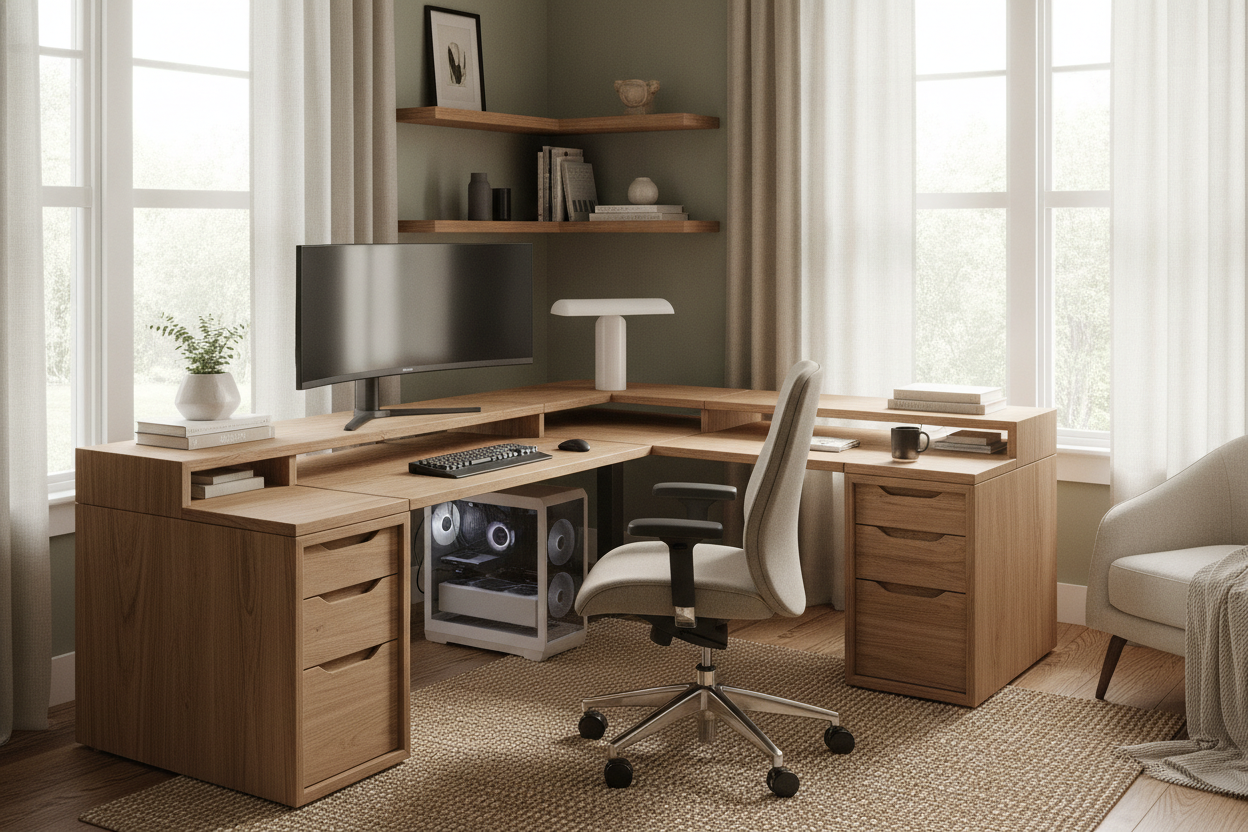
If you have the space, an L-shaped sturdy home office desk is a game-changer for stability. Think about it: a standard desk only has support in one plane. An L-shape has support in two directions. This multi-directional bracing makes it almost impossible for the desk to sway. It’s like having a built-in kickstand for your workspace.
I personally use a corner desk with large storage because the extra 'return' (the side part of the L) acts as a massive anchor. Even if the legs aren't the thickest, the geometry of the piece keeps it from moving. It’s a strong desk by design. Plus, you get the added benefit of being able to separate your 'computer zone' from your 'writing zone,' which is great for the brain.
When shopping for an L-shape, make sure the two sections are bolted together with a heavy metal plate. Some cheap versions just have the two desks sitting next to each other, which defeats the purpose. A sturdy office desk in an L-configuration should feel like a single, monolithic piece of furniture once it's assembled. It’s the closest you can get to a built-in custom desk without the custom price tag.
My Final Checklist for Buying a Sturdy Writing Desk Online
Buying a sturdy writing desk online is risky because you can't give it the 'shake test' in person. You have to be a detective. First, check the shipping weight. If a 60-inch desk weighs less than 40 pounds, it’s going to wobble. You want to see a shipping weight of at least 50 to 70 pounds for a standard size. Mass equals stability. Period.
Next, look at the photos of the underside. Does it have a metal perimeter frame that supports the desktop, or do the legs just screw directly into the wood? You want that perimeter frame. It prevents the wood from sagging and provides a more rigid connection point for the legs. When you are ready to shop for a writing computer desk, zoom in on the joints. If you see plastic brackets, keep scrolling. You want metal-on-metal connections.
Lastly, read the 1-star reviews. Don't look at the 5-star ones; those people just finished assembly and are still in the honeymoon phase. Look for the people complaining about 'sway' or 'vibration.' If multiple people say the desk shakes when they type, believe them. A best sturdy desks winner will have reviews praising its 'solid feel' and 'heavy weight.' Trust the people who have already done the coffee cup test for you.
How can I make my current desk sturdier?
Start by tightening every single bolt. They loosen over time with use. If it still wobbles, try adding a 'V' brace using some wire and turnbuckles from a hardware store, or simply push the desk flush against a wall and use a small L-bracket to anchor the frame to a stud. It won't move after that.
Does weight capacity mean the desk won't wobble?
Not necessarily. A desk can be rated to hold 300 pounds but still sway side-to-side like a leaf in the wind. Weight capacity refers to vertical strength (how much it can hold before breaking), while sturdiness refers to lateral stability (how much it shakes). You want both.
Are standing desks less sturdy than fixed desks?
Generally, yes. Because they have telescoping legs, there is naturally more 'play' in the joints. To find a sturdy desk in the standing category, look for a 'four-leg' standing desk or one with a very heavy base and a cross-bar. Avoid the cheap single-motor versions if you are a heavy typer.


Leave a comment
This site is protected by hCaptcha and the hCaptcha Privacy Policy and Terms of Service apply.