

















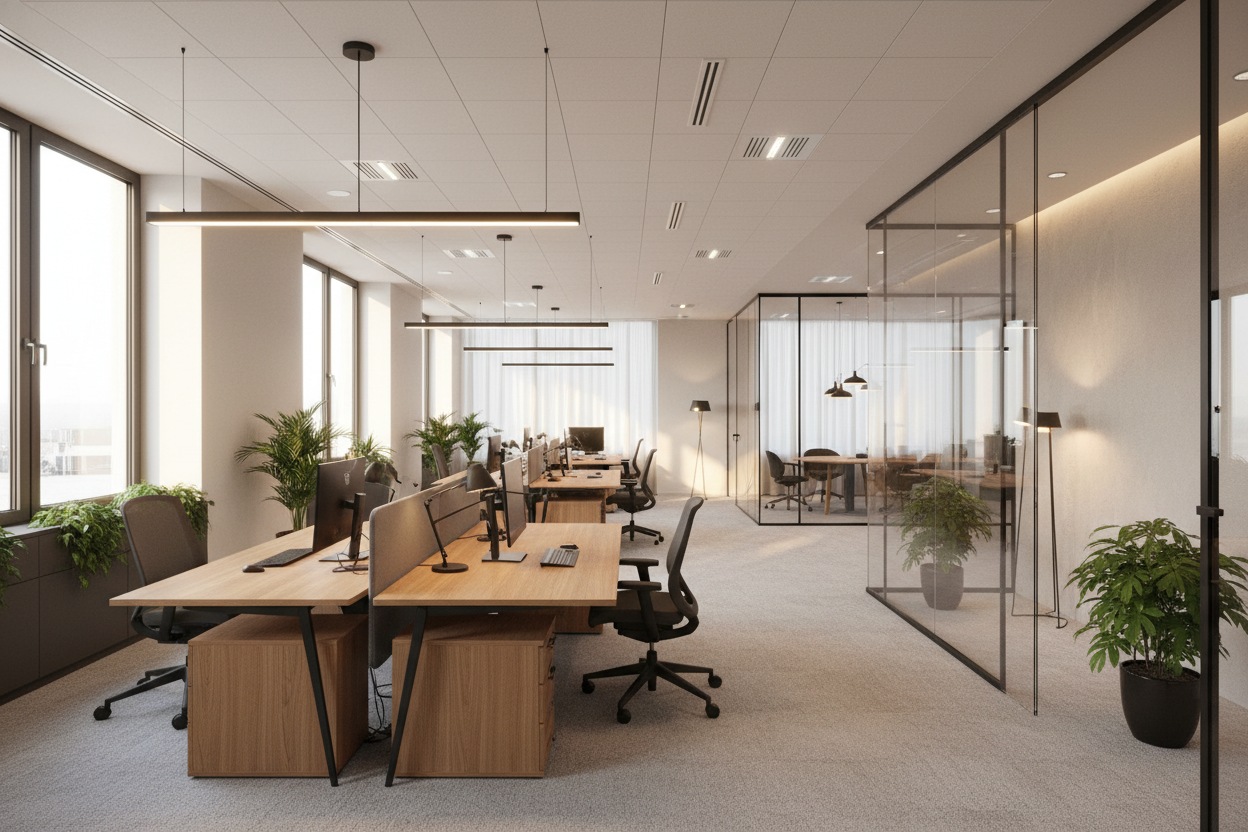
We often blame our posture or our chairs for that dreaded 3 PM slump, but in my years designing corporate and home workspaces, I’ve found the real culprit is usually overhead. Poor illumination causes eye strain, headaches, and a subtle drop in morale that no amount of coffee can fix. Proper lighting in offices is not just about buying a brighter bulb; it is about architectural layering and ergonomic precision to support your workflow.
Key Components of a Well-Lit Workspace
- Color Temperature (Kelvins): Aim for 3500K to 4000K for alertness; avoid overly warm yellow tones that induce sleepiness.
- Color Rendering Index (CRI): Look for a CRI of 90+ to ensure finishes and documents look true to life.
- Adjustability: Articulating arms and dimmable switches are non-negotiable for adapting to changing daylight.
- Glare Control: Matte finishes on fixtures and diffusers on bulbs to prevent monitor bounce.
Mastering the Three Layers of Light
In high-end interior design, we never rely on a single light source. To achieve a professional lighting in office space setup, you must balance three distinct layers: ambient, task, and accent.
Ambient Lighting: The Foundation
This is your general illumination. In many offices, this consists of harsh fluorescent troffers. If you are retrofitting a space, swap these for recessed LEDs with a high diffusion rating. The goal is to mimic natural daylight as closely as possible. If you have high ceilings, consider linear pendants that cast light both upward (to wash the ceiling) and downward, creating a softer, shadow-free environment.
Task Lighting: The Ergonomic Necessity
This is where functionality meets style. A dedicated desk lamp is crucial for focused work. When selecting a fixture, consider the silhouette and scale relative to your desk. An oversized lamp on a petite writing desk creates visual clutter, while a tiny fixture on an executive desk feels lost. Opt for LED fixtures with adjustable heads. The light source should be positioned below your eye level to prevent direct glare.
Materiality and Visual Balance
The finish of your lighting fixtures contributes significantly to the room's texture. For a modern, industrial look, brushed brass or matte black powder-coated steel works beautifully. However, be wary of high-gloss chrome in areas with ample natural light; the reflection can be distracting.
From a furniture specialist's perspective, consider how the light interacts with your desk surface. If you have a glass or high-gloss lacquer desk, you need a lamp with a deep shade or a diffuser lens. Without it, you will see a perfect, blinding reflection of the bulb on your work surface, which is a disaster for visual comfort.
My Personal Take on Lighting in Offices
I learned the hard way that specs on a box don't tell the full story. A few years ago, I designed a home office for a client who insisted on a trendy, exposed-bulb Edison pendant directly above his monitor. It looked incredible in photos.
Two weeks later, he called me complaining of migraines. The issue wasn't just the brightness; it was the "flicker rate" of the vintage-style filament and the heat it generated. I sat at his desk for twenty minutes and felt the radiant heat on my forehead—something you don't notice in a quick showroom walk-through. We swapped it for a fixture with a frosted glass diffuser and a 4000K LED bulb. The aesthetic remained sophisticated, but the functionality shifted immediately. Another detail I always check now: the switch mechanism. I avoid lamps with switches on the cord because fishing around behind a desk is frustrating; always look for a touch-base or head-mounted switch for seamless operation.
Conclusion
Treat your lighting as a tool, not just an accessory. By layering your light sources and selecting the right color temperature, you transform your office from a place of fatigue into a zone of focus. Invest in quality fixtures that offer flexibility, and your eyes—and your productivity—will thank you.
Frequently Asked Questions
What is the best color temperature for office productivity?
For most workspaces, a range between 3500K and 4000K is ideal. This "cool white" range mimics morning daylight, which naturally suppresses melatonin and helps maintain focus and alertness throughout the workday.
How do I reduce glare on my computer screen?
Avoid placing light sources directly behind you or directly in front of the screen. Instead, position task lighting to the side of your monitor (opposite your writing hand to avoid shadows). Also, ensure your overhead lights have diffusers to soften the beam.
Can I use smart bulbs for office lighting?
Absolutely. Smart bulbs are excellent for lighting in office space because they allow you to adjust the Kelvin temperature throughout the day—cooler in the morning for focus, and warmer in the late afternoon to help you wind down.


Leave a comment
This site is protected by hCaptcha and the hCaptcha Privacy Policy and Terms of Service apply.