

















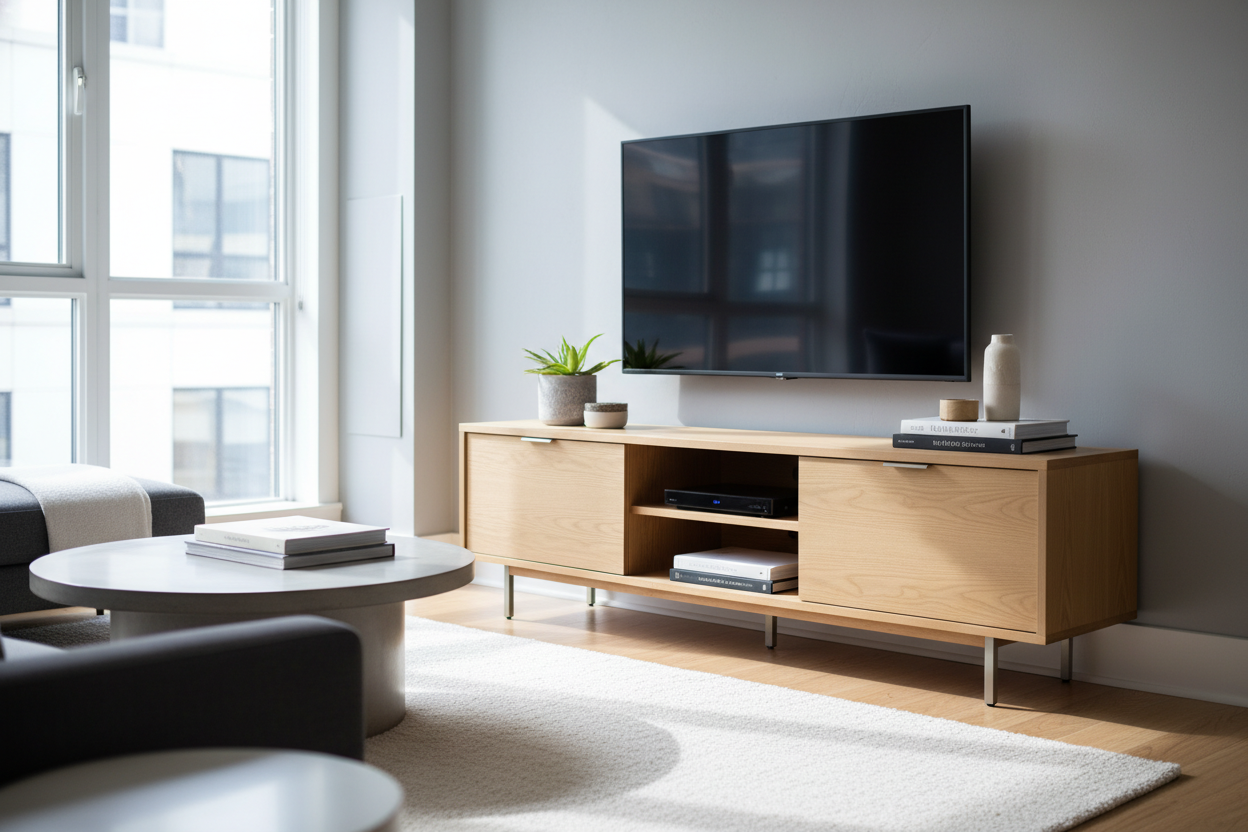
I spent three years doing a weird sidestep maneuver every time I wanted to get to my balcony. My living room wasn't actually small, but it felt cramped because I was being held hostage by a piece of furniture designed for a 1998 Sony Trinitron. I had this massive, 18-inch deep wooden behemoth sitting under a TV that is literally thinner than a pencil.
The realization hit me during a deep clean: I was sacrificing nearly six square feet of floor space to support a screen that weighs less than my cat. Switching to a slim entertainment unit wasn't just about aesthetics; it was about reclaiming the right to walk through my own home without bruising a hip.
- Reclaims Floor Space: Narrow profiles open up high-traffic walkways instantly.
- Visual Lightness: Less depth means the room feels airier and less 'blocked.'
- Modern Tech Fit: Designed specifically for flat screens and streaming sticks rather than VCRs.
- Hidden Storage: Doors keep the inevitable cord nest out of sight.
The 'Standard Depth' Myth for Flat Screens
We are living in a bizarre furniture hangover. For decades, media centers had to be deep because televisions were essentially giant glass boxes. Even though we’ve transitioned to OLEDs and LEDs that can be wall-mounted like a picture frame, the furniture industry is still churning out 18-to-20-inch deep consoles as the 'standard.'
If you aren't storing a vintage record player or a massive 90s receiver inside your cabinet, that extra depth is literally dead space. It collects dust behind the unit and forces your sofa further back, making your living room feel like a narrow tunnel. I finally asked myself: why am I giving up six inches of walking room for an empty void? Most modern tech, from a PS5 to a mesh router, can fit comfortably in a 12-inch depth if you're smart about it.
Gaining Back My Floor Space
I eventually pulled the trigger on a unit that was only 11.5 inches deep. At first, I was worried it would look 'off' under a 65-inch TV, but the opposite happened. The room felt like it grew by two feet. That extra clearance meant my coffee table could be centered properly, and the flow from the kitchen to the seating area finally felt natural. If you have a particularly awkward wall, looking for an adjustable modern media console can help you bridge the gap between different room constraints while keeping that narrow profile.
In my case, reclaiming those six inches was the difference between a room that felt 'stuffed' and a room that felt 'styled.' The visual weight of a piece of furniture is largely determined by how far it sticks out from the wall. A slim profile recedes into the background, letting the rest of your decor actually breathe.
But Where Does the Ugly Tech Go?
Minimalism is great until you have to figure out where the router, the Nintendo Switch, and the tangled mess of HDMI cables live. This is where most people fail—they buy a shallow shelf and then realize their cords are dangling like spaghetti. The secret is finding a slim tv cabinet with doors. You need that enclosure to hide the reality of 21st-century living.
I opted for a unit with mesh or slatted doors so my remotes would still work and my gear wouldn't overheat. It’s a non-negotiable for me. Having a cabinet with doors that enclose everything means I don't have to look at a single glowing green LED or a dusty power strip. It turns a tech station into a piece of actual furniture.
Thin Doesn't Have to Mean Flimsy
There is a legitimate fear that a narrow cabinet will be 'tippy.' And honestly? If you buy the cheapest particle board version available, it probably will be. When you're shopping for a thin tv cabinet with doors, look for solid wood or heavy-duty MDF with a weighted base. I made the mistake of buying a super cheap, ultra-thin unit once, and it wobbled every time the vacuum hit it.
Now, I insist on wall anchors. Even if you aren't mounting the TV itself, anchoring a slim unit to the wall makes it feel permanent and premium. It eliminates that 'temporary' feel and ensures that if someone bumps into it, your expensive screen doesn't do a swan dive onto the hardwood.
Styling a Narrow Surface Without the Clutter
Once you go slim, you have to rethink your styling. Those massive, oversized coffee table books you usually stack under the TV? They won't fit here. Instead, I’ve found that playing with height is the way to go. Think tall, slender candlesticks or a narrow ceramic vase with a few dried branches. This adds vertical interest without requiring depth.
Proper styling is what helps you cure the sports bar look. Instead of the TV being the only thing on the wall, the slim console acts as a pedestal for a few curated pieces. Just keep it simple; a shallow surface gets cluttered fast, so choose two or three high-quality items and leave the rest of the surface clear.
FAQ
Will my PlayStation fit in a slim console?
A PS5 is about 10.2 inches deep without the stand, so it will fit in most 12-inch units, but check your internal clearance. You may need to keep the back panel off for better airflow and cable management.
Do I have to mount my TV if I use a slim unit?
Not necessarily, but it looks better. If you use the TV's legs, just make sure the distance between the front and back feet is less than the depth of the cabinet. Many modern TV legs are surprisingly wide.
How do I manage heat in a closed cabinet?
Look for cabinets with slatted doors or 'breathable' back panels. If your gear is running hot, you can easily use a 2-inch hole saw to add extra ventilation to the back of the unit where it isn't visible.

Leave a comment
This site is protected by hCaptcha and the hCaptcha Privacy Policy and Terms of Service apply.