

















Workspace Architecture: Why Monitor Positioning Dictates Desk Utility
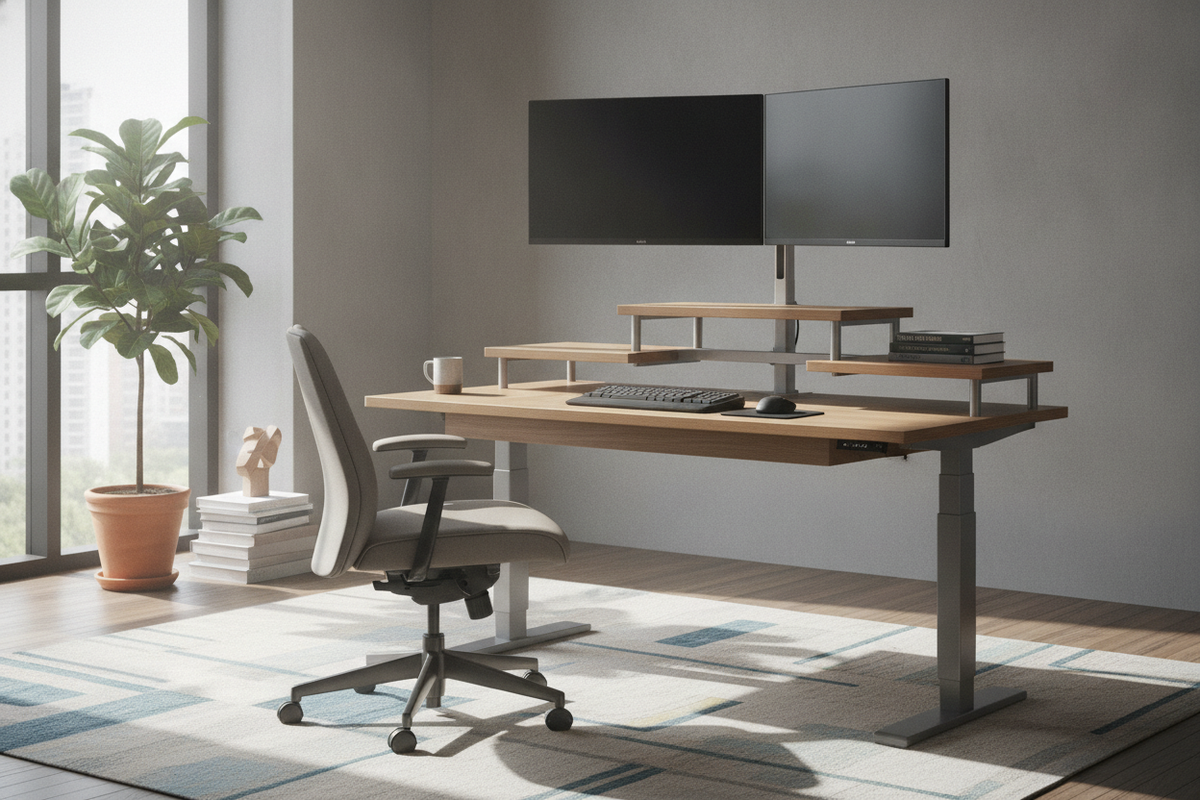
Arranging a functional workspace requires treating the desk surface as an integrated architectural layout rather than a generic flat catch-all. When setting up screens, the interaction between monitors and stand components establishes the baseline for how much usable desktop remains for daily tasks. Factory-supplied display pedestals frequently consume substantial surface area right in the center of the desk, limiting practical room for notebooks, keyboards, and task lighting.
Transitioning from basic desktop placement to deliberate elevation systems reshapes the utility of the entire room. Elevating a display creates a tiered landscape where vertical volume substitutes for lost horizontal footage. Whether selecting furniture-grade desk shelves or mechanical mounting hardware, planning your screen elevation around your specific workflow ensures that the workstation remains organized, uncluttered, and adaptable to shifting project needs.
Desktop Dimensions as Decision Frameworks: Matching Screen Scale to Surface Depth
Before introducing secondary shelving or mounting structures, evaluate the depth of your desk surface. Desk depth determines natural viewing distances and governs how close peripheral equipment sits relative to the user. When displays are mounted too close to the front edge, users often push their seating back, disrupting comfortable reaches to writing utensils and input devices.
Matching the footprint of your monitors with stand choices against surface depth creates a balanced relationship between visual comfort and manual writing or typing zones. Desks can generally be divided into compact profiles suited for streamlined single-display layouts and broader profiles capable of handling multi-panel arrangements.
Compact Workstations: Single Displays and Elevated Riser Trays
Compact desks present distinct spatial constraints where every inch of linear depth counts. In shallower work environments, a bulky screen base can easily displace a keyboard or leave no room for wrist support. Implementing a single-display riser platform with a slender depth profile allows the monitor to hover securely above the main workplane.
This arrangement establishes dedicated clearance underneath the riser where a keyboard, compact mouse, or daily planner can slide out of sight when not in active use. By keeping the elevated shelf proportional to the shallower work surface, the user maintains a balanced focal distance without crowding the desk perimeter.
Wide Surface Configurations: Dual Monitors and Full-Span Shelf Stands
Spacious, deep executive desks and extended workbenches offer the structural footprint required for dual-panel or panoramic screen layouts. When deploying multiple screens side by side, individual display bases can create visual clutter and an irregular footprint across the rear half of the surface.
A full-span desktop shelf or a dedicated multi-panel bridge unifies these visual elements into a single coherent horizontal line. This approach provides continuous support across the back of the work surface, stabilizing wide displays while defining an uninterrupted lower zone for desktop accessories, external audio interfaces, or desk pads.
Stand Typologies: Integrated Desktop Risers vs. Articulated Clamp Mounts
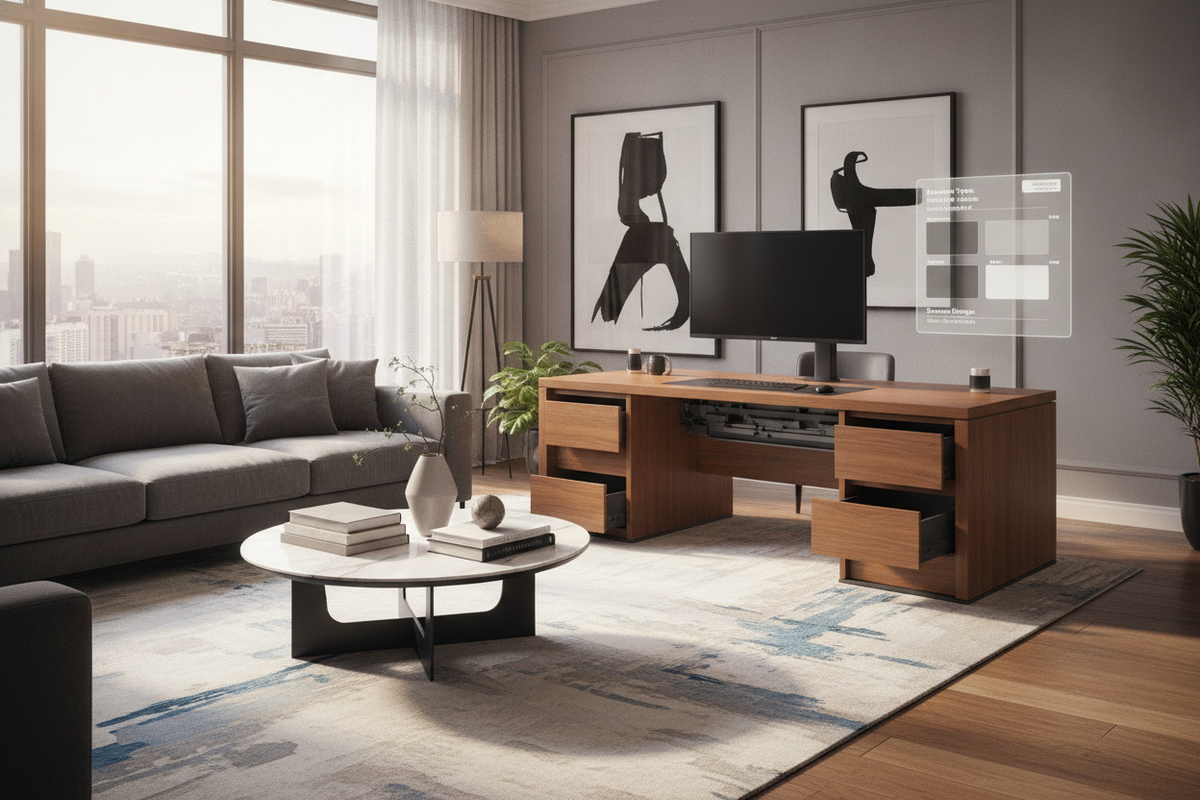
Choosing how to support visual displays generally comes down to two divergent design methodologies: furniture-based desktop risers or mechanical clamp-on arms. Furniture risers, constructed as small plinths or desktop credenzas, rest directly on the main surface. They distribute downward weight broadly across their feet, complementing matching cabinetry and executive decor without requiring structural modifications to the table edges.
Conversely, mechanical articulated arms clamp directly to the desk perimeter or pass through grommet holes, suspending panels in open air. While articulated arms liberate clear space directly below the screen, they exert concentrated clamping pressure on a tiny section of the desktop perimeter. For readers exploring how distinct mounting aesthetics influence decorative balance across shared living spaces, our monitors guide explores practical designer techniques for harmonizing display fixtures with ambient furnishings.
Storage Needs and Surface Organization Beneath Elevated Screens
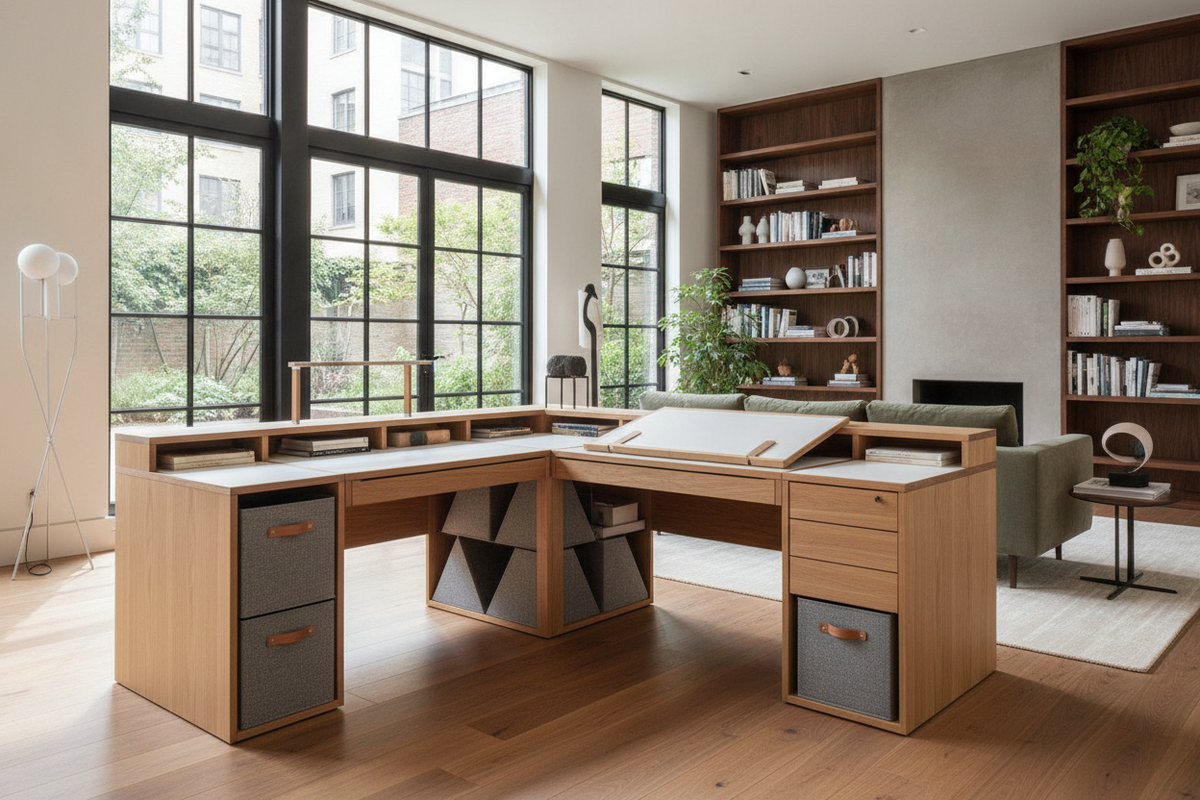
The primary spatial benefit of lifting monitors on dedicated risers is the creation of secondary storage zones directly beneath the sightline. Rather than allowing this intermediate height to become dead space, thoughtful furniture design turns it into organized compartmental storage.
- Undershelf slide-in cubbies: Ideal for storing slim stationery, portable hard drives, and loose papers out of direct sight.
- Integrated low-profile drawers: Enclosed modules prevent smaller office essentials from generating visual clutter on open surfaces.
- Rear wire-routing channels: Notches or pass-through cutouts along the back edge of the riser allow power leads and signal cords to drop cleanly down behind the desk frame.
- Keyboard parking zones: Recessed spans beneath wide risers provide a dedicated parking space for mechanical keyboards when transitioning to analog writing tasks.
By establishing distinct homes for everyday tools within the footprint of the riser itself, the primary desktop remains open and visually peaceful.
Material Composition and Weight Distribution for Desk Tops
Selecting the right support structure requires an understanding of how desk construction handles downward loads. Desks constructed with engineered wood cores, honeycomb inner layers, or laminate wraps react differently to static loads than solid hardwood or thick butcher-block surfaces.
A broad plinth-style monitor stand distributes display weight across two wide support legs or a broad continuous baseboard. This broad footprint is particularly gentle on engineered panel surfaces, preventing localized crushing or bending. In contrast, heavy multi-panel setups anchored by a single edge-clamp mount direct heavy rotational force onto a narrow edge strip. If a desk features a lightweight hollow-core interior or an unsupported rear bevel, broad furniture risers offer a far more dependable foundation for long-term desktop integrity.
Assembly, Stability, and Room Layout Integration
Once the physical hardware is selected, assembling and stabilizing the configuration within your room layout ensures long-term comfort. A common challenge with elevated screen setups is micro-wobble during typing. To minimize vibration, ensure that desktop risers are fitted with non-marring, non-slip pads beneath their contact points. These pads absorb small desk vibrations while protecting the underlying wood grain or laminate finish from surface scratches.
Positioning relative to ambient light is equally critical. Orienting screen faces perpendicular to primary window light reduces harsh surface reflections without requiring heavy window drapery. Pairing this thoughtful orientation with disciplined cable management—using split-sleeves or adhesive under-desk raceways—keeps wiring neat and out of reach of foot traffic, finalizing a clean, functional workspace built around your daily workflow.

Leave a comment
This site is protected by hCaptcha and the hCaptcha Privacy Policy and Terms of Service apply.