

















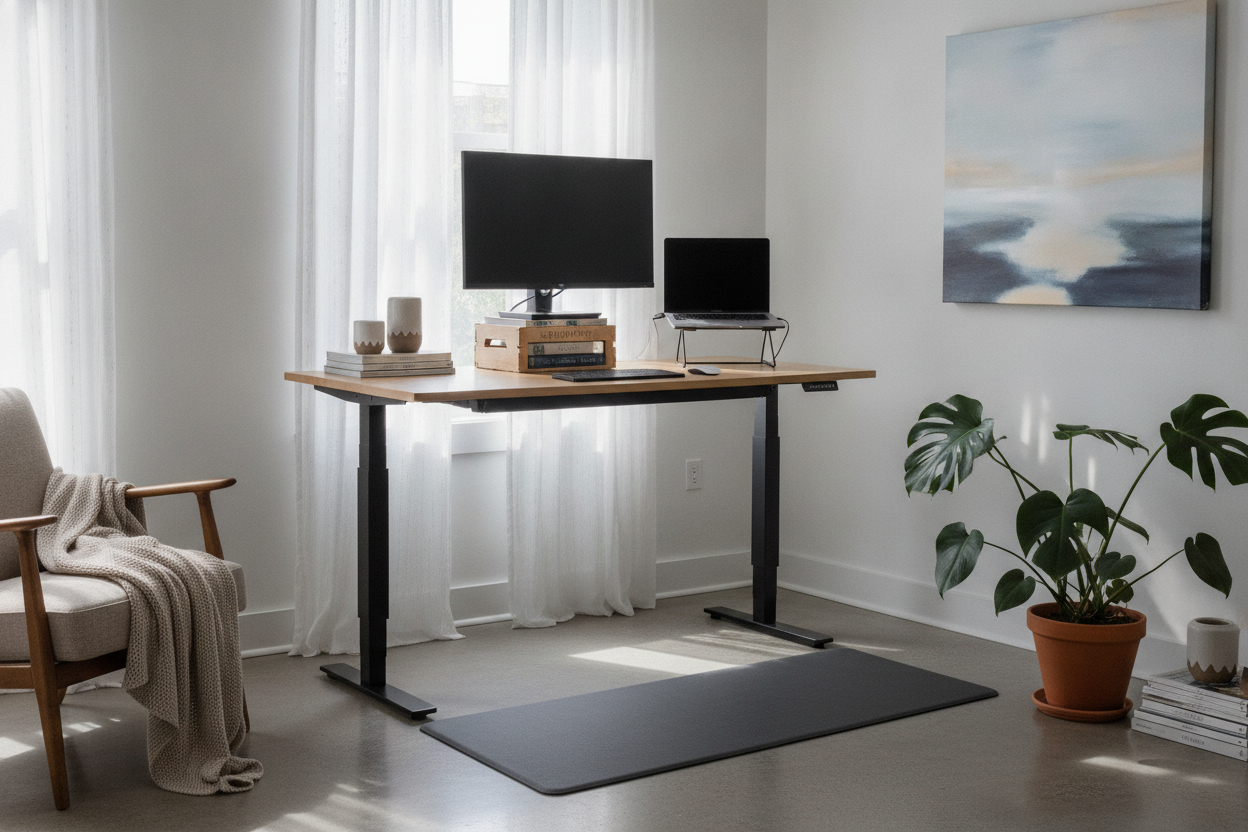
I was three hours into a Tuesday afternoon when I realized I couldn't feel my glutes anymore. My lower back was throbbing, and I was hunched over like a gargoyle on a cathedral. I decided right then that I needed a computer desk standing setup, but I wasn't ready to drop $500 on a motorized frame just yet. I thought I could outsmart the furniture industry with a few Amazon boxes and a stack of coffee table books.
Quick Takeaways
- DIY standing setups almost always fail because they ignore the 'two-height' rule for elbows and eyes.
- Stacking boxes on a standard desk creates a massive tipping risk for expensive electronics.
- A makeshift stand table for computer use usually leads to worse wrist pain than sitting.
- Investing in a dedicated adjustable desk is cheaper than three sessions with a physical therapist.
The Textbook and Shoebox Phase (How It Started)
My experiment began with a tower of hubris. I cleared off my writing computer desk—a solid piece of furniture that was never meant to be a skyscraper—and started stacking. I used two thick architecture books for the base and a sturdy shipping box for the laptop. It felt like a victory for about twenty minutes.
The problem is that a standard desk is roughly 29 to 30 inches high. To get a laptop screen to eye level for a 6-foot-tall human, you need another 20 inches of height. My desk suddenly looked like a middle school science project. It was ugly, but I told myself it was 'functional minimalism.' I was wrong.
Why Your Wrists Are Screaming Right Now
Here is the ergonomic trap nobody tells you about: your monitor needs to be at eye level, but your keyboard needs to be at elbow height. When you try to build a DIY stand table for computer work, you usually only solve for one. I had my screen at the right height, but my hands were reaching up toward my chest like a T-Rex.
Within two days, I had a dull ache in my forearms that wouldn't go away. This is why professional setups use tiered surfaces or separate keyboard trays. Trying to force a single flat surface to do both jobs while standing is a recipe for carpal tunnel. You can't just elevate the whole thing and call it a day.
The Tipping Point (Literally)
By Wednesday, the 'wobble' became my primary source of anxiety. Every time I typed with any force, my $2,000 MacBook Pro would do a little jig on top of its cardboard pedestal. Using a makeshift computer table stand hack is essentially gambling with your hardware. One aggressive mouse movement or a stray cat, and it is game over for your screen.
I spent more energy balancing my equipment than I did actually focusing on my spreadsheets. The low-level stress of watching my monitor vibrate every time I hit the 'enter' key was exhausting. Structural integrity isn't just a buzzword; it is the difference between a productive afternoon and a trip to the Apple Store repair bar.
Admitting Defeat: When to Just Buy the Right Gear
On Friday, I finally folded. My back felt better from standing, but my wrists were shot, and my nerves were fried. I realized that a computer desk standing adjustable frame isn't a luxury; it is a tool for survival if you work from home. If you are deeply attached to your current furniture, you don't have to throw it out. You can find a middle ground by reading Don't Toss Your Favorite Table (Just Buy the Best Desk Stand) to see how converters can save your setup.
For those in smaller apartments where a massive desk won't fit, I looked into more mobile solutions. I actually wondered, Is the Go-Cart Black Rolling Counter Table-Stand Up Desk Worth It? for my kitchen nook. It turns out that having something designed to be at counter height is infinitely better than trying to hack a dining table with shoeboxes.
My Current Setup (And Why I'm Never Going Back)
I eventually transitioned to a real workstation that didn't involve cardboard. My new setup features a dedicated computer desk with monitor stand which finally solved the eye-level problem without the 'T-Rex arm' side effect. Having a built-in shelf for the screen means my main desk surface stays at the perfect height for my keyboard and mouse.
The difference in my productivity was immediate. I stopped fidgeting with my 'tower' and started actually working. If you are currently eyeing a stack of books to lift your laptop, do yourself a favor: put the books back on the shelf and buy a piece of furniture that actually moves with you. Your spine will thank you by next Tuesday.
FAQ
Can I just use a high kitchen counter as a standing desk?
Only if the height allows your elbows to stay at a 90-degree angle while typing. Most counters are 36 inches, which is often too low for standing work for anyone over 5'5", leading to the same hunching issues as a sitting desk.
Are motorized standing desks better than manual ones?
Motorized is better if you actually plan to switch between sitting and standing multiple times a day. If it’s a pain to crank or move, you’ll likely just leave it in one position forever, defeating the purpose.
How long should I stand each day?
Don't try to stand for 8 hours on day one. Start with 20-minute intervals. If you go from sitting all day to standing all day, your knees and heels will be screaming by lunch. Ease into it.

Leave a comment
This site is protected by hCaptcha and the hCaptcha Privacy Policy and Terms of Service apply.