

















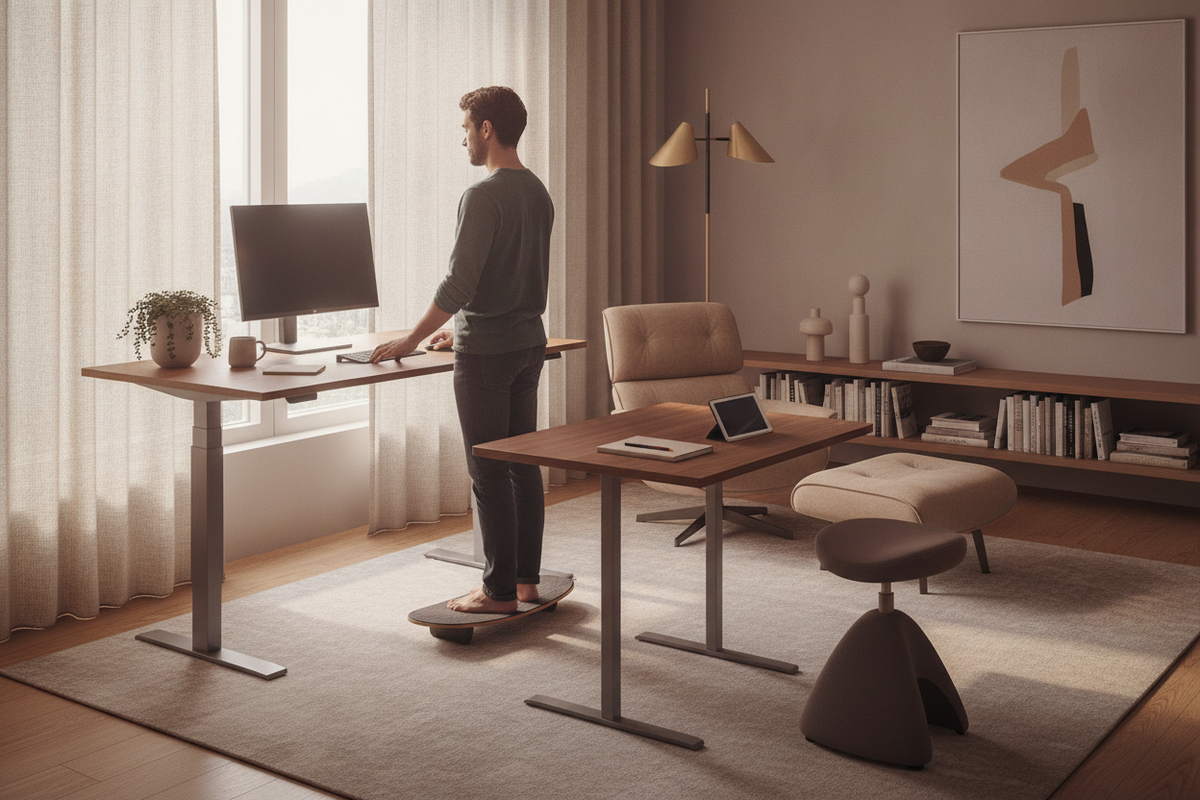
Integrating an adjustable workstation into a home office offers significant ergonomic flexibility, but knowing how to use a standing desk correctly is essential for realizing those benefits. Transitioning to a dynamic workstation requires more than simply raising the work surface; it involves coordinating upper-body alignment, establishing a balanced sit-stand movement rhythm, managing cord slack, and organizing perimeter storage.
Core Posture Geometry: Calibrating Standing and Seated Heights
Proper posture begins with height calibration tailored to individual biomechanics. Rather than relying on arbitrary preset numbers, effective calibration depends on relative physical reference points for both seated and standing positions.
Upper-Body Alignment and Forearm Angle
When positioning the desktop, adjust the elevation until your shoulders remain naturally relaxed without shrugging upward or slumping downward. Your elbows should rest comfortably at a gentle open angle, allowing your forearms to rest parallel to the desktop surface. Wrists should remain neutral and flat while typing, avoiding upward or downward bending across keyboard surfaces. For comprehensive visual and spatial planning advice, reviewing a dedicated standing desk guide can help you merge structural ergonomics with clean aesthetic choices.
Monitor Elevation and Sightline Calibration
Screen placement is crucial for minimizing cervical spine tension. Position your primary display directly in front of you at approximately arm's length. Adjust monitor height so the top third of the screen aligns with resting eye level. This sightline encourages a level head position, preventing forward chin protrusion or downward neck tilt during long working sessions.
Developing an Effective Sit-Stand Movement Cadence
The primary benefit of a dynamic desk is movement variety rather than remaining in a static standing posture all day. Establishing a structured daily cadence prevents fatigue while maintaining continuous productivity.
Gradual Pacing Tiers for New Users
Adapting to a standing desk works best when approached as a gradual progression. Beginners can begin with brief standing intervals distributed throughout the day, gradually extending standing periods as core and leg stamina adapt. Using an intuitive standing desk product with programmable memory presets allows you to switch between calibrated heights smoothly at the touch of a button without interrupting mental focus.
Task-Based Height Switching Strategies
Many professionals find it helpful to tie posture transitions to specific daily workflows:
- Standing Mode: Well suited for virtual meetings, routine administrative triage, outbound phone calls, and high-energy brainstorms.
- Seated Mode: Ideal for intensive long-form writing, complex data analysis, precise graphic rendering, and deep reflective tasks.
Footwear, Stance Dynamics, and Lower-Body Support
Standing mechanics determine whether an adjustable desk feels energizing or fatiguing. Maintaining lower-body comfort requires mindful weight distribution and appropriate foot support.
Distribute your weight evenly across both feet, keeping knees softly relaxed rather than hyperextended or locked backward. Avoid leaning continuously onto a single hip, which can tilt the pelvis unevenly. Supportive footwear with cushioned soles or an ergonomic floor mat provides gentle relief from hard flooring surfaces. Additionally, shifting your stance periodically—such as using a slight staggered step or resting one foot on a low support rail—encourages subtle muscular micro-movements that maintain comfortable blood flow.
Managing Clearances, Cable Slack, and Peripheral Zones
A height-adjustable desk is a kinetic piece of furniture. Ensuring smooth daily operation requires thoughtful planning around travel paths and surface organization.
Kinetic Travel Path and Wall Clearances
Maintain a spatial buffer between the desk edges and neighboring walls, window trim, or adjacent shelving. Before raising the desk to its maximum elevation, verify that floating shelves or wall art do not obstruct vertical travel paths. Keep the floor area beneath the desk clear of stationary storage units to prevent compression when lowering to seated height.
Tabletop Reach Zones and Cable Routing
Organize desktop equipment into functional reach zones. Keep essential input tools—such as your keyboard, mouse, and notepad—within easy forearm reach, while positioning lighting, speakers, and secondary displays in outer peripheral zones. For multi-monitor workstations, choosing a spacious standing desk product provides ample room for structured accessory placement.
Ensure power and display cords possess sufficient slack throughout the desk's entire range of travel. Bundling cords into flexible spine channels or under-desk trays prevents tension snags when raising the surface and keeps lines tidy when lowered.
Integrating Standing Workstations with Room Storage Architecture
Because height-adjustable desks lack built-in base pedestals, maintaining an orderly workspace requires pairing your dynamic desk with coordinated perimeter storage solutions. Exploring curated standing desk guide concepts can inspire seamless layouts that balance kinetic desks with surrounding cabinetry.
Position low credenzas, mobile filing units, or freestanding bookcases adjacent to the workstation. This arrangement keeps reference binders, hardware peripherals, and archival paperwork organized without cluttering the primary dynamic surface. For broader home offices, an expansive standing desk product provides an executive-scale surface that harmonizes effortlessly with wide storage credenzas, creating an ergonomic, balanced, and productive work environment.


Leave a comment
This site is protected by hCaptcha and the hCaptcha Privacy Policy and Terms of Service apply.