


















Designing an ergonomic and flexible workspace begins with understanding how to select, position, and adjust desk platforms across shifting daily routines. Modern work styles frequently alternate between focused seated tasks and upright collaboration or reading. Bringing dynamic elevation into a room requires more than simply choosing an attractive desktop finish; it demands careful planning around mechanical lift systems, architectural clearances, perimeter storage boundaries, and cable tension management.
Understanding Variable-Height Mechanics: Electric vs. Manual Adjust Desk Systems
The core mechanism that powers your workspace defines how seamlessly you can transition throughout the working day. Variable-height work tables generally fall into three mechanical architectures:
- Electric Motorized Columns: Dual or single electric lifting columns housed inside the desk legs deliver quiet, pushbutton travel. Models equipped with digital control pads often include programmable elevation memory, making it easy to return to preferred heights consistently. Selecting an adjustable height standing product allows you to store specific seating and standing coordinates for quick daily recalibration.
- Pneumatic and Gas-Spring Counterbalances: These designs rely on pressurized cylinders to counterbalance tabletop loads. They offer rapid elevation adjustments without requiring direct proximity to electrical outlets, though they require intentional physical guidance to lock securely into position.
- Mechanical Hand-Crank Systems: A manual hand crank drives internal gears to elevate or lower the desk frame. While slower than motorized alternatives, mechanical cranks provide dependable longevity and complete placement freedom across rooms with minimal wall power accessibility.
Spatial Sizing Categories and Room Clearance Planning
A successful height-adjustable configuration must respect both horizontal footprint boundaries and vertical travel envelopes. When planning room layouts, consider how dimensional spans interact with surrounding walls, windows, and perimeter joinery:
- Compact Footprints: Ideal for alcoves, micro-apartments, or dedicated study nooks, compact formats allow smooth elevation without encroaching on primary room walkways.
- Standard Workstation Spans: Suitable for single or dual-monitor configurations with room for desk organizers, standard widths fit comfortably into dedicated home offices.
- Expansive Broad Formats: Multi-display creative setups, drafting surfaces, and dual-system hardware environments benefit from larger surface areas. An expansive standing desk electric product provides the tabletop real estate needed to organize multiple computing zones while preserving structural balance across the full elevation spectrum.
Always maintain several inches of perimeter spacing between the tabletop edge and adjacent walls or tall furniture. This buffer prevents wall scuffs, eliminates pinching hazards during movement, and allows display mounts to articulate smoothly at high elevation settings.
Cable Slack Management and Vertical Travel Dynamics
One of the most critical structural considerations when operating a raisable surface is managing continuous cord flexibility. Static desk setups conceal wiring behind fixed modesty panels, but an adjustable frame requires deliberate travel geometry:
- Under-Desk Power Hub Mounting: Fasten a shared power strip directly to the underside of the desktop frame. Connecting monitors, task lights, and chargers to this single under-desk hub ensures that only one primary power cord travels between the moving desk and the baseboard wall receptacle.
- Calculated Travel Loops: Measure the main supply cord at the desk's maximum upright height to verify sufficient slack. Never allow power cables to pull taut, as tension can unseat connectors or stress frame motors during travel.
- Flexible Cable Spines and Trays: Articulated cable vertebrae or flexible under-mount wire trays guide loose wires along an orderly path, preventing cords from catching on drawer pulls or structural crossbeams during downward cycles.
Integrating Modular Storage with Movable Workstations
Traditional executive desks integrate heavy pedestal drawers directly into their structural base, whereas height-adjustable models feature open leg arches to allow dynamic movement. Maintaining high storage capacity requires pairing your workstation with complementary modular elements:
- Mobile Filing Pedestals on Casters: Low-profile file cabinets roll neatly beneath the desktop when parked in seated mode. Check that the lowest travel setting of your desktop clears the top of the mobile pedestal with ample margin.
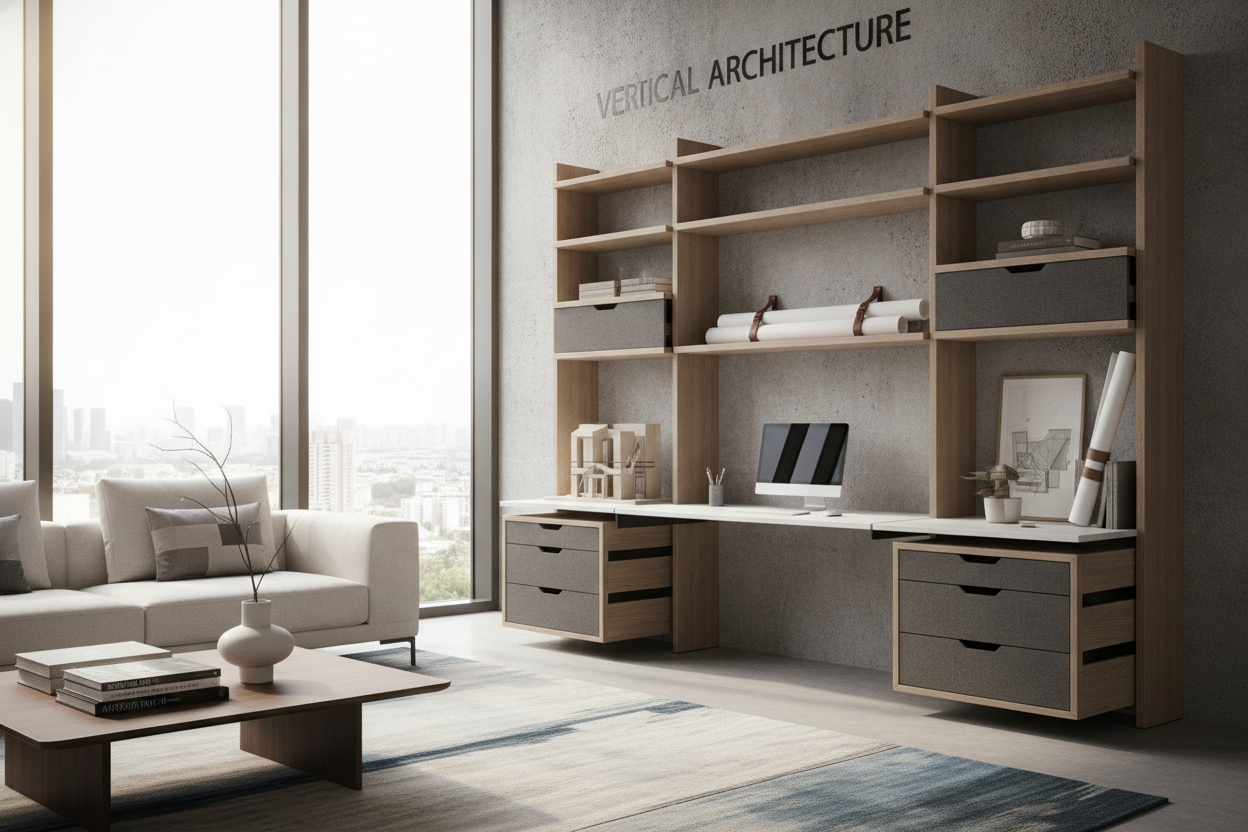
- Perimeter Credenzas and Bookcases: Positioning stationary storage along adjacent walls keeps heavy reference materials, printers, and archival binders accessible without adding deadweight to the moving desk surface. Explore the broader office study collection to coordinate finishes across secondary shelving units and lateral file consoles.
- Overhead Wall-Mounted Shelving: Floating shelves must be installed above the maximum reach of monitors mounted to the elevated desktop. Review the desk that office guide for strategies on balancing vertical wall decor with elevated monitor clearance.
Desktop Surface Materials and Structural Stability Frameworks
A height-adjustable frame is only as dependable as the foundation underneath it. When evaluating build options, assess both surface construction and underframe geometry to ensure rigid stability across both seated and upright positions:
- Engineered Tops vs. Hardwood Surfaces: High-density engineered wood panels treated with scratch-resistant melamine or laminate provide uniform density and moisture resistance, minimizing warping risks over long-term environmental shifts.
- Dual-Beam Underframe Architecture: Telescoping steel underframes equipped with dual crossbars reduce lateral sway when the lifting columns are fully extended. In addition, consultation of a comprehensive office desk that guide can clarify how frame gauge and leg stage designs contribute to long-term workstation performance.
- Adjustable Leveling Glides: Uneven flooring transmits wobble directly through tall columns. Heavy-duty threaded leveling feet under each foot bracket allow fine-tuned leveling against floor surface variations.
Step-by-Step Selection and Room Layout Decision Matrix
Before making a final furniture commitment, run through a structured spatial checklist to verify that your chosen desk dimensions align with everyday room logistics:
- Map Vertical Wall Space: Mark the projected highest point of your display screens against the wall to verify clearance beneath window sills, art frames, and hanging lights.
- Calculate Total Desktop Load: Add together the expected weight of monitors, clamp-on monitor arms, sound gear, and desktop organizers to confirm balanced weight distribution across the frame.
- Verify Power Access: Ensure nearby wall receptacles can accommodate the main power loop without stretching across primary room thresholds.
- Plan the Storage Perimeter: Position file drawers, waste bins, and mobile pedestals outside the downward travel path of the desk frame.
By systematically accounting for lift mechanisms, cord travel dynamics, surface durability, and surrounding modular cabinetry, you can build an adaptable work environment that supports productive daily transitions with lasting style and functional ease.


Leave a comment
This site is protected by hCaptcha and the hCaptcha Privacy Policy and Terms of Service apply.