


















We have all attempted to work from a kitchen island or a sofa, only to realize that posture and productivity suffer within the hour. The transition to a permanent or hybrid schedule requires more than just a laptop stand; it demands a thoughtful home office model that bridges the gap between residential comfort and commercial functionality. As an interior designer, I often see clients prioritize aesthetics over ergonomics, resulting in spaces that look beautiful in photos but are punishing to work in for eight hours a day. This guide will walk you through curating a workspace that respects your body and your home’s architecture.
Key Features for a Sustainable Layout
- Ergonomic Alignment: The chair and desk height must allow elbows to rest at 90 degrees and eyes to hit the top third of the monitor.
- Material Tactility: Surfaces should be durable yet warm to the touch (e.g., walnut, oak, or high-pressure matte laminate) rather than cold glass.
- Lighting Layers: A blend of ambient overhead light and task lighting (ideally 4000K) to reduce eye strain.
- Acoustic Control: Soft furnishings like rugs or drapery to dampen echo and background noise during calls.
- Traffic Flow: Positioning the desk to command the room (the "power position") without blocking pathways.
Defining Your Remote Work Model
Before selecting a single piece of furniture, we must analyze your specific remote work model. Are you video-conferencing 50% of the day, or is your work deeply focused and solitary? If you are client-facing on camera, the background—your "Zoom backdrop"—becomes a critical design element. We want to avoid the "floating head" effect caused by strong backlighting from a window.
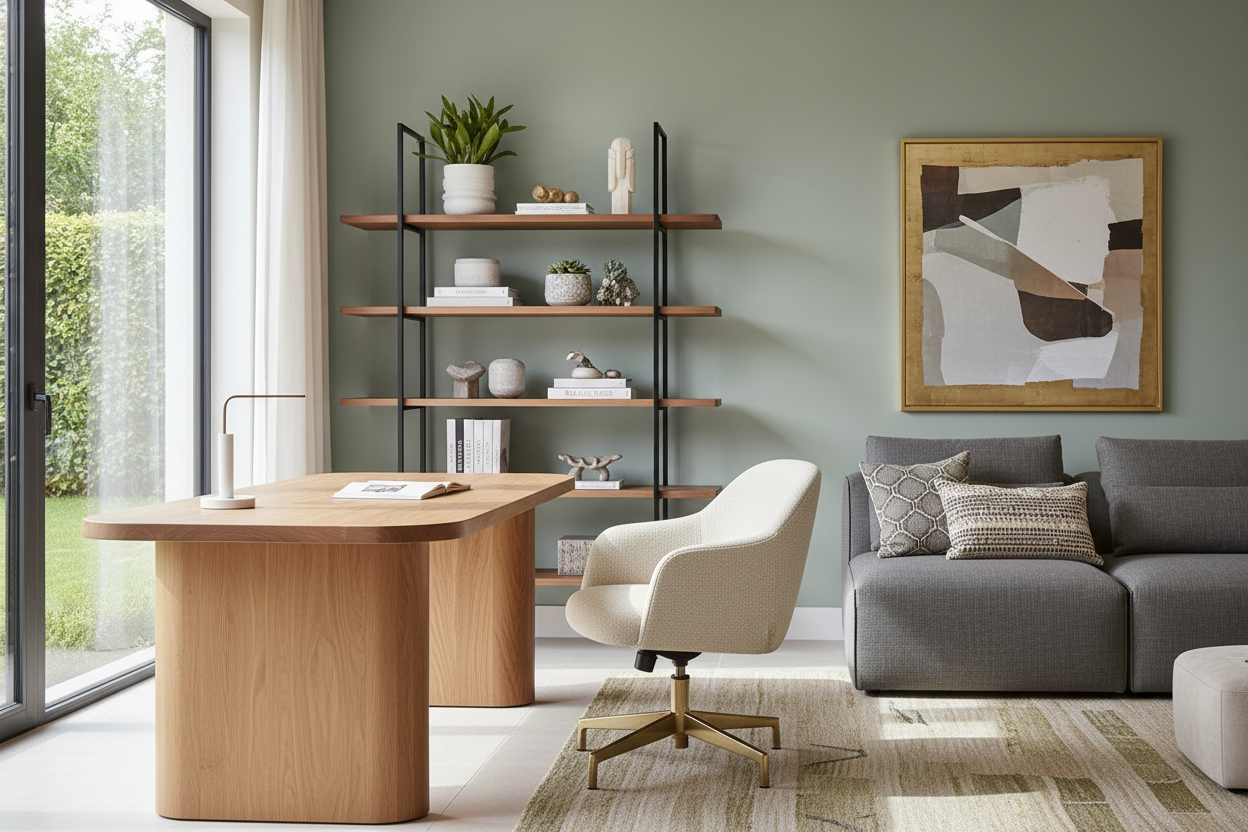
For a robust work from home model, spatial planning is paramount. Avoid pushing your desk directly against a blank wall if possible. Floating the desk in the center of the room, or perpendicular to a wall, creates a sense of command and allows for better visual breaks, which are essential for mental fatigue.
Materiality: Solid Wood vs. Veneer
Understanding the Surface
The desk is the anchor. When selecting materials, consider the tactile experience. Solid wood offers longevity and can be refinished, but it is susceptible to humidity changes. High-quality wood veneers offer the same aesthetic warmth at a lower price point and with greater stability, provided the substrate is high-density particle board or plywood.
The Glass Trap
I generally advise against glass-top desks for a primary workstation. While they reduce visual weight in small rooms, they are cold to the touch, amplify the sound of typing or setting down a mug, and create glare from overhead lighting that can trigger headaches over time.
Visual Balance and Lighting
Lighting is often the most undervalued aspect of a home office. Relying solely on recessed can lights creates harsh shadows on your face and workspace. A successful design layers light: ambient light for general visibility, and a directional task lamp with an adjustable arm for focused work. Pay attention to the Color Rendering Index (CRI) of your bulbs; a high CRI (90+) ensures that colors look natural and your space feels inviting rather than sterile.
My Personal Take on the Home Office Model
I want to share a mistake I made early in my career when designing my own studio. I fell in love with a vintage, mid-century modern teak desk. It had a stunning silhouette and beautiful grain. However, I didn't account for the "apron"—the piece of wood that connects the legs beneath the drawer. It was too low.
Every time I crossed my legs, my knees hit the wood. After two weeks, I had bruises on my thighs and was subconsciously sitting in a twisted posture to avoid the desk. I loved the look, but the functionality was non-existent. I ended up having to have a custom glass riser made for the feet just to get two inches of clearance, which ruined the lines of the piece. The lesson? Always measure the clearance under the desk, not just the surface height. If you have a high-profile ergonomic chair, that clearance is the difference between comfort and daily annoyance.
Conclusion
Curating the right environment is an investment in your career longevity. By selecting materials that age well, prioritizing lighting that protects your eyes, and ensuring your furniture fits your body, you create a space where focus comes naturally. Don't settle for a temporary setup; design a space that works as hard as you do.
Frequently Asked Questions
How much space do I really need for a functional home office model?
At a minimum, you need a footprint of about 50 to 60 inches wide and 60 inches deep to accommodate a standard desk and the push-back space for a chair. If you are tight on space, look for "secretary" style desks that fold up vertically when not in use.
What is the best desk depth for a multi-monitor setup?
If you are using two monitors or a large ultrawide screen, aim for a desk depth of at least 30 inches. Standard 24-inch depths often place the screens too close to your face, causing eye strain and leaving no room for a keyboard and notepad.
Is a standing desk worth ruining the aesthetic of a classic room?
Function usually trumps form here, but you don't have to compromise. Many high-end manufacturers now produce "lift" desks that hide the mechanical legs inside wood-clad columns or credenzas. Alternatively, a high-quality sit-stand converter can be stored away when not in use.

Leave a comment
This site is protected by hCaptcha and the hCaptcha Privacy Policy and Terms of Service apply.