


















I remember staring at forty-seven browser tabs at 2 AM, trying to figure out if a $200 desk would actually hold my iMac or if it would collapse like a house of cards during a Zoom call. My first cheap standing desks experience was a mixed bag: it arrived in a box that looked like it had been through a literal war, and the instructions were basically a series of confusing haikus. But after three years of daily use, I’ve realized that the 'cheap' label isn’t always a death sentence for your home office.
We have been conditioned to think that if you aren't spending $1,000 on a piece of ergonomic equipment, you are basically asking for carpal tunnel and a broken monitor. I’ve tested the high-end stuff and the bargain-bin finds, and I’m here to tell you that for most people, the middle-of-the-road budget option is actually the smartest play. You just have to know exactly where the manufacturer cut corners.
Quick Takeaways
- The main difference is motor count; cheap desks usually have one, premium desks have two.
- Expect a 'seam' in the middle of your desktop on budget models to save on shipping costs.
- Stability is fine at sitting height but gets dicey once you pass 40 inches.
- Electronics are the first thing to fail, so look for a solid warranty on the control box.
So, What Exactly Are You Paying For?
When you start asking how much are standing desks, you’ll see a wild range. You can find a standing desk for cheap for around $180, while the high-end designer versions easily clear $1,200. So, what is the gap? Mostly, it is the weight capacity and the thickness of the steel. A low cost standing desk isn't necessarily 'bad,' but it is built with tighter tolerances. You aren't getting hand-finished walnut or a motor that can lift a literal refrigerator.
A sit stand desk affordable enough for a guest room or a first apartment usually uses thinner gauge steel in the legs. This doesn't mean it’s going to snap, but it does mean it has a lower weight ceiling. If you’re just rocking a laptop and a single monitor, you’ll never notice. If you have three 32-inch displays and a heavy desktop PC, that is where the 'affordable' part starts to show its cracks. Understanding how much is a stand up desk depends entirely on how much gear you plan to pile on top of it.
Trade-Off 1: The Single Motor Struggle
The biggest mechanical difference in affordable adjustable desks is the motor. Most premium desks use dual motors (one in each leg). However, a cheap sit and stand desk almost always relies on a single motor that drives a hex rod to move the other leg. It’s a bit like a bicycle chain versus a car engine. It gets the job done, but it’s slower and significantly louder. If you’re comparing a high-end Vari to a budget standing motorized desk, you will hear the difference immediately. The budget motor whirs and groans, while the premium one hums.
There is also the speed factor. A cheap sit to stand desk might move at 0.5 inches per second, while a dual-motor beast moves at 1.5 inches. It sounds like a small deal until you’re standing there holding a button for twenty seconds every time you want to switch positions. That said, if you only transition twice a day, who cares? The low cost sit stand desk works just fine if you aren't in a constant state of motion. Just don't expect it to lift 300 pounds without sounding like it’s about to give up the ghost.
Trade-Off 2: The High-Height Wobble
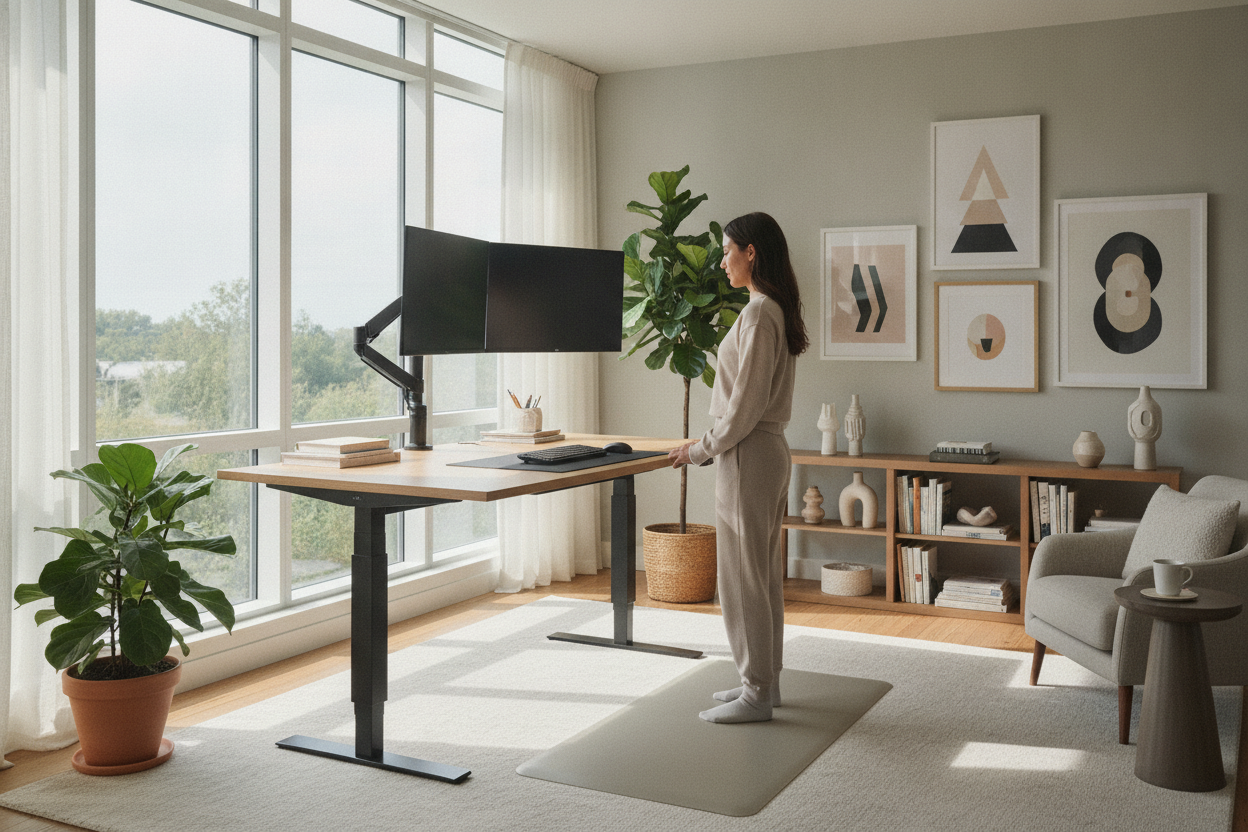
This is the one that actually bugs people. When you have a budget adjustable desk, the 'telescoping' legs often have a bit of play in them. At sitting height, the desk is rock solid. But as you raise it to standing height—especially if you are over six feet tall—the center of gravity shifts. Cheap adjustable desks lack the heavy-duty crossbars or massive steel gussets found in $800 models. If you’re a heavy typist, you might see your monitor start to do a little dance.
I’ve seen people try to fix this by adding a massive, heavy wood top to a cheap base, thinking weight equals stability. Big mistake. You should definitely dont slap a heavy top on a cheap DIY sit stand desk frame because those motors have strict weight limits. Overloading a budget frame actually makes the wobble worse because the motor struggles to keep the legs aligned. If you want a sit stand desk cheap, you have to accept that it might move a millimeter or two when you’re frantically typing an email at 4 PM.
Trade-Off 3: Seam Lines and Basic Laminate
To keep shipping costs down, almost every inexpensive adjustable standing desk comes with a 'split' top. Instead of one solid 55-inch piece of wood, you get two 27-inch pieces that you bolt together in the middle. There is a visible seam right where your keyboard goes. For some, this is a dealbreaker. For me, a $15 oversized desk mat covered it up perfectly. The surface is usually a basic laminate rather than a high-pressure veneer, meaning it might chip easier if you drop a heavy coffee mug on it.
If you really care about the 'executive' look, you might find that a standard, static writing computer desk offers better materials for the same price. But if the goal is movement, standing desks affordable enough for the average WFH setup are going to be made of particle board and melamine. It’s functional, it’s wipeable, but it’s not going to be an heirloom piece you pass down to your grandkids. It’s a tool, not a statement piece.
The Verdict: Who Should Actually Buy the Budget Board?
So, is the cheapest adjustable height desk worth it? If you are a casual remote worker who just needs to get off your butt for two hours a day, yes. You don't need a medical-grade workstation to stay healthy. I usually recommend people look for an affordable height adjustable desk that still offers a few 'pro' features. Specifically, look for a sit stand up desk with memory preset controller. Trust me, manually adjusting the height every single time by eye is a recipe for never actually using the standing feature.
The people who should skip the best budget sit-stand desk options are the power users. If you have a massive PC rig, four monitors, or if you plan on using the desk as a workbench for heavy projects, save your money for a dual-motor steel frame. For everyone else, the best inexpensive standing desks are more than enough to get the job done. I’ve used a most affordable standing desks model for three years in my guest room, and aside from a slightly loud motor, it’s been a champion. Don't let the furniture snobs convince you that you need to spend four figures just to stand up.
Personal Experience: My 'Wobbly' Lesson
I once bought a $160 standing desk for a temporary sublet. I thought I was a genius for saving so much money. Then I tried to use it on a high-pile carpet. Because the base was so light and the steel was so thin, every time I typed, my webcam would shake so much my coworkers asked if I was in an earthquake. I eventually had to shove a piece of plywood under the legs just to stabilize it. The lesson? Budget desks are great, but they need a hard floor and a little patience. If you’re on carpet, you might want to spend the extra $100 for a heavier base.
FAQ
Do cheap standing desks break easily?
Not necessarily. The frames are usually sturdy steel. The weak point is the motor and the control box. If you keep your gear under the weight limit and don't 'cycle' the motor up and down constantly, they can last for years.
Can I put my own desktop on a cheap frame?
You can, but be careful. Most budget frames are designed for lightweight laminate tops. If you put a 60-pound solid oak slab on a single-motor frame, you might burn out the motor in a month.
Are manual (crank) desks better than cheap electric ones?
Honestly? No. I’ve found that people with crank desks eventually stop standing because it’s a chore. A cheap electric motor is still better than a manual crank you have to turn 50 times to reach standing height.

Leave a comment
This site is protected by hCaptcha and the hCaptcha Privacy Policy and Terms of Service apply.