

















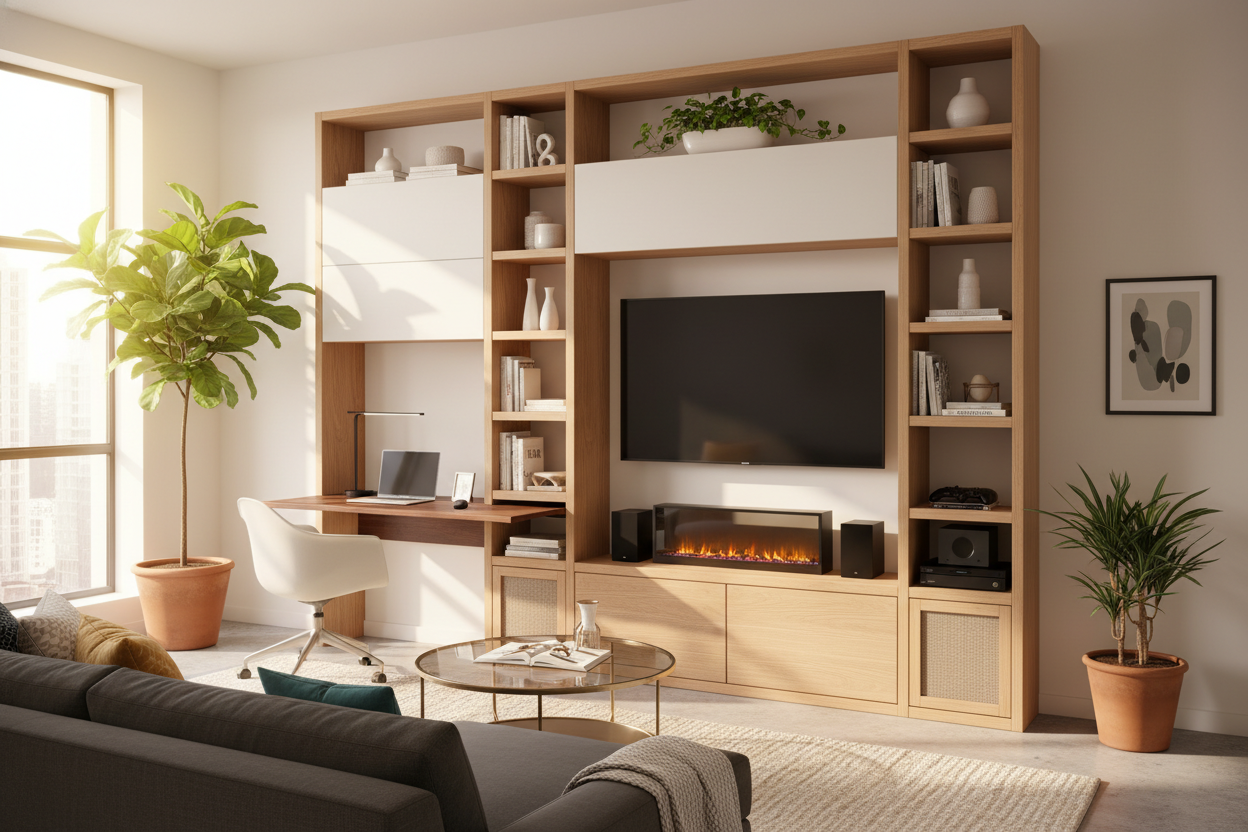
I spent three years living in a 500-square-foot apartment where my 'office' was a wobbly laptop stand pushed up against the arm of my sofa. Every evening, I had to choose between staring at my TV from a weird angle or clearing off my dinner to make room for my keyboard. It was a mess. It wasn't until I finally ditched the separate furniture pieces and invested in a desk entertainment center that my living room actually started feeling like a home instead of a storage unit for my career.
Quick Takeaways
- Reclaims 15-20 square feet of floor space by eliminating the gap between separate units.
- Centralizes all power needs to one wall, eliminating 'cable creep' across your floor.
- Provides a dedicated work zone that can be 'closed' or styled to blend into your decor at 5 PM.
- Prevents the ergonomic nightmare of working from a couch or coffee table.
The 'Two Bulky Tables in One Room' Layout Nightmare
When you're dealing with a standard-sized living room, every inch of floor space is a premium. The biggest mistake I see people make—and I made it too—is trying to treat the TV area and the workspace as two separate islands. You end up with a TV stand on one wall and a standalone desk shoved into a corner or, worse, against the adjacent wall. This creates 'dead zones' of floor space that you can't actually use for walking or storage.
Visually, it's a disaster. You have two different furniture heights, two different styles, and two different clusters of tangled wires. It makes a small room feel choppy and cluttered. By switching to an entertainment center with desk, you create one continuous line along your longest wall. This trick actually makes the room feel larger because the eye isn't jumping between competing focal points. You’re trading two pieces of 4-foot furniture for one 8-foot unit that looks intentional rather than accidental.
What Actually Is a Hybrid Media Setup?
A computer desk entertainment center is exactly what it sounds like: a cohesive, modular, or all-in-one unit that houses your television, media consoles, and a full-sized workspace. In the past, people tried to DIY this. Some argued that the best entertainment center IKEA sells is actually a desk hack, but those often lacked the depth needed for a modern OLED TV or the weight capacity for heavy gaming PCs.
Today’s hybrid units are much smarter. They are designed with reinforced shelving for the TV and a specific 'cut-out' or extended wing for your chair and monitor. It’s about merging your leisure and your labor into a single piece of architecture. Instead of your living room looking like a cubicle was dropped into it, the desk becomes a secondary shelf or a sidecar to your media hub.
How an Entertainment Center With Desk Cured My WFH Clutter
Before I consolidated, my apartment suffered from 'coffee table laptop creep.' Because my old writing computer desk was tucked in a dark corner near the radiator, I hated sitting there. Naturally, my work stuff migrated to the coffee table. Within a week, my living room was just an extension of my office, and I could never truly relax. I was constantly looking at my laptop while trying to watch Netflix.
When I moved to a unified tv console desk, everything changed. My work items finally had a permanent, ergonomic home that was actually in the 'good' part of the room with the best lighting. Because the desk was integrated into the media wall, I could style it with the same decor—plants, books, and candles—that I used for the TV area. It stopped feeling like a 'work station' and started feeling like part of my home. The psychological shift was massive; I could sit at the desk to grind out emails, and then physically move two feet to the left to the sofa to 'sign off' for the day.
The Unexpected Perk: Centralized Cable Management
Let’s talk about the 'spaghetti' problem. Separating your TV and your computer usually means two different power strips and a dozen cables snaking along your baseboards. It’s a dust magnet and an eyesore. When you combine these zones, you only have one central hub. Most unified units feature built-in grommets and hidden channels behind the backboard. You can zip-tie your HDMI cables and power cords into one neat bundle that disappears behind the unit. It’s the cleanest my floor has ever looked.
3 Things to Check Before Buying a TV Console Desk
I’ve assembled enough flat-pack furniture to know that not all hybrid units are built equal. First, check your monitor clearance. Many people buy a unit with a hutch only to realize their 32-inch curved monitor won't fit in the opening. Measure twice, or look for a drawer computer desk with hutch that offers adjustable shelving. You also want a unit with built-in power sockets; reaching behind a massive entertainment center to plug in a phone charger is a recipe for a pulled muscle.
Second, watch the TV height. This is the 'TV-too-high' trap. If the desk portion forces the TV shelf to be 40 inches off the ground, your neck is going to hurt while watching movies from the sofa. Look for designs where the TV sits at eye level while you're seated on your couch, even if it means the desk is off to the side rather than directly underneath.
Third, consider the depth. A TV only needs about 12-15 inches of depth, but a comfortable desk needs at least 20-24 inches so you aren't sitting right on top of your screen. Look for units with a staggered front or a pull-out keyboard tray to save space when you aren't working.
My Favorite Pieces for Awkward Floor Plans
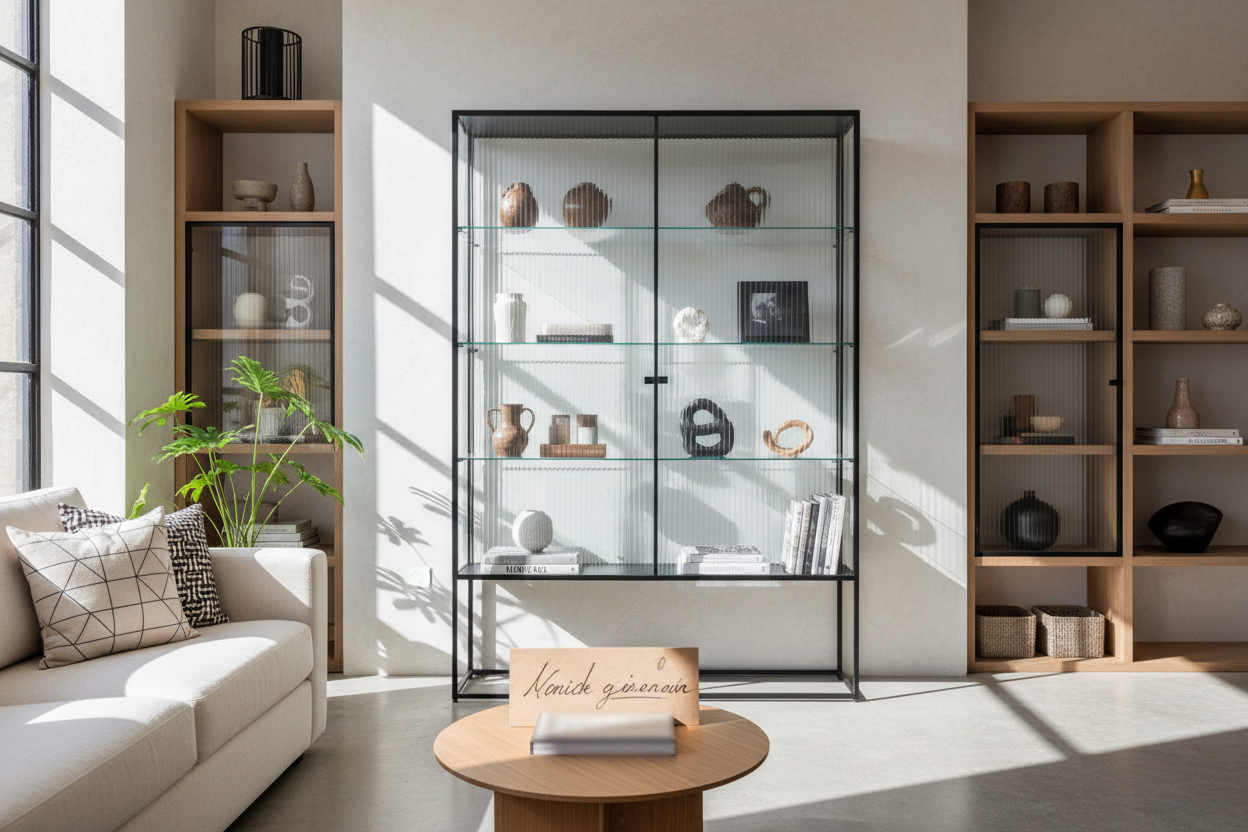
If you have an awkward long-and-narrow living room, a tv entertainment center with desk elements can actually act as an anchor. I’m a big fan of units that use mixed materials. Solid wood can look very heavy and 'boxy' in a small room. I prefer a wide computer desk with glass cabinets because the glass breaks up the visual mass. It lets you display your favorite books or ceramics without the unit feeling like a giant dark wall. It makes a 90-inch piece of furniture feel surprisingly light.
Is Mixing Work and Netflix a Bad Idea?
Some people worry that they’ll be too tempted to watch TV while they work. Honestly? If you’re going to slack off, you’ll do it on your phone anyway. The real challenge is the opposite: making sure work doesn't bleed into your 'TV time.' My trick is to use a unit with at least one closed cabinet or a deep drawer. At 5:00 PM, my laptop goes into the drawer, the mouse is hidden, and the desk is cleared. If I can't see the 'work' part of the desk, I don't think about it. It’s about creating boundaries through organization.
FAQ
Will a 65-inch TV fit on a desk entertainment center?
Usually, yes, but you need to check the width of the TV bridge. Most modern hybrid units are designed for 55 to 65-inch screens. Just make sure the weight capacity of the shelf exceeds your TV's weight by at least 20%.
How do I hide the computer tower?
Look for a unit with a ventilated bottom cabinet. Never put a PC tower in a closed cabinet without airflow, or you’ll fry your components. If it doesn't have vents, leave the cabinet door slightly ajar or drill some holes in the backboard.
Are these units hard to assemble?
They are a commitment. Expect 3-4 hours of assembly and definitely recruit a friend. These are heavy pieces of furniture, and trying to lift the TV bridge onto the side towers alone is a one-way ticket to a broken screen.

Leave a comment
This site is protected by hCaptcha and the hCaptcha Privacy Policy and Terms of Service apply.