


















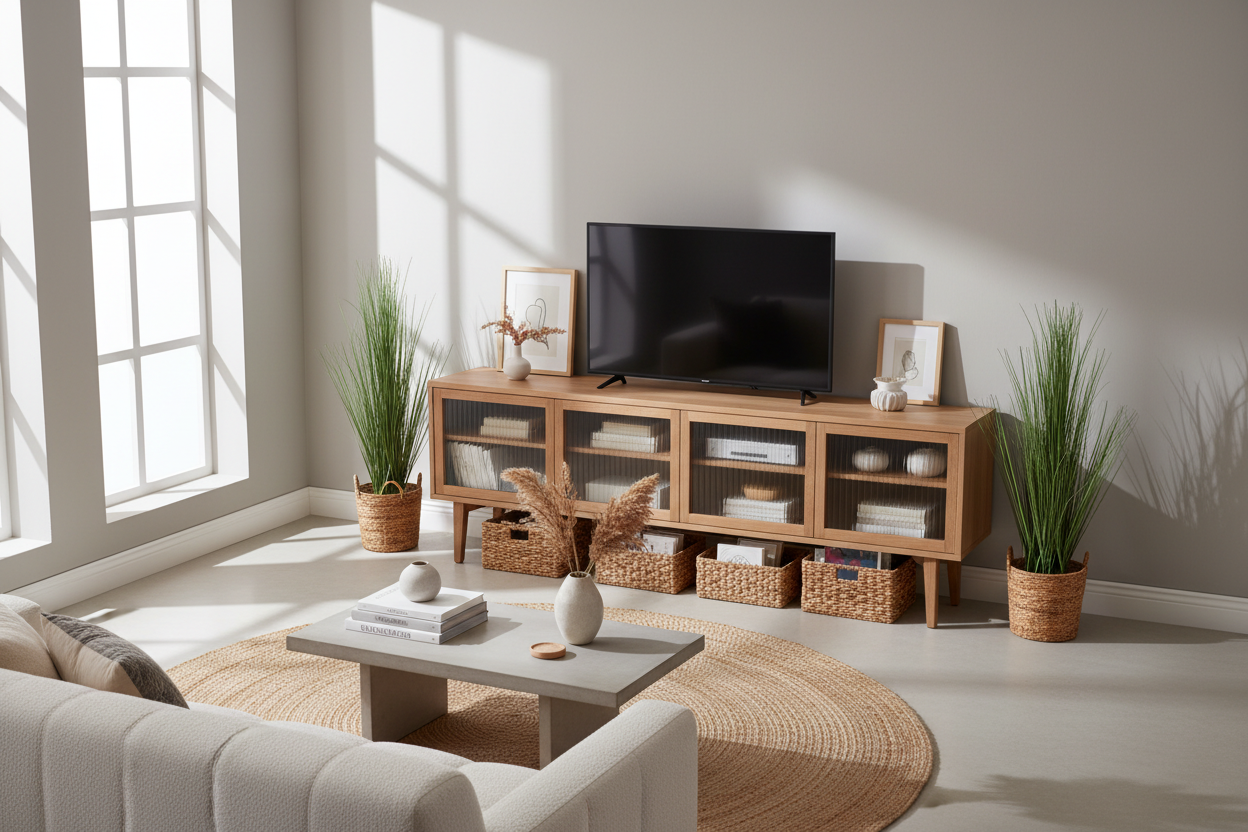
I spent three years living with a media console that was essentially a 60-pound dust trap. It looked fine in the showroom, but in my 600-square-foot apartment, it felt like a giant block of wood sucking the life out of the room. The worst part was the hidden ecosystem behind it. Every time I tried to clean, I had to perform a Herculean feat of strength just to reach the gray fuzz balls congregating behind the legs.
The switch to a wall mount for tv stand wasn't just about aesthetics; it was a desperate plea for air. I wanted to see my baseboards again. I once read a piece titled I Stopped Wall Mounting The Case For A Classic Stand For Tv and briefly considered sticking with the floor-bound life. But after the third time my robot vacuum got wedged under the front edge like a beached whale, I knew the floor console had to go.
- Visual Space: Exposing the floor all the way to the wall makes a cramped room feel twice as wide.
- Robot Friendly: Your vacuum can finally reach the dustiest zone in the house without getting stuck.
- Cable Management: No more 'spaghetti' wires dragging on the carpet.
- Safety: No legs for pets or toddlers to bump into while they're zooming through the house.
The Day I Realized My Floor Console Was Ruining My Room
In a small apartment, every square inch of floor is precious real estate. My old unit was squatting on about eight square feet of it. It made the living room feel 'heavy,' like the furniture was slowly encroaching on my walking path. When you can't see the floor, the walls feel like they're closing in. I realized that by keeping my media gear on the ground, I was effectively shrinking my own home.
I finally hit my breaking point during a deep clean. I moved the console and found a lost remote, three cat toys, and enough dust to build a second cat. That was the moment I decided to go airborne. I didn't just want a wall tv mount stand for the screen; I wanted the whole storage system off the floor. It’s a total shift in how you perceive the boundaries of your living area.
What Exactly Is a Floating Wall Mount Setup?
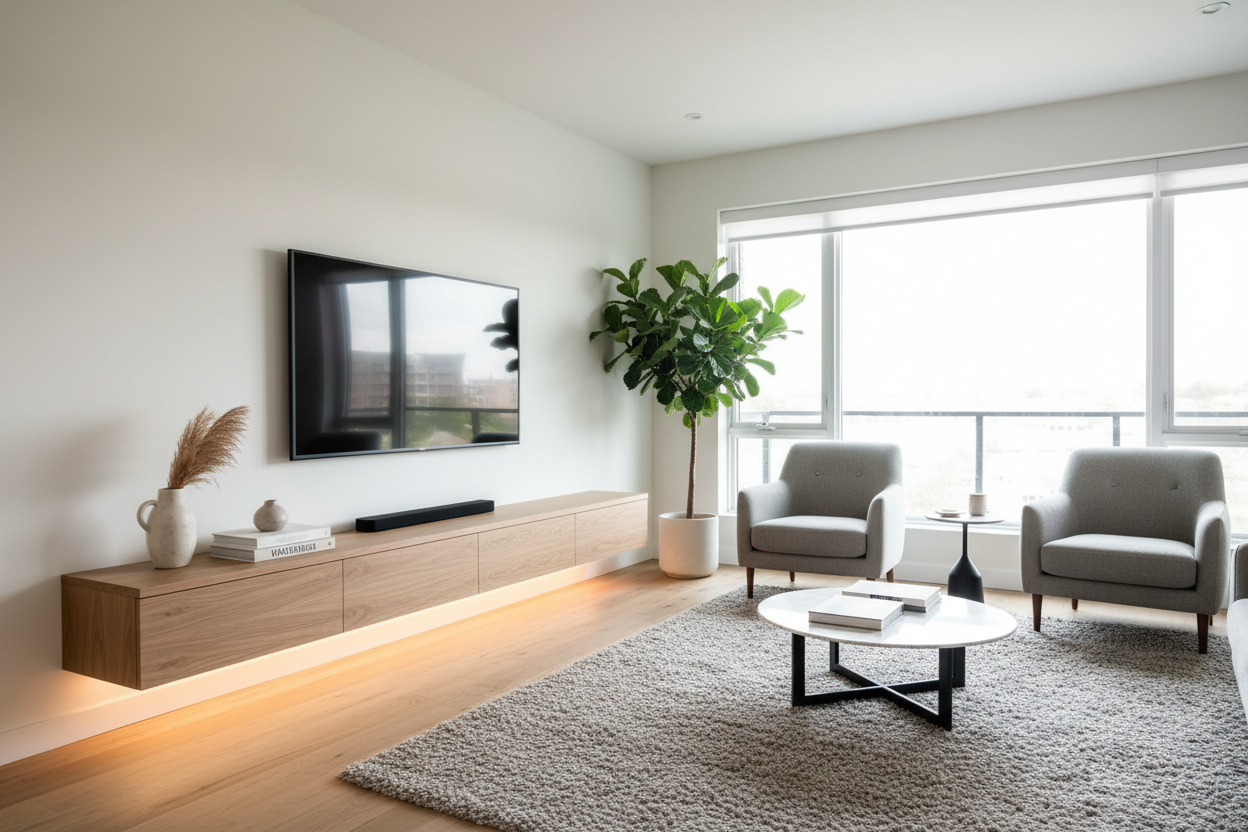
There is a big difference between a simple wall bracket and a full wall mount stand tv unit. A bracket just holds the screen. A floating stand is a piece of cabinetry that bolts directly to your wall studs. It gives you the drawers and shelves you need for a PlayStation or a soundbar without the chunky legs of traditional Tv Stands.
These units are designed with hollow backs or cable ports so you can run your wires through the wall or behind the unit itself. It creates this clean, minimalist look where your tech seems to just hover in place. It is the ultimate fix for anyone who hates the look of cluttered power strips and tangled HDMI cables.
The 3 Unexpected Perks of Going Airborne
Beyond just looking like you live in a futuristic Swedish catalog, there are some very real, very practical reasons to ditch the legs. Here is what surprised me most after the first month.
Floor Space Illusion (It Makes Your Room Look Huge)
Designers call it 'negative space.' When your eyes can follow the flooring all the way to the baseboard, your brain registers the room as being larger. A unit like the Floating Tv Stand Wall Mounted Media Console Entertainment Center creates a continuous line of sight. It’s a visual trick that works every single time, especially in narrow living rooms where a floor unit would normally choke the walkway.
The Robot Vacuum Clearance
If you own a Roomba or a Roborock, a wall mounting stand is the greatest gift you can give yourself. My robot used to headbutt the legs of my old stand, get confused, and eventually die in a corner. Now, it glides underneath the TV setup like it’s on a victory lap. No more manual sweeping, no more hidden dust, and no more 'Robot Vacuum is Stuck near a Cliff' notifications on my phone at 2 PM.
Instant Ambient Lighting
Floating units are the perfect host for LED bias lighting. Because there is a gap between the bottom of the stand and the floor, you can tuck an LED strip under there for a soft glow. The 90 Wall Mounted And Freely Arranged Tv Stand With Led takes this to the next level, turning your TV wall into a focal point that looks incredible during movie night. It’s much more immersive than a harsh overhead lamp.
Are Floating Consoles Actually Safe for Heavy Gear?
This is the number one question I get. 'Is my 75-inch TV going to rip the drywall out?' The honest answer: only if you’re lazy with the installation. You cannot, under any circumstances, hang a heavy media unit using only drywall anchors. You must find the studs. I use a magnetic stud finder and double-check every mark before I even think about picking up the drill.
Most quality wall stands for tvs are rated for 50 to 100 pounds, which is plenty for a modern screen and a few consoles. However, if you live in an old house with crumbling plaster or you’re a renter who isn't allowed to drill massive holes, you might need a different path. In those cases, I Used A Tv Stand With Mount Because My Wall Studs Betrayed Me covers the best alternatives that give you the height without the structural risk.
FAQ
How high should I mount my floating TV stand?
Aim for the center of the TV screen to be at eye level when you are sitting on your sofa. Usually, this means the bottom of your floating stand will be about 10 to 18 inches off the floor. Don't mount it too high, or you'll end up with 'Couch Neck'—it’s not a fireplace mantle!
Can I install a wall mount stand tv on a brick wall?
Yes, but you’ll need a masonry bit and concrete anchors rather than standard wood screws. It is actually more secure than drywall if you do it right, but it is a permanent commitment. Make sure you love the placement before you start drilling into brick.
How do I hide the wires if I can't go inside the wall?
If you can't fish wires through the wall, use a paintable cable raceway. It’s a plastic track that sticks to the wall and hides the cords. Paint it the exact same color as your wall, and it virtually disappears.

Leave a comment
This site is protected by hCaptcha and the hCaptcha Privacy Policy and Terms of Service apply.