

















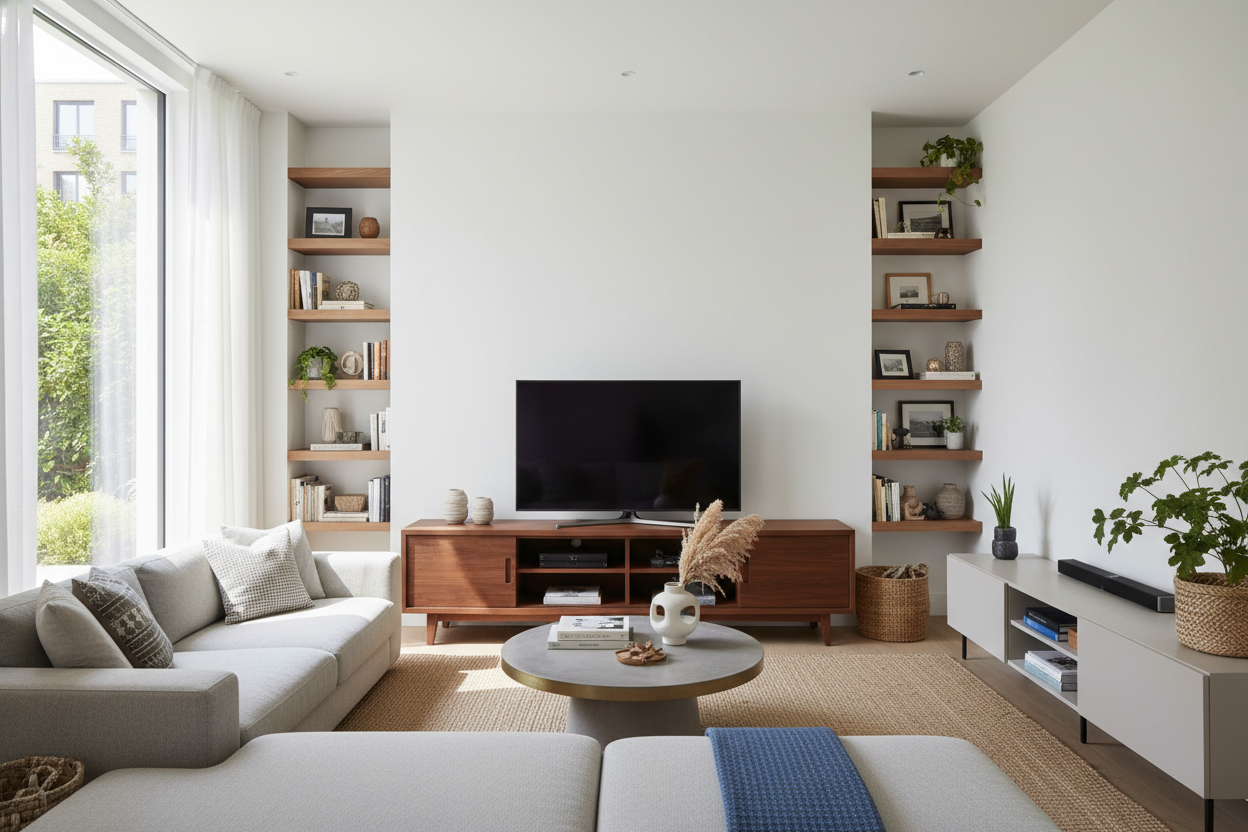
I spent three hours last Tuesday staring at my living room wall, wondering why it looked so 'off.' I have a great screen, a comfortable sofa, and a rug that actually fits the floor. Then it hit me: I was treating my 55 tv with stand like a piece of tech equipment instead of a piece of furniture. It was a skinny, utilitarian block that made the whole room feel like a waiting room.
We often buy furniture based on the dimensions of the gadget it holds, but that is a recipe for a cluttered, cramped-feeling home. If your media area feels like a black hole of plastic and cables, it is time to rethink the footprint of your console.
Quick Takeaways
- A 55-inch TV is roughly 48 inches wide; your stand should be at least 60 inches to avoid a top-heavy look.
- Solid cabinet doors are superior to open shelving for hiding the 'cable nest.'
- Floating units save floor real estate, making small rooms feel significantly larger.
- Styling with asymmetrical decor prevents the TV from being the only focal point.
The 'Just Big Enough' Proportion Trap
The biggest mistake I see—and I have made it myself—is buying a 55 inch media console that is the exact same width as the TV. A 55-inch screen actually measures about 48 inches across. If you put that on a 48-inch stand, you create a perfect vertical rectangle that draws the eye straight to the floor, making your ceilings feel lower than they actually are.
You want breathing room on the sides. I usually recommend a stand that is at least 12 to 20 inches wider than the screen itself. Shopping for wider Tv Stands isn't about taking up more space; it is about balancing the visual weight. When the console extends past the screen, it anchors the wall and allows the TV to feel like part of a curated gallery rather than a monitor on a pedestal.
Why I Swear By a 55 TV Stand With Storage (And Solid Doors)
Open shelving is a lie sold to us by people who don't own routers, Nintendo Switches, or tangled HDMI cables. I used to have a trendy industrial unit with glass shelves. Every time I sat down to watch a movie, I was distracted by the blinking green light of my modem and the dust bunnies gathering under the PlayStation.
Switching to a 55 tv stand with storage changed the entire vibe of my room. I am a huge advocate for solid doors. Something like this Stylish Black Tv Stand Entertainment Center Modern Design With Ample Storage Space is a lifesaver because it provides a 'junk drawer' for your living room. You can shove the remotes, the controllers, and the messy power strips behind closed doors, leaving the top clean for things you actually want to look at.
To Float or Not to Float?
In my first 600-square-foot apartment, every inch of floor space was a battleground. If you can see the floor extending all the way to the baseboard, the room feels bigger. This is why an entertainment center 55 inch tv setup often works better when it's wall-mounted. By using a Floating Tv Stand Wall Mounted Media Console Entertainment Center, you eliminate that heavy 'block' on the floor. It creates an airy, modern look that is much easier to vacuum under, too. Just make sure you are hitting studs; nobody wants to hear their 55-inch investment hit the floor at 3 AM.
How to Style an Entertainment Center 55 Inch Without Making It a Tech Shrine
Once you have the right proportions, you have to break up the 'Big Black Rectangle' of the screen. I like to use the rule of thirds. Place a tall-ish plant on one side—maybe a trailing pothos—and a stack of two or three oversized coffee table books on the other. This creates an asymmetrical balance that feels intentional, not clinical.
I have learned that you don't need a four-figure budget to make this work. In fact, I Trusted a TV Stand Under $100 With My New 55-Inch Screen in a previous rental, and with some clever ceramic styling and a few cable management clips, it looked twice the price. The trick is to treat the entertainment center 55 inch as a sideboard first and a TV holder second.
My Biggest Mistake
I once bought a beautiful mid-century console made of 'engineered wood' (read: fancy cardboard) that was only 14 inches deep. My 55-inch TV fit, but the legs of the TV stand were so wide they were literally hovering over the edge. It was a disaster waiting to happen. Always measure the distance between your TV's actual feet, not just the screen width, before you commit to a shallow console.
FAQ
How wide should a stand be for a 55-inch TV?
Your TV is about 48 inches wide. Aim for a stand that is at least 58 to 60 inches wide. This provides 5-6 inches of 'buffer' space on either side, which looks much more professional.
Can I put a 55-inch TV on a 50-inch stand?
Technically yes, if the feet fit, but it will look cramped. It creates a 'top-heavy' visual that makes the room feel cluttered. Go wider if you have the wall space.
Is a floating TV stand safe for a 55-inch screen?
Absolutely, provided you mount it into wall studs. Never rely on drywall anchors alone for a media console. If installed correctly, they can hold well over 100 pounds.

Leave a comment
This site is protected by hCaptcha and the hCaptcha Privacy Policy and Terms of Service apply.