

















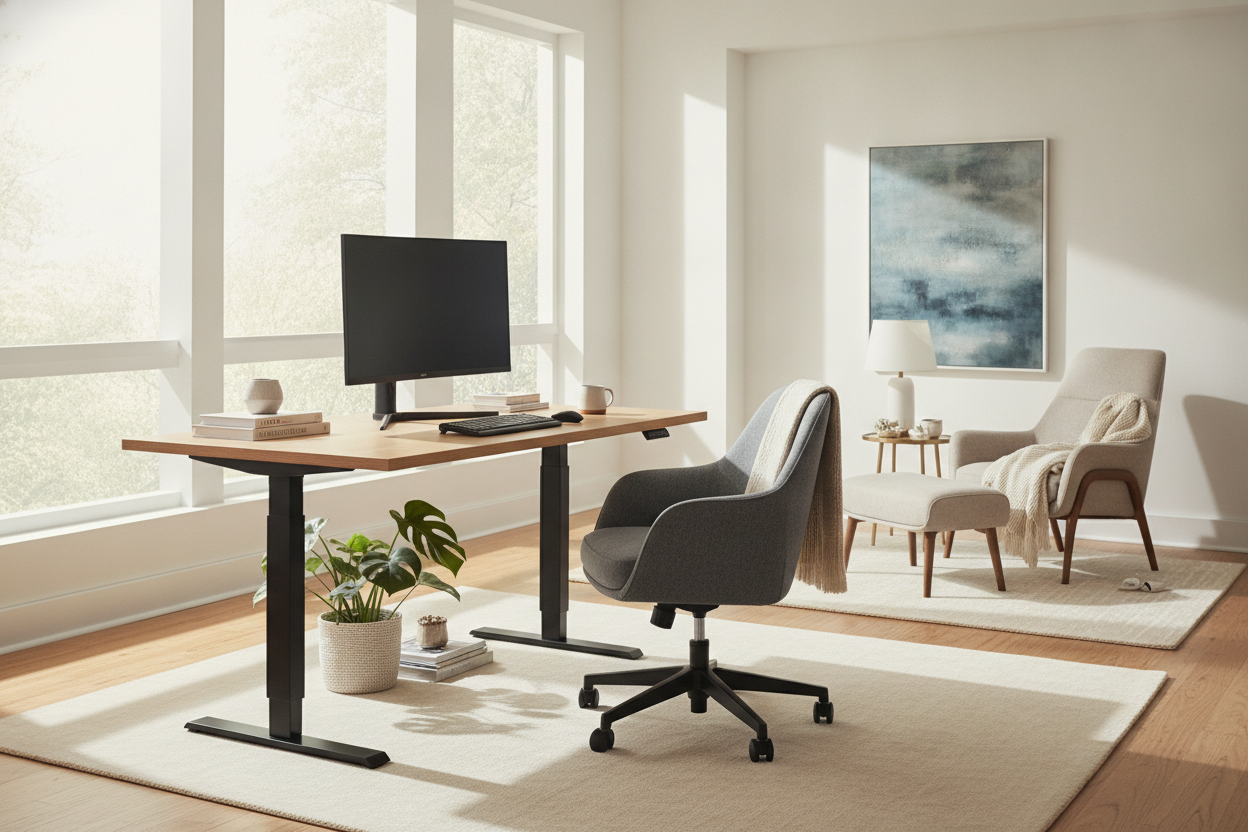
I remember the night I finally clicked 'buy' after staring at 47 browser tabs of office furniture. I had this vision of myself as a productivity machine, alternating between sitting and standing every 45 minutes like a Swiss watch. Three months later, my expensive motorized desks setup hadn't moved an inch from its 29-inch sitting height, buried under a layer of coffee rings and tangled charging cables. Buying a high-tech desk sounds like a health revolution, but the reality is often just an expensive cord to trip over if you pick the wrong one.
- Speed is the most underrated spec; if it takes 20 seconds to rise, you will never use it.
- Dual motors are non-negotiable for heavy multi-monitor setups or solid wood tops.
- Memory presets turn a manual chore into a one-touch habit you actually keep.
- Stability at max height is the true test of whether a frame is worth your money.
The Honeymoon Phase of My Sit Stand Desk Motorized Setup
The first week with a standing desk motorized frame is pure magic. You push the button, the motor whirrs, and suddenly you are the person from the ergonomic brochures. You stand for two hours, your lower back feels great, and you think you have finally hacked your life. But then the novelty wears off and the friction of the machine starts to grate on your nerves.
I realized the friction wasn't in my legs; it was in the mechanism. When you are in the middle of a deep-focus task and realize your hips are tight, a 15-second wait for the desk to reach standing height feels like an eternity. I found myself thinking, 'I’ll just stand up after this email.' An hour later, I was still sitting. If the transition isn't seamless and fast, your brain will choose the path of least resistance: staying exactly where you are. I’ve seen so many friends drop $600 on these only to have them become permanent sitting desks because the lift process felt like a chore.
The Dealbreaker: Why Speed and Noise Actually Matter
Most people look at the weight capacity and stop there. That is a massive mistake. A motorized sit to stand desk that moves at a glacial 0.6 inches per second is a desk that will eventually stay stuck. You want something that clears at least 1.3 to 1.5 inches per second. It sounds like a small difference, but in the flow of a workday, it is the difference between a quick adjustment and a total distraction.
Then there is the noise. If your motor sounds like a coffee grinder, you aren't going to adjust it during a Zoom call. I have owned desks so loud they actually vibrated my monitor arms. You want a motor rated under 50 decibels—basically a soft hum—so you can adjust your height while on a call without sounding like you are operating heavy machinery in your spare bedroom. A quiet, smooth lift is what separates a professional tool from a cheap gadget.
Single vs. Dual Motors (And Why I Was Wrong)
I used to think dual motors were just a way for furniture companies to upcharge me. I was wrong. A single motor usually uses a hex rod to drive the other leg, which is a massive point of failure. It is prone to lag, it is louder, and it struggles the moment you add real weight to the desktop. If one side starts lifting even a fraction of an inch faster than the other, the whole thing can bind up.
When I loaded up my first desk with two 27-inch monitors and a heavy steel mount, the single motor sounded like it was gasping for air. It eventually burnt out right in the middle of a deadline. You can read more about Why My Dual Monitors Ruined My First Motorized Standing Desk to see exactly how that disaster unfolded. Now, I won't touch anything without independent motors hidden in each leg. It provides a more balanced lift and handles the 200+ pound loads that real workstations actually carry.
Memory Presets Are Non-Negotiable (Trust Me)
If you have to stand there and hold a 'down' or 'up' arrow until the desk reaches the right height, you have already lost. You will never get it to the exact same spot twice. You’ll end up a quarter-inch too high, your wrists will start to ache after ten minutes, and you will give up on standing for the rest of the afternoon. It becomes a constant micro-adjustment battle that kills your focus.
A programmable controller is the difference between a tool and a toy. I always recommend the Ergonomic Home Office Sit Stand Up Desk With Memory Preset Controller because it lets you save your exact sitting and standing heights down to the millimeter. One tap and you can walk away to grab a coffee; by the time you are back, the desk is ready. It removes the mental hurdle of 'effort' and makes the health benefit automatic rather than a manual task you have to manage.
How to Test Drive Motorized Desks Before Committing
Don't just look at the pretty lifestyle photos. Check the warranty on the electronics specifically—motors usually die way before the steel frame does. A 5-year warranty on the motor is the baseline for a quality sit stand desk motorized setup. Anything less is a gamble that you’ll be left with a very heavy, very broken piece of furniture in two years.
Also, check for lateral stability. At standing height, many motorized adjustable desks turn into bobbleheads. If you type aggressively or use a mechanical keyboard, your monitors shouldn't shake like there is an earthquake every time you hit the backspace key. A heavy-duty motorized model should feel just as stable as a traditional stationary writing computer desk. If it wobbles when you lean on it at 42 inches, send it back immediately. Your equipment is too expensive to trust to a shaky frame.
FAQ
Are motorized desks worth the extra cost over manual ones?
Yes. Manual hand-crank desks require about 30 to 40 turns to go from sitting to standing. It is a workout you won't want to do three times a day. If you don't go motorized, the desk will stay in one position forever.
How much weight can a dual-motor desk actually hold?
Most decent dual-motor frames handle between 220 and 350 pounds. That sounds like a lot, but remember that a solid wood top can weigh 60 pounds alone, plus monitors, speakers, and your heavy PC tower. Always over-spec your weight capacity.
Do motorized desks use a lot of electricity?
Hardly any. They draw a bit of power while moving, but in standby mode, they use about the same amount of energy as a microwave clock. You won't see a spike in your electric bill from moving your desk a few times a day.


Leave a comment
This site is protected by hCaptcha and the hCaptcha Privacy Policy and Terms of Service apply.