


















I spent three years staring at a media console that was essentially a glorified shelf for dust. It was 14 inches deep, which sounds fine until you realize a standard board game box is 11.5 inches and your bulky Wi-Fi router has cables sticking out the back that need another three inches of clearance. The doors wouldn't shut, the 'cable management' was a joke, and my living room always looked like a tech graveyard.
I finally snapped and dragged my dining room buffet into the living room. It was a revelation. Using a sideboard for tv setup isn't just an aesthetic choice; it’s a survival tactic for anyone living in a place without enough closets. Suddenly, I had 18 inches of depth and actual cabinets that could hide my shame (and my PlayStation controllers).
- Sideboards offer 4-6 inches more depth than standard consoles.
- They are usually 30-36 inches tall, putting the TV at a better height for lounging.
- Solid doors hide messy electronics and bulky blankets.
- You'll likely need to drill your own cord holes.
The Problem With 'Made for TV' Furniture
Most traditional tv stands are built for a world that doesn't exist anymore. They were designed back when we had DVD players and VCRs—thin, stackable components that didn't need much breathing room. Today, we have mesh routers, oversized gaming consoles, and a desperate need to hide the clutter of daily life. When you buy a piece labeled 'media console,' you're often paying for a shallow footprint that barely fits a modern soundbar.
In a small apartment, that 'saved' space is actually wasted square footage. By shifting to a tv stand and sideboard approach, you’re utilizing the vertical and horizontal depth that dining furniture offers. You get a heavy, substantial piece made of actual kiln-dried hardwood instead of the flimsy plywood or MDF often found in entry-level media units. It anchors the room instead of looking like a temporary fix.
The Magic of Actual Depth (and Hidden Clutter)
The biggest win is the depth. A standard dining buffet is usually 18 to 20 inches deep. That extra four inches is the difference between your cabinet doors clicking shut or staying perpetually ajar because of a stiff HDMI cable. I’ve managed to fit three thick wool blankets, a stack of twelve board games, and my entire internet setup inside mine without breaking a sweat. It's the ultimate secret weapon for homes where the hall closet is already bursting at the seams.
There is a real argument for why a sideboard for tv stand better than a flimsy console. It’s about the capacity for 'ugly' storage. Sideboards for tvs act as secondary storage hubs. If you don't have a linen cupboard, your media unit is now your linen cupboard. I even keep my printer in mine, tucked away on a lower shelf. Try doing that with a 12-inch deep 'modern' console and see how far the paper tray sticks out.
Finding the Right Height for a Comfortable Watch
Here is the catch: dining buffets are taller. Most media units sit around 22-24 inches high. A sideboard tv setup will likely put your screen at 30-34 inches. If you have a low-slung, 'sink-in' sofa where your butt is practically on the floor, this might feel like sitting in the front row of a movie theater. Your neck will hate you after a four-hour Sunday binge-watch.
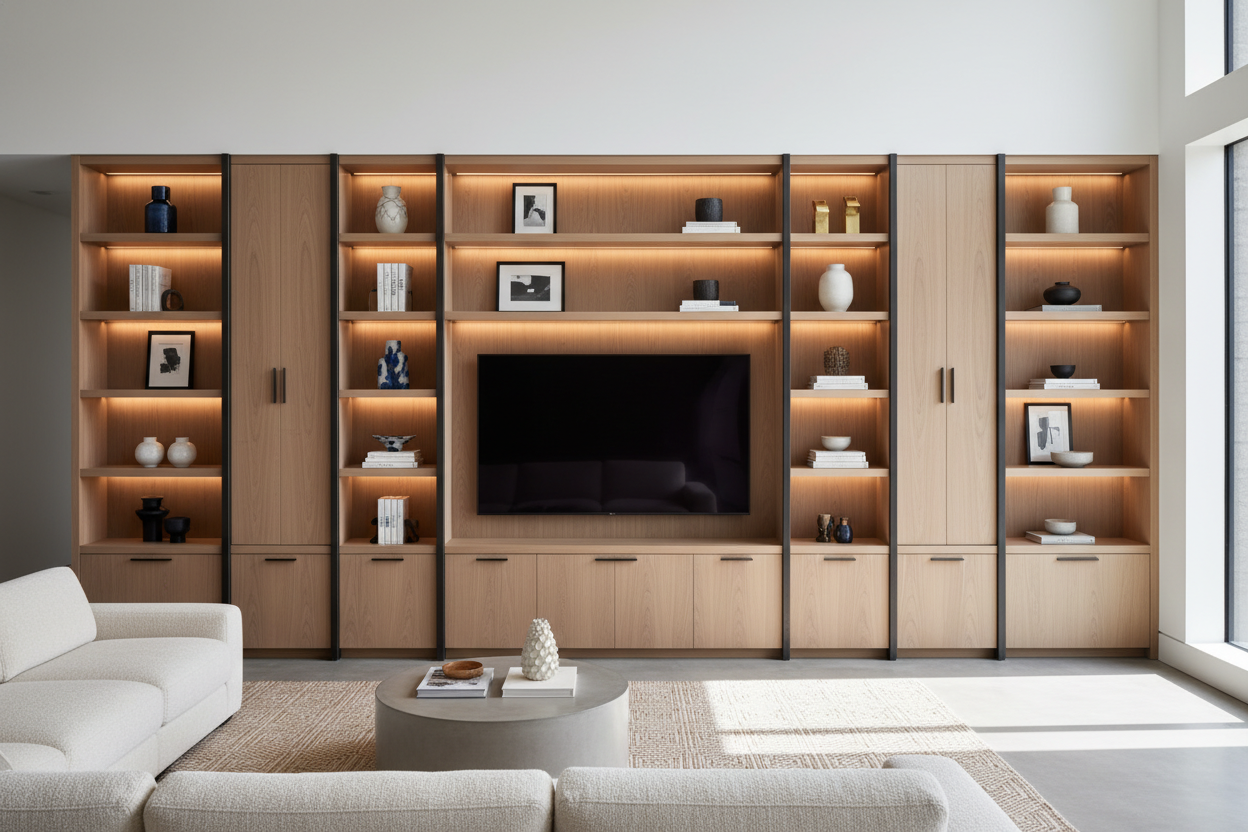
Before you commit, measure your eye level while seated. If your TV is 65 inches or larger, a tall buffet might be too much. In that case, you might be better off looking for a specific tv stand with cabinets and drawers that mimics the look of a sideboard but keeps a lower profile. I personally like the extra height; it makes the TV feel like a piece of art on the wall rather than something I’m hovering over, but it's a polarizing choice.
The Cord Management Dilemma (And How I Fixed It)
The only real downside to a tv sideboard cabinet is the lack of pre-drilled holes. Dining furniture isn't built for wires. I spent an afternoon with a 2-inch hole saw bit and a cordless drill, sweating over my 'nice' furniture. My advice? Don't overthink it. Drill one hole behind each main compartment. Even if you mess up the edges, a plastic cord grommet from the hardware store will hide the jagged bits for five dollars.
Once the tech is wired, you can style it for a high end look with lamps or books to distract from the fact that it's basically a tech hub. I made the mistake of drilling my first hole too high, and the cable was visible above the unit. Measure twice, drill once. Keep the holes low so the wires gravity-feed down to the power strip. It's a small price to pay for finally having a living room that doesn't look like an electronics store aisle.
Can I put a heavy TV on a sideboard?
Yes. Sideboards are built to hold heavy stacks of ceramic plates and silver. A modern 65-inch LED TV weighs maybe 50 pounds; a stack of dinnerware can easily exceed that. Just check for a center support leg if the unit is wider than 60 inches to prevent sagging over time.
Will my gaming console overheat inside?
It can. If you’re running a PS5 or Xbox Series X, leave the cabinet door cracked during a long session or cut a larger ventilation hole in the back panel. Don't trap high-heat tech in a sealed wooden box without airflow.
How do I stop the remote from being blocked?
Most modern remotes use Bluetooth or RF, so they work through wood doors. If you have an older IR remote, you'll need a cheap IR repeater kit—they let you control hidden devices without opening the doors every time you want to change the volume.

Leave a comment
This site is protected by hCaptcha and the hCaptcha Privacy Policy and Terms of Service apply.