

















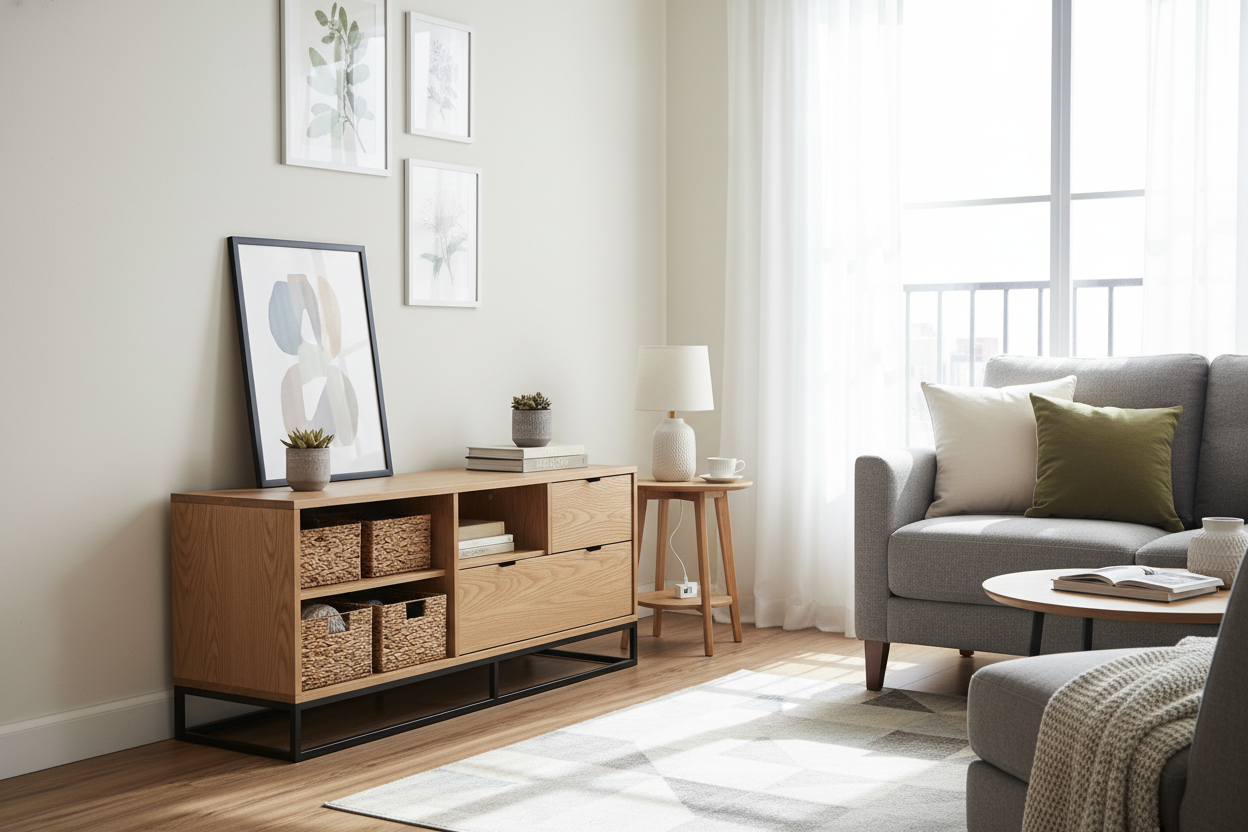
I remember my first apartment where I used a stack of milk crates to hold a 40-inch TV. It looked like a dorm room tragedy. I finally upgraded to a generic black particle board unit, but it still felt like a piece of equipment rather than furniture. Choosing the right living room stand is about more than just finding a flat surface for your screen; it's about anchoring the busiest room in your house and hiding the chaos that comes with it.
Quick Takeaways
- Always buy a stand wider than your TV to avoid a 'top-heavy' look.
- Solid doors are superior to open shelving for hiding tangled cords.
- Scale matters: Aim for eye-level viewing height to save your neck.
- Multi-purpose furniture, like sideboards, often makes a better media console than actual TV stands.
The Electronics Graveyard (And Why We Settle for It)
We've all been there. You buy a basic unit because it's cheap and fits the TV. Fast forward two weeks, and it's a tangled mess of HDMI cables, dust bunnies, and a router that looks like a robotic spider. It’s the 'electronics graveyard'—a place where design goes to die. Most people treat their media center as a secondary thought, but it’s usually the focal point of the entire room.
When you settle for a purely functional piece, you’re stuck looking at plastic boxes and glowing LED status lights every night. I spent years staring at my PlayStation 4’s messy power brick because I bought a stand with zero cable management. It wasn't just ugly; it made the whole room feel cluttered and stressful. A proper stand for room aesthetics needs to manage the 'tech' part of your life so you can actually enjoy the 'living' part.
Rethinking the Scale of Your Setup
One of the biggest mistakes I see—and I’ve made it myself—is matching the width of the stand to the width of the TV. If you have a 55-inch screen and a 55-inch stand, the whole setup looks like a giant head on tiny shoulders. It creates a visual tension that makes the room feel smaller and more cramped than it actually is.
I always tell friends that your living room TV stand is probably too small if there isn't room for a lamp or a small tray on either side. You want at least 6 to 10 inches of breathing room on both ends of the screen. This extra horizontal space grounds the TV and makes it feel like a deliberate part of the decor rather than an appliance that just landed there.
When a Small Living Room Stand Actually Makes Sense
Of course, if you're living in a 400-square-foot studio, you can't exactly fit an 80-inch sideboard. In these cases, a small living room stand with a tall, narrow profile or a floating wall-mounted design is your best bet. The trick is to keep the floor underneath visible. When you can see the floorboards extending all the way to the wall, the eye perceives more square footage, which stops the furniture from feeling like a heavy block in a tiny space.
Why I Started Using Sideboards Instead
I eventually got tired of seeing my gaming consoles and messy stacks of Blu-rays. I realized that furniture labeled as 'media consoles' often sacrifices style for those open cubbies that just collect dust. I swapped my open-shelf unit for a modern sideboard with adjustable shelves and it was a total revelation.
The solid doors hide the tech chaos completely. I used a hole saw to cut a small opening in the back panel for wires, and suddenly, my living room looked like an adult lived there. Sideboards are typically built with better materials—think kiln-dried oak or walnut rather than flimsy plywood. They offer a much cleaner silhouette and can easily transition to a dining room if you move to a new place.
3 Rules for Styling Your Surface Without Blocking the Screen
Once you have the right piece, don't leave the surface bare. But you also don't want a vase of flowers blocking the subtitles. First, keep it low. Use coffee table books or small trays to add texture without adding height. Second, use the edges. A trailing plant like a Pothos on the far corner softens the hard lines of the screen and brings some life to the setup.
Third, think about your lighting. Avoid placing a tall lamp directly next to the screen where it will cause glare. Instead, try a small 'can' light behind the TV for bias lighting, or a low-wattage accent lamp on the far end of the stand. When you're picking out living room furniture, try to match the wood tones of your stand to your coffee table to create a cohesive look that feels intentional.
Flexibility is Your Best Friend
My needs changed drastically when I moved from a studio to a house. I now look for an adjustable TV stand for living room layouts that might change. If you can find a modular piece that expands or contracts, you won't have to buy a new one every time you upgrade your TV or move house. Invest in something that adapts to your life, not just your current screen size.
FAQ
How high should my stand be?
Your eyes should be level with the middle of the screen when you're sitting on your sofa. For most people, this means a stand height of about 18 to 22 inches.
Can I use a dresser as a TV stand?
Yes, but check the depth. Dressers are often deeper than media consoles, which is great for storage but can eat up a lot of floor space in a narrow room.
How do I hide the wires?
If your stand doesn't have built-in management, use adhesive cable clips and zip ties to run the wires down the back of the furniture legs. It makes a massive difference for about five dollars.


Leave a comment
This site is protected by hCaptcha and the hCaptcha Privacy Policy and Terms of Service apply.