

















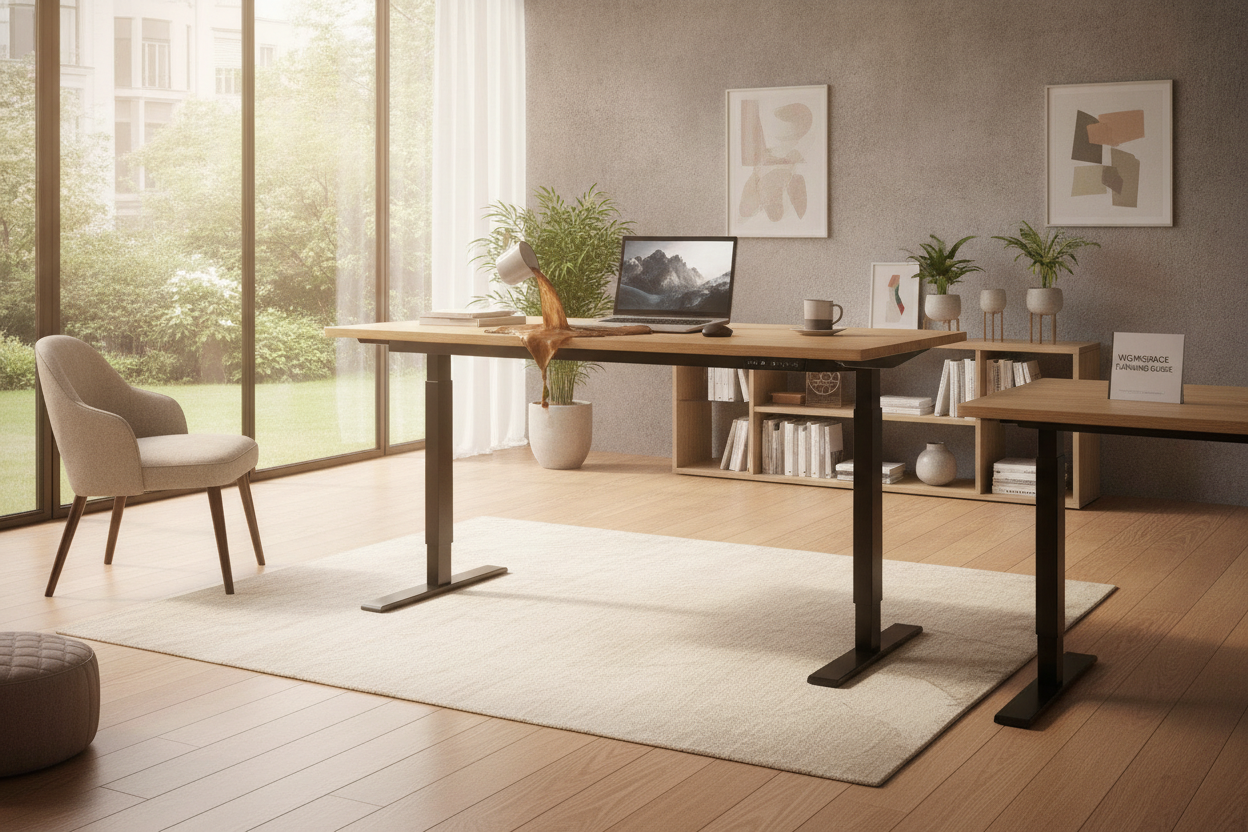
I have been there: staring at 14 different tabs of generic black desks at 1 AM, hoping the one with the 4.8-star rating and the suspiciously low price won't collapse under your dual-monitor setup. You want the ergonomics of a standing desk, but you also want to afford rent this month. The temptation to buy a budget-tier computer desk electric model is real, but after testing more than a dozen of these things, I can tell you that the cheapest option usually ends up costing you a lot more in spilled coffee and fried electronics.
- Dual motors are non-negotiable for stability.
- Memory presets save your back (and your patience).
- A 250-lb weight capacity is the baseline for a real workstation.
- Cheap legs wobble at 40 inches; look for three-stage lifting columns.
The Siren Song of the Random Electric Desk Sale
It starts with a targeted ad for a massive Yangming Office Desk Electric Standing Desk or some other brand you have never heard of. You see a triple-digit discount and a price tag under $200. It is a trap. Most of these rock-bottom electric desk sale items use a single-motor system hidden inside a crossbar.
These motors are weak. They struggle to lift more than 100 pounds, and they move with the grace of a rusted tricycle. When you load it up with a PC, two monitors, and a heavy keyboard tray, that single motor starts to groan. Within six months, it will likely burn out or, worse, get stuck at an awkward 34-inch height that is neither sitting nor standing.
Single vs. Dual Motors (The Coffee-Spill Factor)
If you want a stable electric workstation, you need two motors—one in each leg. Single-motor desks use a hexagonal drive rod to transfer power from one side to the other. This rod almost always has a tiny bit of play in it, which causes the desk to 'hiccup' as it rises.
That jerkiness is how you end up with an Americano inside your mechanical keyboard. Dual-motor systems are synchronized by a control box that ensures both legs move at the exact same millisecond. It is the difference between a smooth elevator ride and a rickety carnival lift. If you value your equipment, do not settle for a desk that shakes every time you change positions.
Why Memory Presets Are Non-Negotiable
I used to think memory buttons were a luxury. I was wrong. If you have to manually hold down an 'up' arrow for 20 seconds to reach your standing height, you will eventually stop standing altogether. Life is too short to play the 'is this high enough?' game four times a day.
Investing in a desk with memory presets allows you to hit one button and walk away to grab a glass of water. By the time you are back, the desk is at your perfect ergonomic height. It turns a chore into a seamless part of your workflow. Without those presets, that expensive motorized frame is just a very heavy static desk.
The Maximum Height Wobble Test
The real test for electric computer desks happens at 42 inches or higher. This is where cheap engineering reveals itself. If the leg columns are thin or the feet are too short, the desk will sway laterally when you type. It feels like working on a boat.
Look for a Super Sized Standing Desk With Electric Lift if you run a heavy setup. You want wide, heavy steel feet and columns that are wider at the bottom than the top. A 'three-stage' leg (which has two visible seams) generally offers more height range and better stability than a 'two-stage' leg. If the manufacturer doesn't list the steel gauge, it is probably thin and prone to swaying.
Don't Forget the Moving Cords
The biggest mistake people make during an electric standing desk sale is forgetting that their gear is about to become mobile. Your PC might stay on the floor, but your monitors are going up three feet. If your cables don't have enough slack, you will literally rip your ports out of your motherboard the first time you hit the 'stand' button.
You need a cable management tray and a 'snake' or spine to guide the wires. Managing the cords on my electric standing desk took me nearly two hours, but it prevents the 'clothesline' effect where a stray HDMI cable catches on your chair arm and yanks your monitor onto the floor. Plan for the movement before you plug everything in.
Personal Experience: The $200 Lesson
I once bought a bargain-bin desk because I thought 'a motor is a motor.' Within three days, I realized the desktop was actually two separate pieces of particle board held together by wooden dowels. Every time I leaned on the front edge to type, the seam in the middle would flex. It felt like the whole thing was going to snap. I ended up returning it—which involved disassembling 40 screws and hauling 80 pounds of steel back to a shipping center—and buying a solid one-piece top with dual motors. Save yourself the weekend of regret and buy the better frame first.
FAQ
Is a single motor standing desk ever okay?
Only if you have a very light setup—like just a laptop and a notebook—and you don't plan on changing heights more than once a day. For a full desktop PC, go dual-motor.
How much weight can an electric desk actually hold?
Most decent ones are rated for 200 to 300 pounds. Be careful, though; that includes the weight of the desktop itself. If you buy a heavy solid wood top, you have less 'lifting' capacity left for your gear.
Do these desks use a lot of electricity?
Hardly any. They only draw significant power when the motors are actually running. When idle, they use about the same as a small LED clock.


Leave a comment
This site is protected by hCaptcha and the hCaptcha Privacy Policy and Terms of Service apply.