

















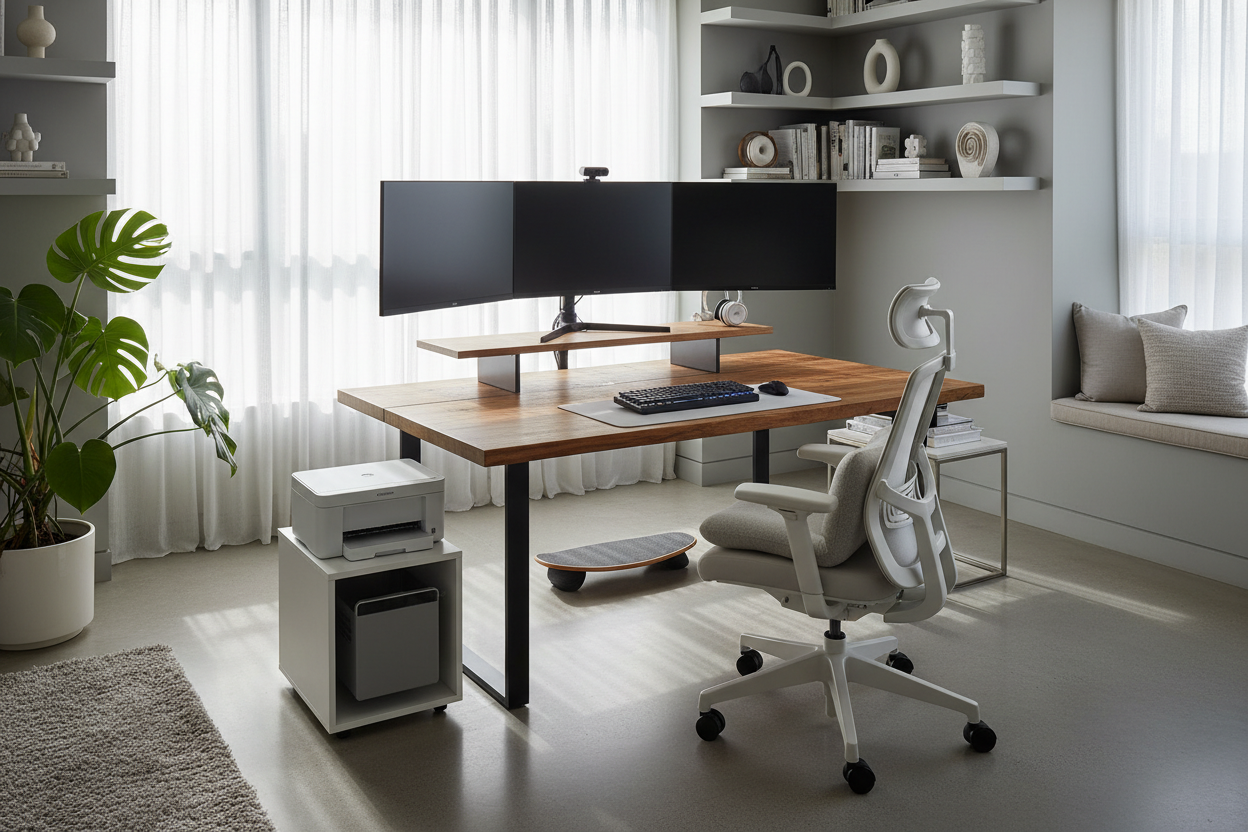
We have all seen the idealized images of remote work: a laptop perched precariously on a velvet sofa or a sunny balcony. However, as an interior designer who specializes in residential workspaces, I can tell you that long-term productivity requires much more than a strong Wi-Fi signal. The transition from a corporate office to a home environment presents a unique design dilemma: how do you integrate high-performance functionality into a space meant for relaxation without ruining the aesthetic?
If you are wondering what do you need to work remotely to maintain both your posture and your sanity, the answer lies in curating a dedicated environment. It is about selecting pieces that serve a distinct ergonomic purpose while harmonizing with your existing decor.
Quick Decision Guide: The Essentials
If you are rushing to set up a functional space, prioritize these four pillars of home office design to ensure longevity and comfort:
- Ergonomic Seating: Look for adjustable lumbar support, seat depth, and armrest height. A static dining chair will lead to fatigue.
- Surface Depth: Your desk should be at least 24–30 inches deep to allow for proper monitor viewing distance and wrist support.
- Lighting Layers: Combine ambient overhead light with focused task lighting and face-level lighting for video calls.
- Acoustic Control: Incorporate soft furnishings (rugs, curtains, upholstered panels) to dampen echo and reduce background noise.
The Foundation: Ergonomics Meets Aesthetics
When clients ask how do you work remotely without turning a living room into a cubicle, I always start with the silhouette of the furniture. The goal is to find pieces that perform like commercial-grade furniture but look residential.
Selecting the Right Chair
The chair is your most critical investment. While a mid-century modern bucket chair looks sculptural, it rarely offers the necessary spinal support for an eight-hour day. Look for a chair with a synchro-tilt mechanism, which allows the seat and back to move together, promoting movement.
Material selection is equally important here. Mesh offers breathability, which is excellent for temperature regulation, but a high-quality top-grain leather or commercial-grade fabric can offer a softer, more sophisticated texture that blends better with a bedroom or living area.
The Desk: Material and Scale
When considering how to go remote effectively, the desk serves as your command center. Avoid glass surfaces if you use an optical mouse or require acoustic dampening; glass amplifies sound and can feel cold to the touch. Instead, opt for solid wood or high-quality veneer. Walnut and oak are durable choices that age beautifully.
Pay attention to the edge profile of the desk. A sharp, 90-degree edge can cut into your forearms during typing. A chamfered or bullnose edge is far more forgiving on the wrists.
Lighting Layers for Focus and Video
Lighting is often the most overlooked element when determining what do you need to work remotely. Relying solely on a ceiling fixture creates harsh shadows under the eyes—the dreaded "raccoon effect" on Zoom calls.
To solve this, employ a three-point lighting strategy:
- Task Lighting: An articulated desk lamp with a 4000K (cool white) bulb to aid concentration and reduce eye strain.
- Fill Lighting: A floor lamp or window facing you (not behind you) to illuminate your face evenly.
- Ambient Lighting: Dimmable overhead lights to set the mood for the rest of the room.
Zoning and Spatial Planning
Physical boundaries create mental boundaries. If you do not have a separate room, use an area rug to visually anchor your "office" zone. This psychological trick signals to your brain that when your feet are on that specific rug, you are at work. Additionally, consider the "background" of your space. A bookshelf or a piece of large-scale art creates a professional focal point for video calls, preventing your colleagues from staring into your kitchen or hallway.
Lessons from My Own Projects
I want to share a mistake I made early in my career when setting up my own home studio. I fell in love with a vintage teak Parsons desk. It was visually stunning—sleek, minimal, and warm. I thought it was exactly what I needed.
However, within two weeks, I realized the fatal flaw: it had zero cable management and no drawers. I spent the first ten minutes of every morning untangling cords that draped messily down the back, and by noon, the surface was cluttered with pens and notepads because there was nowhere to sweep them away. The finish, while beautiful, also showed every single ring from my coffee mug instantly.
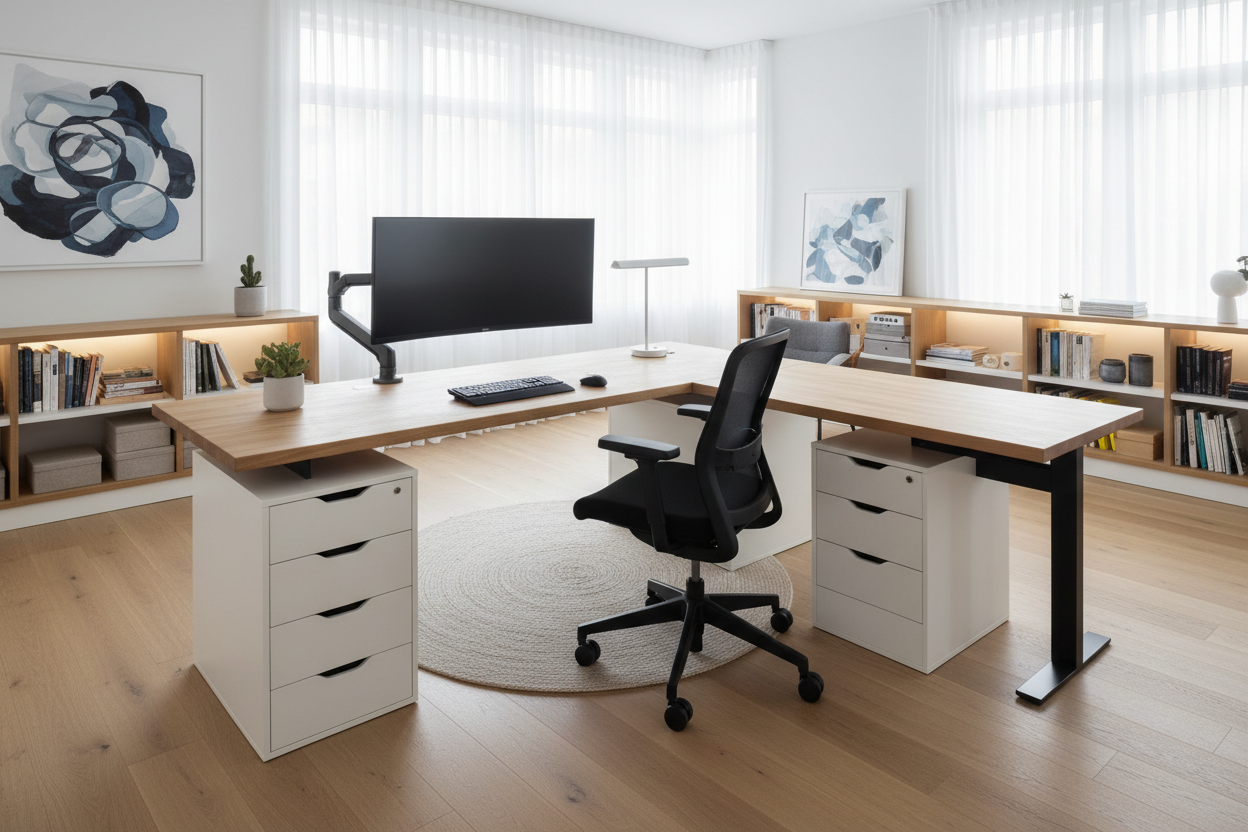
The lesson? Always prioritize cable management and closed storage. Now, I never specify a primary desk for a client unless it has at least one grommet for wires and a shallow drawer for immediate clutter. It is the difference between a space that looks good on Instagram and a space that actually works.
Frequently Asked Questions
What is the minimum space required for a functional home office?
Ideally, you need a footprint of about 5 feet by 5 feet (25 sq. ft). This accommodates a standard 48-inch desk and allows enough clearance for your chair to roll back without hitting a wall or sofa.
Is a standing desk worth the investment for remote work?
Yes, specifically for health reasons. Alternating between sitting and standing reduces spinal compression. If a mechanical standing desk clashes with your decor, look for "desktop converters" that can be stored away when not in use.
How do I hide office equipment in a shared living space?
Storage is key. Use a credenza or a sideboard behind your desk to house the printer and files. You can drill holes in the back panel for ventilation and cords, keeping the technology completely hidden when the workday ends.

Leave a comment
This site is protected by hCaptcha and the hCaptcha Privacy Policy and Terms of Service apply.