

















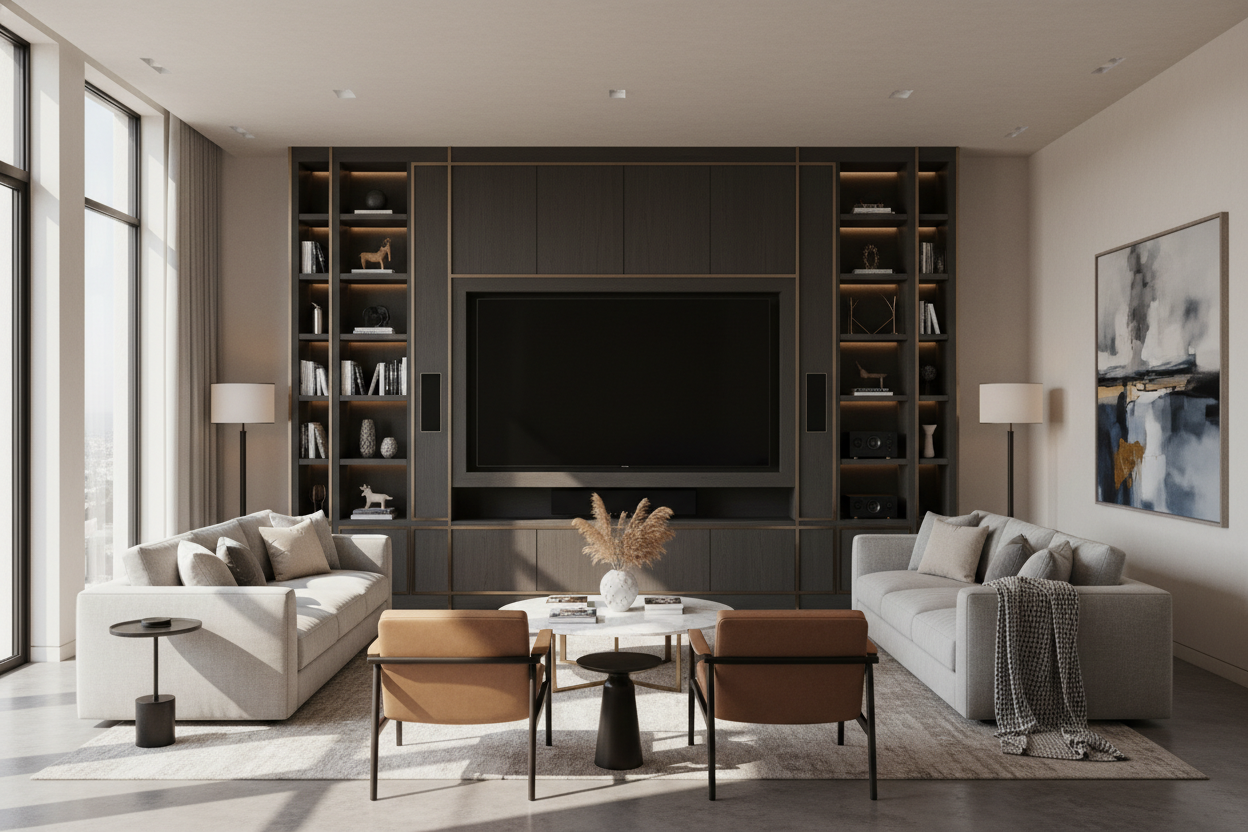
I remember the day my 85-inch Neo QLED arrived. I had spent weeks measuring my wall, clearing the space, and convincing myself that a screen the size of a twin mattress was a 'practical' life choice. But once that massive panel was unboxed, the reality hit me. My existing 60-inch console—a piece I thought was fairly substantial—looked like a child’s toy underneath it. The TV overhung the edges by nearly eight inches on each side, creating a top-heavy monstrosity that felt like it might tip over if someone sneezed too hard.
Finding entertainment units large enough to handle today’s massive screens is a genuine design struggle. We are living in an era where 75-inch and 85-inch displays are becoming the standard, yet most furniture retailers are still stuck in 2015, selling stands designed for 55-inch panels. If you don't get the scale right, your living room ends up looking like a waiting room at a sports bar rather than a curated home.
Quick Takeaways
- Your console should be at least 10 to 12 inches wider than your TV to avoid a top-heavy look.
- Weight capacity matters; an 85-inch TV can weigh 100+ lbs, which will bow cheap MDF.
- A large entertainment center needs integrated cable management to hide the inevitable rat’s nest of HDMI cords.
- Scale is everything—if the furniture is too small, the TV becomes a 'floating black hole' that sucks the life out of the room.
The 'Floating Black Hole' Effect of Massive Screens
When you mount a 75-inch or 85-inch screen over a puny, standard-sized console, you create a visual imbalance I call the 'floating black hole.' Because these screens are so physically dominant, they need a large tv entertainment center to ground them. Without a substantial piece of furniture underneath, the TV looks like it’s just hovering in space, disconnected from the rest of the room’s decor.
The goal isn't just to hold the TV; it's to anchor the entire wall. A big screen tv entertainment center serves as a visual foundation. If the furniture doesn't extend past the edges of the screen, the TV feels aggressive and overwhelming. By choosing a unit with enough horizontal or vertical presence, you turn that giant black rectangle into a deliberate design choice rather than an accidental eyesore.
Why Standard Consoles Fail the 75+ Inch Test
Let’s talk math, because physics doesn’t care about your Pinterest board. An 85-inch TV is roughly 74 inches wide. Most 'large' consoles at big-box retailers max out at 60 or 65 inches. If you put a 74-inch TV on a 60-inch stand, the overhang is a disaster. It’s not just about aesthetics; it’s about the structural integrity of the piece. Most mass-market furniture is made of thin particle board that will eventually sag under the weight of a premium 80-pound panel.
This is why you need to look for dedicated media storage specifically rated for high-weight capacities. I’ve seen enough bowed shelves and cracked veneers to know that 'making it work' with a standard sideboard usually ends in a trip to the landfill. You need large tv entertainment units that are built with reinforced center supports and kiln-dried hardwoods or high-grade plywood to handle the load without warping over time.
Going Wide vs. Going Tall: What Actually Works?
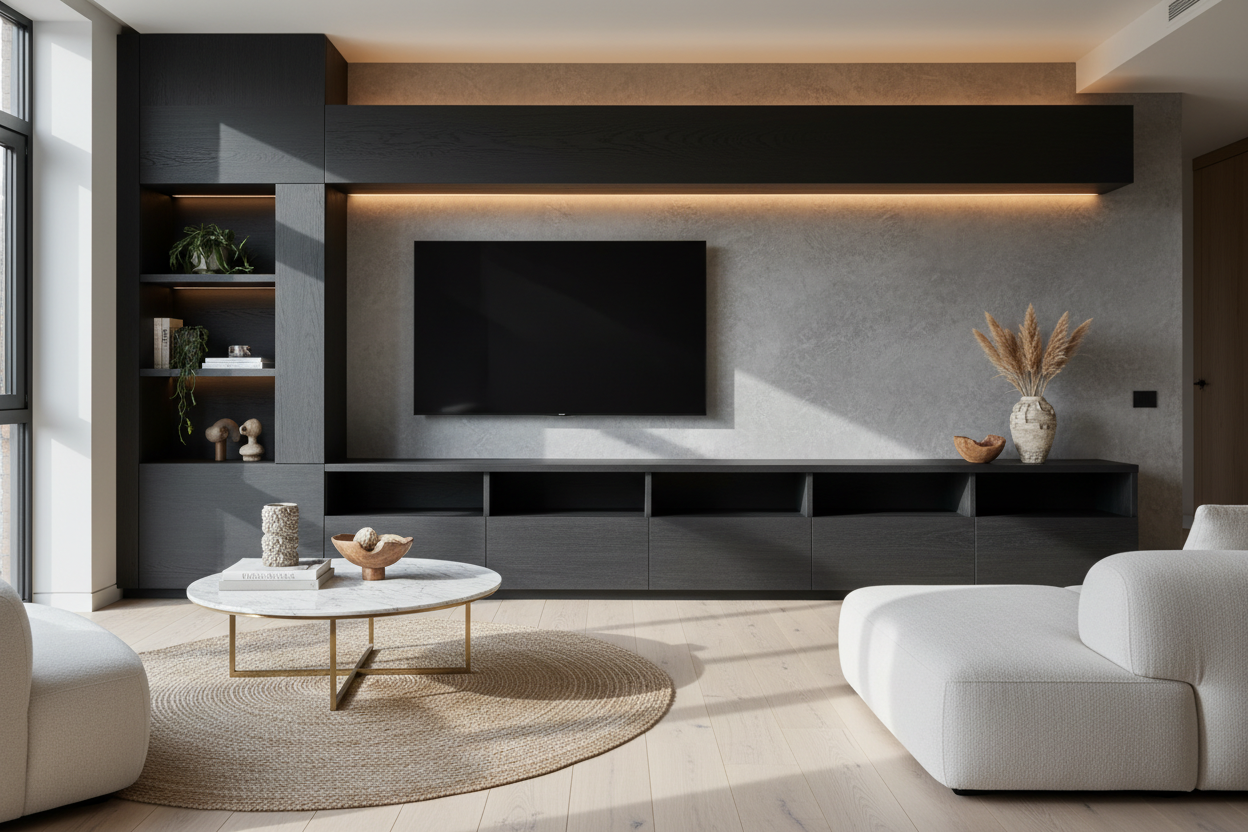
You generally have two paths when dealing with large tv entertainment centers. The first is the low-and-slow approach: the ultra-wide TV bench. This is my personal favorite for modern homes. By using a console that is 80 to 100 inches wide but only 18 inches tall, you create a sleek, gallery-like feel. It keeps the TV at the correct eye level while providing a massive horizontal surface for styling.
The second option is the full-sized hutch system. This is the 'built-in' look. These large media centers surround the TV with shelving and cabinetry, effectively framing the screen. It’s a great solution if you have a massive wall to fill and want to hide the fact that you own a big screen entertainment center by surrounding it with books and art. It turns the TV into part of the architecture rather than just a piece of tech.
Hiding the Inevitable Cable and Console Chaos
A massive TV almost always comes with a massive supporting cast: a soundbar, a subwoofer, a PS5, a 4K Blu-ray player, and enough cables to power a small city. If you don't have a large entertainment center with storage, your living room will quickly start looking like a college dorm. I’ve lived through the 'cable waterfall' phase, and it’s a nightmare to clean and even worse to look at.
A proper large entertainment cabinet should have ventilated back panels and internal cord channels. You want to be able to shut the doors on the glowing LEDs and the tangled mess of power bricks. Look for units with IR-friendly glass or slatted doors so you can still use your remotes without having to keep the cabinets hanging open. It’s the difference between a 'media room' and a living room that just happens to have great media.
How to Stop Your Living Room from Looking Like a Best Buy
The biggest risk with an oversized entertainment center is that it can feel sterile. To avoid the electronics-showroom vibe, you have to layer in organic textures. I always tell people to ditch the plastic bins and use woven baskets for controller storage. Place a few oversized art books on the console to break up the long flat surface, and maybe a piece of textured pottery to add some height variation.
Lighting is your best friend here. Adding a small lamp or some dimmable LED bias lighting behind the large media center softens the harsh glow of the screen and makes the whole setup feel warmer. If you follow a designer's guide to big screens, you’ll notice they never leave the TV as the only focal point. The furniture and the styling around it should be just as interesting as whatever is playing on the screen.
My Biggest Furniture Mistake
Years ago, I bought a 70-inch big tv entertainment unit that was made of paper-thin MDF. It looked great for exactly three months. Then, the weight of my center-channel speaker caused the top to dip by nearly half an inch. The doors stopped closing properly, and the veneer started peeling at the edges from the heat of the receiver. I ended up spending twice as much money to replace it with a solid wood unit. Learn from my cheapness: if the TV is heavy, the furniture needs to be heavier.
FAQ
How much wider should a console be than the TV?
Aim for at least 5 to 6 inches of clearance on each side. If your TV is 74 inches wide, look for a unit that is at least 84 to 86 inches wide. This creates a balanced visual 'skirt' around the screen.
Can I put a 75-inch TV on a 60-inch stand?
You can, but you shouldn't. Beyond the fact that it looks terrible, most 60-inch stands aren't deep or sturdy enough to safely support the footprint of a 75-inch TV's legs. It’s a major tipping hazard.
What is the best height for a large entertainment unit?
For screens 75 inches and larger, look for a 'low-profile' unit between 18 and 22 inches tall. If the unit is too high, the center of the screen will be above eye level, which leads to neck strain during long movie nights.


Leave a comment
This site is protected by hCaptcha and the hCaptcha Privacy Policy and Terms of Service apply.