


















I spent three months hunting for the perfect vintage Oushak rug. I scoured eBay, tracked auctions, and finally dropped a significant chunk of change on a piece with the most incredible muted sage and rust tones. When it finally arrived and I rolled it out, I realized my 70-inch oak TV console—a piece I used to love—was basically a giant wooden paperweight sitting on top of the best part of the pattern. It made my narrow 11-foot living room feel like a cramped hallway. That is when I realized I needed to switch to wall mounted media storage.
Quick Takeaways
- Freeing up floor space makes a small room feel significantly wider.
- Cleaning is 10x easier when you can run a vacuum under your furniture.
- Visual weight matters more than actual weight in narrow layouts.
- Cable management is the 'make or break' factor for a clean look.
The 'Heavy Furniture' Problem in Narrow Living Rooms
Traditional TV consoles are visual anchors in the worst way possible. They sit there, solid and heavy, trapping heat, dust bunnies, and pet hair. In a narrow room, every inch of floor you can actually see is a win. A 20-inch deep cabinet eats up a huge chunk of your walking path, and because it sits flush to the floor, it creates a hard visual stop that makes the walls feel like they are closing in.
I realized my 'sturdy' furniture was actually just bulk. It was 80 pounds of MDF and veneer that served no purpose other than holding a soundbar and hiding a mess of tangled HDMI cables. It was time to stop thinking about furniture as something that had to stand on four legs and start thinking about the vertical real estate I was completely ignoring.
Why I Finally Lifted My Living Room Off the Floor
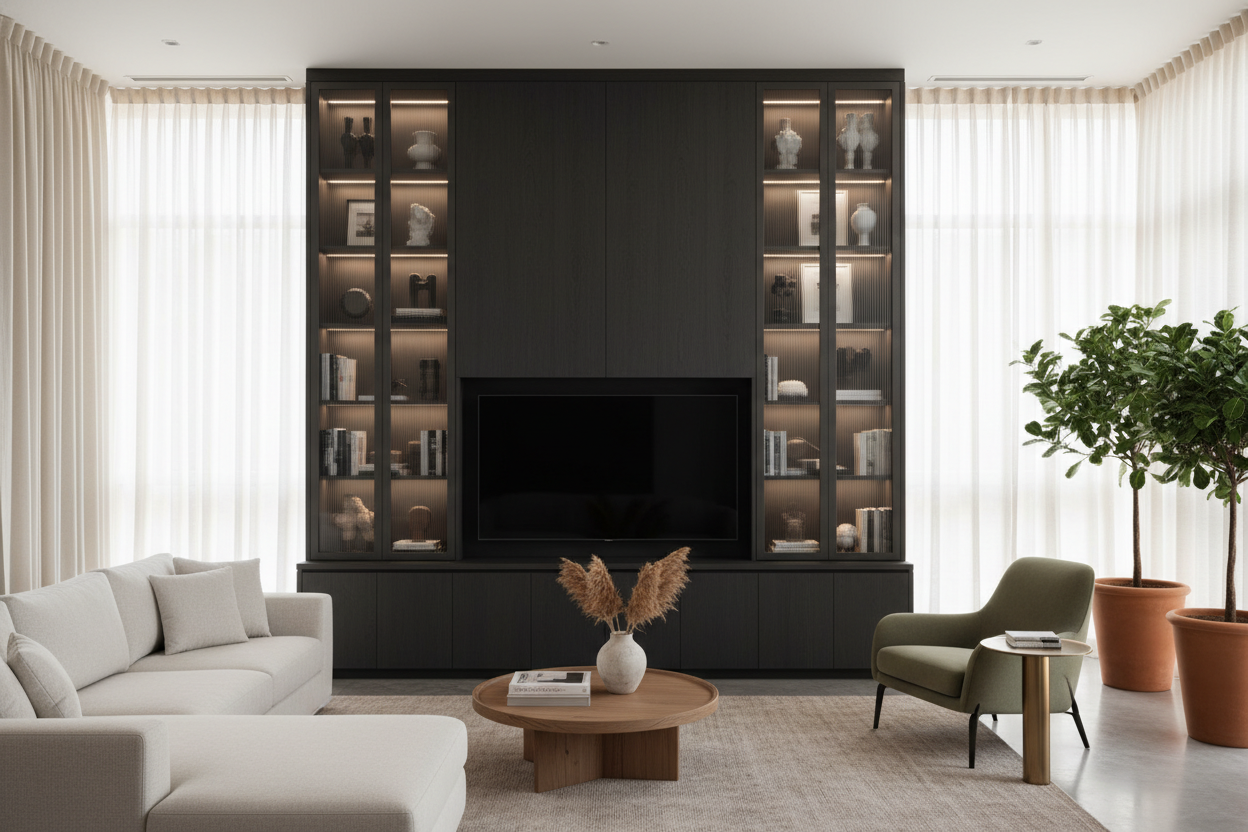
The turning point was moving that old console just to vacuum. I saw the rug in its full glory for the first time since I bought it and I couldn't bring myself to cover it back up. I started looking at dedicated book media storage that could get my tech off the ground without looking like a cheap office shelf. I wanted something that looked like it was floating—a sleek, intentional design choice rather than a compromise.
I ended up choosing a unit with a slim profile, only about 12 inches deep. It felt risky—would my stuff even fit? But the moment it was up, the room breathed. I could see the rug extending all the way to the baseboards. The entire vibe of the room shifted from 'cluttered apartment' to 'curated gallery' just by reclaiming those few square feet of floor.
The Psychological Trick of Exposed Baseboards
There is a real design trick at play here. When your eyes can follow the floor all the way to the wall, your brain perceives the room as being much larger than it is. It is the same logic as transforming your foyer with wall mounted storage to make a tight entry feel massive. By exposing the baseboards and the floor underneath the unit, you remove the 'visual clutter' that heavy furniture creates. Suddenly, the floor isn't just a path; it is a feature.
Does a Floating Unit Actually Hold Everything?
The biggest fear I had was storage. I had a PS5, a router, a Switch dock, and about six different remotes. I had to get ruthless. I realized half the stuff in my old drawers was 'just in case' cables from 2015. I tossed the junk and kept the essentials. For the stuff I absolutely needed to keep, I found a media center with strong storage capacity that still mounted to the wall.
A floating unit forces you to be organized. I used Velcro ties to bundle cables and mounted a power strip to the underside of the unit itself. If you have a lot of heavy tech, look for units with internal cable management channels. My PS5 fits perfectly, and because the unit is open underneath, the airflow is actually better than it was in my old enclosed cabinet. No more fan whirring like a jet engine during every gaming session.
3 Things to Know Before You Drill Into Your Drywall
Don't just wing this. First, you must find the studs. Most wall-mounted units are heavy even before you put a receiver inside them. If you miss the studs and rely on cheap plastic anchors, you are going to wake up to the sound of your electronics crashing into the floor. Use a magnetic stud finder—they are $10 and never lie.
Second, plan for the 'dangling cord' nightmare. If you don't want a black cable waterfall coming out of the bottom of your TV, you either need to route cables through the wall (using a recessed media box) or use a paintable cord cover. I went with the wall route, and while it took an afternoon of fishing wires, the result looks professional.
Third, get the height right. The biggest mistake people make is mounting the unit too high. Sit on your sofa and look at the wall. Your eye level should hit the middle of your TV screen. Usually, this means the bottom of your storage unit will be about 20 to 24 inches off the floor. Any higher and you'll be visiting a chiropractor within a month.
FAQ
Can I mount a media unit on plaster walls?
You can, but it is trickier than drywall. You will need specific masonry anchors or, ideally, to find the lath and studs behind the plaster. If you are in a pre-war building, consult a pro first.
Will a floating unit hold a heavy soundbar?
Yes, as long as the unit is secured to studs. Most high-quality wall-mounted units are rated for 50-100 lbs. Just check the specs before you buy.
How do I hide the router?
Look for a unit with a mesh or slat front. This allows the Wi-Fi signal to pass through without the router sitting on top of the unit like an ugly plastic spider.


Leave a comment
This site is protected by hCaptcha and the hCaptcha Privacy Policy and Terms of Service apply.