


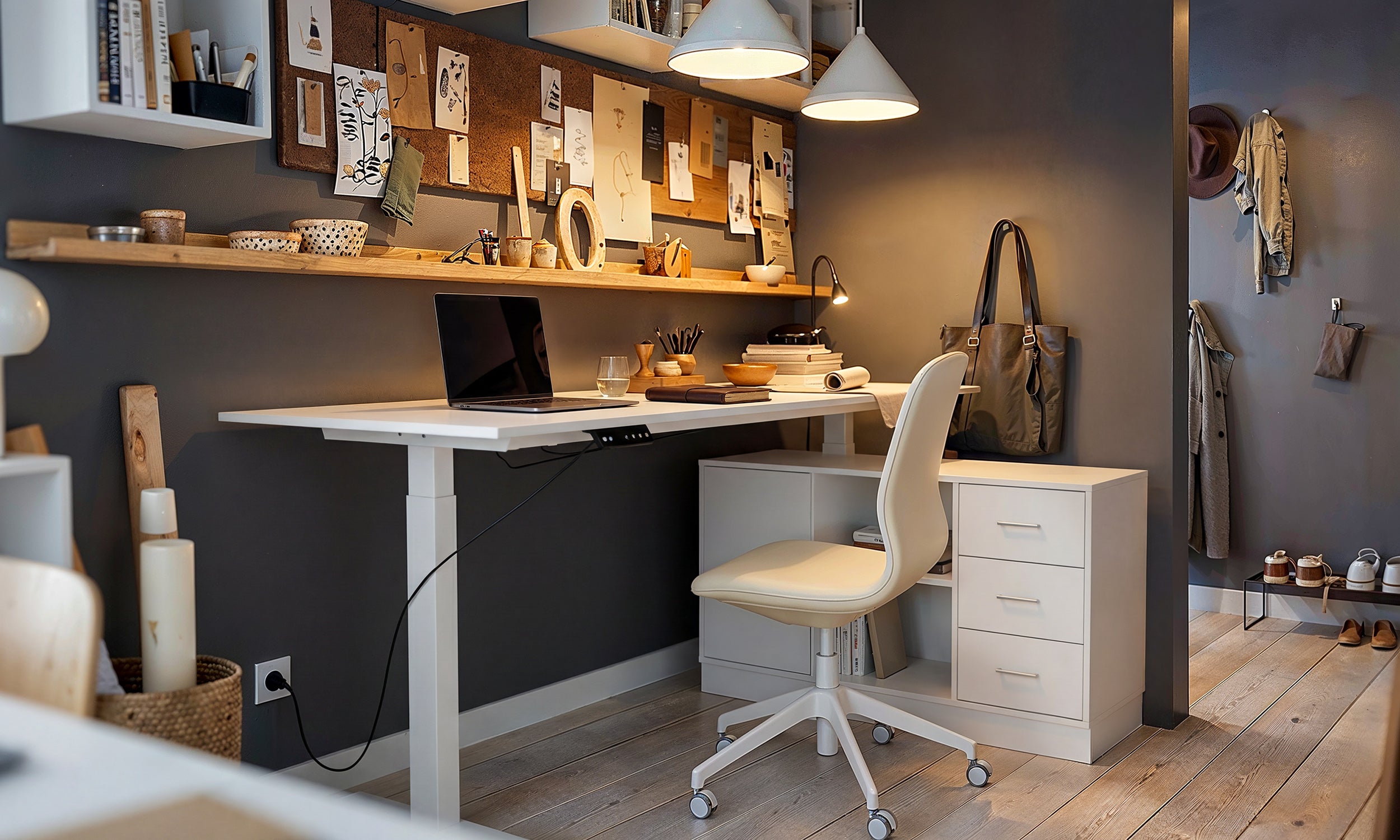
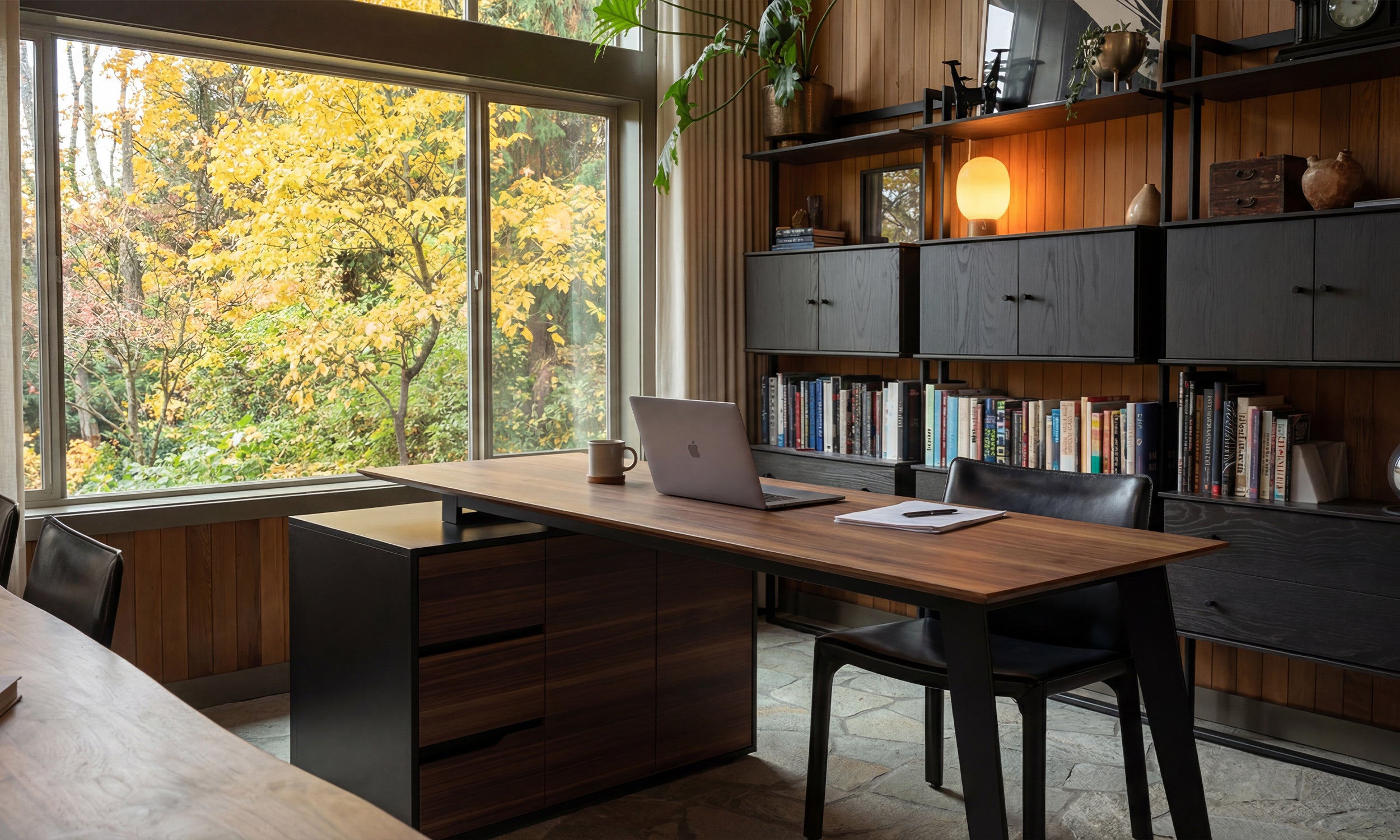



The best standing desk for a home office is the one whose height range reaches both your seated and standing elbow height, whose desktop fits your room and your monitors, and whose lift capacity is comfortably above the weight of your gear. After that, memory presets, cable management and the right amount of storage decide whether you actually switch between sitting and standing every day.
Below, each check comes with numbers from university and government ergonomics pages, followed by six FUFU&GAGA desks matched to the home offices they suit. You can also browse every model in our standing desks collection.
Key takeaways
- Measure your standing elbow height in the shoes you work in. The desktop should reach about that height at the top of its range.
- Aim for a desktop about 30 inches deep (24 inches works in a home office) and at least 36 inches wide.
- Add up the weight of everything that rides on the desktop and compare it with the listed weight capacity, which runs from 110 lb to 300 lb across the desks below.
- Memory presets turn a height change into one button press.
- Pick storage to match your work: a plain frame for small rooms, drawers and cabinets for paper-heavy work, an L-shaped desk for corners.
What makes a standing desk right for a home office?
A home office standing desk often shares a room with a bed, sofa or window and may be your only work storage. So the best standing desk for home office use balances three things: fit (height range and footprint), function (lift capacity, presets, cables) and storage.
The desks in this guide are electric standing desks: a motor in the frame raises and lowers the whole desk from a control panel. A sit stand desk lets you change standing positions through the day rather than locking you into either one. If you would rather keep an existing desk, a standing desk converter sits on top of it and raises only the keyboard and screen; a height adjustable standing desk moves the whole work surface. Cornell University's ergonomics program suggests a simple pattern, often called the 20-8-2 rule: sit for about 20 minutes, stand for about 8, and move for about 2, with the note that the exact times are not critical (Cornell University Ergonomics Web).
How to choose the best standing desk for your home office
1. Match the standing desk height range to your height
Canada's workplace health agency, CCOHS, says the work surface for standing should sit at approximately your standing elbow height, with the monitor between horizontal and 35 degrees below eye level (CCOHS).
UBC's ergonomics team recommends a height adjustment range of 22.6 inches or lower to 48.7 inches or higher to fit people from about 5'0" to 6'4", in line with the BIFMA G1-2013 and CSA Z412-17 guidelines. If a desk can't go that low, UBC accepts a 25-inch minimum, but people about 5'4" and shorter will need a footrest or keyboard tray. UBC also advises against desks that don't go below 29 inches for seated work, because that is above seated elbow height for nearly all users, and notes that people taller than 6'4" need a desk that goes to about 50 inches (UBC Height Adjustable Desks guidelines).
To be clear about our own range: the desks in this guide that list a lowest height start between 28.1 and 29.6 inches, and all of them top out between 44 and 46.6 inches. Shorter users should plan the seated position with a raised chair and footrest, or a keyboard tray; tall users should check the maximum height against their own measurement.
How to check your desired height:
- Stand in your usual work shoes with shoulders relaxed and elbows bent at about 90 degrees. (Repeat seated for the low end.)
- Have someone measure from the floor to the underside of your forearm: your standing elbow height.
- The desk's maximum height should reach that number minus your keyboard's thickness.
2. Size the desktop for your room and monitors
UBC recommends a 30-inch depth to reduce visual fatigue, especially with dual monitors, and accepts 24 inches in a home office. Width depends on your space: 36 inches minimum, 48 to 60 inches or more preferred. OSHA's computer workstation guidance puts the preferred monitor viewing distance at 20 to 40 inches, with the top line of the screen at or below eye level (OSHA eTools: Monitors).
| Your setup | Desktop depth to look for | Desktop width to look for |
|---|---|---|
| Laptop, small space | 24 inches is acceptable for home offices (UBC); shallower works if the screen can sit at least 20 inches from your eyes | 36 inches minimum (UBC) |
| One monitor | 24 to 30 inches | 48 to 60 inches or more preferred (UBC) |
| Two monitors or multiple monitors | About 30 inches (UBC) | Toward the top of the 48 to 60-inch-plus range |
| Corner setup | Measure both walls; an L shaped standing desk needs depth on two sides | Measure each side of the L |
A monitor arm or a laptop stand frees desktop space on a smaller desk.
3. Check weight capacity against your real setup
Weight capacity (or lifting capacity) is the most the frame is rated to raise. Add the listed weight of each monitor and its arm or stand, your computer, speakers, lamp and anything stored on the desktop or a hutch. If your items add up to 65 lb, for example, a desk rated for 110 lb leaves 45 lb of headroom. A lower weight capacity is fine for a laptop setup; a higher maximum weight capacity matters more with several screens and heavy equipment.
Drawers carry their own limits. Across the desks below, drawer ratings run from 10 lb to 22 lb per drawer, so files and supplies are fine but a printer belongs on a shelf or in a cabinet.
4. Single vs dual motor, and how to judge stability
A single motor desk drives both legs from one motor through a connecting shaft; a dual motor desk has a desk motor in each leg. Rather than compare motor counts alone, compare what the listing actually states: the rated weight capacity, the height range, and the lift speed if it is given. Not every listing, including ours, states the number of motors.
Stability depends on the whole desk: frame design, leg structure, the desktop and how high you raise it. A four legged standing desk, a cabinet-supported desk and a two-leg steel frame each spread the load differently, so judge whether it is a stable desk at your standing height, not at its lowest setting. For a published reference, BIFMA's ANSI/BIFMA X5.5 covers desk and table products and was revised in 2021, and ANSI/BIFMA X6.5-2022 covers home office and occasional-use desks, tables and storage, with special emphasis on stability, leg strength and height-adjustable surfaces (McMorrow Reports). The listings in this guide do not state a BIFMA test result, so we don't claim one; judge them on the capacity, frame and dimensions they list.
5. Memory presets and the control panel
Presets save a sitting and a standing height so you return to each with one touch instead of holding a button and guessing. Several of the desks below save three heights, and two of them have four memory presets. A spare preset is useful for a perching height if you use a tall stool, or for a second person who shares the desk.
6. Cable management that moves with the desk
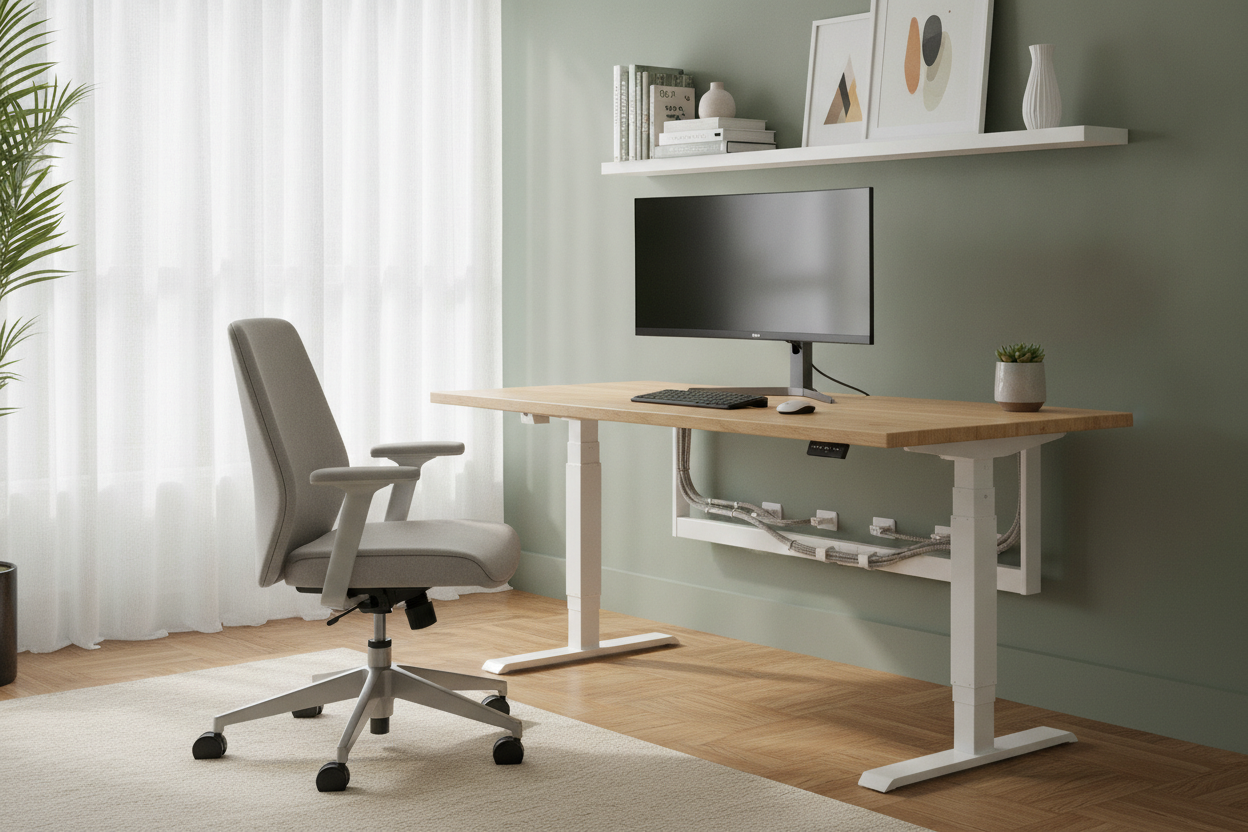
CCOHS notes that cables, electrical access and storage should not make adjusting the desk difficult. The simplest plan: mount a cable tray or cable management tray under the desktop, plug everything into one of your power strips inside it, and run a single main cord to the wall. That cord needs enough slack to reach the outlet at the desk's maximum height, so measure from the outlet to the underside of the desktop at full height. Clip the control box and motor cables to the frame so nothing snags as the desk moves. Two of the picks list built-in cable management, and one has a built-in power strip.
7. Drawers or no drawers
A plain frame fits a small space more easily. Built-in drawers and cabinets replace a filing cabinet but add weight and can limit knee room. If storage is the deciding factor, our standing desk with drawers buying guide covers drawer types, knee clearance and how storage affects lift capacity.
8. Noise and speed
Few listings give a speed. Where one does, you can work out the time: the 63-inch walnut desk below lists 20 mm per second (about 0.79 inch per second), so its full 15.3-inch travel from 29.6 to 44.9 inches takes about 19 seconds. Its listing describes a quiet motor but gives no decibel figure.
9. A standing desk mat and supportive shoes
CCOHS suggests an anti-fatigue mat where appropriate, supportive footwear, and a footrest to shift your weight while standing.
Standing desk buying checklist
- Maximum height reaches your standing elbow height minus keyboard thickness.
- Minimum height works for sitting, or you have a plan (raised chair and footrest, or keyboard tray).
- Desktop depth is at least 24 inches, or about 30 inches for two monitors.
- Desktop width is at least 36 inches; 48 to 60 inches or more is preferred.
- Weight capacity exceeds the total weight of your gear with room to spare.
- At least two memory presets (one sitting, one standing).
- A plan for cable management and one power cord with slack at full height.
- Storage that matches your work: none, drawers, cabinets or a hutch.
- The overall footprint, including any return or cabinet, fits your room with space for your chair.
- The warranty length is clear before you buy.
Our picks: best standing desks for home office, by need
None of these is the best standing desk for everyone; each suits a specific room and setup.
63" Modern Walnut Standing Desk with Electric Height Adjustment

The simplest desk here and our pick for a budget standing desk: a 63 x 31.5-inch walnut-look top on a steel lifting frame, with no drawers, cabinets or hutch to pay for or assemble. The top is solid and manufactured wood (MDF) rather than solid wood throughout. It lifts from 29.6 to 44.9 inches at a listed 20 mm per second, has a four-preset memory controller and built-in cable management, and weighs 101 lb. The weight capacity is 110 lb, the lowest in this guide, so add up your gear first.
Best for: a budget-conscious buyer who wants a clean, traditional desk look and a deep desktop without built-in storage.
Skip it if: your setup is heavy (several monitors, a tower and speakers) or you need drawers.
59" Walnut Wood Electric Height Adjustable Standing Desk with Pegboard, Power Strip and Keyboard Tray
In a small space, depth matters more than width. This desk is 59 inches wide and 21.7 inches deep, and it stores things vertically: a 19.6-inch pegboard above the desktop, three drawers, four open shelves and a keyboard tray. The desktop rises up to 45.3 inches with up to three memory presets, the lifting capacity is 170 lb, and a built-in power strip keeps chargers on the desk. The keyboard tray also helps shorter users when seated.
Best for: a small desk footprint in a bedroom or spare corner, with storage that goes up instead of out.
Skip it if: you want two large monitors on a deep desktop, or you need a confirmed low seated height; the listing gives only the 45.3-inch maximum.
71" Modern Minimalist Standing Desk with File Drawer and Storage Cabinet

One of our most-ordered standing desks. A 70.9 x 31.5-inch desktop gives room to spread out, and the storage is built into the base: a file drawer plus a double-door cabinet with an interior shelf, with handle-free fronts. It lifts from 29.5 to 44.1 inches with a programmable memory controller, lists built-in cable management, holds 150 lb on the desktop and 10 lb in the drawer, and comes in white, black or burlywood.
Best for: storage. Paper-heavy work where a separate filing cabinet would crowd the room.
Skip it if: you need more than 150 lb of capacity, or you'd fill a drawer with heavy items (it is rated for 10 lb).
68.5" Modern White Standing Desk with Hutch and Storage Cabinet
The highest weight capacity in this guide at 300 lb, plus a 31.5-inch-deep desktop, a little over the 30 inches UBC recommends for dual monitors. The desk lifts from 29.5 to 44.5 inches and saves up to three heights. Beside it, a 55.1-inch-wide hutch (68.9 inches tall, 15 inches deep) holds glass-door cabinets, open compartments, three drawers (15 lb each) and two lower cabinets, and installs on either side.
Best for: two monitors, multi monitor setups and heavier equipment, with a full office's storage beside you.
Skip it if: your room can't take a 68.5-inch-wide set with a tall hutch, or you prefer open floor space.
70.9" Modern Walnut L-Shaped 3-Drawer Standing Desk with Bookcase

For a corner, the L shape puts the lifting desktop on one wall and storage on the other. The 70.9 x 31.5-inch desktop lifts from about 29 to 44 inches, and the overall footprint is 70.9 x 59.1 inches. The listing gives four height presets, anti-collision detection while the desk moves, soft-close drawers rated at 15 lb each, a 150 lb desktop rating, CPU storage and a USB port. Our L-shaped standing desk buying guide covers corner sizing in detail.
Best for: an L-shaped corner where you want the desk and a bookcase in one footprint.
Skip it if: your corner is shorter than about 71 by 60 inches, or you need a maximum height above 44 inches.
63" Modern White Standing Desk with 3 Memory Presets, Drawer and Open Storage
This desk has the widest height range here, 28.1 to 46.6 inches, which gives tall users the most room at the top and is the lowest starting height in this guide. The 63 x 23.6-inch desktop holds up to 200 lb on an industrial-grade steel frame, and the storage section (five open compartments, two cabinets and a handle-free drawer rated at 22 lb) installs on the left or the right. Three memory presets save sitting and standing heights.
Best for: tall users and shared households who need the widest height range, plus open and closed storage.
Skip it if: you want a desktop 24 inches deep or more; at 23.6 inches it is just under UBC's home office depth.
Compare the picks
| Desk | Desktop (W x D) | Height range | Weight capacity | Presets | Storage | Best for |
|---|---|---|---|---|---|---|
| 63" walnut | 63" x 31.5" | 29.6"-44.9" | 110 lb | 4 | None | Budget-conscious, simple |
| 59" walnut pegboard | 59" x 21.7" (overall) | Up to 45.3" | 170 lb | Up to 3 | 3 drawers, 4 shelves, pegboard, keyboard tray | Small room |
| 71" file drawer and cabinet | 70.9" x 31.5" | 29.5"-44.1" | 150 lb | Programmable | File drawer, double-door cabinet | Storage |
| 68.5" with hutch | 31.5" deep | 29.5"-44.5" | 300 lb | Up to 3 | Hutch: cabinets, drawers, shelves | Two monitors |
| 70.9" walnut L-shaped | 70.9" x 31.5" | About 29"-44" | 150 lb | 4 | 3 drawers, bookcase, CPU storage | L-shaped corner |
| 63" white with side storage | 63" x 23.6" | 28.1"-46.6" | 200 lb | 3 | Cabinets, drawer, open compartments | Tall users |
Setup mistakes to avoid
- A short power cord. A cord that reaches at sitting height can pull tight at standing height. Check slack at the maximum height.
- Furniture in the lift path. Keep window sills, shelves and chair arms clear of the desktop's path, whether or not the desk has anti-collision.
- Standing all day. The goal is alternating. CCOHS says the key factor is to alternate your position as needed.
All six picks require assembly; the 59-inch pegboard desk, for example, lists about 1.5 hours with two people. Our guide to assembling flat-pack furniture helps you plan the build. Every desk bought at fufugaga.com comes with our 2-year limited warranty, and you can compare the full range in our home office standing desks.
Standing desk FAQs
What is the best standing desk for home offices in 2026?
There is no single best standing desk; the right one fits your height, your room and your gear. Look for a height range that reaches your standing elbow height, a desktop at least 24 inches deep (about 30 for two monitors), a weight capacity above your total setup, and memory presets.
What is the 20-8-2 rule for standing desks?
It is a pattern suggested by Cornell University's ergonomics program: in each roughly 30-minute cycle, sit for about 20 minutes, stand for about 8 and move around for about 2. Cornell notes the exact times aren't critical; the point is to change posture regularly instead of prolonged sitting or prolonged standing.
Are standing desks worth it?
A standing desk is worth it if you will actually switch positions. Cleveland Clinic notes that sitting for long periods can reduce blood flow, especially to the legs and feet, and that standing can help focus; a 2022 study it cites found moderate improvements in fatigue. It also says you don't have to stand for hours: small breaks to stand, stretch and walk around help (Cleveland Clinic).
How much weight can a standing desk hold?
It depends on the frame. The desks in this guide are rated from 110 lb to 300 lb on the desktop, with separate drawer limits of 10 lb to 22 lb. Add the listed weights of your monitors, arms, computer and accessories, and choose a desk rated well above that total.

Leave a comment
This site is protected by hCaptcha and the hCaptcha Privacy Policy and Terms of Service apply.