

















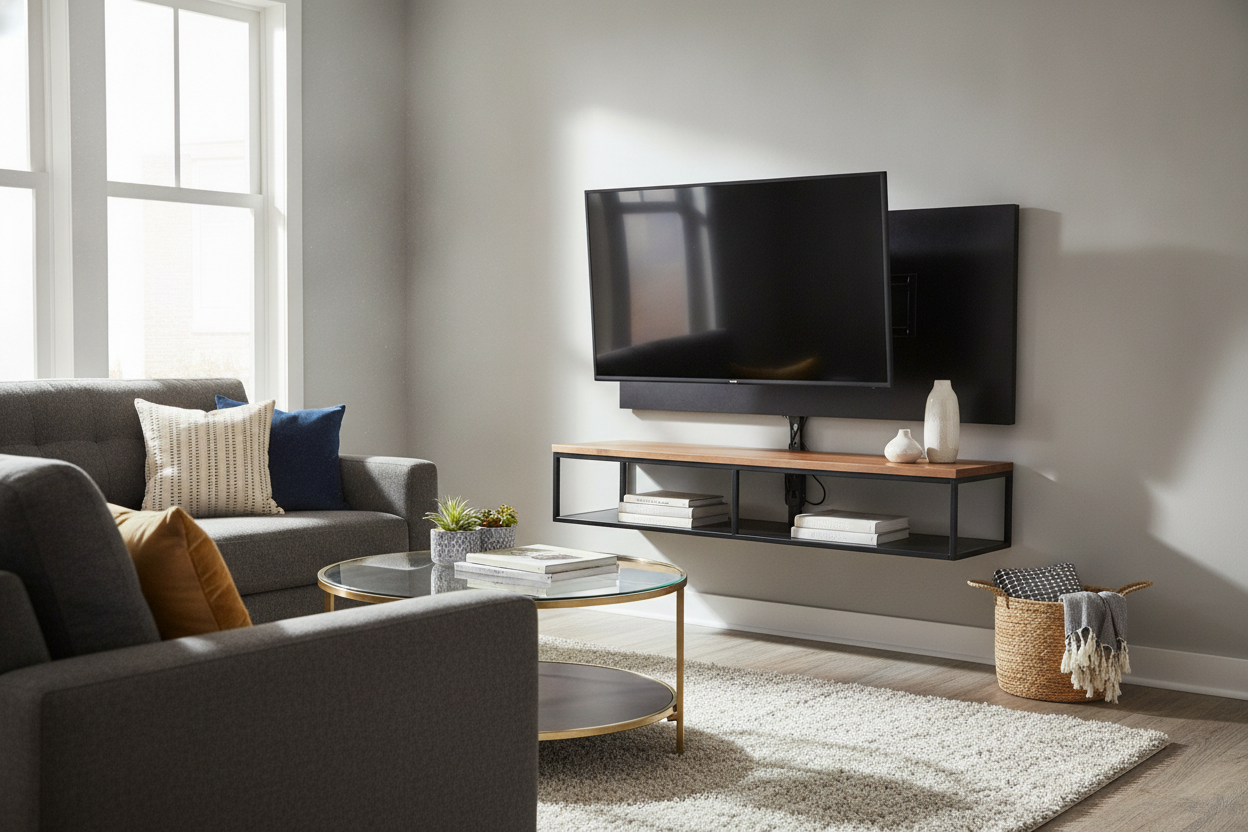
I spent three hours staring at a 65-inch OLED sitting on the floor of my new apartment, terrified to touch the walls. My landlord is the type who considers a single command strip a breach of contract, and my walls are made of that 1920s plaster that crumbles into fine white powder the second a drill bit touches it.
I wanted that clean, high-end look of a mounted screen, but I also wanted my $2,200 security deposit back. That is how I ended up obsessed with finding the right black tv stand with mount—a piece of furniture that does the heavy lifting without making a single hole in the drywall.
Quick Takeaways
- Zero wall damage: Ideal for renters or those with crumbly plaster and brick.
- Cable management: The vertical support column hides the 'spaghetti' of HDMI and power cords.
- Height flexibility: Most integrated mounts let you adjust the screen height by 5 to 10 inches.
- Small footprint: Takes up way less floor space than a bulky traditional sideboard.
The 'No Drilling' Clause That Ruined My Living Room Plans
Living in an older building has its charms, like original crown molding and drafty windows, but the walls are a structural enigma. I learned the hard way that my wall studs betrayed me in my last place, where I ended up with a literal crater in the living room because the 1x2 'studs' couldn't hold a 40-pound bracket.
In this apartment, the lease specifically forbids any mounting hardware. If you have ever tried to watch a movie on a TV that is sitting too low on a standard coffee table, you know the neck strain is real. I needed height, but I could not use a drill.
Why I Finally Caved and Bought a Black TV Stand With Mount
I used to be a purist about low-profile consoles. I thought the 'all-in-one' look was a bit too much like a dorm room, but I was wrong. I swapped my console for a tv stand that featured an integrated steel bracket, and the difference was immediate.
By using a stand with a built-in mount, you get the screen at eye level—usually about 42 to 48 inches from the floor—which mimics the architectural look of a wall-mounted unit. It is a freestanding piece of furniture, but because the screen sits 6 inches above the surface of the stand, it creates that airy, floating vibe.
The weight distribution is the real win here. These units are usually weighted at the base with tempered glass or heavy MDF, so even a 75-inch screen does not feel tippy. Just make sure the VESA pattern on the back of your TV matches the bracket; most are universal, but it is worth checking the manual before you haul a 50-pound box up three flights of stairs.
The Dark Spine: A Built-In Cloaking Device for Cords
Let us talk about the 'spaghetti' problem. Even if you manage to wall-mount a TV, you still have to deal with the ugly black cords dangling down to the outlet. You either have to cut into the wall to hide them or use those plastic cord covers that look like office supplies.
This is why choosing a black tv stand with mount is the smartest move. The vertical support column—the 'spine'—is almost always hollow. You can thread your HDMI cables, power strips, and Ethernet lines directly through the back. Because the unit is black, the shadows and any stray black cables completely disappear into the frame.
I opted for a stylish black tv stand entertainment center because it offered enough depth to hide my PS5 and a messy router behind the main pillar. It is basically a cloaking device for tech clutter.
Styling the Base So It Doesn't Look Like a Best Buy Display
The biggest risk with these stands is that they can look a little industrial if you leave them bare. The key is to break up the dark lines with organic textures. I put a stack of oversized art books on the base and a small trailing Pothos plant on one side to soften the edges.
If you need more storage but do not want a solid wall of black wood, consider pairing the mount with a black cabinet with glass doors nearby. The glass reflects light and prevents the room from feeling like a dark cave. I found that placing a warm-toned lamp on the shelf below the TV also helps draw the eye away from the metal bracket and back toward your decor.
FAQ
Will it hold my 75-inch TV?
Most of these stands are rated for specific weight and size limits. Check the VESA compatibility and the weight capacity—usually around 88 to 110 lbs. If your TV is a heavy model from several years ago, double-check those specs.
How long does assembly take?
Give yourself about 45 minutes. It is mostly hex keys and bolts. Having a second person to help lift the screen onto the bracket is a non-negotiable unless you want to risk a cracked panel.
Does it swivel?
Most integrated mounts offer a 15 to 30-degree swivel. This is a massive perk over a fixed wall mount, especially if you need to turn the screen toward the kitchen while you are cooking.

Leave a comment
This site is protected by hCaptcha and the hCaptcha Privacy Policy and Terms of Service apply.