

















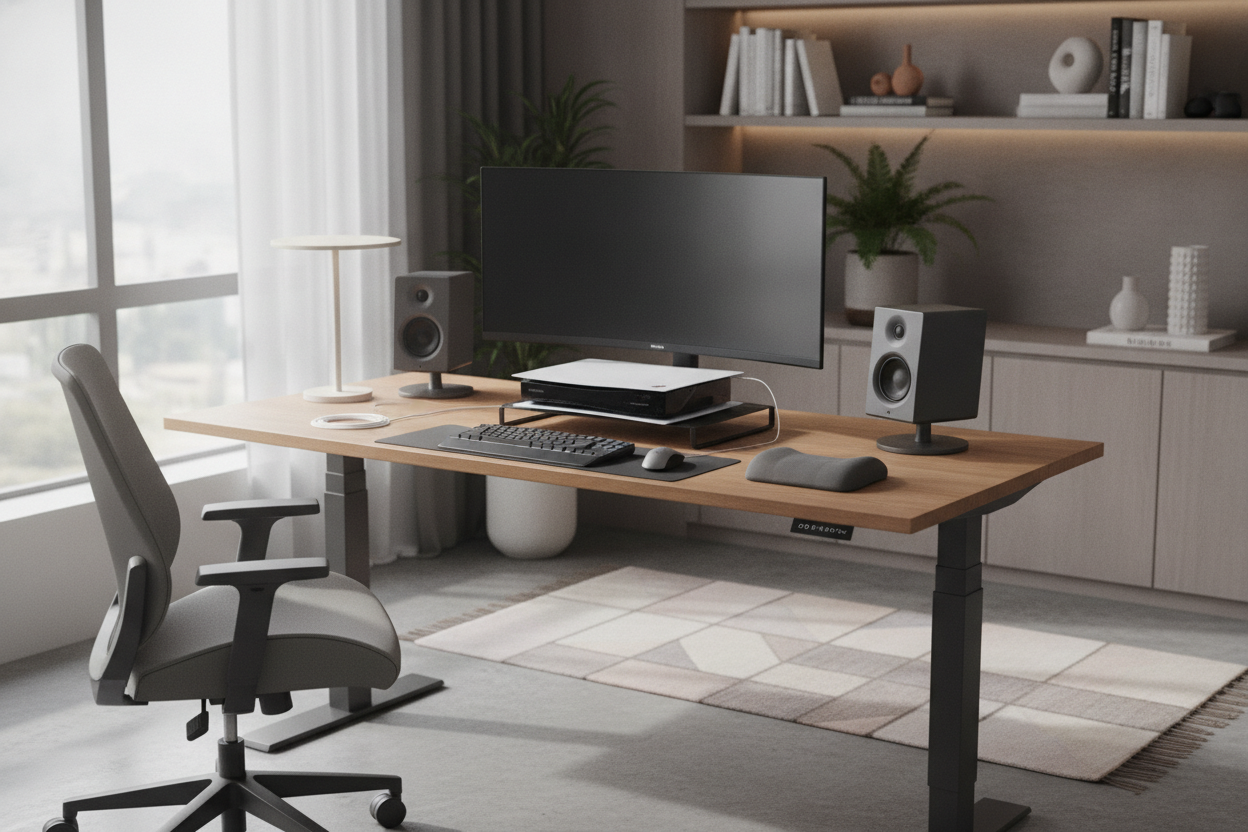
I remember unboxing my PS5 and realizing it was roughly the size of a mid-century skyscraper. I tried to squeeze it onto my main surface, but between the dual monitors and my mechanical keyboard, it felt like my tech was fighting for oxygen. Finding a dedicated console stand for desk setups wasn't just a design choice; it was a desperate attempt to stop my workspace from looking like a Best Buy clearance aisle.
- Keep the console at least 5 inches away from walls or enclosures for proper airflow.
- Measure your HDMI cables before moving the console—you'll likely need 10-foot cords.
- A side stand should be within 2 inches of your desk height to keep the visual profile clean.
- Avoid 'gamer' branded furniture; look for minimalist steel or solid wood for a more 'adult' office.
The 'Gamer Desk' Trap (And Why I Hate It)
I fell for it. I thought I could just clear a corner of my writing computer desk and call it a day. Within 48 hours, I realized the error of my ways. The PS5 is 15.4 inches tall and weighs nearly 10 pounds. When it's sitting three inches from your mouse hand, you feel every bit of that heat. These next-gen consoles are basically space heaters that play 4K video.
My desk felt cramped. I couldn't spread out my notebook or even place a coffee mug without fear of knocking over the 'monolith.' Plus, the cable mess was embarrassing. You have the power brick, the HDMI, the Ethernet, and the controller charging cables all snaking across your primary work surface. It creates a visual noise that makes it impossible to focus on a spreadsheet. I spent more time tucking wires behind my monitor than I did actually working.
The worst part was the dust. Consoles are dust magnets, and when they sit on a primary desk, they pick up everything from your keyboard's crumbs to general household debris. I was constantly wiping down the fins. I realized that if I wanted to keep my sanity—and my hardware—I needed to get the console off the desk and onto its own dedicated platform.
The Sit Stand Console Dilemma
The problem gets exponentially worse when you use an ergonomic home office sit stand up desk. I love my standing desk, but it is the natural enemy of short cables. When I first set up my sit stand console arrangement, I didn't account for the 'travel' of the desk. I hit the 'up' button to stretch my legs, and I heard a sickening crack as the HDMI cable reached its limit and nearly yanked the console off its feet.
Managing cables on a moving desk requires a strategy, not just a bunch of zip ties. If your console is on a separate stand, you have to ensure there is enough slack for the desk to reach its maximum height without pulling the hardware. I ended up buying a cable spine to hide the wires, but the real fix was placing the console on a small, stationary stand right next to the desk motor. This way, the console stays put, and only the cables move.
Another issue with the sit-stand lifestyle is vibration. Cheaper standing desks have a bit of a wobble when they are fully extended. If your console is sitting on that wobbly surface while the disc drive is spinning at 5,000 RPM, you're asking for a scratched disc or a hardware failure. Moving the system to a dedicated stand solved the stability issue instantly. My desk can wobble all it wants during a frantic typing session; my PS5 stays rock solid on its own turf.
What Actually Makes a Good Console Stand for Desk Integration?
Don't just buy the first end table you see at a big-box store. A good console stand needs specific features. First, let's talk about ventilation. You want something with an open back or mesh shelving. If you put a Series X or a PS5 inside a wooden cabinet with a solid back, you are essentially slow-cooking your motherboard. I look for stands made of powder-coated steel or open-slat wood that allows air to circulate 360 degrees.
Dimensions are the next hurdle. Most standard end tables are about 22 inches high, which is often too low if you want to reach the disc slot from your office chair. I looked for something in the 26-to-30-inch range. This keeps the console within arm's reach but below the main line of sight of my monitors. It also gives you enough room underneath for a small UPS (Uninterruptible Power Supply)—which, if you live in an area with spotty power, is a total lifesaver for your save files.
Aesthetics matter, too. I hate the 'RGB everything' look. I wanted a stand that looked like furniture, not a prop from a sci-fi movie. Solid oak or a nice walnut veneer can ground the room and make the high-tech console look like it belongs in a home. Avoid the cheap 1.5 lb density particle board; it will sag under the weight of the console and a few controllers within six months. Go for something with a weight capacity of at least 30 pounds to be safe.
Going Bigger: When to Ditch the Small Stand
If you're like me and have a 'legacy' collection—maybe an old PS3, a Switch dock, and a Series S—a tiny side table isn't going to cut it. You'll end up with a vertical stack of plastic that looks like a game of Jenga. In this case, you have to ask yourself: is a sideboard for tv stand better than a console for your specific office layout? I eventually moved to a wider sideboard behind my desk because I needed the storage for physical media and extra controllers.
A sideboard offers a much larger top surface, which is great if you want to display some Lego sets or a nice lamp alongside your gear. It also allows you to hide the 'ugly' stuff—like external hard drives and power strips—behind closed doors while keeping the consoles themselves out in the open for airflow. If your office is also your guest room, this is the way to go. It hides the 'gaming' aspect of the room when you aren't using it.
The downside of the bigger piece is the footprint. If you're working in a 10x10 bedroom, a sideboard is going to feel like an elephant in the room. But if you have the wall space, the extra storage for office supplies (and the occasional hidden snack stash) makes it a much better long-term investment than a flimsy $40 plastic cart.
How Moving the Xbox Finally Separated Work and Play
There is a massive psychological benefit to moving that glowing logo out of your direct line of sight. When the console was on my desk, it was a constant temptation. I’d be in the middle of a tedious email chain, and I’d catch a glimpse of the controller sitting right next to my mouse. It’s hard to stay in 'work mode' when your 'play mode' is touching your elbow.
By moving the console to its own stand, I created a physical boundary. My desk is for the 9-to-5 grind. The console stand is for the 6-to-9 wind-down. It sounds small, but that 24-inch gap between the two pieces of furniture changed how I feel when I sit down to work. I no longer feel like I’m working in a playroom; I feel like I’m working in an office that just happens to have a very cool lounge area next to it.
Plus, it makes cable management a 'set it and forget it' situation. I don't have to unplug things to make room for a second laptop or a tablet. Everything has its home. If you're struggling with focus or just tired of your desk looking like a spiderweb of black rubber cords, get a stand. Your brain—and your PS5's cooling fans—will thank you.
FAQ
Will my console overheat on a wooden stand?
Not if the stand is open. As long as there is 4-6 inches of clearance behind the exhaust fans and the stand isn't enclosed in glass, wood is perfectly fine. Just avoid shoving it into a tight cubby hole.
How long should my HDMI cable be for a standing desk?
Go with 10 feet. A standard 6-foot cable is usually too short once you factor in the routing through cable trays and the height of the desk when extended. Always test the 'up' motion slowly the first time.
Can I use a rolling cart as a console stand?
You can, but be careful. Most rolling carts are a bit wobbly, and the last thing you want is your $500 console taking a dive because you bumped the cart with your chair. If you go this route, get one with locking casters and a wide base.

Leave a comment
This site is protected by hCaptcha and the hCaptcha Privacy Policy and Terms of Service apply.