

















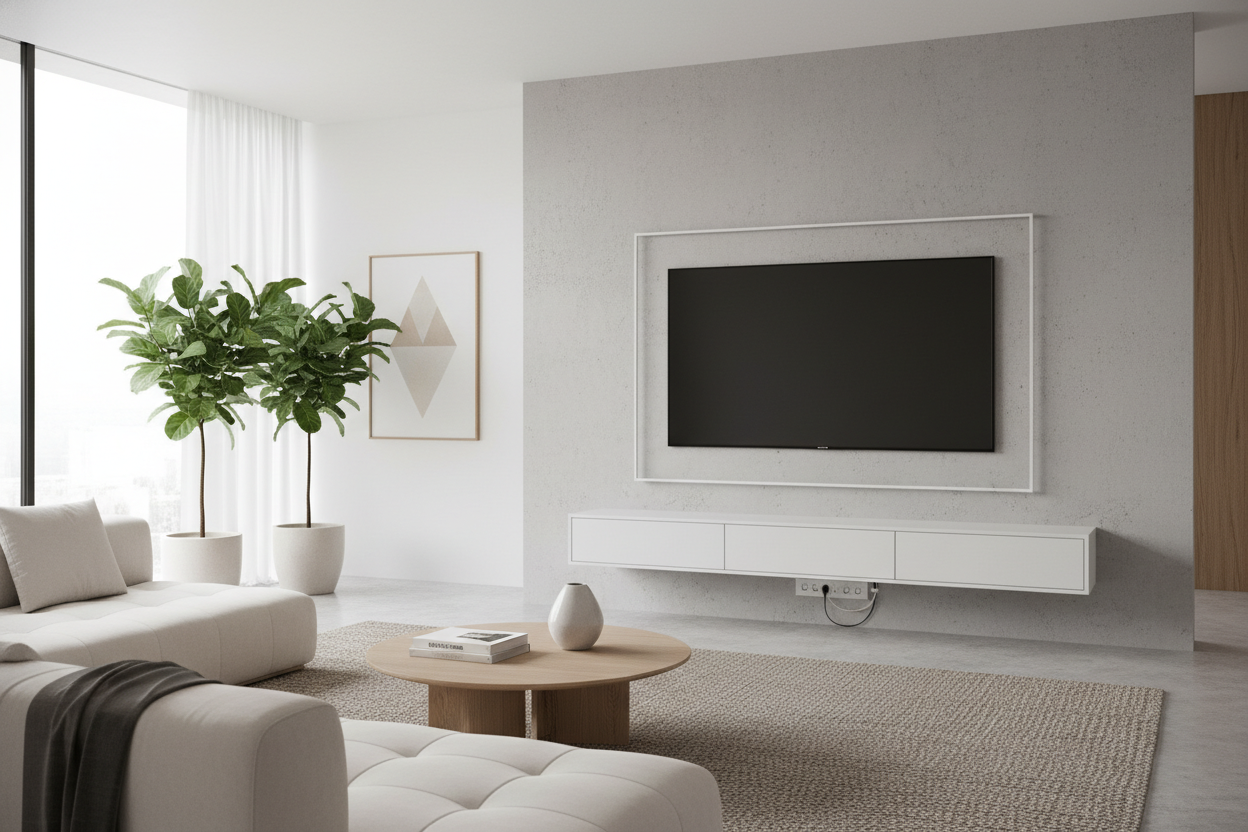
I spent three hours staring at a stud finder that kept chirping over a spot I was 90% sure held a water pipe. My landlord has a 'no holes larger than a pushpin' rule that he enforces with the intensity of a border guard. I wanted that museum-gallery floating look, but I wasn't ready to forfeit my $2,000 security deposit or risk a flood. That's when I discovered the tv hanging stand wall setup.
It is the ultimate cheat code for interior design. You get the height and the clean lines of a wall mount without the structural anxiety. It is a hybrid move that feels like a hack because, well, it is.
- Rent-Friendly: Zero holes in the drywall means zero deductions from your deposit.
- Cable Management: Most units hide wires inside the central vertical spine.
- Adjustability: You can swivel the screen or change the height in minutes rather than re-drilling.
- Small Footprint: Takes up way less floor space than a bulky 70-inch sideboard.
The Floating Screen Dilemma (Why I Refused to Drill)
The desire for a minimalist look usually ends in one of two ways: you drill massive lag bolts and pray you don't hit a gas line, or you make the case for a classic stand for tv and just live with the bulk. I’ve lived in five apartments in six years. I simply cannot commit to a permanent mounting location when I know I will probably want to flip the room layout by winter.
Standard wall mounts are a nightmare for commitment-phobes. If you mess up the height by two inches, you are stuck staring at a crooked screen or patching holes and starting over. I wanted the aesthetic of a high-end hotel suite, but I needed the flexibility of a freestanding piece of furniture. The terror of hitting a pipe and flooding my downstairs neighbor's kitchen was enough to keep the drill in the toolbox for good.
What Exactly Is This Hybrid Setup?
Think of this as a pedestal for your tech. The anatomy is simple: a heavy, low-profile base plate—usually tempered glass or cold-rolled steel—connects to a vertical spine. At the top of that spine, you have a tv table stand bracket that handles the heavy lifting. It is designed to sit flush against the wall, so from the sofa, the spine disappears behind the screen.
Unlike those cheap plastic legs that come in the box, this setup uses a tv bracket on stand system that mimics a VESA wall mount. You bolt the bracket to the back of your TV and then literally just hook it onto the stand's mounting plate. It feels incredibly solid because the weight is being pushed straight down into the floor, not pulling outward against your fragile drywall studs. I found that a 1/4-inch steel spine is the sweet spot for stability without looking like industrial scaffolding.
How I Hid Every Single Ugly Cord
The mess of black spaghetti behind a TV is a visual nightmare. There is nothing worse than a beautiful 4K screen with a 'ponytail' of black wires dangling underneath it. The beauty of a bracket tv standing unit is the hollow raceway. I managed to snake an HDMI 2.1 cable, a thick power cord, and an Ethernet line through the center of the stand in under ten minutes.
If you really want to go for the 'wow' factor, I suggest looking for a wall mounted and freely arranged tv stand. Some of these hybrid models even incorporate LED backlighting into the frame. The light diffuses against the wall, creating a glow that makes the screen look like it is floating in a void. It is a clever trick that distracts the eye from the fact that there is a metal pole standing right there. It turns a piece of tech into a focal point.
The Wobble Test: Is It Actually Secure?
I will be honest: I was skeptical. I figured a top-heavy 65-inch screen on a single pole was a recipe for a shattered screen. But a high-quality mounting bracket tv stand is engineered with a much lower center of gravity than you would expect. The base is usually the heaviest part of the entire assembly, often weighing 15 to 20 pounds on its own.
A real mounting bracket for tv stand won't flex or tilt forward under load. I have bumped into mine while vacuuming, and it didn't even shudder. Most of these are rated for at least 80 pounds, which is plenty for modern LED or OLED screens. Just make sure you tighten the safety screws on the back of the bracket; those are what keep the TV from sliding side-to-side if someone accidentally knocks into it during a rowdy game night.
The Final Verdict: My Living Room Actually Looks Grown Up
Swapping out those wide, flimsy factory legs for a central tv stand mounting bracket changed the entire vibe of my living room. It freed up the surface of my media console for things that actually look good—like oversized coffee table books and ceramic vases—instead of just being a landing pad for a giant screen. It looks intentional, not just like I plopped a TV on a table and called it a day.
If you are tired of the 'tech-heavy' look, I highly recommend browsing some modern tv stands that offer this hybrid mounting style. It is the closest you can get to a custom built-in look without calling a contractor or losing your security deposit. My only regret was waiting through three different apartments before finally making the switch.
Can I mount a curved TV on these stands?
Most hybrid stands use standard VESA patterns. If your curved TV has the four screw holes on the back, you are good to go. You might just need longer spacers (usually included in the hardware kit) to clear the curve of the chassis.
Will the base fit under my existing furniture?
Usually, yes. Most bases are less than an inch thick. I slid mine right under my existing media cabinet so the pole looks like it is growing out of the furniture. Just measure the clearance under your cabinet legs before you buy.
How long does assembly take?
If you can build a basic IKEA dresser, you can do this. It took me about 25 minutes from unboxing to 'power on.' You will definitely want a second person to help you lift the TV onto the bracket, though—don't try to be a hero and drop your screen.

Leave a comment
This site is protected by hCaptcha and the hCaptcha Privacy Policy and Terms of Service apply.