

















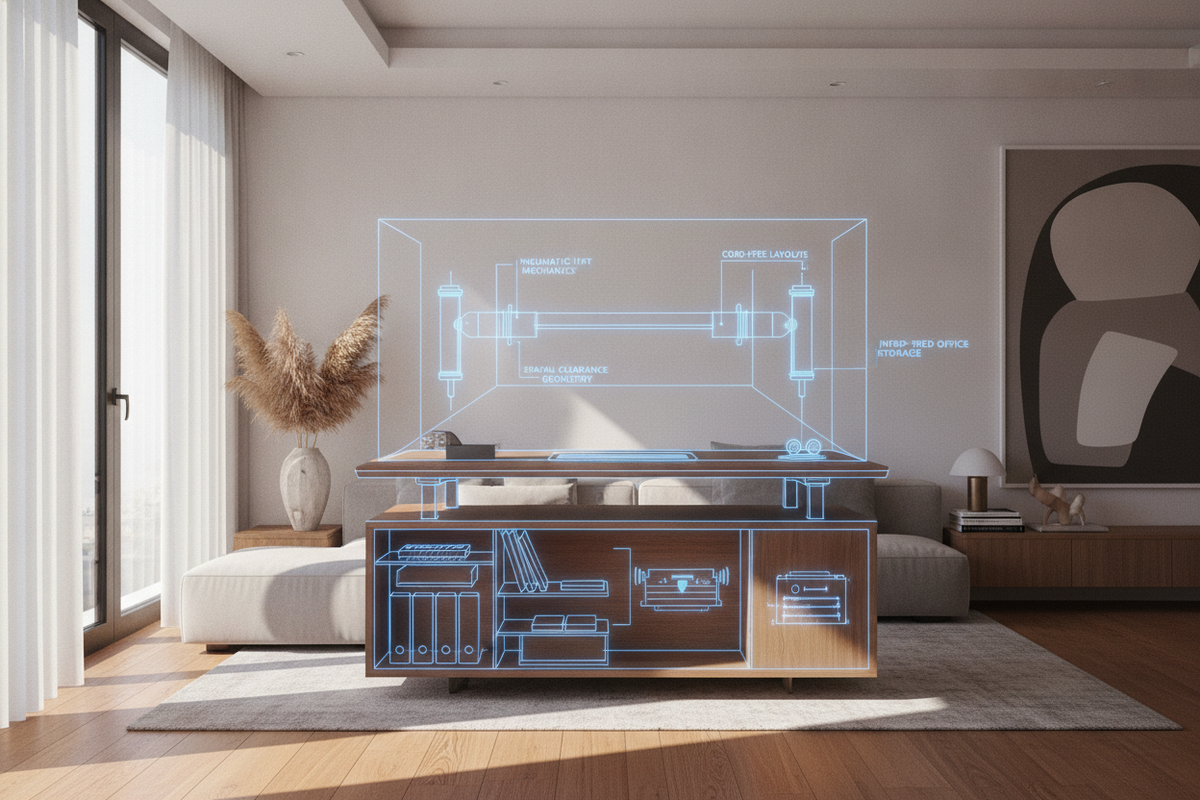
Designing an adaptable workspace requires balancing ergonomic flexibility with clean interior aesthetics. Height-adjustable workstations often face design limitations imposed by power outlets, motor enclosures, and trailing electrical cords. In response, hydraulic desks utilize sealed pneumatic cylinders and gas-spring counterbalances to deliver fluid, non-electric height transitions. Whether arranging a dedicated study, an open-concept executive suite, or a compact reading corner, understanding the mechanical principles, perimeter clearances, and cabinetry pairings of a hydraulic lift desk enables a functional and visually cohesive layout.
Understanding Hydraulic Desk Mechanics and Counterbalance Architecture
At the center of a pneumatic or hydraulic sit stand desk is an internal pressurized gas cylinder paired with a kinetic release valve. Rather than relying on motorized gears or power cables, the mechanism uses internal fluid and air pressure counterbalance to support the desktop surface. When the release lever or handle is engaged, the user gently guides the surface upward or downward with minimal physical effort.
This mechanical architecture offers several distinct advantages for home and corporate interiors:
- Cord-Free Versatility: Because the lift mechanism is purely mechanical, the workstation operates independently of wall outlets, allowing floating placements in the center of an open room.
- Silent Kinetic Travel: The internal gas-spring assembly moves without motor hum, maintaining a quiet work environment during frequent height transitions.
- Rapid Elevation Changes: Manual actuation allows near-instantaneous transitions between seated and standing postures without waiting for motorized gear cycles.
For spaces where automated preset heights are preferred over manual lever adjustments, comparing manual systems with an adjustable standing desk product helps clarify whether mechanical counterbalance or motorized automation best fits daily workflow habits.
Workstation Archetypes: Selecting the Ideal Hydraulic Desk Configuration
Modern workspaces demand diverse structural formats to accommodate varied tasks, from lightweight laptop browsing to intensive multi-screen digital workflows. Selecting the right hydraulic computer desk format depends on structural stability, foot configuration, and surface area requirements.
Single-Column Pedestal Workstations
Compact, single-column models feature a central pneumatic strut mounted to a weighted, low-profile base. These compact units excel in small apartments, multipurpose guest rooms, and mobile presentation nooks where floor space is limited. Their narrow footprint makes them easy to reposition, serving as secondary writing surfaces or mobile collaborative pods.
Dual-Column Standard Workstations
A dual-column hydraulic standing desk utilizes synchronized cylinders housed within both leg risers, connected by a cross-beam or concealed stabilization cable. This symmetrical architecture supports wider tabletops, dual-monitor arrays, and tabletop accessories without rocking or uneven travel. When planning layout scale and room proportions, reviewing a detailed computer desk guide provides practical guidance on matching desk scale with surrounding architectural features.
Adjustable Drafting and Studio Tables
In creative studios and design ateliers, a specialized hydraulic adjustable table may feature both vertical height adjustment and a tiltable worktop. This hybrid functionality supports sketching, drafting, and digital tablet work while offering instantaneous transitions to a flat conferencing surface.
Spatial Clearance Geometry and Cord-Free Placement Versatility
Integrating a standing desk hydraulic unit into an interior requires planning for kinetic vertical travel and perimeter clearance envelopes. Unlike static furniture, height-adjustable tables interact dynamically with nearby walls, millwork, and wall-mounted decor.
To ensure smooth operation and prevent structural conflicts, consider the following spatial clearance guidelines:
- Vertical Travel Envelope: Verify that the full elevation zone remains unobstructed by floating wall shelves, angled eaves, pendant lighting, or wall sconces.
- Perimeter Wall Gap: Maintain a gentle buffer between the rear edge of the desk surface and the wall to prevent surface scuffs and ensure monitor mount clamps clear baseboard trims.
- Surrounding Circulation Path: Allow adequate walking clearance around the perimeter so that family members or colleagues can navigate the room unimpeded whether the desk is in a seated or standing configuration.
Because non-electric workstations require no proximity to wall receptacles, they can be oriented toward natural window views, centered on decorative area rugs, or angled diagonally across expansive home libraries without unsightly extension cords.
Surface Dimensions, Weight Distribution, and Material Selection
Counterbalance mechanisms rely on balanced surface loads to maintain effortless kinetic movement. Selecting the right desktop proportions and material density ensures that a hydraulic computer desk remains stable across its full range of motion.
When exploring options across a dedicated computer desk collection, evaluate how different tabletop materials interact with gas-spring counterbalances:
- Engineered Wood and Laminates: Provide lightweight structural rigidity with high resistance to everyday surface wear, making them exceptionally compatible with pneumatic lift ratings.
- Solid Wood Tops: Offer rich grain textures and organic warmth, though their added material density requires a robust counterbalance cylinder tuned for heavier baseline tare weight.
- Load Symmetry: Distribute heavy hardware, such as computer towers and monitor arms, evenly across the surface rather than concentrating weight on an extreme cantilevered corner.
Harmonizing Hydraulic Desks with Modular Storage and Surrounding Cabinetry
Because pneumatic desks prioritize streamlined leg profiles and open knee space to accommodate vertical travel, integrated under-desk drawers are often minimal. Achieving a clutter-free room design requires coordinating the desk with modular perimeter storage.
Effective spatial pairing strategies include:
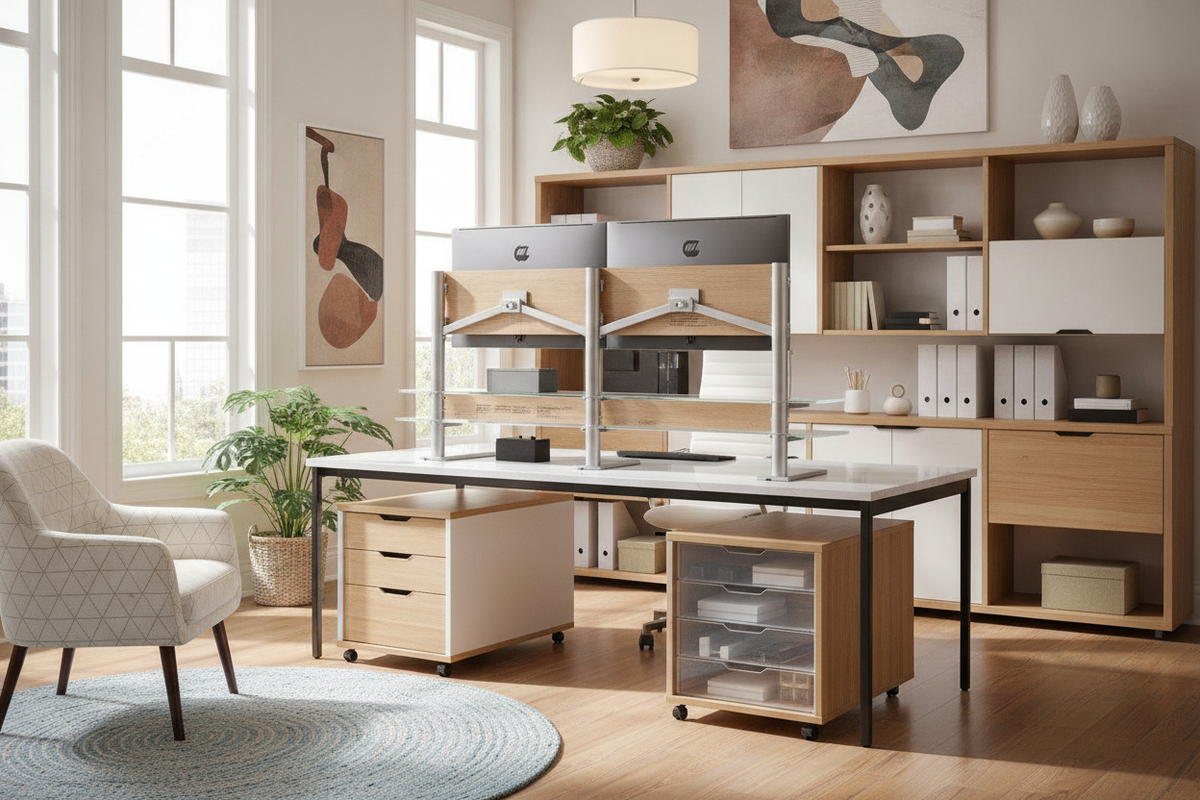
- Mobile Rolling Pedestals: Low-profile file cabinets that slide smoothly beneath the desk at its seated height, rolling outward when extra legroom is desired.
- Adjacent Credenzas and Sideboards: Positioning a matching low credenza perpendicular to the desk creates an efficient L-shaped workflow zone, housing printers, paperwork, and media supplies.
- Tall Vertical Bookcases: Framing the workstation with flanking shelving units creates an architectural focal point while keeping daily reference books within arm reach.
- Concealed Office Armoires: In multipurpose living rooms, housing equipment inside a dedicated storage cabinet maintains a serene home environment. Consulting an armoire-focused computer desk guide offers inspiration for blending functional storage with concealed office zones.
For expansive executive layouts that demand generous integrated storage alongside dynamic surface elevation, pairing dedicated storage modules with a multi-drawer lift computer desk product delivers a comprehensive workspace solution.
Daily Maintenance, Calibration, and Smooth Kinetic Operation
Maintaining the fluid motion of a hydraulic lift desk requires simple, regular care rather than complex technical servicing. Implementing routine maintenance habits preserves the integrity of internal seals and ensures reliable vertical transitions.
Essential operational best practices include:
- Periodic Full-Stroke Cycling: Actuate the desk through its complete seated and standing range periodically to distribute lubricating fluids across internal cylinder seals.
- Piston Rod Dusting: Wipe down exposed kinetic columns with a dry, lint-free microfiber cloth to prevent household dust and debris from entering internal guide bushings.
- Tension Knob Calibration: Many pneumatic assemblies include an adjustable counterbalance screw; recalibrate this tension whenever permanently adding or removing heavy desktop accessories.
- Clean Surface Management: Use flexible cable spines or hook-and-loop wraps along monitor leads to ensure power cords expand and contract freely without catching on frame brackets.
By harmonizing mechanical counterbalance principles with thoughtful spatial clearances and modular storage cabinetry, hydraulic desks provide a refined, cord-free foundation for versatile modern workspaces.

Leave a comment
This site is protected by hCaptcha and the hCaptcha Privacy Policy and Terms of Service apply.