

















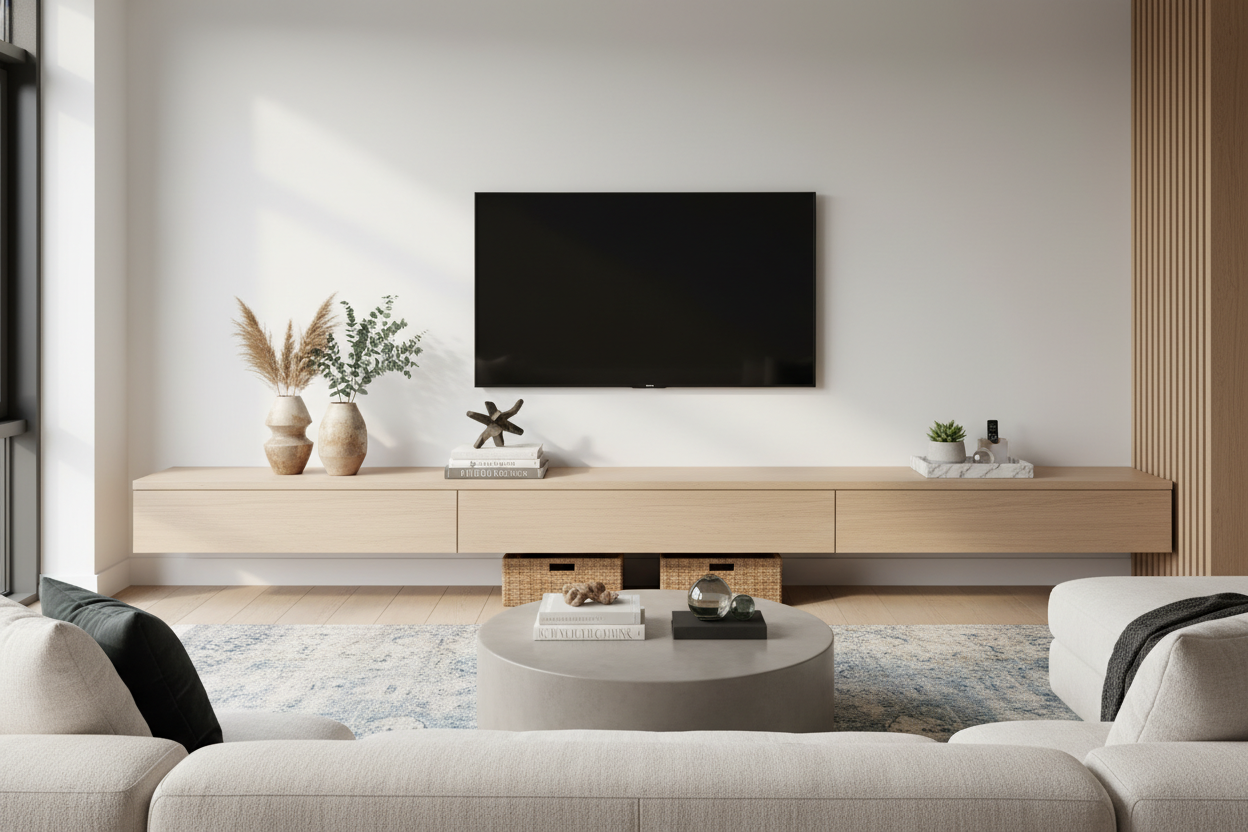
I remember the night I finally finished assembling my 84-inch media unit. I sat back, cracked a beer, and realized I had made a huge mistake. My 65-inch television, which felt massive in my old apartment, suddenly looked like a postage stamp in the middle of a vast, wooden desert. I had nearly two feet of empty space on either side, and every piece of junk I owned—from spare change to old remote batteries—slowly started migrating toward those empty landing pads.
Upgrading to a long tv stand is supposed to make your living room feel anchored and expensive. Instead, most of us end up with a surface that looks like a staging area for a garage sale. You do not need more stuff; you need a strategy to handle the void without making it a dust magnet.
- Asymmetry is your friend: Stop trying to mirror both sides; it looks like a hotel lobby.
- Go big or go home: Three large items beat twelve tiny ones every single time.
- Mind the edges: Push your decor toward the ends of the console to emphasize the width.
- Negative space is a choice: You do not have to fill every square inch to look finished.
The 'Blank Space' Problem Nobody Warns You About
When you buy an extra-wide console, you are usually trying to solve a scale problem. You want the furniture to match the wall, not just the TV. But once that screen is centered, those two-foot gaps on the left and right become intimidating. If you have gone for something like a high gloss LED console, the problem is even worse. Those reflective surfaces show every speck of dust and every fingerprint, making empty space look neglected rather than intentional.
I have seen people panic and just start lining up framed photos like a hallway gallery. Do not do that. The goal is to create a visual flow that leads the eye across the unit without getting stuck on a pile of clutter. You want it to look like you meant for that space to be there, not like you just ran out of things to put on it.
Why Symmetrical Styling Looks Like a Cheap Hotel
Our brains love symmetry, but in interior design, perfect symmetry often feels stiff and dated. If you put two identical lamps or two matching snake plants on either side of your TV, you have basically created a shrine to your Netflix account. It is too formal for a room where you are supposed to kick back and eat popcorn. It feels like a Marriott lobby, not a home.
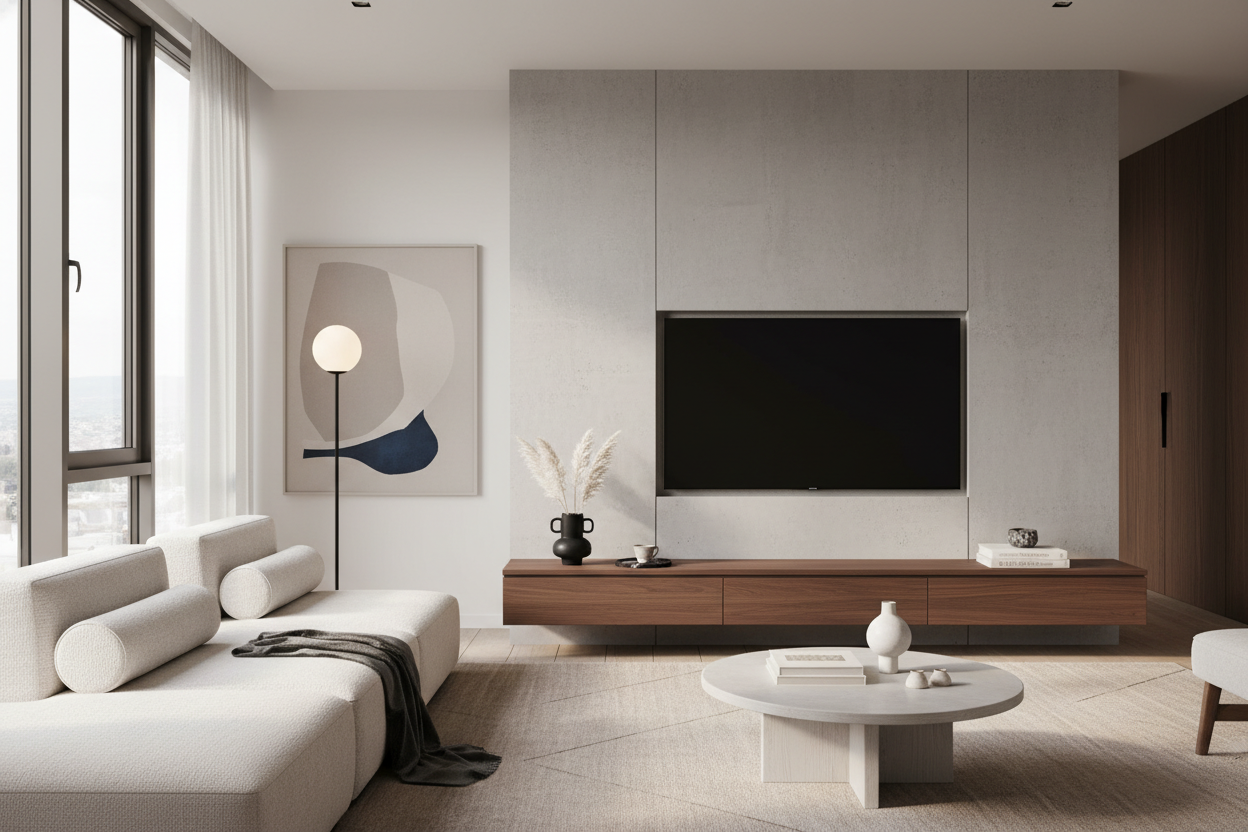
To style wide media consoles effectively, you have to master visual weight. A tall, thin object on one side can be balanced by a shorter, heavier-looking object on the other. It feels more organic and way less like you are trying too hard to be perfectly even. It is about harmony, not a mirror image.
The Asymmetry Rule for a Long Entertainment Center
Think of your long entertainment center as a landscape, not a shelf. You want peaks and valleys. If everything is the same height as the bottom of your TV, the whole room feels flat. The easiest formula is the 'High-Low' split. On one side, you want something that breaks the horizontal line and reaches toward the ceiling. On the other, you want something grounded and horizontal.
I usually suggest an 80/20 rule for density. One side should feel 'fuller' while the other feels 'lighter.' This prevents the unit from looking like it is tipping over visually. It is about creating a conversation between the objects rather than a military line-up.
Anchoring the Left Side: Go for Height
On the left, I like to go tall. This is where you put that architectural table lamp with the oversized shade or a heavy ceramic vase filled with dried eucalyptus or branches. The height draws the eye up and stops the console from feeling like a low-slung bench. Just make sure the base of the object is sturdy enough that a stray wagging dog tail won't send it flying across the room.
Grounding the Right Side: Keep It Low and Long
On the right, you want to lean into the horizontal nature of the stand. A stack of three oversized coffee table books is my go-to move here. Top them with a small brass object or a low, flat tray. If you are a plant person, this is the spot for a pothos that can trail along the surface. It adds life and texture without competing with the height on the left side.
Stop Crowding the Screen (Push Things to the Edges)
One of the biggest mistakes I see is 'huddling.' This is when people put their decor right up against the sides of the TV, leaving the far ends of the console empty. It makes the TV feel claustrophobic and the console feel like it is too big for its purpose. Instead, push your main decorative pieces to the far outer edges. This frames the television and actually makes the whole unit look more expensive by showing off the surface area.
Please Stop Lining Up Tiny Tchotchkes
If I see one more long console covered in a row of tiny Funko Pops or three-inch travel souvenirs, I might lose my mind. Small items get lost on a large piece of furniture; they just look like crumbs. If you have a collection you love, group it. Put those small items on a tray or inside a glass cloche so they count as one 'large' visual object. Otherwise, stick to the rule of three: one tall thing, one wide thing, and one weird thing.
When in Doubt, Let the Wood Breathe
You do not have to fill the gaps. Sometimes, the most sophisticated look is just the TV and one single, high-quality object. If your console has a beautiful grain or a unique texture, let that be the star. Negative space is breathing room for your eyes. If you feel like you are just adding stuff for the sake of it, stop. Take it all off, put back one thing you actually like, and walk away.
My Own Styling Disaster
A few years back, I tried to style my first 75-inch stand with about twenty different 'aesthetic' candles I had collected. It looked okay until I actually turned the TV on for a movie marathon. The heat from the screen and the sheer amount of visual noise from twenty flickering jars made it impossible to focus. I ended up moving the candles to the bathroom and replaced them with a single, massive piece of stone I found at a local shop. It cost almost nothing and looked ten times better.
FAQ
Can I put a soundbar in front of the TV?
Yes, but keep it centered. Do not try to decorate 'around' it on the front edge—it just looks cluttered. Let the soundbar be the only thing in that middle zone and keep your decor to the sides.
Should I center my TV on the stand?
Usually, yes. Unless you are going for a very specific offset look where the TV is on one side and a large piece of art is on the other, centering the screen is the safest way to maintain balance on a long unit.
How do I hide the cables on a long stand?
If your stand does not have built-in management, use adhesive cable clips along the back edge. Nothing ruins a nice console faster than a spaghetti mess of black wires hanging underneath. Keep it clean.

Leave a comment
This site is protected by hCaptcha and the hCaptcha Privacy Policy and Terms of Service apply.