


















The difference between a workspace that drains you and one that energizes you often comes down to a few inches of layout and the quality of light. When clients ask me how to design a office, they almost always start by picking out a desk. This is the first misstep. A truly functional workspace isn't just about furniture; it is about orchestrating flow, acoustics, and visual psychology to support your specific workflow. Whether you are converting a spare bedroom or styling a corporate corner, the goal is to create an environment where focus comes naturally, not forcefully.
Quick Decision Guide: Key Elements of Office Design
- Ergonomics First: Prioritize an adjustable chair with lumbar support over aesthetic statement pieces. Your back dictates your longevity.
- Lighting Layers: Never rely solely on overhead lights. Combine ambient lighting with task lighting (lamps) to reduce eye strain.
- Surface Area: Ensure your desk depth is at least 24-30 inches to keep monitors at a safe viewing distance.
- Acoustics: Hard surfaces create echoes. Incorporate rugs, curtains, or upholstered furniture to dampen sound.
- Material Durability: For high-traffic surfaces, opt for high-pressure laminate or sealed solid wood over soft veneers that scratch easily.
Space Planning and Layout Strategy
Before buying a single piece of furniture, you must map the room's "command position." In designing your office space, position the desk so you face the door but aren't directly in line with it. This taps into a primal psychological need for security and allows you to see who is entering, which subtly reduces anxiety and boosts focus.
Zoning Your Workflow
Don't treat the room as one giant blob. Create distinct zones. You need a "heads-down" zone (the desk) and, if space permits, a "conceptual" zone. This could be a small armchair in the corner for reading or a standing height table for sketching. Changing your physical posture by moving to a different zone can reset your brain during a mental block.
Selecting the Right Materials
As a specialist, I often see homeowners underestimate the tactile experience of how to design your office. You will be touching these surfaces for eight hours a day.
Solid Wood vs. Veneer vs. Laminate
For executive gravity, solid wood (walnut or white oak) is unmatched. It ages beautifully and can be refinished. However, it reacts to humidity. If you are in a climate with wild temperature swings, a high-grade architectural veneer on a stable MDF core is often superior structurally. For heavy crafting or sketching, avoid softwoods like pine; they will dent the moment you press down on a pen.
Lighting: The Invisible Architecture
Lighting is the most critical yet neglected element. A single ceiling fixture casts shadows on your work surface, causing eye fatigue. You want to aim for a color temperature between 3000K (warm white) and 4000K (cool white).
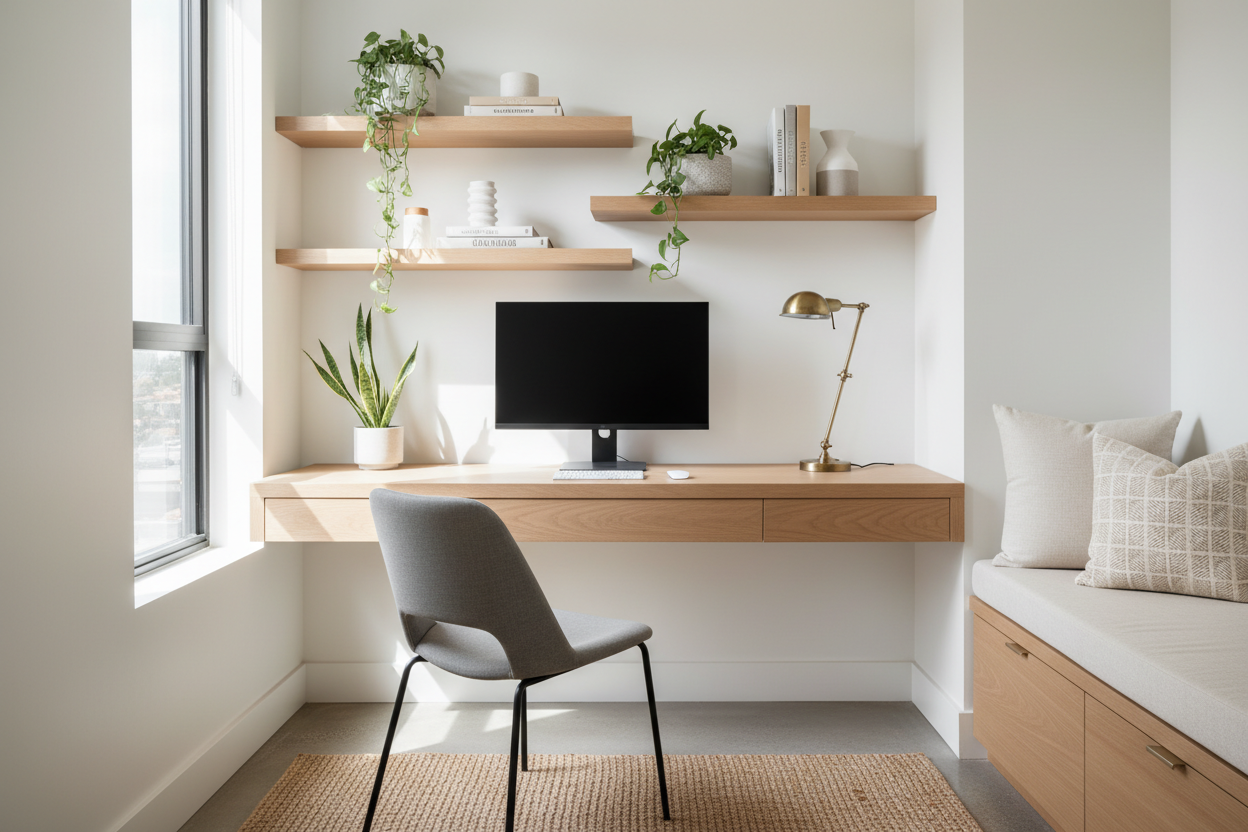
Layer your lighting by adding a task lamp with an articulating arm. This allows you to direct light exactly where you are reading, reducing glare on computer screens. If your office lacks natural light, consider a high-CRI (Color Rendering Index) bulb to mimic daylight and keep your circadian rhythm in check.
Visual Balance and Storage
Clutter is the enemy of productivity, but sterile spaces kill creativity. Use vertical storage to draw the eye upward, making small rooms feel taller. Closed cabinetry (credenzas) should hide paperwork and tech mess, while open shelving should be reserved for curated items—books, awards, or plants—that add texture and personality without adding visual noise.
My Personal Take on how to design a office
I learned a hard lesson about finishes early in my career while designing a high-end home office for a tech executive. We selected a stunning, velvet-touch matte black laminate for the custom cabinetry. It looked incredible in the renderings and on installation day.
Two weeks later, the client called. The "velvet" finish was a nightmare for oil retention. Every time he opened a drawer or rested his hand on the credenza, it left a shiny, greasy fingerprint that was nearly impossible to wipe off without specialized cleaner. It drove him crazy.
Since then, whenever I advise on how to design your office, I act as the "material police." If you want dark, moody cabinetry, I always insist on a wood grain texture or a finish with an oleophobic (anti-fingerprint) coating. It’s these unglamorous details—how a surface handles life—that determine if you'll love your office in six months or resent it.
Conclusion
Designing an office isn't just about filling a room with furniture; it's about engineering a space that protects your time and energy. By investing in the right layout, prioritizing lighting, and choosing materials that can withstand daily use, you create a foundation for your best work. Start with the layout, buy the best chair you can afford, and build the aesthetic from there.
Frequently Asked Questions
What is the ideal desk size for a home office?
For a standard setup with a laptop and one monitor, a desk 48 inches wide by 24 inches deep is the minimum. If you use dual monitors, aim for 60 inches wide by 30 inches deep to maintain proper focal depth and prevent the setup from feeling cramped.
How do I design a small office without it feeling claustrophobic?
Focus on "visual weight." Choose a desk with legs rather than a solid block or pedestal base to see the floor underneath, which tricks the eye into thinking the room is larger. Also, use a large area rug that extends beyond the furniture to visually push the walls out.
Is it better for the desk to face the window or the wall?
Ideally, place the desk perpendicular to the window. Facing the window directly can cause contrast glare (bright outside, dark screen), while having the window behind you creates glare on your monitor. Perpendicular placement offers the best balance of view and light control.

Leave a comment
This site is protected by hCaptcha and the hCaptcha Privacy Policy and Terms of Service apply.