

















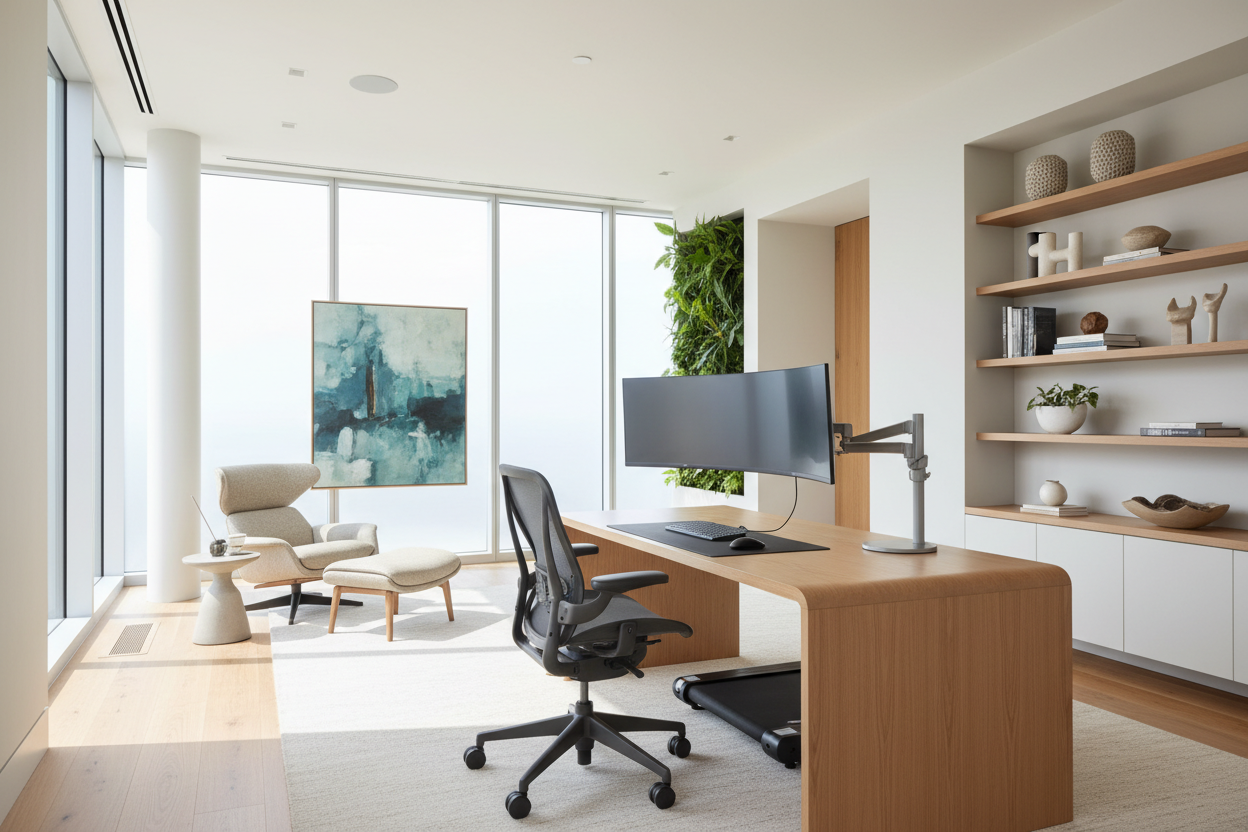
The sudden shift to remote employment left many homeowners scrambling, often trading proper ergonomics for the nearest dining table. As an interior designer, I frequently hear the question: how can we work from home without sacrificing the aesthetic integrity of our living spaces? It is not merely about finding a flat surface for a laptop; it is about curating an environment that fosters focus while seamlessly integrating with your home's existing design language.
Quick Decision Guide: The Home Office Essentials
- Ergonomics First: Prioritize chairs with adjustable lumbar support and seat depth over purely decorative accent chairs.
- Lighting Layers: Combine ambient overhead lighting with task lighting (3000K-4000K) to reduce eye strain.
- Spatial Zoning: Even in open plans, use rugs or shelving units to psychologically separate 'work' from 'living'.
- Material Durability: Opt for high-pressure laminates or sealed hardwoods for desk surfaces to prevent heat rings and scratches.
Zoning and Spatial Planning
When clients ask "how do i work from home effectively in a small apartment," the answer lies in verticality and zoning. You do not always need a dedicated room. A 'cloffice' (closet-office) or a floating desk in an alcove can be highly functional if executed correctly. The key is to manage the visual weight of the furniture. In tighter spaces, opt for desks with slender legs or wall-mounted units to keep the floor visible, which tricks the eye into perceiving more space.
The Ergonomic Equation: Form Meets Function
Design is useless if it causes physical pain. When selecting a chair, look beyond the upholstery. A high-quality task chair must offer synchro-tilt mechanisms that allow the seat and back to move in harmony. If you prefer a softer, residential look, ensure the interior structure uses high-density foam rather than standard poly-fill, which will collapse after a few months of 8-hour days.
Desk Depth and Monitor Placement
A common mistake is purchasing a console table to use as a desk. Consoles are typically 12-15 inches deep, whereas a functional workspace requires a minimum depth of 24 inches to accommodate a monitor while maintaining proper focal distance. This depth allows you to rest your forearms comfortably, preventing wrist strain.
Lighting: The Invisible Architecture
Lighting dictates mood and energy. Avoid relying solely on recessed can lights, which cast unflattering shadows on video calls. Instead, layer your lighting. Start with a warm ambient light, then introduce a directional task lamp with a high CRI (Color Rendering Index). This ensures that documents look crisp and colors remain true, reducing cognitive load.
My Personal Take on how can we work from home
I want to share a specific lesson from my own home office renovation that you won't find in a brochure. When I first designed my space, I chose a stunning, matte black writing desk because it looked incredibly sleek and anchored the room perfectly. It was a visual masterpiece.
However, within two weeks, I realized the fatal flaw: fingerprints and dust. The matte finish highlighted every single speck of dust and the natural oils from my hands, forcing me to wipe it down three times a day just to keep it looking decent. Furthermore, I didn't account for the 'wobble factor.' I bought a desk with two legs rather than four to save space, but every time I typed vigorously, my monitor shook. Now, when people ask "how do you work from home comfortably," I tell them to buy a desk with four solid legs and a textured or wood-grain surface that is forgiving of real life. Stability and maintenance trump sleekness every time.
Conclusion
Designing a workspace is an investment in your mental clarity. By balancing ergonomic necessity with sophisticated material choices, you create a space that invites productivity rather than dread. Whether you have a sprawling study or a modest nook, the right furniture choices make all the difference.
Frequently Asked Questions
What is the ideal desk height for working from home?
Standard desk height is between 29 and 30 inches. However, if you are under 5'4", you may need a footrest or a height-adjustable desk to ensure your elbows remain at a 90-degree angle while typing.
How can I hide cables in a floating desk setup?
Look for desks with integrated grommets or a modesty panel. If retrofitting, use paintable raceways along the wall or mount a cable management tray specifically designed to screw into the underside of the desktop.
Is a standing desk worth the investment for home interiors?
Yes, but ensure you choose one with a dual-motor system. Single-motor desks often struggle with weight distribution and can burn out quickly if you have heavy solid-wood tops or multiple monitors.


Leave a comment
This site is protected by hCaptcha and the hCaptcha Privacy Policy and Terms of Service apply.