

















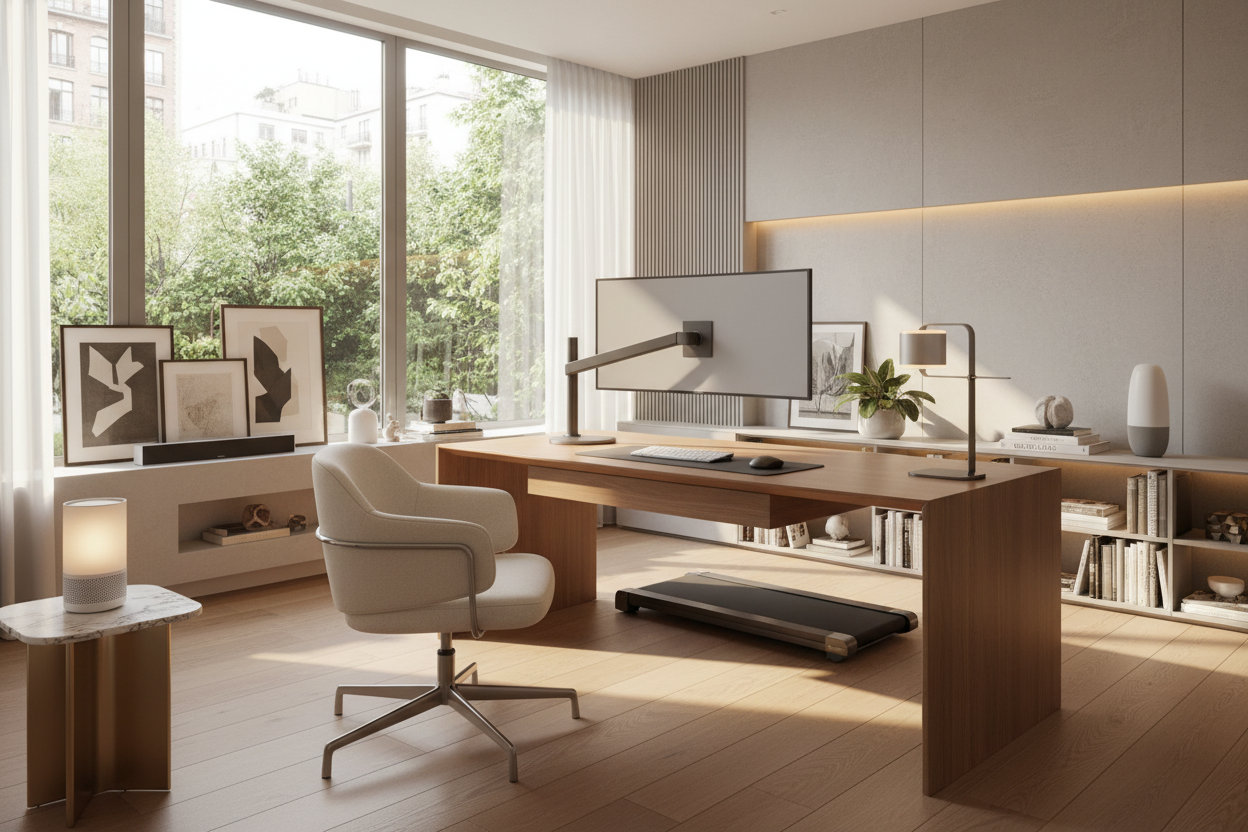
We have all seen it: a beautifully curated study, complete with a stunning mid-century walnut desk and a vintage Persian rug, completely ruined by a tangled rat's nest of black cords and glowing plastic routers. Integrating modern equipment into a residential space is one of the most common dilemmas my clients face. You want the functionality of a corporate headquarters, but you do not want your spare bedroom to look like an IT closet.
If you are trying to balance aesthetics with productivity, you need practical home office tech ideas that respect your home's architecture. In this guide, we will break down how to implement high-performance gear without sacrificing your room's visual appeal, from managing the visual weight of dual monitors to seamlessly hiding your power sources.
Quick Decision Guide
- Prioritize wire management first: The most expensive tech looks cheap if cables are exposed. Use under-desk mounting trays and raceways.
- Choose tech with warm finishes: Opt for peripherals in matte white, silver, or fabric-wrapped textures rather than glossy black plastic.
- Invest in ambient smart lighting: Task lighting should be adjustable for video calls, while ambient lighting prevents eye strain.
- Consider monitor arms: Reclaiming the negative space under your screens instantly makes a desk feel larger and less cluttered.
Space Planning: Concealing the Chaos
Managing Visual Weight with Cable Routing
When planning a high tech office setup, the biggest mistake is treating cables as an afterthought. In a standard North American 10x12 foot bedroom-turned-office, visual clutter makes the walls feel like they are closing in. To counter this, route cables along the natural lines of your furniture. Use adhesive raceways along the back legs of your desk and mount power strips directly to the underside of the work surface. This ensures that only one single, braided power cord ever drops down to the wall outlet.
Style & Coordination: Blending Screens and Decor
Monitors That Respect Your Aesthetic
Large black screens act as visual black holes in a light, airy room. If you are exploring home office technology ideas, look for monitors with slim silver or white bezels. Alternatively, use a high-quality monitor arm to float the screens. This frees up the desk surface and allows you to push the monitors completely out of the way when you transition from spreadsheet mode to reading or writing. Pair these with a wireless, low-profile mechanical keyboard and a mouse that matches your desk's wood tones or your room's accent colors.
Comfort & Ergonomics: The Foundation of Productivity
Smart Lighting and Desk Heights
Ergonomics is not just about your chair; it extends to how your technology interacts with your body. Proper monitor height prevents neck strain, which is why adjustable arms are crucial home office tech essentials. Additionally, smart lighting plays a massive role in comfort. I always recommend placing a bias light (a soft LED strip) behind your monitors. This reduces the harsh contrast between the bright screen and the dark wall behind it, significantly cutting down on eye fatigue during late-night work sessions.
Designer's Honest Take
A few years ago, I designed a spectacular home office for a client in Toronto. We went all-in on a futuristic, motorized standing desk with built-in, flush-mounted wireless charging pads. It looked incredible on installation day. But I learned a hard lesson: built-in tech often outpaces the furniture. Within two years, the client upgraded their phone to a model with a massive camera bump that would not sit flat on the embedded charger. Furthermore, the heat from the charging coil eventually caused the beautiful walnut veneer around it to dry out and warp slightly. Since then, I always advise clients to buy beautiful, timeless furniture and add high-quality, removable tech accessories. Let the desk be a desk, and let the charger be a charger.
Frequently Asked Questions
What are the most important home office tech essentials?
Start with a reliable, ergonomic mesh chair, an adjustable monitor arm, and a high-quality docking station. A docking station is critical because it allows you to connect your laptop to all your peripherals with just one cable, keeping the desk surface clean and organized.
How can I make a high tech office setup look less clinical?
Introduce organic textures and warm lighting. Use a wool felt desk pad instead of a plastic one. Add a potted plant near your monitors to break up the rigid, rectangular lines of your screens, and swap out cool blue LEDs for warm white (2700K-3000K) smart bulbs.
Is a motorized standing desk worth the investment?
Yes, if you spend more than four hours a day at your computer. However, be mindful of the cord slack. You must ensure your cable management system allows for 20 inches of vertical travel without unplugging your monitors or pulling your PC off the desk.


Leave a comment
This site is protected by hCaptcha and the hCaptcha Privacy Policy and Terms of Service apply.