

















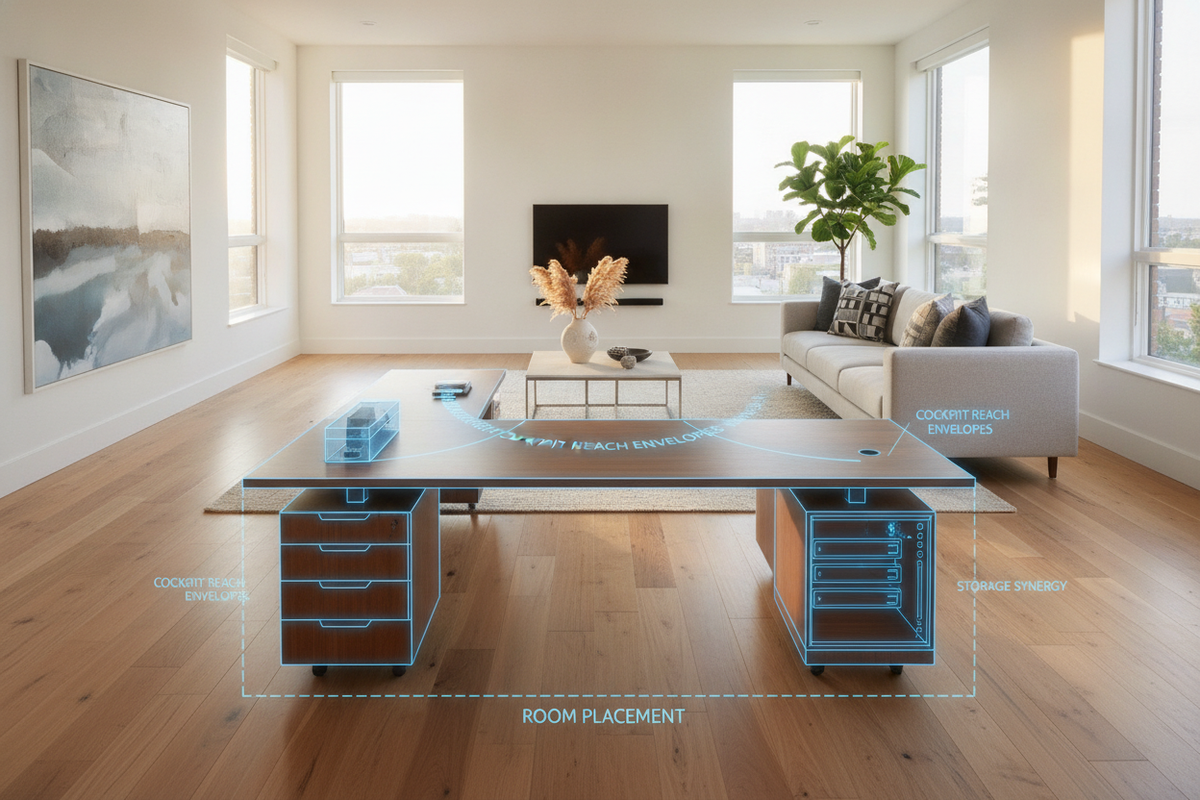
Designing a dedicated home office requires balancing surface area, physical comfort, and room flow. An ergonomic l-shaped computer desk provides a dual-wing layout that lets users compartmentalize complex tasks, manage multi-screen configurations, and maintain fluid reach zones without stretching across wide, linear desks.
The Ergonomic Architecture of the L-Shaped Computer Desk
The primary advantage of a dual-surface configuration is the formation of a natural cockpit envelope. By wrapping two desktop planes at a ninety-degree angle, an ergonomic l-shaped computer desk allows you to transition between distinct activities with a simple swivel of your task chair. This configuration splits your daily tools into primary and secondary zones:
- Primary Reach Zone: The direct desktop span immediately in front of your core seating position, dedicated to frequent interactions such as primary keyboard input, mouse tracking, and main display alignment.
- Secondary Utility Wing: The perpendicular return surface designed for document review, secondary screens, analog note-taking, graphics tablets, or peripheral charging hubs.
Dividing high-frequency tasks from supporting functions reduces torso twisting and long reach motions throughout extended working sessions.
Workstation Geometry: Apex Positioning vs. Wing Alignment
When arranging an ergonomic L-shaped setup, consider two distinct seating orientations:
- Apex Corner Seating: Placing your chair at the interior vertex creates equal arm reach across both wings. However, apex seating requires adequate desktop depth or a dedicated curved corner to prevent computer screens from resting too close to your eyes.
- Wing-Centric Seating: Positioning your central task area along the longer primary desk span while treating the adjacent return as an auxiliary wing allows for standard rectangular monitor placement and deep leg clearance underneath.
Dimensional Categories and Spatial Footprint Frameworks
L-shaped desks range from compact corner units suited for studio apartments to expansive executive setups designed for dedicated studies. Evaluating your floor space alongside daily workflow requirements helps identify the correct footprint category.
Mid-sized transitional desks, such as a 63-inch L-shaped lift computer desk model, bridge the gap between compact corners and full-scale suites. These versatile designs provide ample surface depth for dual screens while leaving enough clearance in shared rooms or open bedrooms.
Room Placement Archetypes: Corner Nesting vs. Open Peninsula Layouts
Where you position your desk influences both natural light distribution and ambient traffic in your home office. Planners typically use one of two core placement archetypes:
- Corner Nesting: Positioning both wings flush against adjoining walls maximizes open floor area in smaller rooms. This arrangement minimizes visual distractions and organizes cable runs neatly into the corner.
- Peninsula Island Layouts: Placing the primary desk span against a wall while extending the return outward into the room establishes a natural room divider, separating work areas from living zones in open-concept spaces.
For more insights on avoiding layout bottlenecks and spatial miscalculations, review our home computer desk design guide.
Clearance Zones and Swivel Flow Dynamics
An ergonomic workstation requires unencumbered mobility. To support smooth transitions between wings, ensure that the inner corner junction remains open and clear of structural crossbars or under-desk storage units that could restrict knee movement. Maintain sufficient open floor space behind your chair so you can recline, stand, and roll back without colliding with walls or adjacent furniture.
Integrated Storage Architecture: Drawer Pedestals, Returns, and Modular Cabinets
A clutter-free desktop is essential for maintaining focus and clear arm movement. Incorporating organized under-desk cabinetry allows you to keep reference files, tech accessories, and office supplies within easy reach.
Selecting a structured unit like a 70.8-inch 4-drawer L-shaped computer desk provides integrated storage pedestals without encroaching on your primary seating zone. Positioning storage stacks at the outer ends of the return wing preserves full legroom along the main working span.
Comparing Open Corner Desks and Concealed Workspace Solutions
Open-frame L-shaped desks provide an airy aesthetic and expansive surface area, making them ideal for dedicated home offices. However, in multi-functional living areas, some users prefer closed setups to keep equipment out of sight when the workday ends. Our concealed office and armoire desk guide offers practical comparisons for managing visual clutter in dual-purpose rooms.
Material Craft, Structural Subframes, and Assembly Integrity
The stability of an L-shaped desk depends on the construction of its subframe and the joinery connecting its two wings. When evaluating desks in our writing and computer desk collection, look for durable features that ensure long-term stability:
- Dense Engineered Wood Surfaces: High-density manufactured panels with laminated finishes resist everyday scuffs, moisture, and monitor stand pressure.
- Reinforced Corner Bracing: Rigid metal support plates or heavy-duty wooden joinery brackets at the 90-degree intersection prevent desktop sagging.
- Reversible Configuration Options: Desks with symmetrical mounting patterns allow you to assemble the return wing on either the left or right side, adapting to different room layouts.
Specialized Use Cases: Multi-Display Rigs, Hybrid Workflows, and Creative Studios
The divided surface geometry of an L-shaped desk naturally supports modern hybrid workflows:
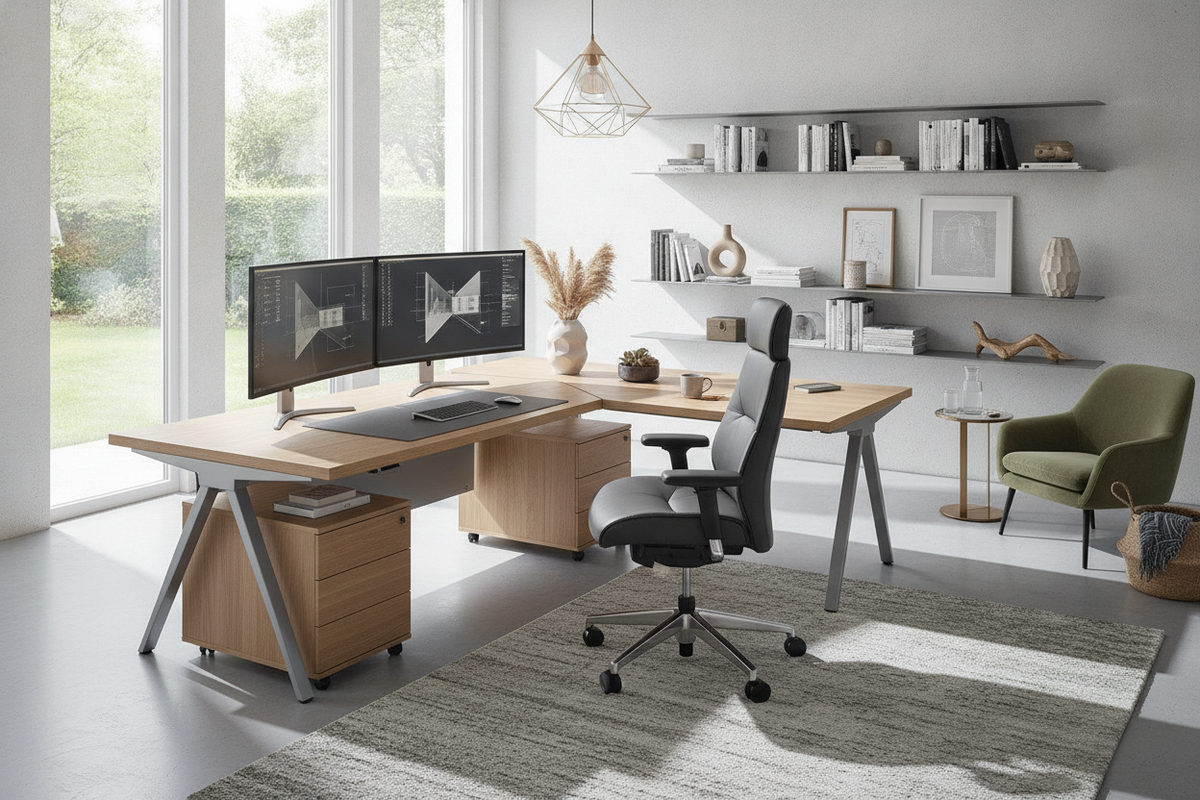
- Multi-Display Development: Mount dual or ultra-wide monitors on the main span, utilizing the auxiliary wing for laptops, hardware testing rigs, or reference materials.
- Digital and Analog Creative Work: Dedicate the main wing to digital editing displays and the secondary return to physical sketching, drafting tablets, or sound equipment.
- Administrative Hubs: Keep keyboard inputs centered on the main desk while using the return for document sorting, printers, and filing organizers.
Decision Framework for Selecting Your Ergonomic L-Shaped Desk
Before purchasing your workstation, evaluate these essential factors to ensure a balanced setup:
- Assess Room Circulation: Measure wall lengths, door clearance paths, and window placements to choose between a corner or peninsula orientation.
- Verify Orientation Flexibility: Check whether the desk has a reversible return to ensure it fits your preferred layout now and in future spaces.
- Check Legroom Clearance: Confirm that integrated drawers or horizontal support beams do not restrict your knees or chair movement.
- Plan Cable Pathways: Look for built-in grommets or wire channels to route monitor, computer, and peripheral cables cleanly along both wings.
By pairing thoughtful spatial planning with solid construction, an ergonomic L-shaped desk creates an organized, comfortable, and productive work environment.

Leave a comment
This site is protected by hCaptcha and the hCaptcha Privacy Policy and Terms of Service apply.