

















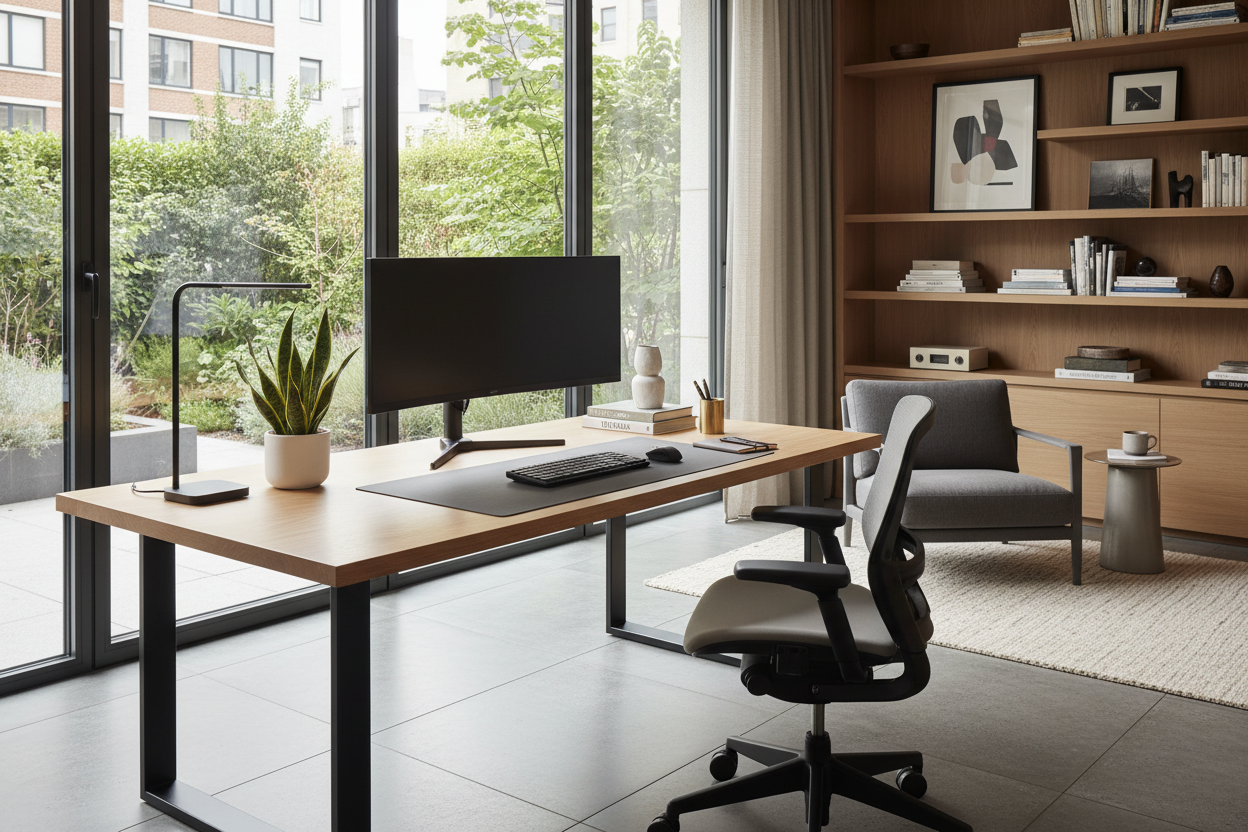
We often underestimate how profoundly our physical environment dictates our cognitive performance. A cluttered, poorly lit surface doesn't just look messy; it fractures your focus. As a designer, I see clients invest heavily in ergonomic chairs but completely neglect the actual desk setting, resulting in a workspace that feels disjointed and fatigue-inducing.
Whether you are curating a high-powered executive suite or a compact nook for creative work, the goal is to achieve a synthesis of visual balance and ergonomic precision. This guide moves beyond basic furniture placement to help you architect a professional desk setup that serves both your posture and your aesthetic standards.
Key Features of a High-Performance Desk Setup
Before purchasing new furniture or rearranging your room, consider these four pillars of a functional workspace. Focusing on these ensures your investment lasts beyond the current trend cycle:
- Ergonomic Geometry: The relationship between your chair height, desk surface, and monitor position must support a neutral spine alignment.
- Material Tactility: Choose surfaces like solid wood or high-pressure matte laminate that resist fingerprints and provide a comfortable temperature for resting arms.
- Visual Flow & Layout: Positioning your desk to command the room (facing the door) rather than staring at a blank wall reduces subconscious anxiety.
- Cable Hygiene: A truly professional desk setup manages wires invisibly, maintaining visual calm and reducing dust accumulation.
Mastering the Desk Layout and Orientation
The foundation of any great desk setup starts with where the furniture sits in the room. In interior design, we often refer to the 'Command Position.' Ideally, your office desk configuration should allow you to see the entrance of the room without being directly in line with it. This desk layout taps into primal psychology, increasing your sense of security and focus.
For a corporate office desk setup or a dedicated home office, avoid pushing the desk flush against a wall if space permits. Floating the desk creates a focal point and allows for better computer desk layout management, as you can approach the workspace from multiple angles.
Selecting the Right Surface: Material and Size
When curating the ultimate desk setup, size creates presence, but material creates longevity. For an executive desk set up, I often steer clients toward walnut or white oak. These natural materials add warmth to a tech-heavy environment. If you are building a pc desk setup for gaming or high-performance rendering, consider a matte Fenix finish; it absorbs light rather than reflecting glare from your monitors, which is crucial for reducing eye strain.
For a large desk setup, ensure your depth is sufficient—at least 30 inches deep if you use multiple monitors. A shallow desk forces screens too close to your face, ruining an otherwise ideal office setup.
Tech Integration: The Invisible Aesthetic
The difference between a messy table and a cool desk setup is almost always cable management. A tech desk setup involves significant cabling. Look for desks with integrated grommets or invest in under-mounted cable trays. Your desktop set up should appear as if the technology is floating.
If you are aiming for the best computer desk setup, consider monitor arms over stock stands. They free up valuable surface area for documents or decor, making even a long desk setup feel more spacious and intentional. This is the secret to those nice desk setups you see on design blogs—negative space is a luxury.
Lighting and Ambiance
Never rely solely on overhead lighting. An awesome desk setup layers light. You need ambient light for the room and task lighting for the work surface. A high-quality architectural desk lamp doesn't just illuminate your work desk setup; it acts as sculptural decor. For cool computer desk setups, bias lighting (LED strips behind the monitor) reduces contrast ratios between the bright screen and the dark room, saving your eyes during late-night sessions.
Lessons from My Own Projects
I want to share a specific realization from my own desk computer set up evolution. Years ago, I fell in love with a stunning, reclaimed barn-wood table. It had incredible texture and character—a truly coolest desk setup on paper.
However, within a week of using it as my primary workplace desk setup, I realized the mistake. The surface was uneven. My mouse wouldn't track correctly without a rigid pad, and writing on a single sheet of paper was impossible; the pen would punch through. Furthermore, the wood was soft. When I clamped a heavy-duty dual monitor arm to the back, the pressure eventually left a permanent indentation in the timber.
The lesson? Function must precede form in high-touch areas. Now, when I design a perfect desk setup for a client, I always check the hardness rating (Janka scale) of the wood or insist on a blotter pad if we go with softer finishes. A good desk setup looks great on day one; a professional desk setup still functions perfectly on day one thousand.
Frequently Asked Questions
How do I create a functional setup in a small apartment?
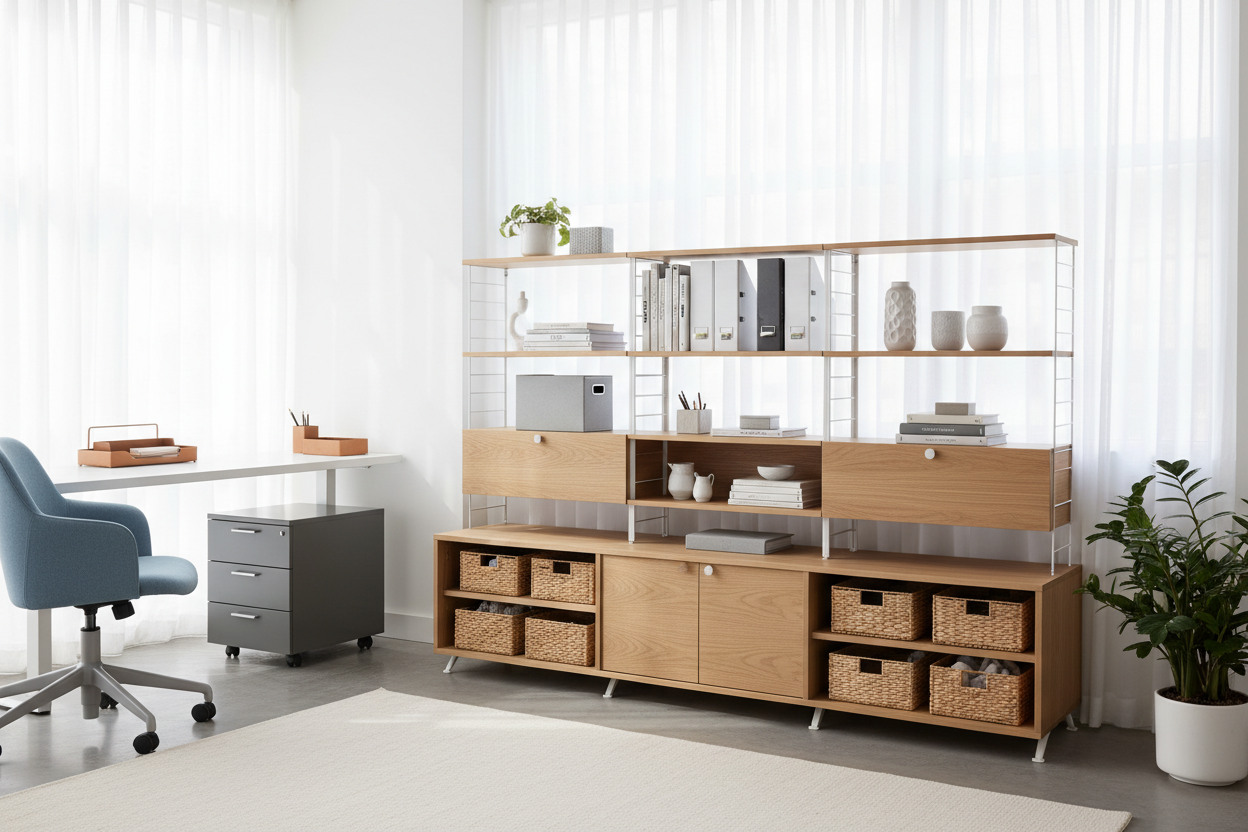
For a computer office set up in tight quarters, utilize vertical space. Wall-mounted shelving above the desk clears the surface. Look for a desk configuration with a minimal footprint but integrated storage to keep the pc table setup clean.
Is a standing desk worth the investment?
Absolutely. A best desk setup for work prioritizes health. However, look for stability. Many budget standing desks wobble at full height, which ruins the computer table setup experience. Look for a cross-brace or heavy feet.
What is the ideal desk depth for a dual monitor setup?
For a best office desk setup involving two screens, aim for a depth of 30 inches (approx. 75cm). This allows you to maintain the proper viewing distance (arm's length) which is essential for a setup desktop that doesn't cause eye fatigue.


Leave a comment
This site is protected by hCaptcha and the hCaptcha Privacy Policy and Terms of Service apply.