

















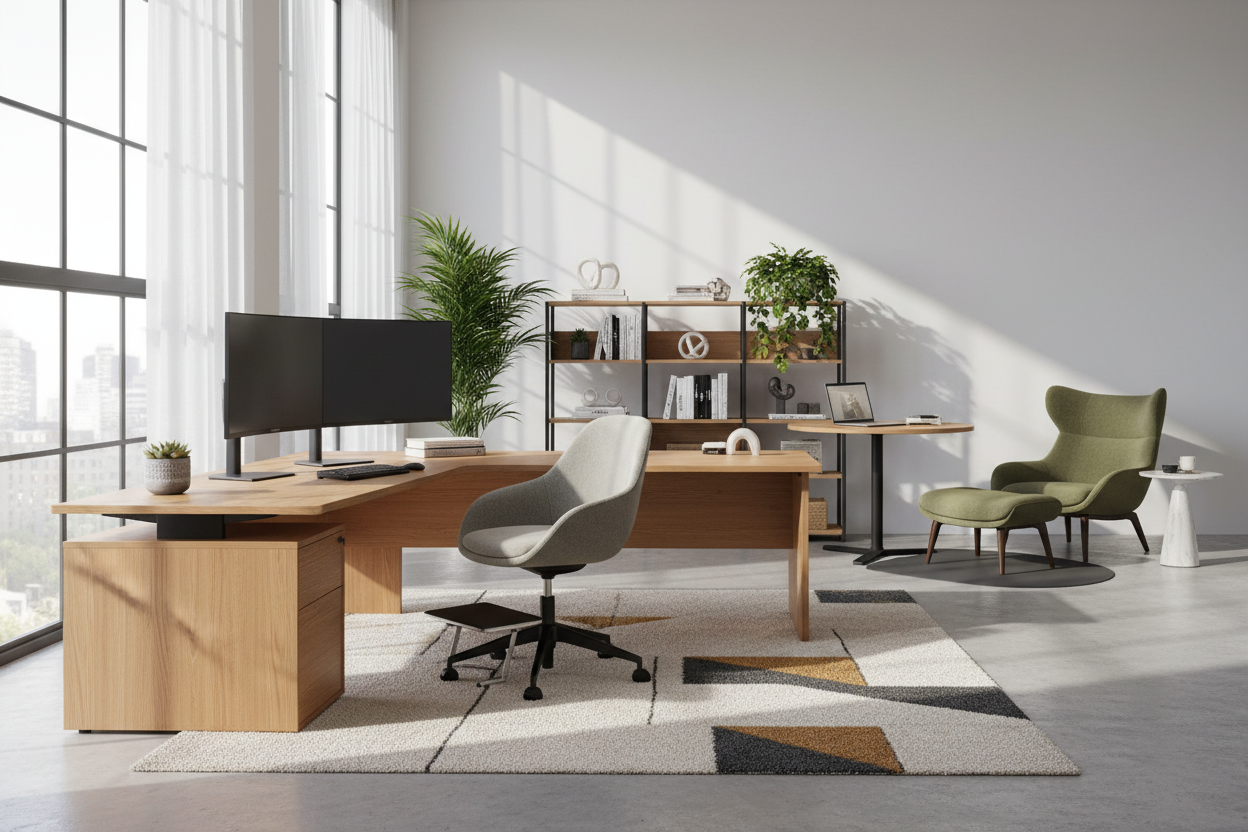
Creating a workspace that balances professional rigour with personal comfort is a nuanced challenge that goes far beyond selecting a desk and a chair. Whether you are outfitting a corporate headquarters or a dedicated home office, the way you approach office space furniture design dictates not just the aesthetic of the room, but the psychology of your workday. A poorly planned layout can stifle creativity, while a strategic selection of pieces can streamline your workflow and reduce physical fatigue.
Key Features to Look For
- Ergonomic Certification: Prioritize chairs with adjustable lumbar support and seat depth to prevent long-term strain.
- Material Durability: Distinguish between commercial-grade High-Pressure Laminate (HPL) for high traffic versus solid wood for executive presence.
- Acoustic Properties: Look for screens or soft-surface furniture that dampen sound reverberation in open layouts.
- Modular Flexibility: Choose systems that can expand or reconfigure as team needs change.
- Cable Management: Ensure desks have integrated channels to maintain visual clarity and reduce clutter.
Defining the Spatial Layout
Before purchasing a single item, we must address the floor plan. In design, we talk about "circulation paths"—the invisible highways within a room. Your furniture needs to anchor the space without blocking these arteries. For smaller offices, avoid heavy, solid-to-the-floor desks. Instead, opt for pieces with exposed legs; this "visual permeability" allows light to pass through, tricking the eye into perceiving the room as larger.
Zoning for Function
Effective office space furniture design relies on zoning. Your primary workstation is the focus, but consider a secondary seating area with a lounge chair or a small round table. This change in posture—moving from a task chair to soft seating—can reset your mental state during creative brainstorming sessions.
Materiality: The Tactile Experience
The materials you interact with for eight hours a day matter immensely. While glass desks offer a sleek, modern silhouette, they are often cold to the touch and acoustically reflective, creating a harsher environment.
For a balance of warmth and resilience, I often recommend commercial-grade veneers. They offer the grain and texture of real wood but are treated to withstand coffee rings and scratches better than a raw timber finish. If you prefer a solid colour, look for "soft-touch" laminates which reduce light glare and feel velvety under the hand, reducing tactile fatigue.
The Ergonomic Equation
Aesthetics should never override physiology. The most common error I see is pairing a desk that is too high with a chair that cannot extend high enough. Standard desk height is roughly 29 to 30 inches, but for many users, this causes shoulder hiking.
Invest in a height-adjustable desk, but pay attention to the mechanism. Dual-motor electric bases are smoother and quieter than single-motor options, ensuring your coffee doesn't spill every time you transition from sitting to standing.
Lessons from My Own Projects: The "Matte Black" Mistake
I want to share a specific lesson from a project I designed for a boutique law firm about three years ago. We were going for a very moody, high-contrast look and specified these stunning, matte black laminate desks. On the showroom floor, they looked incredible—architectural and sharp.
However, three weeks after installation, the client called me. The issue wasn't the look; it was the maintenance. What the sample chip didn't reveal was that this specific matte finish held onto natural skin oils like a magnet. Every time someone rested their forearm on the desk, it left a shiny, greasy-looking patch that required specialized cleaner to remove. It looked unpolished by noon every day.
Since then, I never specify solid black surfaces for high-touch horizontal planes. I always steer clients toward charcoal with a subtle heathered pattern or a wood grain texture. These hide dust and fingerprints infinitely better, keeping the office looking pristine with zero effort. It’s a small detail, but it saves you from constantly wiping down your workspace.
Conclusion
Refining your office is an investment in your own efficiency. By selecting furniture that supports your body and materials that age gracefully, you build a foundation for sustained focus. Don't just fill the space; curate it.
Frequently Asked Questions
How much space do I need behind a desk for a chair?
For a comfortable workflow, allow at least 42 to 48 inches of clearance behind the desk. This allows you to slide the chair back and rotate without hitting a wall or bookshelf, ensuring the space feels open rather than cramped.
Is a curved desk better than a rectangular one?
Curved or "L-shaped" desks increase your reachable surface area, allowing you to access documents and devices without over-extending your reach. They are excellent for multitasking but can be difficult to place in small, square rooms.
What is the best lighting to pair with office furniture?
Avoid placing your desk directly under a recessed can light, which casts shadows on your work. Instead, aim for layered lighting: ambient light for the room and a dedicated task lamp with a warm temperature (2700K-3000K) to reduce eye strain against computer screens.


Leave a comment
This site is protected by hCaptcha and the hCaptcha Privacy Policy and Terms of Service apply.