

















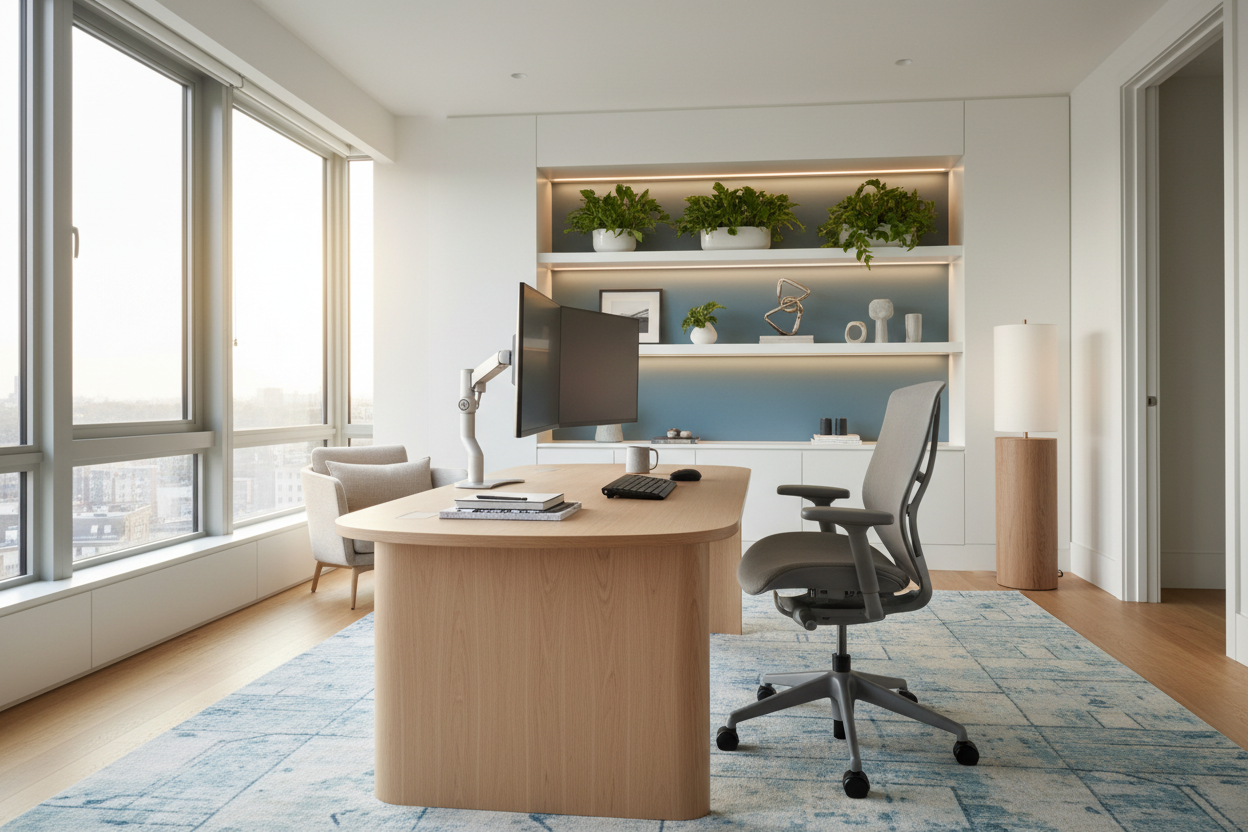
We have all been there: balancing a laptop on a squishy living room sofa, wondering why our focus is drifting by 11 AM. As an interior designer, I constantly see clients struggling with spaces that actively fight against their daily tasks. The truth about effectiveness work from home isn't just about software tools or time management; it is deeply rooted in the physical environment you inhabit.
A room's layout, the visual weight of your furniture, and the ergonomics of your seating directly dictate your daily output. Today, we are going to break down exactly how spatial planning and furniture selection can turn a chaotic corner into a highly functional workspace, giving you the practical tools to reclaim your concentration.
Quick Decision Guide
- Separate function from rest: Never merge your sleep space with your desk if you can avoid it; visual boundaries are critical for efficient remote work.
- Prioritize ergonomics over aesthetics: A beautiful chair is useless if it ruins your lumbar support and cuts off your circulation.
- Control visual clutter: Negative space reduces cognitive load, which is one of the easiest ways to improve work from home.
- Face the light: Position your monitor perpendicular to windows to reduce glare and eye strain.
Space Planning: The Foundation of Focus
When analyzing productivity at home vs office, the biggest difference is intentionality. Corporate offices are built specifically for work. Homes are built for living. To see a true productivity increase work from home, you have to carve out a dedicated zone that signals to your brain it is time to perform.
Defining Your Boundaries
If you are caught up in the employees that work from home are more productive debate, remember that success usually hinges on boundaries. Even in a small apartment, placing a rug under your desk or painting a color-blocked arch on the wall behind your monitor creates a psychological threshold. This visual separation establishes a clear focal point and is crucial for maintaining performance work from home without adding square footage.
Ergonomics and Physical Comfort
Does working from home affect productivity? Absolutely, and often it comes down to physical pain. You cannot maintain high output if your neck is strained from looking down at a laptop screen on a standard dining table. Real efficiency work from home requires proper proportions.
How to Improve Work From Home Set Up
Standard desk height is around 29 to 30 inches, which is actually too high for many people unless they use a keyboard tray or an adjustable chair with a footrest. When considering how to increase productivity while working from home, start by ensuring your elbows rest at a 90-degree angle and your monitor is exactly at eye level. This simple ergonomic fix is a core finding in almost every home office productivity study.
Lighting and Visual Weight
The working from home effect on productivity is heavily influenced by lighting. Poor lighting causes eye fatigue, which quickly drains your energy. Layer your lighting: start with ambient overhead light, add a task lamp with a warm-to-neutral bulb (around 3500K) for your desk, and maximize natural daylight.
Managing Distractions
If you find yourself wondering how to get out of working from home because you feel entirely unmotivated in your space, look at what is in your line of sight. Visual clutter translates to mental clutter. Keep the visual weight of your desk area light. Use closed storage for cables and paperwork to maintain clean negative space, allowing your actual work to remain the focal point.
Designer's Honest Take
Early in my career, I designed my own home office around a stunning, vintage mid-century modern teak desk and a rigid acrylic chair. It looked incredible in photos and had a beautiful, airy silhouette. But after a month of sitting in that chair for eight hours a day, my lower back was in agony, and the desk's shallow depth meant my monitor was practically touching my nose.
I learned the hard way that when it comes to employee productivity work from home, function absolutely must lead form. I ended up swapping the acrylic chair for a highly adjustable, decidedly less 'sexy' ergonomic mesh chair. The increase in productivity working from home was immediate. Don't sacrifice your spine for an aesthetic; the best design is one you can actually live and work in comfortably.
Frequently Asked Questions
Why is working from home more productive for some people?
Much of the work from home vs work from office research points to the control over one's environment. When you can adjust the temperature, lighting, and noise levels to your exact preferences, you eliminate the micro-distractions common in open-plan corporate offices. This personalized control is why we often see employees more productive working from home.
Is working at home more productive universally?
Not necessarily. The productivity work at home depends heavily on the setup and the individual's living situation. Those with dedicated, quiet spaces tend to thrive, while those working from a kitchen island amid family chaos often struggle. It is all about how well the physical space supports the task.
How to increase productivity when working from home on a budget?
You do not need a massive renovation. The most effective how to increase productivity work from home strategies are often free: repositioning your desk to face a window, decluttering your surface to reduce visual noise, and using household items like sturdy books to elevate your monitor to eye level.

Leave a comment
This site is protected by hCaptcha and the hCaptcha Privacy Policy and Terms of Service apply.