

















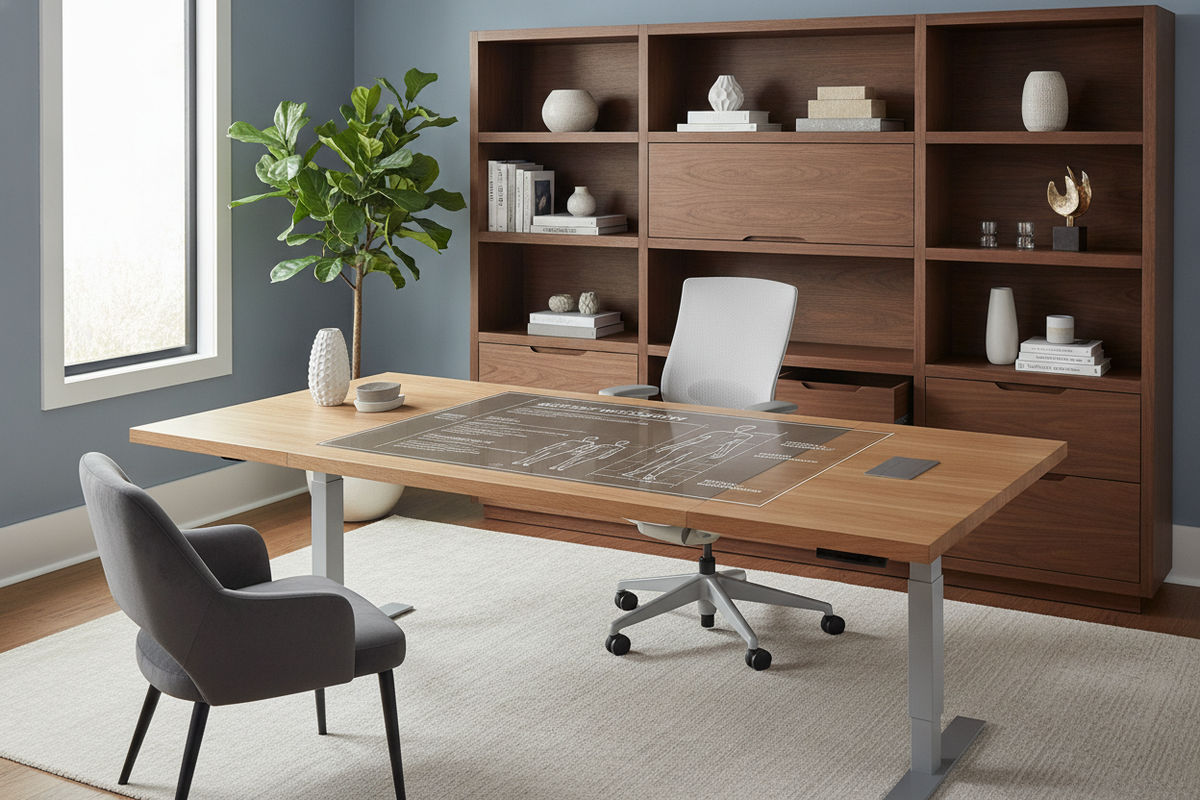
The Geometry of Workstation Fit: Why Desk Height Must Match User Proportions
Finding the right workstation balance requires aligning the working surface with your natural body proportions rather than adapting your posture to fit a static piece of furniture. When evaluating desk height by height, the goal is to position the working plane where your forearms rest comfortably parallel to the floor without hunching the shoulders or overextending the wrists. Traditional manufactured work surfaces are often built to standard baseline dimensions that serve an arbitrary middle ground, which frequently leaves shorter or taller individuals working at awkward angles.
A mismatched desk forces the upper body to compensate. If a desk is too high, shoulders remain elevated to reach the keyboard, which can cause tension along the neck and upper back. Conversely, working at a surface that sits too low encourages slouching and forward spinal flexion. By matching surface elevations to seated and standing elbow levels, you create a baseline that supports neutral posture throughout extended work sessions.
User Height Decision Categories: Sitting and Standing Surface Proportions
Because human anatomy varies in torso-to-leg proportions, height guidelines serve as directional brackets. Below is an overview of how different body statures interact with seated and standing surface elevations.
Compact and Petite Stature Workstations
Individuals of shorter stature frequently find standard commercial desks positioned too high for natural typing posture. When seated, maintaining feet flat on the floor while keeping forearms level often requires either a lower custom desk frame or an adjustable chair paired with a firm footrest. For compact work areas, exploring a curated computer desk collection helps identify frames with slim profiles and minimal under-table aprons that avoid crowding lower seating heights.
In standing configurations, petite users benefit from lower-range adjustable desks. Without an adequate downward range, a standing desk can force the arms upward, causing wrist extension during keyboard use. Choosing frames with dual-stage telescoping legs ensures the desktop lowers sufficiently to meet compact resting elbow levels.
Mid-Range Stature Workstation Alignment
Users in the mid-range height bracket typically align more closely with standard mass-market desk heights. However, subtle differences in torso length or chair cushion depth can still introduce minor postural misalignment. Fine-tuning the relationship between chair armrests and the desk edge prevents forearm pressure points while maintaining clear sightlines to the display.
When planning storage around mid-range dimensions, incorporating multi-tier shelving or side towers keeps essentials accessible without encroaching on primary elbow clearance. For practical insights on staging secondary equipment without sacrificing workspace geometry, consult our ideal desk guide.
Tall Stature and Extended Legroom Workstations
Taller individuals face unique structural challenges, primarily involving under-desk knee room and upper standing desk extension limits. Standard static desks frequently restrict vertical thigh clearance, forcing taller users to lower their chairs and sit with knees raised above hip level. In standing mode, desks must extend high enough to prevent slouching while maintaining frame stability against lateral sway.
For expansive executive layouts or collaborative spaces that accommodate taller profiles, selecting a substantial desk executive office product provides generous knee wells, sturdy framing, and ample depth for extended monitor focal distances.
Structural Desk Archetypes: Fixed Foundations vs Dynamic Height Systems
Choosing between static desks and height-adjustable systems depends on daily work habits, equipment load, and room layout:
- Static Writing and Computer Desks: Built with rigid structural legs, modesty panels, and built-in drawers. These offer high lateral stability and integrated storage, though adjusting working height requires accessories such as keyboard trays or chair adjustments.
- Manual Crank and Pneumatic Desks: Provide height variability without requiring electrical outlets. They suit shared or flexible spaces where occasional adjustments are needed.
- Motorized Sit-Stand Desks: Feature electric lifting columns with programmable height presets. They allow swift transitions between seated and standing work planes throughout the day.
For home offices where space is limited and furniture must blend into living areas, multi-functional enclosures provide a clean aesthetic. If you are exploring concealable workstations that maintain ergonomic alignment, review our computer desk office guide.
Under-Desk Clearance, Storage Zoning, and Knee Well Geometry
Desk height should never be evaluated solely from the top surface down; the usable space underneath is equally critical. Built-in drawers, keyboard trays, and frame crossbars consume vertical space within the knee well, which can compress thigh clearance.
When configuring an integrated workstation, ensure that storage drawers or side shelving units do not restrict natural leg movement or prevent the office chair from rolling completely under the desk when not in use. A balanced layout, such as an office computer desk product, isolates storage into lateral shelving modules while preserving an unobstructed central knee well for comfortable seated movement.
Frame Rigidity, Materials, and Wobble Prevention at Elevated Heights
As desk surfaces rise—particularly in standing configurations—the center of gravity shifts upward, making structural rigidity essential. Key engineering factors that reduce wobble include:
- Steel Column Construction: Heavy-gauge steel leg columns resist twisting and bending forces under heavy monitor loads.
- Reinforced Crossbeams: Under-table support beams link the frame legs to distribute weight evenly across the entire surface.
- Adjustable Leveling Glides: High-density floor glides compensate for uneven flooring, eliminating minor rocking motions that become amplified at standing heights.
- Tabletop Thickness and Density: Solid engineered wood or dense laminate surfaces maintain flat profiles and secure anchoring for monitor arms and peripheral mounts.
Workstation Calibration Blueprint: Step-by-Step Setup and Daily Ergonomics
To calibrate your workstation to your unique body proportions, follow this sequential setup process:
- Set Seating Foundation: Adjust your chair height so your feet rest flat on the floor with knees at a comfortable angle level with or slightly below the hips.
- Measure Seated Elbow Plane: Relax your shoulders and bend your elbows at roughly a right angle. The primary desk surface or keyboard tray should align evenly with the underside of your forearms.
- Verify Under-Desk Clearance: Confirm that your thighs have comfortable clearance beneath the desk frame and that armrests do not collide with the edge.
- Align Standing Elevation: If using an adjustable desk, raise the surface to match your standing elbow height while keeping your neck neutral and shoulders relaxed.
- Position Display and Peripherals: Set monitor heights so the top third of the screen sits at eye level, positioning input devices within close reach to prevent forward reach.

Leave a comment
This site is protected by hCaptcha and the hCaptcha Privacy Policy and Terms of Service apply.