

















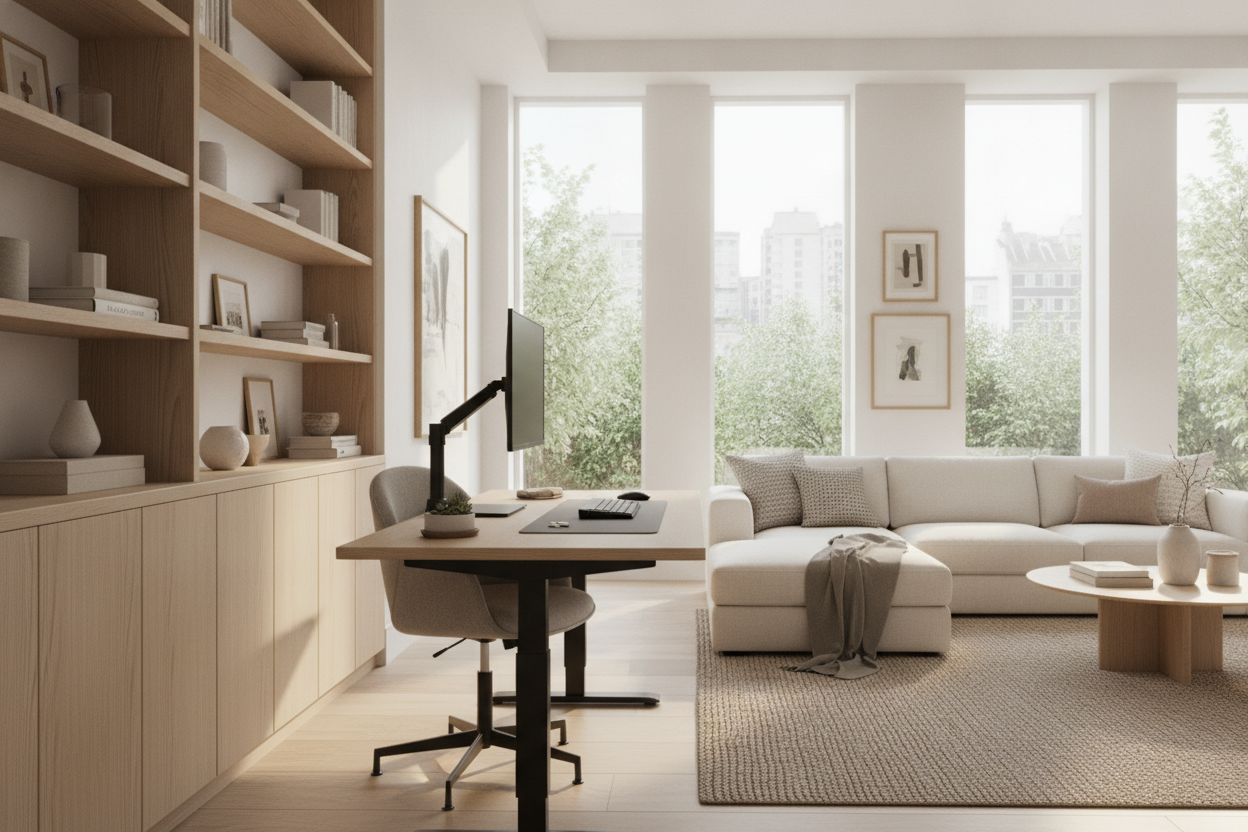
Why the 55-Inch Standing Desk Represents a Versatile Home Office Anchor
Choosing the right desktop size forms the foundation of an ergonomic and orderly home office. Among modern workstation dimensions, the 55-inch standing desk has emerged as one of the most balanced choices for dedicated work areas, spare bedrooms, and multipurpose living spaces. It provides sufficient tabletop area to support multi-device workflows without dominating a room the way oversized executive furniture might.
A standing desk 55-inch profile bridges the gap between compact writing desks and expansive conference-style setups. For professionals who require multiple screens, dedicated input devices, and room for analog notebooks or lighting, this width offers practical versatility. Incorporating such a workstation into a broader interior plan requires looking at both aesthetic harmony and practical mechanics, as outlined in our aesthetic standing desk design guide.
When planning a home office around this dimension, the goal is to establish a dedicated workstation that feels intentional rather than improvised. The width naturally provides enough lateral span to keep essential work items within reach without forcing you to overextend your posture or turn constantly in an awkward fashion. Whether you are balancing remote office tasks, creative pursuits, or study routines, a 55-inch footprint serves as a sturdy anchor for daily productivity.
Surface Architecture: Zoning a 55-Inch Desktop for Dual Displays and Daily Workflow
To maximize the utility of a 55-inch standing desk, treating the desktop as a zoned work surface prevents clutter from accumulating over the course of a busy workday. Organizing the surface horizontally allows for smooth transitions between digital tasks, physical notation, and peripheral management.
- Central Digital Focus Zone: The central area naturally accommodates an ultrawide screen or a dual-monitor arrangement positioned side by side. Using monitor arms clamped to the rear edge preserves valuable desktop real estate directly beneath the screens for keyboards and wrist rests.
- Primary Input and Task Zone: Situated immediately in front of the seating position, this zone holds the keyboard, mousepad, and primary input accessories. The depth of a standard 55-inch top allows comfortable forearm support while maintaining proper viewing distance from elevated displays.
- Peripheral and Lighting Flanks: The left and right margins of the desktop provide stable placement for studio monitors, desktop task lamps, charging pads, or tablet docks without encroaching on active typing space.
- Analog and Reference Zone: A designated side section keeps physical planners, notebooks, or reference documents within arm's reach, allowing users to shift seamlessly between typing and writing without rearranging desktop hardware.
By dividing the surface into dedicated functional sectors, you minimize the temptation to pile paperwork or accessories haphazardly across the work area. This spatial structure creates a clear visual boundary between active typing tasks and supporting reference materials, which in turn fosters better focus throughout the day.
Spatial Fit and Room Planning: Clearance Guidelines and Transit Pathways
Integrating a standing desk 55-inch frame into a residential layout involves dynamic planning. Unlike static furniture, height-adjustable desks move vertically throughout the day, requiring clear space along walls, window frames, and neighboring storage units.
When positioning your workstation, account for the dynamic vertical travel zone. Wall-mounted shelving, framed artwork, and window sills should remain safely above the maximum elevated height of monitors and accessories to prevent accidental contact during lift cycles. Furthermore, maintain open transit pathways around the desk perimeter so that moving between sitting and standing postures does not impede general room flow. For more spatial inspiration, explore our designer standing desk layout concepts to harmonize your workstation with existing architectural features.
In addition to overhead clearances, consider the positioning of power cords and wall outlets. A height-adjustable frame requires enough cable slack to travel smoothly to full extension without pulling on delicate electronic connections. Utilizing flexible cable spines, under-desk wire trays, and strategic surge protector placement ensures that elevation changes remain completely fluid and unobtrusive.
Evaluating Footprint Alternatives: 55-Inch Models vs. Corner and Executive Profiles
While a straight-edge 55-inch standing desk serves standard rectangular rooms well, evaluating alternative shapes ensures your chosen furniture aligns with your specific daily responsibilities and room geometry.
For rooms with underutilized alcoves or tight corners, a 55-inch L-shaped corner desk with storage provides a wraparound surface that segments primary computer work from secondary filing or paperwork tasks. Corner geometries maximize corner floor area while keeping all equipment within a natural swivel radius. Conversely, open-plan spaces with expansive layouts may benefit from larger continuous linear surfaces, whereas standard rectangular 55-inch desks remain the most adaptable choice when modular rearrangement is expected over time.
When comparing configurations, evaluate your daily workflow needs. If your tasks primarily revolve around computer monitors and single-tier input setups, a linear surface keeps the footprint straightforward and lightweight. If your routine demands simultaneous sorting of physical archives, hardware testing, or creative drawing alongside computer tasks, a corner profile or auxiliary return offers dedicated space separation without needing an overly large room.
Storage Coordination and Under-Desk Architecture
A frequent challenge with height-adjustable furniture is the relative absence of built-in under-desktop cabinetry. Because the lifting columns require unobstructed travel, traditional fixed pedestal drawers must be rethought to maintain structural balance and legroom.
Mobile storage pedestals that roll independently offer a practical solution, sliding under the desk surface during sitting sessions and standing neatly alongside during elevated phases. Low credenzas or modular shelving positioned adjacent to the desk provide ample housing for printers, paper files, and heavy hardware. For environments demanding extended surface space combined with robust dynamic framing, considering wider height-adjustable standing desk solutions or complementary perimeter sideboards ensures your workflow remains tidy regardless of elevation changes.
Under-desk architecture also benefits from slim attachable pencil drawers or under-mounted utility baskets. These accessories stay attached directly to the underside of the desktop, moving harmoniously with every height transition. This setup keeps essential pens, sticky notes, and small digital accessories immediately accessible regardless of whether you are standing or seated.
Material Selection, Surface Finishes, and Aesthetic Cohesion
A functional standing desk should complement your home decor rather than resemble an austere office cubicle. Desktop materials and frame coatings influence both daily tactile comfort and the visual ambiance of your home office.
Warm wood finishes, such as walnut, natural oak, or warm ash veneers, soften the industrial feel of motorized metal lifting columns, bringing an inviting residential character to the workstation. Matte laminates and neutral solid tones provide contemporary, glare-resistant surfaces that withstand heavy daily usage while maintaining crisp visual lines. Pairing your desktop finish with coordinated desktop organizers, cable routing channels, and matching secondary furniture creates a coherent, productive environment tailored to sustained focus.

Leave a comment
This site is protected by hCaptcha and the hCaptcha Privacy Policy and Terms of Service apply.