

















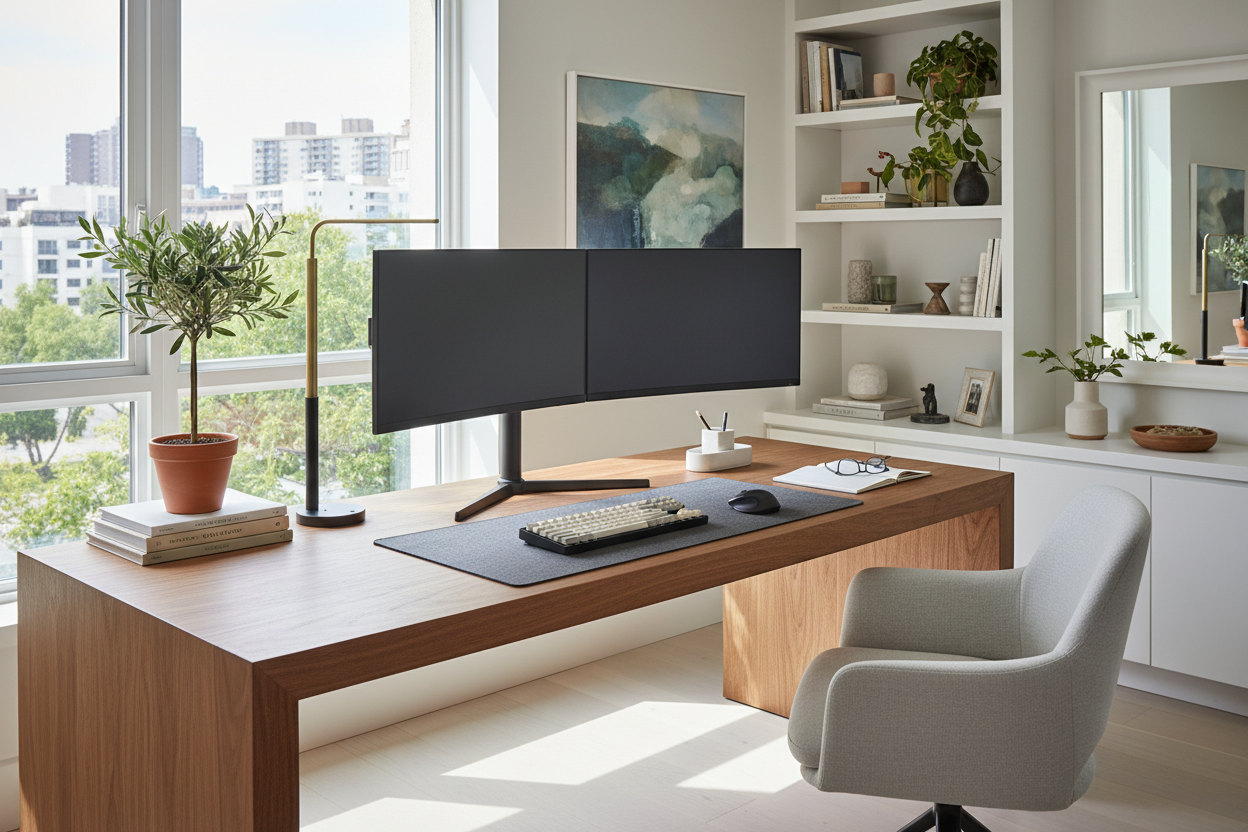
The biggest challenge in residential office design isn't selecting a chair or a desk; it is mitigating the visual dominance of technology. A large, black rectangle—or worse, two of them—can instantly disrupt the serenity of a thoughtfully curated room. As designers, our goal is to integrate your work from home monitor setup so that it serves your productivity without sacrificing the room's aesthetic cohesion. We want to move away from the makeshift "cubicle" vibe and toward a workspace that feels like a natural extension of your home.
Key Elements of a Designer-Approved Setup
- Visual Weight: Opt for monitor arms over bulky stock stands to create negative space and reduce clutter.
- Material Integrity: Ensure your desk surface consists of solid wood or high-density laminate to withstand the pressure of clamp mounts without warping.
- Lighting Balance: Incorporate bias lighting behind screens to soften the harsh contrast between the display and the surrounding room.
- Cable Architecture: Plan for integrated cable management channels to maintain clean sightlines.
The Foundation: Materiality and Desk Depth
When planning a wfh monitor setup, the desk surface is more than just a platform; it is the anchor. From a furniture specialist's perspective, the interaction between your monitor mount and the desk material is critical. Avoid hollow-core desks (often found in budget ranges) if you plan to use clamp-mounted monitor arms. The concentrated pressure can crush the honeycomb structure over time.
Instead, prioritize solid wood (walnut or oak) or high-grade plywood with a durable veneer. These materials provide the rigidity needed to prevent screen wobble when you type. Furthermore, consider the depth. A desk depth of at least 30 inches allows the monitor to sit at an ergonomically correct distance while leaving ample foreground space for sketchpads or coffee, maintaining a sense of openness rather than confinement.
The Silhouette: Arms vs. Stands
Standard monitor stands are visually heavy and often sit too low, forcing a hunched posture. To achieve a sophisticated, luxury look, I almost always recommend articulating monitor arms. By floating the screen above the surface, you reclaim valuable desktop real estate. This introduces "negative space" beneath the technology, which makes the entire arrangement feel lighter and more intentional.
Lighting Dynamics and Visual Comfort
A high-end setup considers how light interacts with the screen. Never position your monitor directly in front of a window without window treatments, as the backlight causes severe eye strain. Conversely, placing it opposite a window creates glare.
The designer secret here is bias lighting. Placing an LED strip with a high CRI (Color Rendering Index) on the back of the monitor, facing the wall, creates a soft halo. This reduces the strain on your eyes by lowering the contrast between the bright screen and a dark room, while adding a layer of ambient warmth that makes the technology look like a deliberate design feature rather than an afterthought.
Lessons from My Own Projects: The "Wobble" Factor
I learned the hard way that aesthetics mean nothing if the functionality is flawed. In one of my earlier home office renovations, I specified a stunning, sleek mid-century modern writing desk for a client who used dual 27-inch monitors. The desk was beautiful, with slender, tapered legs.
However, once we clamped the heavy dual-monitor arm to the back, the physics failed us. Every time the client typed vigorously, the screens would micro-bounce. It wasn't a structural failure, but that subtle "wobble" caused motion sickness and frustration over time. I also noticed that on softer woods like pine, the clamp mount left a permanent indentation after just three months. Now, I always insist on placing a small felt pad or a steel reinforcement plate between the clamp and the desk underside to distribute the force, and I test the desk's leg stability specifically for monitor weight before purchasing.
Conclusion
Your workspace should not feel like a compromise. By selecting the right materials, prioritizing structural integrity, and managing the visual weight of your screens, you can create a work from home monitor setup that is as beautiful as it is functional. Treat your technology as part of the furniture, and the design will follow.
Frequently Asked Questions
What is the ideal desk depth for a dual monitor setup?
For dual monitors, a depth of 30 inches is ideal. This prevents the screens from feeling oppressive and allows you to focus your eyes on the rest of the room occasionally, which reduces fatigue.
Can I mount a monitor arm on a glass desk?
Generally, no. The focused pressure of a clamp mount can shatter tempered glass. If you have a glass desk, look for a specialized mount that distributes pressure over a wide area, or stick to a high-quality freestanding base.
How do I hide cables in an open-back desk setup?
Use a cable vertebrae system or route cables down the leg of the desk using color-matched sleeves. The goal is to bundle wires into a single "limb" so they disappear into the silhouette of the furniture.

Leave a comment
This site is protected by hCaptcha and the hCaptcha Privacy Policy and Terms of Service apply.