

















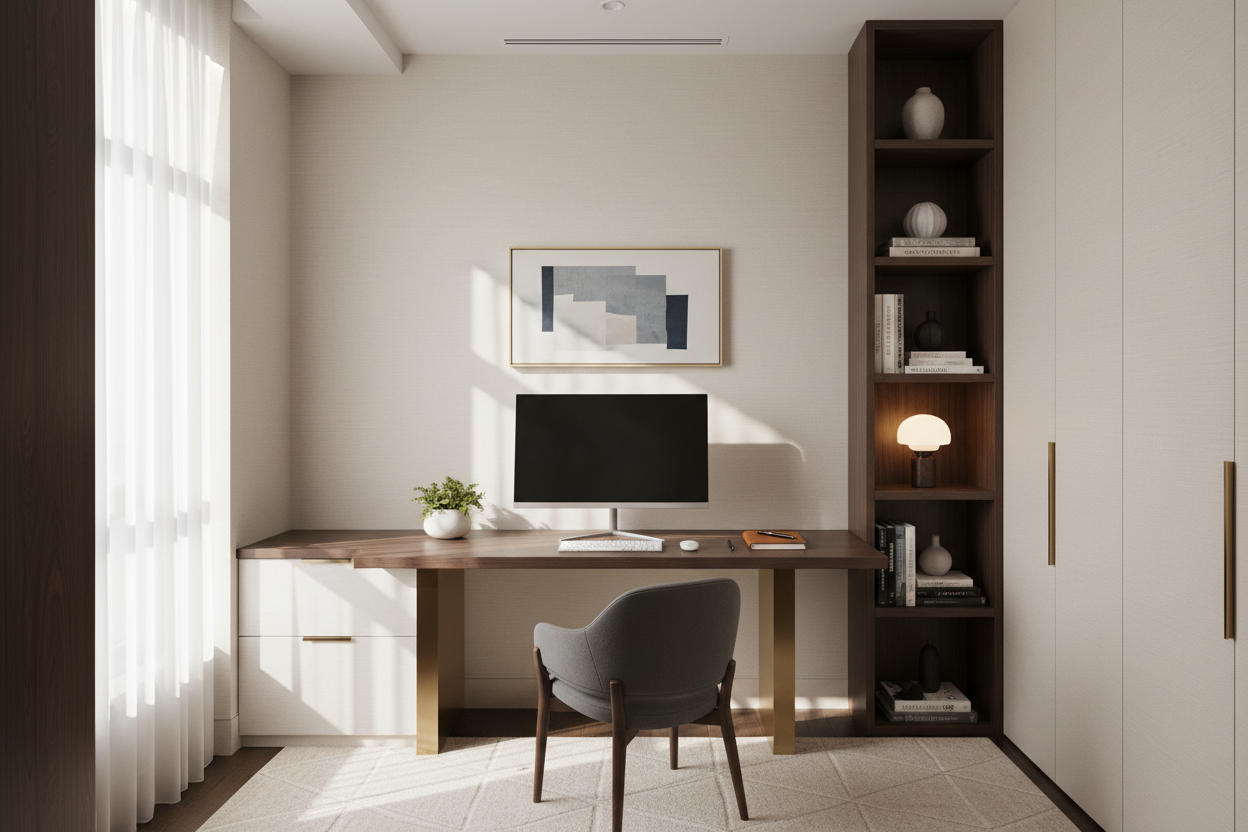
Living in a compact footprint often presents a unique frustration: the battle between necessity and aesthetics. You need a dedicated workspace, but you refuse to let a bulky workstation dominate your carefully curated living area. As a designer, I see this challenge not as a limitation, but as an opportunity to refine your interior architecture. The secret to a successful small space desk setup lies in balancing visual weight with high-performance utility.
Quick Decision Guide: Key Features to Look For
If you are scanning the market for the perfect compact workstation, prioritize these four architectural elements to ensure the piece fits your lifestyle and layout:
- Visual Permeability: Opt for materials like glass, acrylic, or slender metal frames that allow light to pass through, keeping the room feeling open.
- Vertical Integration: Look for desks with built-in hutches or ladder styles that utilize wall height rather than floor depth.
- Scale and Proportion: Ensure the desk depth is between 18 to 24 inches; anything deeper will encroach on traffic flow in a small room desk setup.
- Cantilevered or Wall-Mounted Designs: Removing legs entirely creates negative space near the floor, tricking the eye into perceiving the room as larger.
Mastering Space Planning and Layout
In interior design, we talk often about "circulation paths." When placing a desk in a tight quarter, you must ensure it doesn't disrupt the natural flow of movement. The most sophisticated approach is to identify "dead zones"—alcoves, the space beneath a window, or even a transitional hallway.
The Floating Concept
For a truly seamless look, custom millwork or high-quality wall-mounted shelving units are superior. By anchoring the work surface directly to the wall studs, you eliminate the visual clutter of table legs. This allows you to slide an ottoman or a slim task chair completely underneath when not in use, maintaining the room's silhouette.
Choosing the Right Material: Texture vs. Mass
Materiality dictates how heavy a piece feels in a room. In a small room desk setup, heavy oaks or chunky mahoganies can feel oppressive.
Solid Wood vs. Veneer
While I almost always advocate for solid wood due to its longevity and ability to be refinished, high-quality architectural veneers have a place here. A engineered wood top with a walnut veneer offers the warmth of timber without the sheer weight and thickness required of a solid slab. However, avoid low-grade particle board; it lacks the tensile strength to support heavy monitor arms over time.
Glass and Acrylic
For the ultimate "disappearing act," a tempered glass desk or a ghost chair is invaluable. These materials reflect ambient light rather than absorbing it, maintaining the room's brightness.
Visual Balance and Ergonomics
A common error is pairing a sleek, minimal desk with a bulky, overstuffed executive chair. This disrupts the scale of the vignette. Instead, opt for a mid-century modern task chair with a low profile. Look for designs where the mechanics (levers and hydraulics) are concealed or streamlined.
Ergonomics should not be sacrificed for style, but they must be adapted. If you cannot fit a sit-stand mechanism, consider a desk riser that matches your desktop finish to maintain a cohesive look.
My Personal Take on Small Space Desk Setup
I want to share a specific lesson from a project I worked on in a tight 450-square-foot apartment in the city. I specified a gorgeous, ultra-slim console desk that looked stunning in the renderings. It had a beautiful beveled edge and tapered legs.
However, once the client started working, we hit a snag I hadn't anticipated: the "monitor wobble." Because the desk was so lightweight (to keep it visually airy), every keystroke caused a micro-vibration in the monitor. Furthermore, the beveled edge meant we couldn't securely clamp a standard monitor arm to the back—it kept slipping off.
We ended up having to anchor the desk discreetly to the wall with L-brackets to stop the shaking, and I had to source a grommet-mount monitor arm, which required drilling into the brand-new veneer. The lesson? If you are a heavy typist or use large screens, mass matters. A desk that is too light can be a functional nightmare, no matter how good it looks on Instagram.
Conclusion
Designing a functional workspace within a limited footprint requires a discerning eye for scale and a commitment to decluttering. By selecting materials that visually recede and prioritizing vertical storage, you can create a workspace that enhances, rather than hinders, your home's aesthetic. Treat your desk not just as furniture, but as a piece of functional architecture.
Frequently Asked Questions
What is the minimum depth for a functional small desk?
For laptop work, 18 inches is the absolute minimum. However, if you use an external monitor and keyboard, aim for 22 to 24 inches to ensure proper focal distance and wrist support.
How do I hide cables in a desk with open legs?
This is vital for a clean look. Use clear zip ties or velcro straps to run cables down the back of a desk leg. Alternatively, invest in a desk with a hidden cable tray underneath the top surface to catch the "spaghetti" of wires before they reach the floor.
Can I use a dining chair as a desk chair to save space?
You can, provided the seat height allows your elbows to rest at a 90-degree angle relative to the desk surface. However, for work sessions longer than two hours, the lack of lumbar support and adjustability in dining chairs can lead to significant back strain.

Leave a comment
This site is protected by hCaptcha and the hCaptcha Privacy Policy and Terms of Service apply.