

















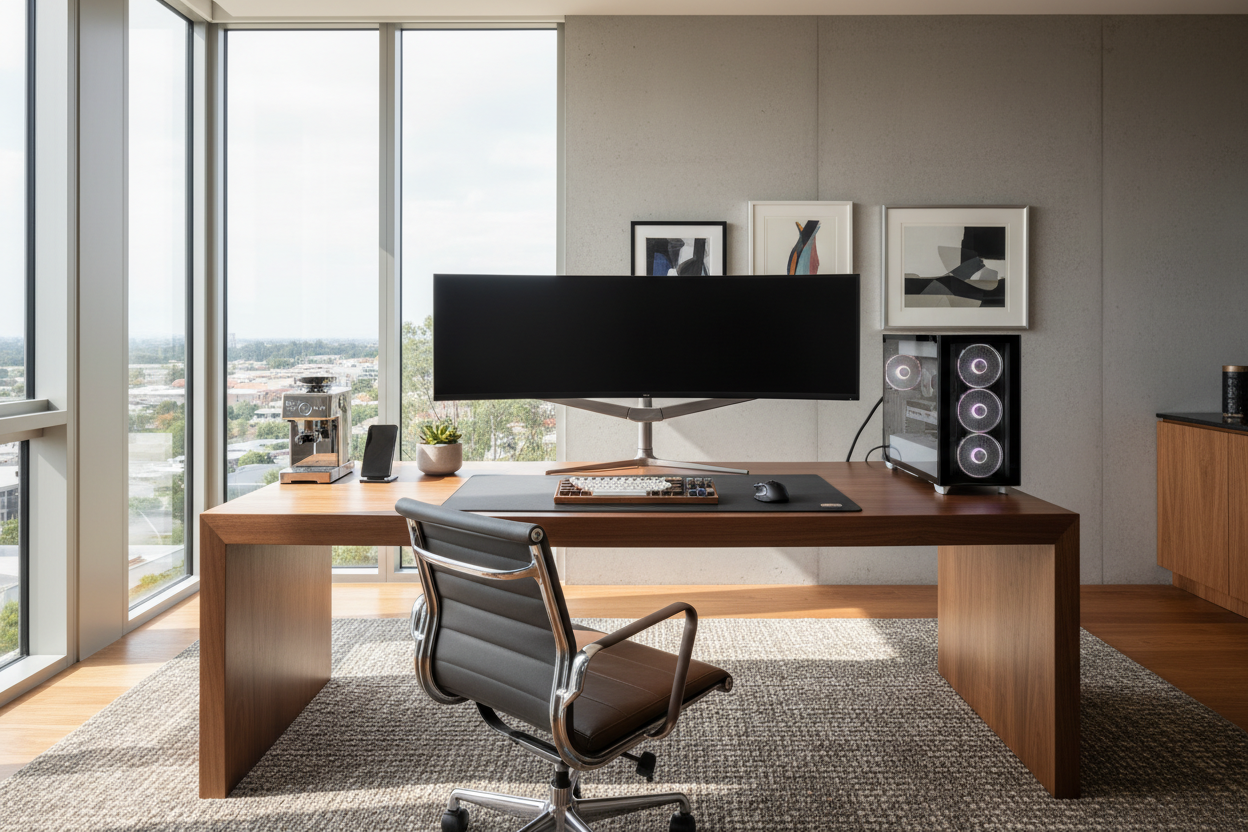
We have all seen the photos: pristine, wire-free desks with perfect lighting that look more like art installations than workspaces. Yet, when you sit down at your own desk, the reality is often a tangle of cables, a monitor that sits too low, and a surface that feels cluttered rather than curated. As an interior designer, I see clients struggle to balance the heavy visual weight of technology with the warmth of a home environment. A truly successful work pc setup isn't just about the specs of your processor; it is about creating a cohesive environment that supports your workflow while elevating the room's aesthetic.
Key Features of a Balanced Workspace
- Ergonomic Flow: The relationship between your chair height, desk surface, and monitor eye level is critical for long-term health.
- Material Integrity: Choosing materials (solid wood, matte laminate, or glass) that resist wear and reduce visual fatigue.
- Cable Management: Integrated solutions to hide the "tech mess" and maintain a clean silhouette.
- Lighting Layers: Balancing ambient room light with task lighting and bias lighting behind monitors to reduce strain.
Structuring Your Layout: Function First
Before buying a single piece of furniture, we must address the computer desk layout ideas that dictate the flow of the room. The biggest mistake I see in a computer desk setup at home is placing the screen directly opposite a sunny window. While the view is nice, the contrast creates severe eye strain. Instead, position your work table setup perpendicular to the light source. This allows natural light to wash across the desk surface without fighting the brightness of your screen.
For a modern computer desk setup, consider the concept of "negative space." You do not need to fill every inch of the desk. Leave a clear 18-inch zone directly in front of you. This visual breathing room reduces cognitive load and makes the space feel larger.
The Desk: The Anchor of the Room
When selecting an office setup table, move away from generic particle board. If you want a stylish desk setup, look for natural textures. A solid walnut or white oak top adds warmth that counteracts the cold, plastic nature of monitors and keyboards. If you are aiming for a high tech desk setup, a matte black or charcoal linoleum surface is excellent because it provides a soft tactile feel and absorbs light, preventing distracting reflections from your monitor.
Optimizing for Small Footprints
If you are looking for home computer setup ideas for a compact apartment, verticality is your friend. Use a desk with a slim profile but utilize wall-mounted shelving above for storage. This keeps the desk space setup clear for active work while keeping essentials within reach.
Lighting and Accessories
A cool office desk setup often relies on lighting to set the mood. However, avoid the aggressive RGB strobing often seen in gaming setups unless that is your specific vibe. For a sophisticated look, opt for a high CRI (Color Rendering Index) monitor light bar. It illuminates your workspace without causing screen glare. Pair this with a beautiful desk setup essential: a desk shelf or riser. This not only lifts your monitor to an ergonomic height but creates a "garage" underneath to tuck away keyboards and mice, instantly tidying the visual field.
Lessons from My Own Projects
I want to share a specific realization from a recent home office redesign I did for myself. I fell in love with a stunning, high-gloss lacquered writing desk. It looked incredible in the showroom. However, after one week of using it as my primary work pc setup, I regretted it. The issue wasn't the look; it was the friction.
Every time I rested my forearms on the edge to type, my skin stuck to the glossy finish, and within an hour, the surface was a roadmap of oily fingerprints that required constant buffing. I also realized that without a pre-drilled grommet hole, I had to run cables over the back edge, which meant I couldn't push the desk flush against the wall. It’s these unpolished, tactile details—how a surface feels against your skin for eight hours and how cables physically route—that matter more than the initial visual wow factor. I eventually swapped it for a matte-finished wood veneer with a beveled edge, and the difference in daily comfort was immediate.
Conclusion
Designing the perfect workspace is a journey of balancing hard tech with soft design principles. By investing in quality materials, prioritizing lighting, and considering the tactile experience, you can build a space that invites you to work rather than forcing you to. It is time to treat your desk not just as a utility, but as a centerpiece of your home.
Frequently Asked Questions
What is the ideal depth for a computer desk?
For a standard setup, a depth of 24 to 30 inches is ideal. This ensures your monitor is roughly an arm's length away, preventing eye strain while leaving room for a keyboard and notepad.
How do I make my desk setup look less cluttered?
Wireless peripherals are the easiest first step. Beyond that, use a cable management tray mounted under the desk to catch power strips and bundles. If cables must be visible, sleeve them in a mesh wrap that matches your wall or desk leg color.
Is a standing desk worth the investment for design?
From a health perspective, absolutely. From a design perspective, ensure you buy one with a crossbar or heavy feet. Many cheap standing desks wobble at full height, which ruins the feeling of solidity and quality in a room.

Leave a comment
This site is protected by hCaptcha and the hCaptcha Privacy Policy and Terms of Service apply.