

















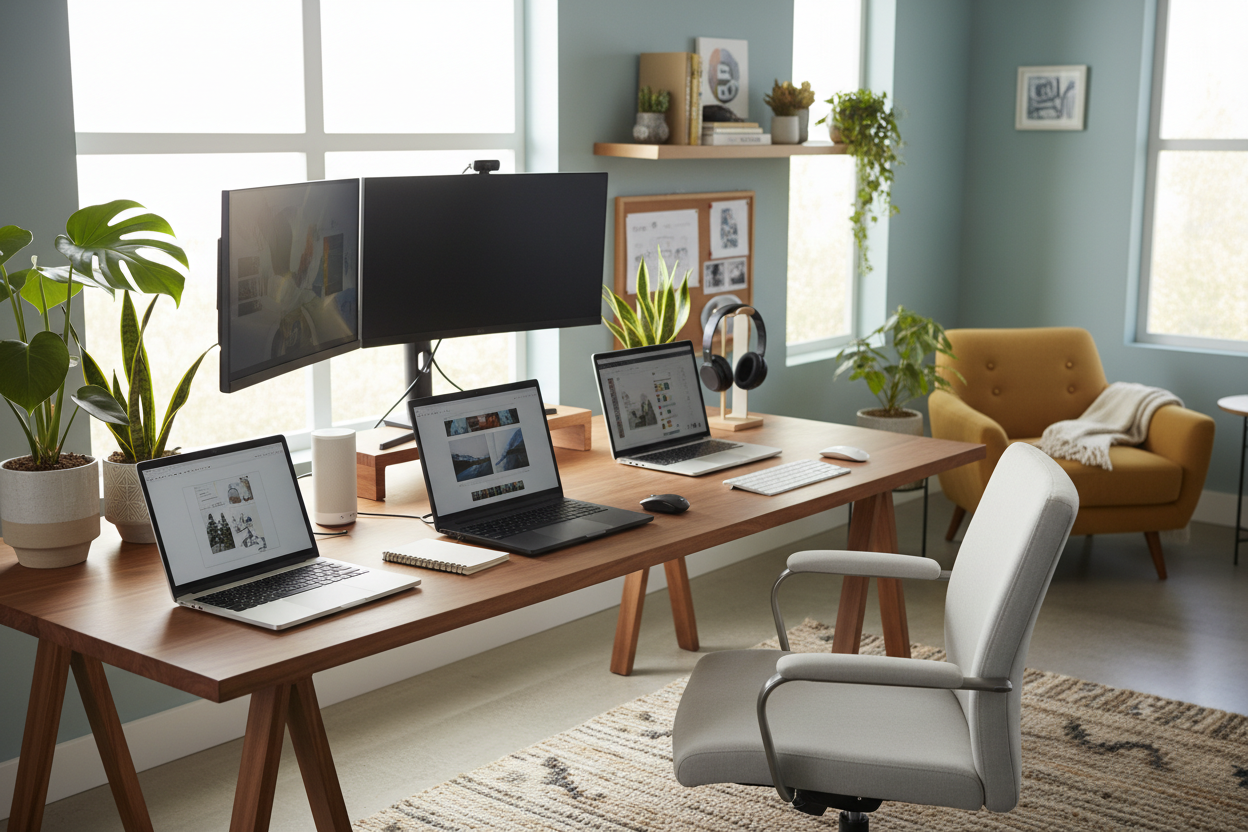
I cannot tell you how many times I have wrapped up a stunning home office project—complete with custom millwork, a vintage rug, and an exquisite oak desk—only for the client to drop a bulky, plastic, neon-glowing eyesore right in the center. Tech is a necessary reality, but it should never dictate your room's aesthetic. Finding the best laptops for working from home is about more than just RAM and battery life; it is about choosing a machine with a slim silhouette and premium finish that complements your carefully curated space.
Today, we are looking at tech through a designer's lens. You will walk away knowing how to select a machine that scales properly to your furniture, minimizes visual clutter, and actually protects your expensive desk surfaces.
Quick Decision Guide
- Prioritize aluminum or magnesium chassis over textured plastics for a high-end, minimalist look that blends with natural decor.
- Match your screen size to your desk depth; a 15-inch screen requires at least 24 inches of desk depth to maintain proper visual proportion.
- Pay attention to thermal venting. Bottom-venting laptops can warp or discolor wood veneer desks over time due to trapped heat.
- Look for rear or single-side port layouts to make cable management virtually invisible from the doorway.
Space Planning & Desk Footprint
When designing a home office, visual weight matters just as much as physical size. The best computer to work from home needs to fit the scale of your furniture. If you are working with a delicate mid-century writing desk, a chunky workstation will overwhelm the surface and leave no negative space for a lamp, a plant, or a notepad.
Matching Scale to Surface Area
For standard 24-inch deep desks, a 13-inch or 14-inch model is often the best work home laptop. It provides enough screen real estate for daily tasks while allowing you to push the machine back and actually use your desk for writing or reading. If you need a larger screen for your profession, consider a sleek 15-inch model, but pair it with a monitor arm and an external display to keep the actual desk surface clear and uncluttered.
Material, Finish, and Visual Clutter
As a designer, I treat electronics like hardware or lighting fixtures. The finish matters immensely. The best laptop computers for working from home feature machined aluminum or matte magnesium alloy bodies. These materials reflect light beautifully, resist greasy fingerprints, and look intentional sitting next to brass desk lamps or leather blotters.
Avoiding the Plastic Trap
Glossy plastics or faux-carbon fiber textures clash heavily with natural materials like solid wood and stone. If your home leans transitional or minimalist, a silver, space gray, or matte black finish will act as a neutral. It becomes a quiet, sophisticated tool rather than a loud focal point demanding attention.
Designer's Honest Take
I learned a hard lesson about mixing tech and fine furniture a few years ago. I sourced a stunning, restored 1920s walnut desk for a client's library. They insisted on using their massive, older-generation work computer. Not only did the thick black bezels and bulky chassis ruin the vignette, but the machine vented downward. Within three months, the constant heat output clouded the antique French polish finish, leaving a permanent white heat ring right in the center of the wood.
That mistake changed how I approach office setups. Now, I always talk to clients about their tech before finalizing desk selections. The best laptops for wfh are those that manage heat efficiently—like modern fanless models—or vent out the back, protecting your furniture investments. If you must use a hot, bottom-venting machine, you absolutely have to invest in a raised stand or a protective leather mat.
Frequently Asked Questions
What size laptop is best for a small apartment desk?
If your desk is under 40 inches wide, a 13-inch model is the best working from home laptop. It maintains proportion, prevents the desk from looking top-heavy, and leaves breathing room for your other essentials.
How do I hide laptop cords on a floating desk?
Look for a laptop that supports single-cable docking via USB-C. You can route one sleek cable down the back leg of the desk to a hidden power strip, keeping the surface visually clean and maintaining the floating illusion.
Does laptop color really matter for room design?
Absolutely. A silver or light gray laptop recedes visually, making the desk feel less cluttered. A dark or black model creates a heavy focal point, which only works well if your best laptop work from home setup is anchored by dark, moody woods or industrial styling.

Leave a comment
This site is protected by hCaptcha and the hCaptcha Privacy Policy and Terms of Service apply.