

















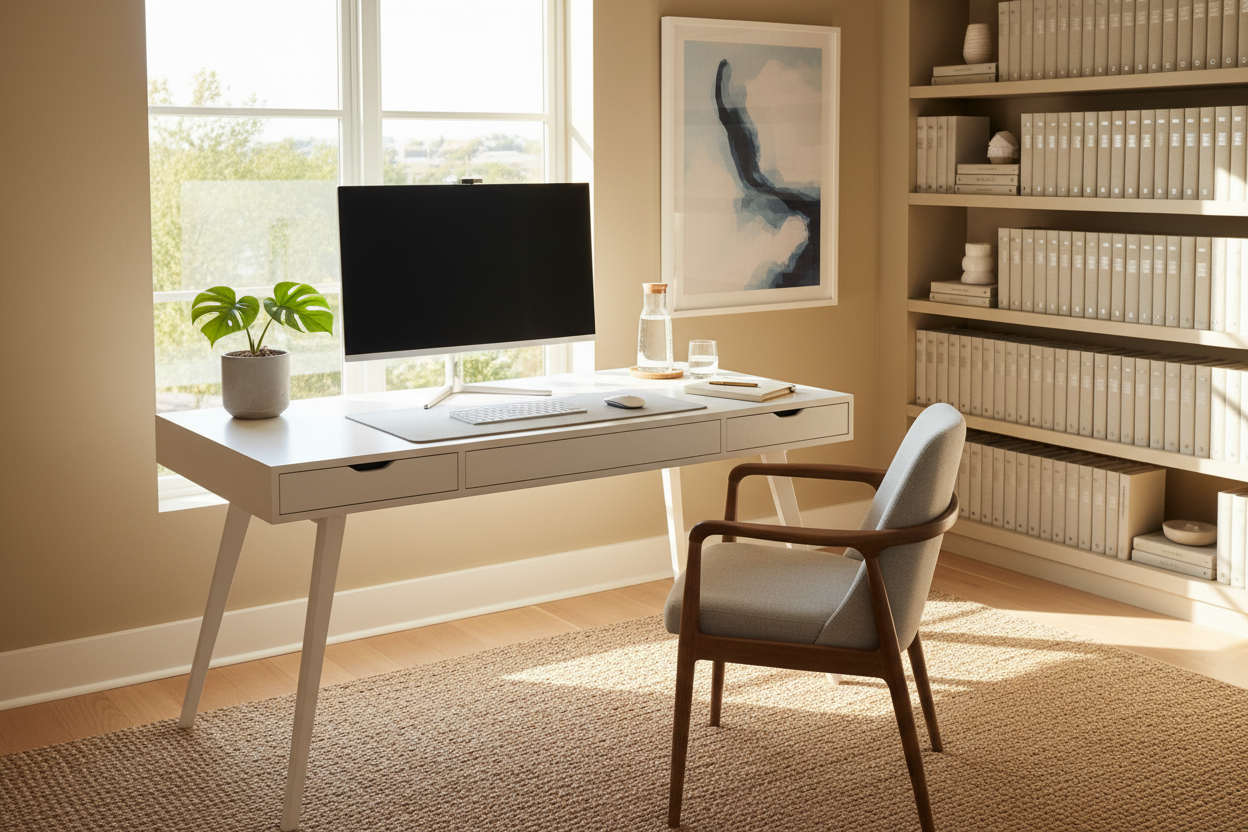
We often underestimate how visual clutter disrupts our cognitive flow. As a designer, I see clients invest in high-end ergonomic chairs and custom joinery, only to have the aesthetic ruined by scattered papers and tangled cables. A **clean desk** is not merely a chore; it is a fundamental component of interior spatial planning that directly influences your mental clarity and professional output. This guide moves beyond simple dusting techniques to explore the structural and behavioral changes required to maintain a pristine, high-performance workspace.
The Pillars of a Tidy Workspace
- Integrated Cable Management: Look for grommets and under-mount trays to hide visual noise.
- Material Selection: Choose matte or textured finishes (like wood grain) to hide dust and fingerprints better than high-gloss lacquer.
- Zoned Storage: distinct areas for active work versus archival storage to prevent surface accumulation.
- The "Reset" Ritual: A dedicated 5-minute routine to clear the surface at the end of every workday.
Designing for Maintenance: Material Matters
When clients ask how to clean a desk effectively, the answer often starts with what the desk is made of. The longevity of your clean office desk depends heavily on the interaction between the cleaning agent and the surface material.
Solid Wood vs. Veneer
For a luxury aesthetic, solid wood is unparalleled, but it requires specific care. Avoid harsh chemicals when cleaning your workspace. Instead, use a damp microfiber cloth followed immediately by a dry one to prevent moisture damage. If you are looking for a clean office table that handles heavy traffic, high-pressure laminate (HPL) offers a similar visual warmth but withstands abrasive cleaners and coffee rings far better than natural timber.
The Glass and Lacquer Trap
While a glass top creates an illusion of space, keeping a clean computer desk made of glass is a constant battle against fingerprints. If you love the look, consider a large leather desk pad. This adds a tactile layer of luxury, improves mouse tracking, and significantly reduces the surface area you need to polish daily.
Spatial Planning: The "Clean Out" Strategy
To truly clean out your desk, you must strip the design back to its skeleton. I recommend a "zero-base" approach. Remove every item until you have a completely bare surface. Before returning an item, ask: "Does this tool earn its rent on my desktop?"
For clean workspace productivity, only daily essentials—keyboard, mouse, current file, and perhaps one stylistic object (like a sculptural lamp)—should remain. Everything else belongs in drawers or on shelves. This is how to clear desk space permanently: by reducing the inventory of items that collect dust.
Orchestrating the Setup
How to keep your desk clean and organized is often a question of ergonomics. If your trash bin is across the room, trash will accumulate on the desk. If your filing cabinet is difficult to open, papers will stack up. Position your waste disposal and filing systems within your chair's swivel radius. This ensures that the action of cleaning my desk happens in real-time, rather than becoming a daunting weekend project.
My Personal Take on Workstation Hygiene
I learned a hard lesson early in my career regarding clean desk ideas and practical application. I once specified a stunning, high-gloss black lacquer writing desk for a client who worked in finance. It looked incredible in the showroom under ambient lighting. However, two weeks after installation, the client called me in frustration.
The issue wasn't the storage; it was the finish. Every time he touched the desk, oils from his hands left visible smears, and the static charge attracted dust instantly. He felt his office looked dirty by 10:00 AM every day. To fix it, we had to overlay a custom matte leather blotter that covered 80% of the surface. Now, when I advise on how to keep a tidy desk, I always warn against high-gloss finishes for high-touch zones. A matte, textured oak or walnut hides a multitude of sins and keeps the office looking curated even when it hasn't been dusted for a few days.
Conclusion
Cultivating a tidy workspace is an investment in your peace of mind. By selecting forgiving materials, integrating smart storage, and adopting a "less is more" philosophy, you transform your desk from a dumping ground into a command center. Start by clearing the surface today—your mind will thank you.
Frequently Asked Questions
How often should I deep clean my computer desk?
For hygiene and aesthetics, a quick surface wipe-down should happen daily. However, a deep workstation cleaning—removing equipment to dust behind monitors and sanitizing the keyboard—should occur weekly to prevent allergen buildup.
What is the best way to clean off your desk if you have too much paper?
If you are struggling with how to tidy your desk due to paper volume, implement a "triage" tray system. Use three vertical stackers: "Action," "File," and "Shred." Never let papers touch the desk surface directly unless you are actively reading them.
How do I keep wires from cluttering my clean desk?
To clean up your workspace visually, cable management is key. Use velcro ties to bundle cords together and mount a power strip to the underside of the desk. This keeps the floor clear and maintains the sleek silhouette of your furniture.



Leave a comment
This site is protected by hCaptcha and the hCaptcha Privacy Policy and Terms of Service apply.